
Blazam
Blazam is a free, open-source web interface for delegating Active Directory administration to non-IT staff.
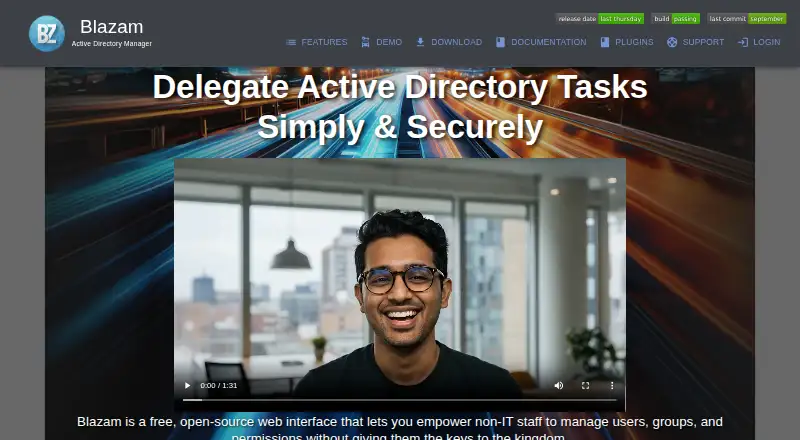
What Blazam is
Blazam is a free, open-source web interface for delegating Active Directory administration to non-IT staff. It manages users, groups, organizational units, computers, and printers, with actions such as account unlocks, password resets, group assignments, and attribute changes. Administrators can define reusable access levels for groups or individuals and set permissions by attribute and action. Rule-based actions can run on events or schedules, with filters, ordered processing, conditional stops, and expiry settings. Blazam also lists a REST API, webhook notifications, and MFA using Cisco DUO or Google Authenticator-compatible TOTP. Its documentation says passwords are encrypted at rest and in transit, supports TLS/SSL connections, and describes operation under an unprivileged account. Windows installation options include IIS or a standalone service; Linux options include Apache, nginx, or a standalone service. Blazam requires Active Directory and a domain-joined Windows host. The documentation calls for a well-structured OU layout for granular delegation and advises against installing Blazam on a Domain Controller.
Good
- Delegates account unlocks and password resets
- Permissions can be set by attribute and action
- Rules can run on events or schedules
- Offers a REST API and webhook notifications
- Free and open source under the MIT license
Watch out
- Requires Active Directory
- Requires a domain-joined Windows host
- Installing on a Domain Controller is not recommended
Who it suits
Blazam suits organizations seeking to delegate routine Active Directory tasks to nontechnical staff, particularly where funding is limited. It requires Active Directory and a domain-joined Windows host, and granular delegation depends on a well-defined OU structure.
Verdict
Blazam provides detailed delegation controls and automation for Active Directory tasks. Its deployment requirements and OU structure guidance are important considerations before rollout.
Plans and prices
From Blazam's own pricing page, checked 30 Sep 2026.
| Plan | Price | What it gives you |
|---|---|---|
| Free and Open Source | Free | Completely free of charge · MIT licensed for personal and commercial use |
The facts
Each one read from Blazam's own pages, with the date it was checked.
What it does
- API limit
- API tokens inherit the permissions of the Blazam user and can currently only be created by admins for existing Blazam users.checked 30 Sep 2026
- Audience
- The maker describes Blazam as designed for overworked system administrators and organizations with limited funding, and says it supports nontechnical users with tasks otherwise handled by technical staff.checked 30 Sep 2026
- Automation
- Rule-based Active Directory actions can run in response to events or on schedules, with filters, ordered processing, conditional stops, and expiration settings.checked 30 Sep 2026
- Database options
- Documented database options include SQLite, MSSQL Express, MariaDB, MSSQL, and MySQL; the requirements page lists recommended concurrent-user ceilings for each.checked 30 Sep 2026
- Deployment requirement
- Blazam requires Active Directory and a domain-joined Windows host, and its documentation says a well-defined OU structure is imperative for granular delegation.checked 30 Sep 2026
- Directory management
- It manages users, groups, organizational units, computers, and printers, including account unlocks, password resets, group assignments, and attribute changes.checked 30 Sep 2026
- Install options
- The Windows installer can install under IIS or as a standalone service, while the Linux installer supports Apache, nginx, or a standalone service.checked 30 Sep 2026
- Integrations
- The site lists a REST API and webhook notification subscriptions; it also describes MFA through Cisco DUO or Google Authenticator-compatible TOTP.checked 30 Sep 2026
- Notable deployment limit
- The documentation says installing Blazam on a Domain Controller is not recommended.checked 30 Sep 2026
- Permissions
- Reusable access levels can be applied to groups or individual users, with per-attribute and per-action permission controls.checked 30 Sep 2026
- Purpose
- Blazam is a free, open-source web interface for delegating Active Directory management to non-IT staff.checked 30 Sep 2026
- Security
- The documentation says passwords are encrypted at rest and in transit, connections support TLS/SSL, and the app is designed to run under an unprivileged account.checked 30 Sep 2026
- Support
- The maker lists [email protected] as its contact address.checked 30 Sep 2026
The full review of Blazam
Blazam is a free, open-source web application for handing selected Active Directory work to non-IT staff. It is strongest for organizations that need granular permissions and automated directory tasks without a software license; it is a poor fit without a suitable domain-joined Windows host and a coherent OU structure.
Overview
Blazam handles routine administration across users, groups, organizational units, computers, and printers. That includes account unlocks, password resets, group assignments, and attribute changes. Reusable access levels can be assigned to groups or individual users, with permissions controlled by action and attribute. This lets administrators distribute specific tasks rather than grant broad directory access, which is useful when technical staff are overloaded and nontechnical colleagues can take on repeatable requests.
The deployment model is the main qualification. Blazam requires Active Directory and a domain-joined Windows host, and installing it on a Domain Controller is not recommended. Granular delegation also depends on a well-defined OU structure. Organizations that have not established one should treat directory organization as a prerequisite, not expect the app to compensate for it.
Key features
Delegation and automation
Per-action and per-attribute controls make access levels more precise than an all-or-nothing delegation model. Rule-based actions can run after events or on schedules, with filters, ordered processing, conditional stops, and expiration settings. That combination can reduce repetitive administrator work, while still requiring careful configuration of the permissions and rules.
Integration and security
A REST API and webhook notification subscriptions support integration with other systems. API tokens inherit the permissions of the associated Blazam user, and only admins can currently create tokens for existing Blazam users; that is a useful boundary, but it limits who can provision integrations. MFA is supported through Cisco DUO or Google Authenticator-compatible TOTP. Passwords are encrypted at rest and in transit, connections support TLS/SSL, and the application is designed to run under an unprivileged account.
Installation and databases
Windows installation can use IIS or a standalone service; on Linux, the installer supports Apache, nginx, or a standalone service. Documented database choices are SQLite, MSSQL Express, MariaDB, MSSQL, and MySQL, with recommended concurrent-user ceilings for each. The choice gives administrators deployment flexibility, but they need to match the database and expected concurrency to their environment.
Pricing
Free and Open Source: free. The plan is completely free of charge and MIT licensed for personal and commercial use. It includes an on-premises deployment model, delegated administration, AD auditing, lifecycle automation, reporting, and password self-service. There is no free-trial term to weigh against a paid upgrade: Blazam is offered as a free plan. Organizations should instead assess the operational cost of hosting and administering it.
Platforms
Blazam supports API, Linux, self-hosted, web, and Windows environments. Its installers accommodate common web-server setups as well as standalone services, but the required domain-joined Windows host remains a deployment constraint even with Linux installation options.
Who it's for
Blazam suits system administrators who need to delegate recurring Active Directory work to nontechnical staff, especially in organizations with limited software budgets. It is a sensible choice when tighter task-level permissions, automation, and on-premises operation matter more than a hosted service. Organizations without Active Directory, an appropriate domain-joined host, or a usable OU structure should look elsewhere.
Pros and cons
- Pros: No license cost and MIT licensing permit personal and commercial use.
- Pros: Reusable access levels with per-action and per-attribute controls support narrower delegation.
- Pros: Event- and schedule-based rules can automate repeatable directory actions.
- Pros: Multiple installer and database options provide flexibility for on-premises deployments.
- Cons: Active Directory and a domain-joined Windows host are mandatory, and Domain Controller installation is not recommended.
- Cons: Effective granular delegation depends on a well-defined OU structure.
- Cons: API tokens can only be created by admins for existing Blazam users, limiting integration setup to a narrow administrative path.
Alternatives
For a broader category comparison, see Active Directory Management Software. Choose Softerra Adaxes if you need a paid option with a 30-day full-functionality evaluation and technical support. ManageEngine ADSelfService Plus is a better fit when password self-service across mobile and desktop platforms is the priority; its free edition has no expiration and caps coverage at 50 users, unlimited domains, and 10 Endpoint MFA users. For a narrower, free self-service password tool requiring PHP and LDAP connectivity, consider LTB Self Service Password; PWM is another free, open-source password self-service application for LDAP directories. Choose ManageEngine ADAudit Plus when auditing is the central need; its free edition covers 25 workstations. Netwrix Password Secure is an alternative for self-service password management, with pricing starting at $60 a year and a one-year minimum purchase commitment. Consider Specops uReset for annual, volume-based subscriptions, or Cayosoft Administrator when you want a quote-based subscription available for 12, 36, or 72 months.
Verdict
Blazam is a strong fit for budget-conscious organizations that want to delegate and automate Active Directory tasks without purchasing a license. Its permission controls are the clearest reason to choose it; the required Windows host and need for a well-structured OU hierarchy are the reasons to look elsewhere if your environment is not ready for that model.
Getting started
- Visit https://blazam.org/.
- Confirm that Active Directory and a domain-joined Windows host are available.
- Choose a Windows installer route through IIS or a standalone service, or a Linux route through Apache, nginx, or a standalone service.
- Select a documented database option: SQLite, MSSQL Express, MariaDB, MSSQL, or MySQL.
- Configure access levels and permissions for the groups or users who will receive delegated tasks.
Questions
How much does Blazam cost?
The Free and Open Source plan costs nothing.
Is Blazam open source?
Yes. The plan is MIT licensed for personal and commercial use.
What platforms does Blazam support?
Its listed platforms are API, Linux, self-hosted, web, and Windows.
What does Blazam require to deploy?
It requires Active Directory and a domain-joined Windows host. Its documentation says a well-defined OU structure is imperative for granular delegation.
Can Blazam be installed on a Domain Controller?
The documentation does not recommend installing Blazam on a Domain Controller.
What databases are documented?
Options include SQLite, MSSQL Express, MariaDB, MSSQL, and MySQL.
Alternatives to Blazam
- 1

Cayosoft Administrator
AndroidWebAPImacOS7.0 - 2

Softerra Adaxes
Free planWebmacOSSelf-hostedWindows7.0$1,600 one-time - 3
Specops uReset
AndroidiOSWebAPI7.0 - 4
ManageEngine ADSelfService Plus
Free planAndroidiOSWebLinux6.9From $595 a year - 5

ManageEngine AD360
WebWindows6.4 - 6
ManageEngine ADAudit Plus
Free planWebWindows6.4From $595 a year