
Biyo POS
Biyo POS is an all-in-one point-of-sale system for managing stores, with features for retail, eCommerce and restaurants as well as grocery stores, cafes, bar…
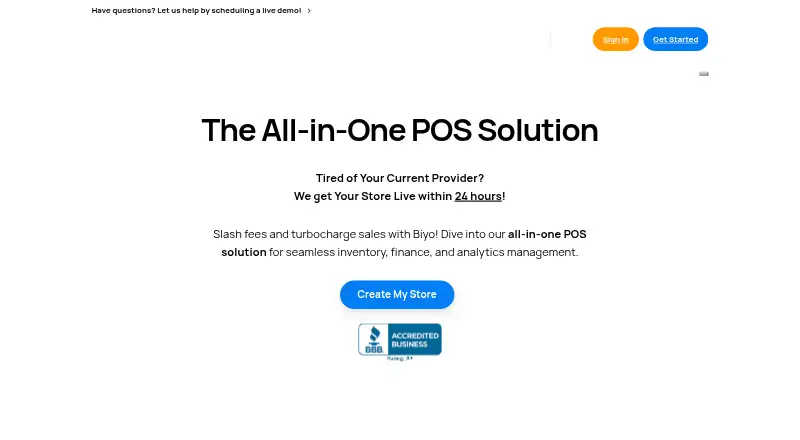
What Biyo POS is
Biyo POS is an all-in-one point-of-sale system for managing stores, with features for retail, eCommerce and restaurants as well as grocery stores, cafes, bars and kiosks. Its offline mode allows businesses to continue processing transactions when internet connectivity is unavailable. Inventory tools include a scanner app for stocktakes and checking stock across stores, while multi-location features support centralized control and inventory management. Restaurant tools cover tableside ordering, table status tracking, reservations and a digital floor plan. Reporting can present revenue, costs and margins, and compare sales across locations or periods. Its WooCommerce integration supports real-time inventory and order syncing, a unified product catalog and combined online and in-store reporting. Biyo says merchants can use their own hardware, including Windows, Linux, Chrome, iOS and OS X devices. A free Premium + Processing plan is listed for US businesses and charges processing fees. A 14-day free trial is offered without a credit card.
Good
- Offline mode supports transaction processing without internet.
- Inventory tools cover stocktakes and checking stock across stores.
- Multi-location tools support centralized inventory management.
- Restaurant features include reservations and a digital floor plan.
- Trial is 14 days with no credit card required.
Watch out
- Free plan is for US businesses only.
- Free plan charges processing fees.
- Phone support is listed for Premium customers.
Who it suits
Biyo POS suits retailers, restaurants and other listed store types that need sales, inventory and reporting tools across one or more locations. It may also suit businesses that need offline transaction processing or WooCommerce syncing.
Verdict
Biyo POS covers retail and restaurant operations, including offline sales, inventory and multi-location reporting. Check the US-only free plan terms and per-terminal paid pricing against your setup.
Plans and prices
From Biyo POS's own pricing page, checked 28 Sep 2026.
| Plan | Price | What it gives you |
|---|---|---|
| Standard | $47 a month | All features included · All integrations included · 24/7 online support · Other card processing providers · $47/month per terminal |
| Premium | $97 a month | All features included · All integrations included · 24/7 online & phone support · Other card processing providers · $97/month per terminal |
| Premium + Processing | Free | Only for US Business · No contracts · All features and integrations included · No monthly software fees · Free credit card machine · 24/7 online support + phone · $0/month + processing fees |
| Standard | $470 a year | All features included · All integrations included · 24/7 online support · Other card processing providers · $470/year per terminal |
| Premium | $970 a year | All features included · All integrations included · 24/7 online & phone support · Other card processing providers · $970/year per terminal |
The facts
Each one read from Biyo POS's own pages, with the date it was checked.
What it does
- Business types
- The site lists retail, eCommerce, restaurants, and business types including grocery stores, cafes, bars, and kiosks.checked 28 Sep 2026
- Data hosting
- The privacy policy says Biyo hosts data with Amazon Web Services in Germany.checked 28 Sep 2026
- Employee permissions
- Yeschecked 20 Sep 2026
- Hardware
- Biyo says merchants can use their own hardware and lists Windows, Linux, Chrome, iOS, and OS X devices as supported.checked 28 Sep 2026
- Integration
- The WooCommerce integration page describes real-time inventory synchronization, order syncing, a unified product catalog, and combined online and in-store reporting.checked 28 Sep 2026
- Inventory
- Its Inventory Scanner app can be used to conduct stocktakes and check stock across stores.checked 28 Sep 2026
- Multi-location
- Biyo says its multi-location tools support centralized control and inventory management across locations.checked 28 Sep 2026
- Multi-location support
- Yeschecked 20 Sep 2026
- Offline sales
- Biyo POS says its offline mode allows businesses to continue processing transactions when internet connectivity is unavailable.checked 28 Sep 2026
- Paid from
- 47checked 20 Sep 2026
- Product
- Biyo POS describes itself as an all-in-one point-of-sale system for managing stores.checked 28 Sep 2026
- Reporting
- Biyo says its reporting can present revenue, costs, and margins and compare sales across locations or time periods.checked 28 Sep 2026
- Restaurant tools
- The feature overview describes tableside ordering, table status tracking, reservations, and a digital floor plan.checked 28 Sep 2026
- Security
- Biyo’s privacy policy says data transferred over the internet as part of its services is encrypted using industry-standard TLS (HTTPS).checked 28 Sep 2026
- Support
- The site advertises live chat for all customers and phone support for Premium customers.checked 28 Sep 2026
The company
- Founded
- 2012checked 28 Sep 2026
Money
- Free plan
- Yeschecked 20 Sep 2026
- Free-plan limit
- The Premium + Processing plan is listed as free for US businesses and charges processing fees.checked 28 Sep 2026
- Trial
- Biyo advertises a 14-day free trial with no credit card required.checked 28 Sep 2026
The full review of Biyo POS
Overview
Biyo POS is a point-of-sale system for businesses managing store sales, inventory, and, where relevant, online orders. It covers retail and eCommerce as well as restaurants, with grocery stores, cafes, bars, and kiosks among the business types it lists. Its feature set also addresses businesses with more than one location, combining centralized management with inventory and reporting tools.
Offline mode is intended to let businesses keep processing transactions when internet access is unavailable. Biyo also lists online ordering, so the system can serve businesses handling both in-person and online sales. It is made by Biyo POS, founded in 2012 and based at 1027 Hudson Ave, Ridgefield, NJ 07657.
Biyo says internet transfers associated with its services use industry-standard TLS (HTTPS) encryption. Its privacy policy identifies Amazon Web Services in Germany as the host for customer data.
Key features
Inventory and multiple locations
The Inventory Scanner app can be used for stocktakes and checking stock across stores. Biyo’s multi-location tools are designed to centralize control and inventory management across sites. Employee permissions are also listed, allowing businesses to manage staff access.
Restaurant operations
Restaurant tools include tableside ordering, table status tracking, reservations, and a digital floor plan. Together, these features address ordering and day-to-day coordination around restaurant tables.
Sales reporting and WooCommerce
Biyo’s reporting can show revenue, costs, and margins, and supports comparisons between locations or time periods. Its WooCommerce integration describes real-time inventory synchronization, order syncing, a shared product catalog, and reporting that brings online and in-store sales together.
Offline use and hardware
Offline mode is intended to keep transactions moving during an internet outage. Biyo says merchants can use their own hardware and lists Windows, Linux, Chrome, iOS, and OS X devices as supported. The product is also listed for Android, iOS, Linux, macOS, web, and Windows.
Pricing
Biyo POS has a freemium model, with a 14-day free trial that does not require a credit card. Its listed plans distinguish between a US-only free option that charges processing fees and paid plans priced per terminal:
- Premium + Processing: free, billed with processing fees; available to US businesses only.
- Standard: $47 a month, billed at $47/month per terminal. Includes all features, all integrations, 24/7 online support, and other card processing providers.
- Premium: $97 a month, billed at $97/month per terminal. Includes all features, all integrations, 24/7 online and phone support, and other card processing providers.
Live chat is advertised for all customers, while phone support is listed for Premium customers. Businesses comparing options should account for the per-terminal billing on paid plans and processing fees on the free US plan.
Platforms
Biyo POS is listed for Android, iOS, Linux, macOS, web, and Windows. Its hardware information also mentions Chrome devices and says merchants can use their own equipment.
Who it's for
Biyo POS may suit retailers, eCommerce sellers, restaurants, grocery stores, cafes, bars, and kiosks looking for sales and inventory tools in one system. Multi-location support and cross-site stock management are relevant to businesses operating multiple stores. Restaurant-specific ordering and table tools make it applicable beyond conventional retail, while offline transaction support may matter to businesses that cannot depend on continuous internet access.
Businesses exploring category options can also browse Point-of-Sale Software and, for a more specialized category, Food Truck POS Software.
Pros and cons
- Pros: Features span inventory, reporting, offline transactions, online ordering, and multiple locations.
- Pros: Restaurant tools include tableside ordering, reservations, table status tracking, and a digital floor plan.
- Pros: WooCommerce integration covers inventory and order synchronization along with combined sales reporting.
- Pros: The US free plan and 14-day trial provide ways to start without a paid monthly subscription, though the free plan has processing fees.
- Cons: The free Premium + Processing plan is limited to US businesses and charges processing fees.
- Cons: Paid pricing is per terminal, which is an important cost consideration for businesses using several terminals.
Alternatives
For other point-of-sale options, consider Loyverse, Zeller, FuegoPOS, ParcelPOS, CartFlow, Paloma365, SOMENU POS, or SpotOn Restaurant.
Verdict
Biyo POS brings together store sales, inventory, reporting, and multi-location management, with additional restaurant tools and WooCommerce synchronization. Its offline mode and broad listed platform support add flexibility for businesses with varied operating setups. Pricing is the main point to weigh: the free plan is restricted to US businesses and carries processing fees, while paid plans are billed per terminal. For businesses whose needs match its retail, restaurant, or multi-location capabilities, the feature range is substantial; the cost structure should be checked against the number of terminals and payment processing arrangement.
Getting started
- Visit the Biyo POS website.
- Choose a platform: Android, iOS, Linux, macOS, web, or Windows.
- Start the 14-day free trial without a credit card, or select an available plan.
- Use your own hardware, which Biyo says it supports.
- Choose a plan based on whether you need Standard or Premium support options.
Limits worth knowing
The free Premium + Processing plan is listed for US businesses and charges processing fees. Standard costs $47 a month per terminal; Premium costs $97 a month per terminal.
Questions
Is Biyo POS free?
A Premium + Processing plan is listed as free for US businesses, with processing fees.
Is there a free trial?
Yes. Biyo advertises a 14-day trial that does not require a credit card.
Which platforms does Biyo POS support?
Its listed platforms are Android, iOS, Linux, macOS, web, and Windows. Biyo also says merchants can use their own hardware.
Does Biyo POS support multiple locations and offline sales?
Yes. It offers centralized multi-location control and inventory management, and offline mode for processing transactions without internet connectivity.
What support comes with the plans?
Biyo advertises live chat for all customers. Standard lists 24/7 online support, while Premium lists 24/7 online and phone support.
Does Biyo POS integrate with WooCommerce?
Yes. The integration supports inventory and order syncing, a unified product catalog, and combined online and in-store reporting.
Alternatives to Biyo POS
- 1
Loyverse
Free planAndroidiOSWebAPI9.0Free plan - 2
GoFrugal Retail
AndroidiOSWebAPI8.6 - 3
Helcim
Free planAndroidiOSWebAPI8.6From $0.40 a month - 4

Posnic POS
Free planOpen sourceAndroidiOSWebAPI8.6From ₹4,999 a year - 5
GoDaddy POS
Free planAndroidiOSWebAPI8.5From $28.99 a month - 6
Imonggo
Free planAndroidiOSWebAPI8.4From $30 a month