
BIMViewer
BIMViewer is a browser-based viewer and coordination workbench for inspecting and working with building information models in IFC formats.
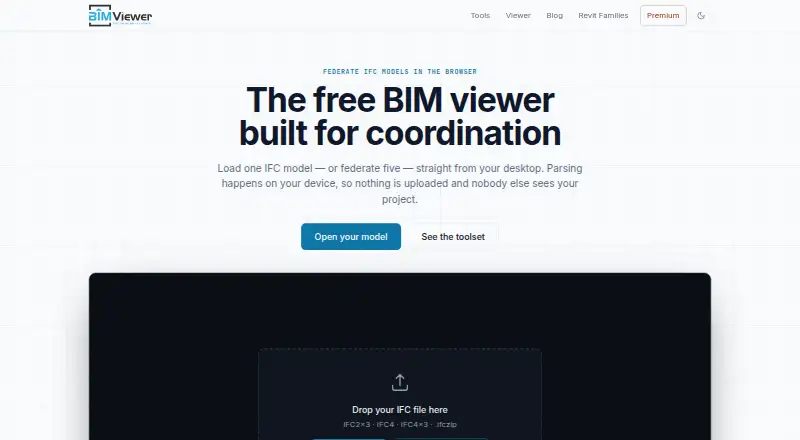
What BIMViewer is
BIMViewer is a browser-based viewer and coordination workbench for inspecting and working with building information models in IFC formats. It can combine multiple discipline models in one scene while preserving each model’s separate spatial tree. Inspection tools show element attributes, property sets, and quantities; users can isolate or hide elements, cut section planes, measure distances, and export PNG snapshots. It reads IFC2x3, IFC4, IFC4x3, and zipped .ifczip files, but does not open native Revit .rvt files directly. The workbench also includes IFC Validator, IFC Compressor, IFC Merge, IFC to Excel, IFC Properties, and IFC to glTF. Models are parsed and rendered locally in the browser using WebAssembly rather than uploaded, and the session copy ends when the tab is closed. A current browser with WebAssembly and WebGL is required; the service works on desktop or mobile without a plugin, desktop app, or account. The free plan includes the viewer and tools without file or frequency limits. Visual coordination is supported, but automated rule-based clash tests are not.
Good
- Free access to the viewer and workbench tools.
- Combines multiple IFC models in one scene.
- Measures distances and exports PNG snapshots.
- Processes models locally in the browser.
Watch out
- Does not open native Revit .rvt files directly.
- Requires a current browser with WebAssembly and WebGL.
- Does not run automated rule-based clash tests.
Who it suits
BIMViewer suits contractors, clients, engineers, site managers, and subcontractors who need to inspect IFC deliverables without authoring software licenses. It can also suit teams coordinating multiple discipline models in a browser.
Verdict
BIMViewer offers browser-based IFC inspection, coordination, and related file tools at no charge. Confirm that the model is in a supported IFC format and that visual coordination meets your needs.
Plans and prices
From BIMViewer's own pricing page, checked 8 Oct 2026.
| Plan | Price | What it gives you |
|---|---|---|
| Free | Free | Viewer and all tools free without limits on files or frequency · local browser processing |
The facts
Each one read from BIMViewer's own pages, with the date it was checked.
What it does
- Automated clash detection
- The viewer supports visual coordination but does not run automated rule-based clash tests.checked 8 Oct 2026
- Companion tools
- The workbench includes IFC Validator, IFC Compressor, IFC Merge, IFC to Excel, IFC Properties and IFC to glTF.checked 8 Oct 2026
- Data collection
- The privacy policy says Google Analytics 4 collects aggregate usage events and Google AdSense supports the free service; hosting and Cloudflare keep short-window access logs.checked 8 Oct 2026
- Federation
- The viewer combines multiple IFC discipline models into one scene while keeping each model's spatial tree separate.checked 8 Oct 2026
- Input formats
- The viewer reads IFC2x3, IFC4, IFC4x3 and zipped .ifczip files; it does not open native Revit .rvt files directly.checked 8 Oct 2026
- Integrations
- The site describes compatible IFC exports from Revit, ArchiCAD, Tekla Structures, Allplan, Vectorworks, Bonsai (BlenderBIM) and Civil 3D.checked 8 Oct 2026
- Intended users
- The viewer is presented for project team members including contractors, clients, engineers, site managers and subcontractors who need to inspect IFC deliverables without authoring software licenses.checked 8 Oct 2026
- Model size
- There is no artificial cap on federated set size; the site describes around 300 MB as workable on desktop and gives a heads-up above 150 MB, or 80 MB on mobile.checked 8 Oct 2026
- Premium
- BIMViewer Premium is marked coming soon and is described as adding persistent share links, batch runs, oversized models and an ad-free workbench; no price is stated.checked 8 Oct 2026
- Processing and privacy
- Models are parsed and rendered locally in the browser using WebAssembly and are not uploaded; closing the tab ends the session copy.checked 8 Oct 2026
- Purpose
- BIMViewer is a browser based viewer and coordination workbench for viewing, auditing, slimming, merging and extracting data from BIM models.checked 8 Oct 2026
- Viewer tools
- Users can inspect element attributes, property sets and quantities, isolate or hide elements, cut section planes, measure distances and export PNG snapshots.checked 8 Oct 2026
Where it runs
- Device requirements
- The site requires a current browser with WebAssembly and WebGL and says it works on desktop or mobile browsers without a plugin, desktop app or account.checked 8 Oct 2026
The company
- Maker and founding
- The about page says BIM Viewer was established in 2024 and describes its team as having architecture, engineering and information technology backgrounds.checked 8 Oct 2026
Alternatives to BIMViewer
- 1

Dalux
Free planAndroidiOSWebAPI8.2From 49 DKK a month - 2
Nanome
Free planAndroidiOSWebAPI8.2From $4.17 a month - 3
Sketchfab
Free planAndroidiOSWebAPI8.2From $15 a month - 4
Aspose.3D Viewer
Free planAndroidiOSWebLinux7.3From $4 a month - 5
OmniView 3D
Free planAndroidiOSWeb7.3From $59 a month - 6

BIMcollab
AndroidiOSWebAPI7.2From €12.50 a month