Berrycast
Berrycast records and shares screen and webcam videos for work.
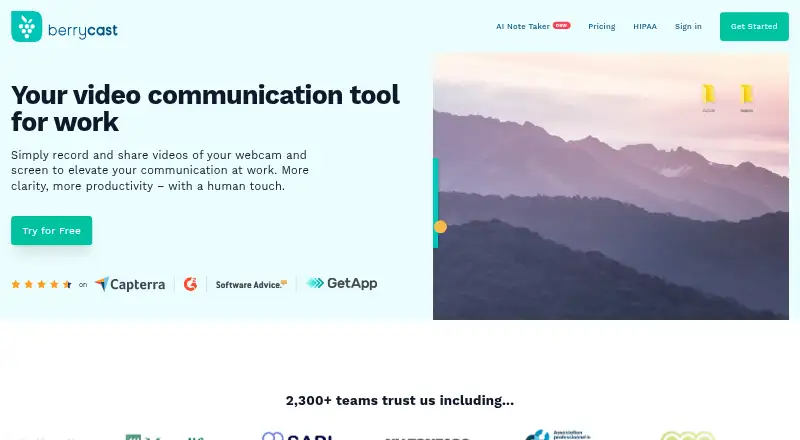
What Berrycast is
Berrycast records and shares screen and webcam videos for work. It supports capture on Windows and macOS, as well as through a Chrome extension, and can record system audio and microphone audio. Its plans list screen capture, webcam recording, video uploads, and unlimited recording length. Videos can be sent by email or social channels, embedded, and password-protected. Viewers can leave video comments without an account, and the feature list also includes timed comments and video editing. Starter includes video comments and system audio capture on PC. Professional adds custom branding, a custom domain, Request Video, subtitles, and limited transcription and AI Writer; Enterprise adds video analytics, unlimited transcription and AI Writer, and Collaborative Spaces. A 14-day trial is listed, but no plan prices are provided. Berrycast says it has no mobile recorder. Its healthcare information describes encryption, access controls, and a Business Associate Agreement before protected health information is recorded.
Good
- Unlimited videos and recording length across plans
- Records webcam, system audio, and microphone audio
- Password-protected sharing and embedding
- Chrome plugin supports several listed work tools
Watch out
- No mobile recorder is offered
- AI Writer and transcripts are limited on Professional
Who it suits
Berrycast may suit teams that need to record and share screen or webcam videos for work. Its listed sharing, comment, and plan features also fit teams choosing how much transcription, branding, and collaboration capability they need.
Verdict
Berrycast covers recording, sharing, and feedback, with higher plans adding branding, transcription, analytics, or collaboration features. Consider the lack of mobile recording and the unlisted plan prices before choosing it.
Plans and prices
From Berrycast's own pricing page, checked 9 Oct 2026.
| Plan | Price | What it gives you |
|---|---|---|
| Starter | Free | Unlimited videos and recording · Screen capture and webcam recording · Video upload, editing, comments, and sharing |
| Enterprise | Priced on request | Includes Professional features · Unlimited AI Writer and transcripts · Unlimited Collaborative Spaces · Video analytics |
| Professional | Priced on request | Includes Starter features · AI Writer and transcripts: 2h/month · Collaborative Spaces: 3 · Custom branding and domain · Discounts for more than 5 licenses |
The facts
Each one read from Berrycast's own pages, with the date it was checked.
What it does
- Access controls
- The HIPAA page lists password-protected links, link expiry, access revocation, and audit logging for healthcare recordings.checked 9 Oct 2026
- AI and transcripts
- Professional includes 2 hours per month of AI Writer and transcripts, while Enterprise lists both as unlimited.checked 9 Oct 2026
- Editing and feedback
- The feature comparison lists easy video editing, timed comments, and video comments that do not require an account.checked 9 Oct 2026
- Encryption
- The HIPAA page says recordings are encrypted with AES-256 at rest and TLS 1.2 or higher in transit.checked 9 Oct 2026
- Healthcare use
- Berrycast describes post-visit instructions, telehealth follow-ups, and clinical staff training as healthcare uses.checked 9 Oct 2026
- HIPAA
- Berrycast says it signs a Business Associate Agreement with covered entities before any protected health information is recorded.checked 9 Oct 2026
- Integrations
- Berrycast says users can share video messages through its Chrome plugin via Gmail, G Suite, Office 365, Teams, Slack, and Asana.checked 9 Oct 2026
- Microphone recording
- Yeschecked 15 Sep 2026
- Mobile recording
- Berrycast’s Chrome extension page says it does not offer a mobile recorder.checked 9 Oct 2026
- Pricing limits
- The pricing comparison lists unlimited videos and recording length across Starter, Professional, and Enterprise.checked 9 Oct 2026
- Product
- Berrycast records and shares webcam and screen videos for work.checked 9 Oct 2026
- Recording
- Plans include screen capture, webcam recording, video uploads, and unlimited recording length.checked 9 Oct 2026
- Sharing
- Users can share videos by email or social channels, embed them, and password-protect them.checked 9 Oct 2026
- Support
- The HIPAA page directs users to [email protected] for questions and compliance pricing.checked 9 Oct 2026
- System audio
- Yeschecked 15 Sep 2026
- Webcam recording
- Yeschecked 15 Sep 2026
Where it runs
- Capture platforms
- windows,macos,chrome_extensionchecked 15 Sep 2026
Money
- Free plan
- Nochecked 15 Sep 2026
Alternatives to Berrycast
- 1

Cap
Free planOpen sourceWebAPIExtensionLinux9.0From $29 a year - 2

Loom
Free planAndroidiOSWebmacOS8.9From $18 a month - 3

Vmaker
Free planiOSWebExtensionmacOS8.9From $18 a month - 4

ScreenPal
Free planAndroidiOSWebmacOS8.8From $4 a month - 5

Claap
Free planAndroidiOSWebAPI8.8From €32 a month - 6

Screencastify
Free planWebExtensionLinuxmacOS8.7From $7 a month