
Benerator
Benerator generates synthetic data, anonymizes or pseudonymizes existing data, and migrates data for development, testing, and training.
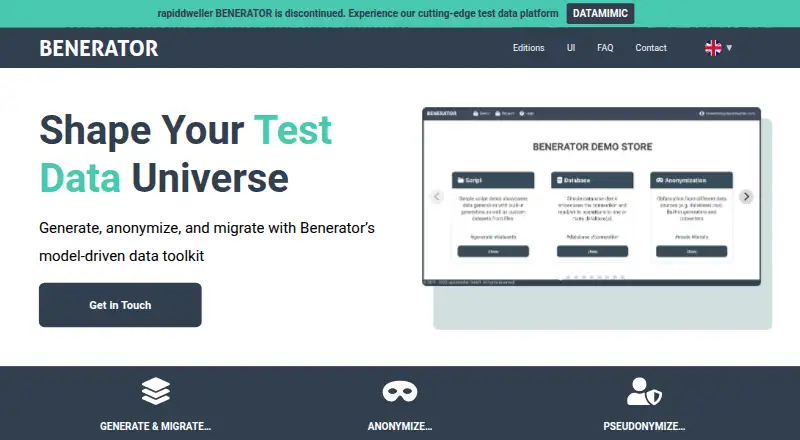
What Benerator is
Benerator generates synthetic data, anonymizes or pseudonymizes existing data, and migrates data for development, testing, and training. Users define data models in XML to produce realistic, valid test data at high volume. It can also mask sensitive production data and combine information from multiple sources while preserving data integrity. Data workflows can be connected to GitLab CI or Jenkins. Documented database examples include Oracle, DB2, Microsoft SQL Server, MySQL, PostgreSQL, HSQL, H2, Derby, and Firebird. Benerator UI includes project collaboration, task management, data previews, and real-time log analysis. Light and Professional editions include a RESTful/JSON API and support Docker, Kubernetes, and OpenShift. Enterprise adds multithreaded generation and anonymization, reports, JSON support, JMS, Kafka, and industry modules. The free Community Edition has a single-threaded core and no full graphical interface. Subscription prices are not listed. Benerator runs on Linux, macOS, and Windows, and also lists API and self-hosted platforms. Installation requires Java; its XML Schema support has documented limitations.
Good
- Creates high-volume synthetic test data from XML models.
- Can mask production data and combine multiple sources.
- Supports database examples including Oracle and PostgreSQL.
- Workflows can integrate with GitLab CI or Jenkins.
- Light and Professional include RESTful/JSON API support.
Watch out
- Community Edition is single-threaded.
- Community Edition has no full graphical interface.
- Installation requires Java.
- XML Schema support has documented limitations.
Who it suits
Benerator suits teams that need synthetic or masked data for development, testing, or training, especially where database and CI integration matter. The free Community Edition may fit users who can work without a full graphical interface.
Verdict
Benerator covers synthetic data generation as well as masking, migration, and integration workflows. The free Community Edition has interface and processing limits, and prices for paid editions are not listed.
Plans and prices
From Benerator's own pricing page, checked 15 Oct 2026.
| Plan | Price | What it gives you |
|---|---|---|
| Community Edition | Free | single-threaded generation and anonymization · no full graphical user interface · Free/open-source community edition |
| Enterprise | Priced on request | Multithreaded processing · anonymization reporting · JSON, JMS, Kafka and industry modules · Paid subscription; price not published |
| Light | Priced on request | Edition differences include users, container and cloud features, processing modules, and performance · Paid subscription; price not published |
| Professional | Priced on request | Edition differences include users, container and cloud features, processing modules, and performance · Paid subscription; price not published |
The facts
Each one read from Benerator's own pages, with the date it was checked.
What it does
- Anonymization
- The product supports masking and obfuscating sensitive production data for business intelligence, testing, development and training.checked 15 Oct 2026
- API and containers
- The Light and Professional editions include a RESTful/JSON API and support for Docker, Kubernetes, and OpenShift.checked 29 Sep 2026
- API surface
- The published Java API contains packages for engines, parsers, generators, databases, MongoDB, files, XML, scripting, tasks and domain data.checked 15 Oct 2026
- Automation
- The product page says data processes can be integrated into GitLab CI or Jenkins.checked 29 Sep 2026
- CI integrations
- Benerator documents integration of data processes with GitLab CI and Jenkins.checked 15 Oct 2026
- Container support
- Light and Professional editions include support for Docker, Kubernetes and OpenShift.checked 15 Oct 2026
- Custom extensions
- Official pages state that users can write extensions in JavaScript or Java and use custom encryption or decryption logic.checked 15 Oct 2026
- Database connectors
- Documented tested database examples include Oracle, DB2, Microsoft SQL Server, MySQL, PostgreSQL, HSQL, H2, Derby and Firebird.checked 15 Oct 2026
- Database support
- The documentation lists examples for Oracle, DB2, Microsoft SQL Server, MySQL, PostgreSQL, HSQL, H2, Derby, and Firebird.checked 29 Sep 2026
- Data migration
- Benerator can transform and migrate data across multisystem landscapes while reusing test-data models.checked 15 Oct 2026
- Documentation depth
- Official documentation includes installation instructions, usage examples, a user guide, API references and a downloadable manual.checked 15 Oct 2026
- Enterprise features
- Enterprise Edition adds multithreaded generation and anonymization, anonymization reporting, JSON support, JMS, Kafka, and industry modules.checked 29 Sep 2026
- Environment management
- Environment files support relational databases and Kafka clusters or topics, while the UI also exposes MongoDB configuration.checked 15 Oct 2026
- Feature limitation
- The documentation says XML Schema support is limited and lists several unsupported elements and sequence configurations.checked 29 Sep 2026
- Installation requirements
- The installation guide requires Java and the BENERATOR_HOME environment variable; the documented current distribution uses Java 11.checked 15 Oct 2026
- Integrations
- The FAQ says Benerator can integrate with Tricentis Tosca, including Tosca DI use cases for finance and banking clients.checked 29 Sep 2026
- Latest release
- GitHub lists Benerator 4.0.1-jdk-11 as the latest release, published on July 16, 2026, with migration reliability fixes.checked 15 Oct 2026
- Licence
- Benerator Community Edition is open source under GPL v2 with exceptions, while a commercial licence is available for incompatible redistribution.checked 15 Oct 2026
The company
- Company founding
- LinkedIn lists rapiddweller as founded in 2019.checked 15 Oct 2026
- Company headquarters and size
- LinkedIn lists rapiddweller headquarters in Hamburg and company size of 11–50 employees.checked 15 Oct 2026
- Company legal name
- The maker identified in project metadata is rapiddweller GmbH.checked 15 Oct 2026
- Company registration
- A German company register listing gives rapiddweller GmbH registration date February 1, 2019, Hamburg address and €25,000 capital.checked 15 Oct 2026
- Founded
- 2006checked 28 Sep 2026
- Headquarters
- Hamburg, Germanychecked 28 Sep 2026
The full review of Benerator
Overview
Benerator is a data tool for preparing datasets used in development, testing, and training. It can generate synthetic records from user-defined models, mask or pseudonymize sensitive production data, and migrate or combine data while maintaining integrity. Its scope spans both newly generated test data and carefully prepared data from existing sources.
The project was founded in 2006 and is based in Hamburg, Germany. It supports hybrid deployment and lists API, Linux, macOS, self-hosted, and Windows platforms. For a wider look at this category, see Test Data Generation Tools.
Key features
Model-driven synthetic data
Users define data models in XML and use them to generate realistic, valid test data at high volume. Benerator supports relational data and lists CSV, Excel, fixed-width, JSON, XML, DbUnit, and SQL formats. Documented database examples include Oracle, DB2, Microsoft SQL Server, MySQL, PostgreSQL, HSQL, H2, Derby, and Firebird.
There is a schema caveat for teams building around XML: the documentation describes XML Schema support as limited, with some elements and sequence configurations unsupported. Confirm that the schema constructs a project relies on are covered before making them central to a data workflow.
Production data and workflow automation
Benerator can mask sensitive production data and combine information from multiple sources while preserving data integrity. Its product information also describes integrating data processes with GitLab CI or Jenkins, which may fit teams that want data preparation to be part of their development pipeline.
The FAQ describes anonymization and obfuscation capabilities, but also cautions that generated data still needs appropriate handling and protection in the user's own environment. Anonymization features therefore do not remove the need for sound data controls.
UI, APIs, and deployment
Benerator UI offers project collaboration, task management, data previews, and real-time log analysis. The Community Edition does not include a full graphical interface, while Light and Professional editions include a RESTful/JSON API and support Docker, Kubernetes, and OpenShift. Enterprise adds JSON support alongside multithreaded generation and anonymization, reporting for anonymization, JMS, Kafka, and industry modules.
The FAQ lists integration with Tricentis Tosca, including Tosca DI use cases for finance and banking clients. For installation, the guide documents Windows, macOS, and Linux/Unix setup and requires Java; it also describes installing on macOS through Homebrew.
Pricing
Benerator uses a freemium model. Community Edition is listed at free and provides an open-source core under a dual license (GPL with exceptions), with single-threaded generation and anonymization and no full graphical user interface.
Light, Professional, and Enterprise are paid subscriptions, but their prices are not listed. Editions vary by users, container and cloud features, processing modules, and performance, so teams should compare edition details against their deployment and workload needs before choosing.
Platforms
The listed platforms are API, Linux, macOS, self-hosted, and Windows. Benerator's installation guide covers Windows, macOS, and Linux/Unix and requires Java. The FAQ's recommended minimum environment is Linux with Docker or Podman, or Kubernetes, at least four CPU cores running above 2 GHz, more than 8 GB of RAM, and 5 GB of container storage.
Who it's for
Benerator is suited to development and data teams that need repeatable test datasets, privacy-conscious use of production data, or data preparation integrated with CI workflows. Its range of database connectors and formats may be useful where datasets span relational sources and common file-based formats. The UI collaboration tools address team workflows, while its API and container support in Light and Professional editions and the additional enterprise capabilities serve more advanced deployment requirements.
It may be a less natural fit for users who need a full graphical interface in the free edition or whose data models depend on XML Schema features that Benerator does not support. The recommended system resources are also worth checking against the environment available to a team.
Pros and cons
Pros
- Supports synthetic data generation as well as masking, pseudonymization, and migration of production data.
- Lists a broad range of database connectors and data formats.
- Offers UI collaboration, previews, task management, and log analysis.
- Documents CI integration and, in paid editions, API and container support.
Cons
- The free Community Edition is single-threaded and lacks a full graphical interface.
- Light, Professional, and Enterprise prices are not listed.
- XML Schema support has documented limitations.
- Generated data still requires appropriate protection within the user's environment.
Alternatives
Depending on whether the priority is database work, synthetic-data tooling, or a different approach to test data, consider dbForge Studio for PostgreSQL, YData SDK, MOSTLY AI, Mockaroo, Synthesized, Tonic Fabricate, Synthetic Data Vault, and Bogus.
Verdict
Benerator brings synthetic generation, production-data anonymization, and data migration into one tool, with a substantial list of database connections and file formats. Its fit depends on practical constraints: the free tier's single-threaded operation and lack of a full GUI, the limited XML Schema support, and the resources recommended for deployment. Teams that need its broader API, container, or enterprise features will need to evaluate the paid editions, whose prices are not provided.
Getting started
- Visit the Benerator website.
- Choose Windows, macOS, or Linux/Unix installation; installation requires Java.
- For macOS, use the documented Homebrew installation route if suitable.
- Choose Community Edition or a paid subscription edition.
- Use GitHub Issues to report Community Edition issues; premium customers can contact support by chat, contact form, email, or phone.
Limits worth knowing
The free Community Edition is limited to single-threaded generation and anonymization and does not include a full graphical interface. XML Schema support is limited, with documented unsupported elements and sequence configurations.
Questions
Is Benerator free?
Yes. Its Community Edition is free and has an open-source core under a dual license (GPL with exceptions).
What platforms does Benerator support?
Its installation guide documents Windows, macOS, and Linux/Unix setup. It also lists API and self-hosted platforms.
Does Benerator require Java?
Yes. The installation guide says Java is required.
What databases are documented?
Examples include Oracle, DB2, Microsoft SQL Server, MySQL, PostgreSQL, HSQL, H2, Derby, and Firebird.
Which editions include an API?
Light and Professional include a RESTful/JSON API. Enterprise adds features including multithreaded generation and anonymization, reporting, JSON support, JMS, and Kafka.
How are paid editions priced?
Professional, Light, and Enterprise are paid subscriptions, but prices are not provided here.
Alternatives to Benerator
- 1
RandomUser
Free planOpen sourceWebAPIExtensionSelf-hosted7.1Free plan - 2

Tonic Fabricate
Free planWebAPISelf-hosted6.8$29 usage-based - 3

Mockaroo
Free planWebAPISelf-hosted6.7From $60 a year - 4

Synthetic Data Vault
Free planAPISelf-hosted6.6From $250 a month - 5
Chance.js
Free planWebAPI6.4Free plan - 6
JSON Schema Faker
Free planWebLinuxmacOSSelf-hosted6.4Free plan