Backuptrans Android iPhone Data Transfer+
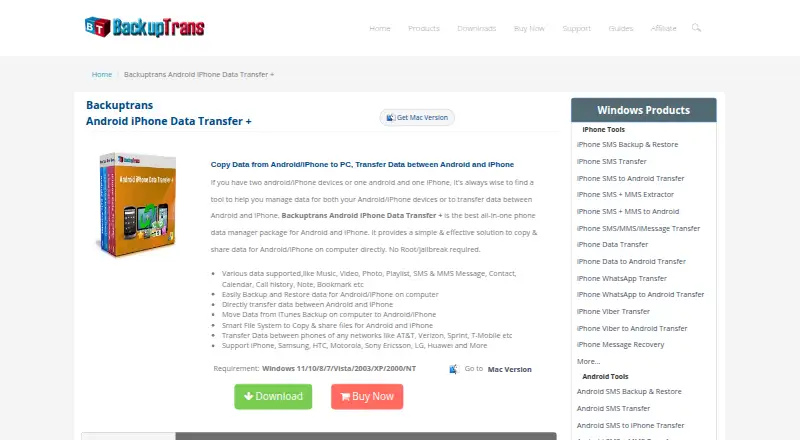
The facts below are what the maker publishes about Backuptrans Android iPhone Data Transfer+, checked and dated. Our editors have not written about it yet.
Plans and prices
From Backuptrans Android iPhone Data Transfer+'s own pricing page, checked 11 Oct 2026.
| Plan | Price | What it gives you |
|---|---|---|
| Personal Edition (Windows) | $39.95, paid once | Up to 3 devices · personal Windows computer · USD $39.95; lifetime license |
| Personal Edition (Mac) | $44.95, paid once | Up to 3 devices · personal Mac computer · USD $44.95; lifetime license |
| Family Edition (Windows) | $59.95, paid once | Up to 8 devices · all family Windows computers · USD $59.95; lifetime license |
| Family Edition (Mac) | $64.95, paid once | Up to 8 devices · all family Mac computers · USD $64.95; lifetime license |
| Business Edition (Windows) | $79.95 a year | Unlimited devices · all company Windows computers · USD $79.95; one-year license |
| Business Edition (Mac) | $84.95 a year | Unlimited devices · all company Mac computers · USD $84.95; one-year license |
The facts
Each one read from Backuptrans Android iPhone Data Transfer+'s own pages, with the date it was checked.
What it does
- Connection
- The product says Android can connect to the computer over Wi-Fi for data transfer.checked 11 Oct 2026
- Contact editing
- Users can add, edit, or delete phone contacts on the computer.checked 11 Oct 2026
- Data types
- It supports music, video, photos, playlists, SMS and MMS, contacts, calendars, call history, notes, bookmarks, and other listed data types.checked 11 Oct 2026
- Export and print
- Messages and contacts can be exported as TXT, CSV, Doc, VCF, HTML, or PDF, and messages and contacts can be printed from the computer.checked 11 Oct 2026
- File management
- Its file system lets users view and copy selected files between a phone and computer.checked 11 Oct 2026
- Integrations
- The product can read iTunes backups, and its Windows requirements specify iTunes 10.0 or above.checked 11 Oct 2026
- No root required
- The maker says Android transfer does not require root and iPhone transfer does not require jailbreak.checked 11 Oct 2026
- Privacy and security
- The privacy policy says the company uses administrative, technical, and physical safeguards and says it does not sell or rent contact information to marketers.checked 11 Oct 2026
- Purpose
- The software transfers and manages data among Android phones, iPhones, and a computer.checked 11 Oct 2026
- Transfer and backup
- It can transfer data directly between Android and iPhone, back up and restore phone data on a computer, and copy data from an iTunes backup.checked 11 Oct 2026
Where it runs
- Device support
- The maker says it supports more than 1,000 phones, including iPhone, Samsung, HTC, Motorola, Sony Ericsson, LG, and Huawei devices.checked 11 Oct 2026
- Mac requirements
- The Mac version lists macOS X 10.7 through macOS 12 Monterey as supported operating systems.checked 11 Oct 2026
- Windows requirements
- The Windows version lists Windows 11, 10, 8, 7, Vista, 2003, XP, 2000, and NT as supported operating systems.checked 11 Oct 2026
Money
- Trial and support
- The support page explains how to obtain a trial version and says email questions are generally answered within 24 hours, except weekends or holidays.checked 11 Oct 2026
Alternatives to Backuptrans Android iPhone Data Transfer+
- 1
AirMore
Free planAndroidiOSWebLinux8.1From $40.99 a year - 2
Syncios Manager
Free planAndroidiOSmacOSWindows7.9From $34.95 a year - 3
vivo EasyShare
Free planAndroidiOSmacOSWindows7.3Free plan - 4

HONOR Device Clone
Free planAndroidiOSWindows7.2Free plan - 5
FoneTool
AndroidiOSWindows6.8From $29.95 a year - 6
Wondershare MobileTrans
AndroidiOSmacOSWindows6.8From $29.99 a year