
AWS Billing and Cost Management
AWS Billing and Cost Management brings together tools to handle invoices and analyze, organize, plan, and optimize Amazon Web Services costs.
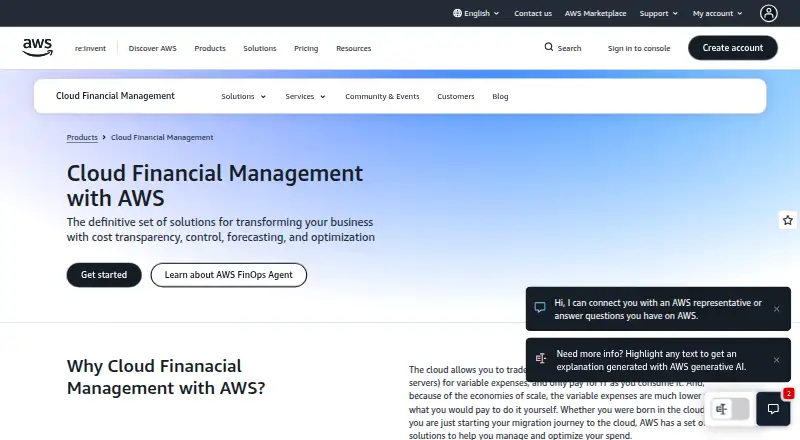
What AWS Billing and Cost Management is
AWS Billing and Cost Management brings together tools to handle invoices and analyze, organize, plan, and optimize Amazon Web Services costs. The Bills page provides downloadable invoices and monthly billing details. Cost Explorer charts cost and usage over time, with filters and groupings such as member account and service, and forecasts future costs and usage from historical and current patterns. AWS Budgets can alert when cost or usage thresholds are reached or expected to be exceeded, and track Reservations and Savings Plans utilization and coverage. Cost Anomaly Detection applies machine learning to identify unusual spending and its causes, with alerts sent through SNS or email individually or in daily or weekly summaries. Cost Categories groups usage and costs into customer-defined classifications, which can also be used in Cost Explorer, AWS Budgets, and the Cost and Usage Report. The service is listed as free, but some features incur usage charges: primary billing view Cost Explorer API requests cost $0.01 each, while custom billing view requests cost $0.01 per source. Hourly Cost Explorer data covers a 14-day lookback for specified data types.
Good
- Downloadable invoices and monthly billing details
- Forecasts future costs and usage
- Alerts on actual or forecast budget thresholds
- Tracks Reservations and Savings Plans coverage
- Cost Categories work across several AWS tools
Watch out
- Cost Explorer API requests have usage charges
- Hourly data covers a 14-day lookback
- Custom-view API requests cost $0.01 per source
Who it suits
It suits AWS customers who need invoice access alongside cost analysis, forecasts, budget alerts, and cost categorization. Organizations should account for separately charged API requests and hourly granularity.
Verdict
The service combines billing access with tools for examining and managing AWS spending. Its free listing does not cover every usage charge, so review the API and hourly-data costs that apply to your use.
Plans and prices
From AWS Billing and Cost Management's own pricing page, checked 20 Sep 2026.
| Plan | Price | What it gives you |
|---|---|---|
| AWS Cost Explorer API | $0.01 a month | Access the Cost Explorer query engine programmatically · Each request using the primary billing view incurs a cost of $0.01. |
| AWS Cost Explorer hourly granularity | Priced on request | 14-day lookback |
| AWS Billing and Cost Management | Free | Some features have usage-based charges; Cost Explorer API requests and hourly granularity are charged separately |
The facts
Each one read from AWS Billing and Cost Management's own pages, with the date it was checked.
What it does
- Anomaly detection
- Cost Anomaly Detection uses machine learning to detect anomalous spending and root causes, with alerts available individually or in daily or weekly summaries through SNS or email.checked 4 Oct 2026
- API pricing
- Each Cost Explorer API request using a primary billing view costs $0.01; requests using custom billing views cost $0.01 per source.checked 4 Oct 2026
- Budget charges
- Budget monitoring and notifications are free; the first two action-enabled budgets per month are free, and each later action-enabled budget costs $0.10 daily.checked 4 Oct 2026
- Budgets
- AWS Budgets can alert users when cost or usage thresholds are exceeded or forecast to be exceeded, and can track Reservations and Savings Plans utilization and coverage.checked 4 Oct 2026
- Compliance
- AWS lists certifications and attestations including ISO 27001 and SOC 1, SOC 2, and SOC 3, and says customers remain responsible for applicable compliance laws and regulations.checked 4 Oct 2026
- Forecasting
- Cost Explorer projects future costs and usage from historical and current cost and usage patterns.checked 4 Oct 2026
- Hourly data limit
- Cost Explorer hourly granularity looks back over 14 days and applies to cost and usage data for all services without resource details and to EC2 resource-level data.checked 4 Oct 2026
- Integrations
- Cost Categories can be used with AWS Cost Explorer, AWS Budgets, and AWS Cost and Usage Report.checked 4 Oct 2026
- Intended audience
- AWS describes its cost management solutions as serving organizations from those born in the cloud to those beginning their cloud migration journey.checked 4 Oct 2026
- Purpose
- AWS Billing and Cost Management provides features to set up billing, retrieve and pay invoices, and analyze, organize, plan, and optimize costs.checked 4 Oct 2026
Money
- Billing
- The Bills page lets customers download invoices and view detailed monthly billing data.checked 4 Oct 2026
- Cost allocation
- Cost Categories maps cost and usage data into customer-defined categories using dimensions including account, tag, service, charge type, and other cost categories.checked 4 Oct 2026
- Cost analysis
- Cost Explorer visualizes AWS cost and usage over time and lets users filter and group data by dimensions such as member account and service.checked 4 Oct 2026
The company
- Maker history
- Amazon Web Services says it launched in 2006.checked 4 Oct 2026
The full review of AWS Billing and Cost Management
AWS Billing and Cost Management combines invoice administration with tools for analyzing, forecasting, and controlling AWS expenditure. It is strongest for organizations running primarily on Amazon Web Services, from cloud-native teams to companies migrating workloads. The service offers unusually broad spending controls in one AWS-native place, but usage-based charges and its single-cloud scope matter.
Overview
The service covers the full billing workflow: configuring billing, retrieving and paying invoices, examining usage, organizing charges, planning future costs, and optimizing commitments. The Bills page provides downloadable invoices and detailed monthly billing data, which suits finance teams that need a record for reconciliation as well as engineering teams investigating charges.
Because it is built around AWS accounts and services, it is a natural choice when AWS is your main provider. It is not the right central console for a genuinely multicloud estate; the supported cloud is Amazon Web Services only.
Key features
Cost Explorer charts cost and usage over time, with filters and groupings such as member account and service. That granularity helps show which teams or services drive a bill. Forecasts use historical and current patterns to project future cost and usage, making them useful for planning while still requiring judgement rather than treating them as guaranteed totals.
AWS Budgets alerts when cost or usage thresholds are exceeded or forecast to be exceeded. It also tracks Reservations and Savings Plans utilization and coverage, so commitment management can sit alongside ordinary spend monitoring. Monitoring and notifications are free. The first two action-enabled budgets each month are free; every additional action-enabled budget costs $0.10 per day, an important consideration for organizations creating many automated responses.
Cost Anomaly Detection applies machine learning to identify unusual spending and possible root causes. Alerts can arrive individually or as daily or weekly summaries through SNS or email, giving teams a choice between immediate intervention and less noisy reporting.
Cost Categories maps usage and cost into customer-defined groups using accounts, tags, services, charge types, and other categories. Those categories work with Cost Explorer, AWS Budgets, and the AWS Cost and Usage Report, extending one classification scheme across analysis and reporting.
API users should budget for Cost Explorer requests: a request through the primary billing view costs $0.01, while a custom billing view costs $0.01 per source. Hourly Cost Explorer data reaches back 14 days and covers all services without resource details plus EC2 resource-level data, so it is valuable for recent investigation but not a long historical hourly archive.
Pricing
AWS Billing and Cost Management: free. The plan is custom-billed and includes the core service, but some features have usage-based charges. Cost Explorer API requests and hourly granularity are charged separately, and additional action-enabled budgets cost $0.10 daily after the first two in a month. This arrangement fits AWS customers who want to start without a subscription commitment, provided they monitor metered usage.
Platforms
AWS Billing and Cost Management is offered through a web interface and API. The web experience suits finance and operations users reviewing invoices, dashboards, and alerts; the API is the route for integrating billing data and cost controls into internal tooling.
Who it's for
Choose it if your organization needs AWS-native billing records, account- and service-level analysis, forecasting, budget alerts, anomaly detection, and commitment tracking together. It serves both established cloud organizations and teams beginning migration. Look elsewhere if one consolidated view across multiple cloud providers is a requirement or if extensive hourly history and API automation would make metered charges difficult to control.
Pros and cons
- Pros: Invoices, analysis, forecasts, budgets, anomaly alerts, and commitment coverage share one AWS workflow.
- Pros: Cost Categories keeps customer-defined allocation logic usable across Explorer, Budgets, and the Cost and Usage Report.
- Pros: Budget monitoring and notifications are free, with two action-enabled budgets free each month.
- Cons: Cost Explorer API calls, hourly granularity, and later action-enabled budgets add usage charges.
- Cons: Hourly data is limited to a 14-day lookback and excludes resource details for most services.
- Cons: AWS-only coverage makes it unsuitable as a neutral multicloud cost-management hub.
Alternatives
For a broader catalog, browse Cloud Cost Management Software.
Infracost is a better fit when infrastructure-as-code cost checks in CI/CD, extension support, or cross-platform developer tooling matter; its free CI/CD plan includes 1,000 runs per month.
Pick Teevity when you want high-level monitoring across all clouds with a dashboard and daily email, including a free services tier.
Azure Application Insights suits Azure Monitor Logs users who prefer usage-based billing with the first 5 GB of ingestion per billing account free each month.
Choose CloudFix for a free scan, savings by category, and full resource details for 30 days without a credit card.
CloudBolt is an option for teams wanting a free, self-hosted-capable cloud management platform limited to 100 resources.
Google Cloud Cost Management is the natural choice for Google Cloud customers seeking cost tools with no additional charge, although related service usage can still incur fees.
OpenCost fits teams seeking open-source cost visibility that can run with Kubernetes and Prometheus.
Consider Economize when a web-based freemium tool covering one cloud provider, one account, one organization, and up to $100,000 in monthly spend matches your scope.
Verdict
AWS Billing and Cost Management is the right recommendation for AWS-focused organizations that want billing records and serious spend governance in the same service. Its strongest advantage is the connected set of Explorer, Budgets, anomaly detection, allocation, and commitment controls. Look elsewhere when multicloud coverage is essential or when API and hourly-data charges would undermine a strictly predictable cost model.
Alternatives to AWS Billing and Cost Management
- 1

Infracost
Free planOpen sourceWebAPIExtensionLinux8.1From $250 a month - 2
Teevity
Free planWebAPILinuxmacOS7.7From €99 a month - 3

CloudFix
Free planWebAPISelf-hosted7.3From $149 a month - 4

Flexera One IT Asset Management
WebSelf-hosted6.4 - 5
CloudBolt
Free planWebAPISelf-hosted6.2Free plan - 6

OpenCost
Free planWebAPILinuxSelf-hosted6.2Free plan