
Avast Free Antivirus
Avast Free Antivirus is a no-cost malware protection product included in the Avast One app.
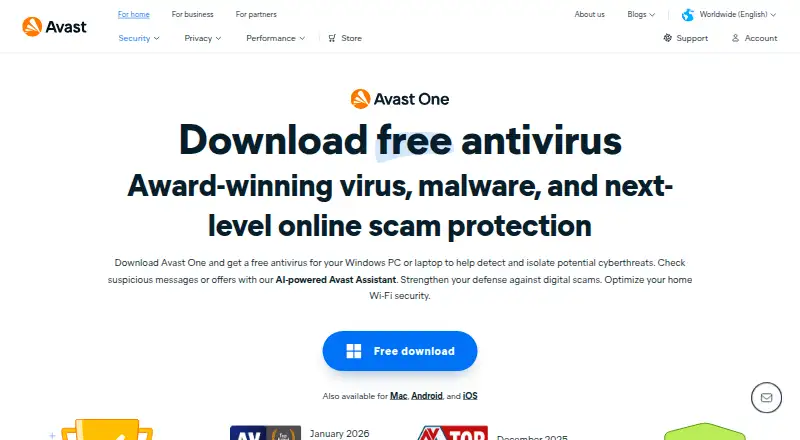
What Avast Free Antivirus is
Avast Free Antivirus is a no-cost malware protection product included in the Avast One app. It supports Windows, macOS, Android, and iOS, with the free plan covering one device. The software detects, blocks, and removes viruses, adware, spyware, Trojans, and other malware, including through real-time protection and PC scanning. Web Guard helps block scam websites, phishing links in emails, and malicious downloads. On PCs, File Shield checks files when they are opened or added, while Behavior Shield warns about suspicious application activity. Network Inspector helps protect Wi-Fi networks from hackers and intruders, and Firewall monitors network traffic for malicious intrusions. Mail Shield warns about potentially harmful attachments, while Ransomware Shield helps stop untrusted applications from changing or encrypting personal files. Avast Assistant provides scam guidance for online messages or offers, and Hack Alerts report detected email-password leaks. The free antivirus can remain active indefinitely, although reactivation may be requested after 12 months. Windows 7 or later, macOS 10.14 or later, and internet access for automatic updates are specified.
Good
- Detects, blocks, and removes major malware types
- Real-time protection and PC scanning are included
- Web Guard blocks scam and phishing threats
- Ransomware Shield helps protect personal files
- Network Inspector checks Wi-Fi security
- Available on Windows, macOS, Android, and iOS
Watch out
- Free plan covers one device
- Reactivation may be requested after 12 months
- Automatic updates require internet access
- Windows and macOS have specified minimum versions
Who it suits
Avast Free Antivirus suits users who want free antivirus protection across Windows, macOS, Android, or iOS, with coverage for common malware and web threats. It is also aimed at one-device users who want added shields for files, email, ransomware, Wi-Fi, and network traffic.
Verdict
Choose Avast Free Antivirus if you need no-cost protection for one device with malware, web, email, ransomware, and network safeguards. Consider another option if you need coverage for multiple devices under one free plan or cannot keep the device online for updates.
Plans and prices
From Avast Free Antivirus's own pricing page, checked 22 Sep 2026.
| Plan | Price | What it gives you |
|---|---|---|
| Free Antivirus | Free | 1 device |
| Avast Free Antivirus (included in Avast One) | Free | Free antivirus protection · use as long as activated · Windows PC requires a new download when changing devices |
The facts
Each one read from Avast Free Antivirus's own pages, with the date it was checked.
What it does
- AI scam guidance
- Avast Assistant offers guidance on whether online messages or offers may be scams.checked 11 Oct 2026
- Breach alerts
- Hack Alerts notify users if Avast detects that their email passwords were part of a leak or hack.checked 11 Oct 2026
- Email and ransomware protection
- Mail Shield alerts users to potentially malicious email attachments, and Ransomware Shield helps prevent untrusted applications from changing or encrypting personal files.checked 11 Oct 2026
- File and behavior shields
- File Shield scans files added to or opened on the PC, while Behavior Shield alerts users to suspicious app behavior.checked 11 Oct 2026
- Malware protection
- The free antivirus detects, blocks, and removes malware including viruses, adware, spyware, and Trojans.checked 11 Oct 2026
- Network protection
- Network Inspector helps protect Wi-Fi networks from hackers and intruders, and Firewall monitors network traffic to help block malicious intrusions.checked 11 Oct 2026
- Product identity
- Avast Free Antivirus is now part of the Avast One app.checked 11 Oct 2026
- Protection scope
- antiviruschecked 22 Sep 2026
- Ransomware protection
- Yeschecked 22 Sep 2026
- Real-time protection
- It detects and blocks malware in real time and scans the PC to remove viruses and other malware.checked 11 Oct 2026
- Requirements
- The page specifies Windows 7 or later and macOS 10.14 or later requirements, and says devices need internet access for automatic updates.checked 11 Oct 2026
- Security testing
- Avast lists 2025 test results including 100% detection of real-world threat samples in the AV-Test Home User Protection Test.checked 11 Oct 2026
- Support
- Avast directs users to its Support Center for additional FAQs.checked 11 Oct 2026
- Web protection
- Web Guard helps block scam websites, phishing links in emails, and malicious downloads.checked 11 Oct 2026
Where it runs
- Device limit
- 1checked 22 Sep 2026
- Platforms
- The page lists availability for PC, Mac, Android, and iOS.checked 11 Oct 2026
- Supported platforms
- Windows,macOS,Android,iOSchecked 22 Sep 2026
Money
- Free plan
- Yeschecked 22 Sep 2026
- Free use limit
- The free antivirus can be used indefinitely after activation, but the app may prompt for reactivation after 12 months.checked 11 Oct 2026
The full review of Avast Free Antivirus
Avast Free Antivirus is no-cost malware protection delivered through the Avast One app. It is best suited to an individual protecting one supported device who wants safeguards beyond basic virus scanning. Its free package is unusually broad for a single device, but the activation and device limits matter.
Overview
The product detects, blocks, and removes viruses, adware, spyware, and Trojans. Real-time blocking works alongside PC scans that can remove malware already present. Avast also covers web activity, email attachments, Wi-Fi risks, network traffic, and personal files, so it is more than an on-demand scanner while remaining an antivirus-focused product.
Avast lists 2025 test results including 100% detection of real-world threat samples in the AV-Test Home User Protection Test. That result supports choosing it when dependable malware detection is the priority, although it does not change the one-device nature of the free offering.
Key features
Malware and behavior protection
File Shield scans files added to or opened on a PC, while Behavior Shield warns about suspicious application behavior. These layers address both files and potentially dangerous actions, giving Windows users more continuous coverage than periodic manual scans alone.
Web, email, and scam defenses
Web Guard helps block scam websites, phishing links in emails, and malicious downloads. Mail Shield flags potentially malicious attachments. Avast Assistant offers guidance on whether online messages or offers may be scams, which is useful for users who want an extra prompt before responding or clicking; it is guidance, not a guarantee that an offer is safe.
Network and file safeguards
Network Inspector helps protect Wi-Fi networks from hackers and intruders, and Firewall monitors network traffic to help block malicious intrusions. Ransomware Shield helps stop untrusted applications from changing or encrypting personal files. Hack Alerts can notify users if Avast detects that their email passwords were included in a leak or hack. Together, these features extend protection to network exposure and personal data, not just executable malware.
Pricing
Free Antivirus: free for one device. There is no free trial because the plan itself is free. After activation, it can be used indefinitely, although the app may prompt for reactivation after 12 months. Automatic updates require internet access.
Avast Free Antivirus (included in Avast One): free. It provides free antivirus protection for as long as it remains activated. On a Windows PC, changing devices requires a new download. Neither free listing provides shared seats, so this is a personal, single-device choice rather than a household plan.
Platforms
Avast supports Windows, macOS, Android, and iOS. The stated desktop requirements are Windows 7 or later and macOS 10.14 or later. Devices need internet access for automatic updates, so users who keep a device offline should expect to manage that limitation.
Who it's for
Choose it for one Windows, Mac, Android, or iOS device when you want malware detection plus web, email, ransomware, and network safeguards without paying. It is especially suitable for an individual who can keep the device online for updates and is comfortable with possible annual reactivation prompts.
Look elsewhere if you need one free plan covering several devices, a published multi-device allowance, or protection designed around paid endpoint management. The one-device limit is the decisive restriction for families and small teams.
Pros and cons
- Pro: The free package combines malware removal, real-time blocking, web and email defenses, ransomware protection, Wi-Fi inspection, and firewall monitoring.
- Pro: Coverage spans Windows, macOS, Android, and iOS, with desktop requirements reaching Windows 7 and macOS 10.14.
- Pro: Avast reports 100% detection of real-world threat samples in a 2025 AV-Test Home User Protection Test.
- Con: One device per free plan makes it unsuitable for shared household or team coverage.
- Con: Automatic updates require internet access, and the app may request reactivation after 12 months.
- Con: The product is now part of Avast One, and changing Windows devices requires a new download under the included plan.
Alternatives
For managed protection across cloud-connected endpoints and mobile devices, consider Trend Micro Worry-Free Services; it is paid, offers a free trial, and uses custom pricing.
Bitdefender Total Security is the stronger fit when you need five-device coverage: its listed individual plan costs $59.99 a year for the first year and includes a free plan and trial.
Choose Kaspersky Plus Internet Security if a 30-day trial across Windows, macOS, Android, iOS, and Linux is more useful than permanent free coverage; the trial then becomes a paid yearly subscription.
Avira Free Security is another no-cost, no-trial option with real-time threat protection, privacy tools, and performance optimization.
Avira Free Antivirus suits readers who want free protection with a listed 500 MB-per-month VPN allowance on one plan.
For paid plans with one-to-five devices and a family option reaching 15 devices, consider ESET HOME Security.
Kaspersky Antivirus is a paid alternative with a listed 54.99 USD-per-year renewal price for three devices in its Premium plan.
Norton 360 is another paid option; its Standard plan lists $94.99 a year for three devices, with first-year promotional pricing also shown.
Browse the Antivirus software category for more choices.
Verdict
Avast Free Antivirus is a strong pick for one supported device when broad, no-cost protection is the goal. Its malware, web, email, ransomware, and network layers give the free plan real practical range. Choose another product when coverage must extend to multiple devices or when internet-dependent updates and periodic reactivation are unacceptable.
Getting started
- Open the Avast Free Antivirus download page
- Download Avast One for Windows, macOS, Android, or iOS
- Install the application on one device
- Activate the free antivirus protection
- Keep the device connected to the internet for automatic updates
- Reactivate if the app prompts after 12 months
Limits worth knowing
The Free Antivirus plan covers one device. Protection can continue indefinitely after activation, but the app may request reactivation after 12 months; automatic updates require internet access.
Questions
How much is Avast Free Antivirus?
The Free Antivirus plan costs nothing for one device.
Which platforms does it support?
It supports Windows, macOS, Android, and iOS. Windows 7 or later and macOS 10.14 or later are specified.
Is there a free trial?
There is no free trial; a free plan is available.
What does the free protection cover?
It detects, blocks, and removes malware, with web, file, behavior, email, ransomware, Wi-Fi, firewall, breach-alert, and scam-guidance features.
How long can the free antivirus be used?
It can be used indefinitely after activation, although reactivation may be requested after 12 months.
How many devices does the free plan cover?
The Free Antivirus plan covers one device.
Alternatives to Avast Free Antivirus
- 1

Avast One
Free planAndroidiOSExtensionmacOS8.9Free plan - 2

FortiClient
Free planAndroidiOSLinuxmacOS8.6Free plan - 3

Comodo Internet Security
AndroidiOSExtensionWindows8.6 - 4
Kaspersky Antivirus
AndroidiOSWebAPI8.4From $38.99 a year - 5

F-Secure Internet Security
AndroidiOSWebAPI8.4 - 6

PC Matic
AndroidiOSWebAPI8.4From $30 a year