
AutoCap India
AutoCap India generates editable captions for uploaded videos, with a focus on Hinglish and Indian languages.
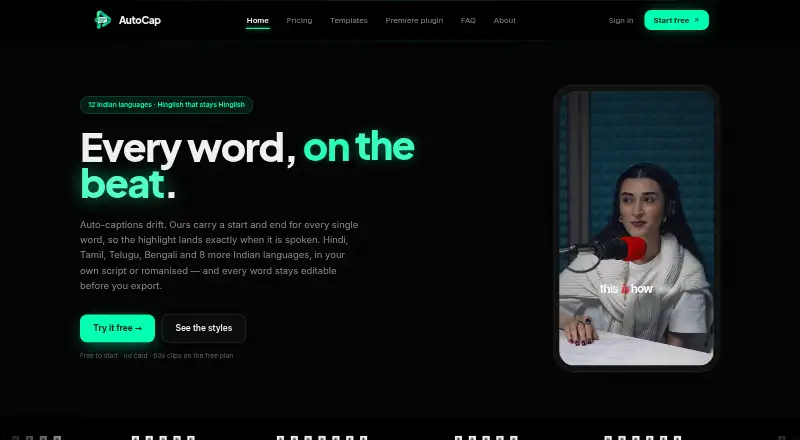
What AutoCap India is
AutoCap India generates editable captions for uploaded videos, with a focus on Hinglish and Indian languages. It supports Hindi, Bengali, Gujarati, Kannada, Malayalam, Marathi, Odia, Punjabi, Tamil, Telugu, Urdu, and Indian English. Captions can appear in native scripts, romanised text, or English translation, though Urdu and English lack the listed romanisation or translation options. Users can edit individual words and adjust their timings. The web editor exports caption-burned MP4 video and downloadable SRT and VTT files. Videos stay in the browser and rendering happens on the user's device, while audio is sent to transcription providers. AutoCap offers a Premiere Pro plugin for macOS and Windows; it is an early alpha that requires Premiere Pro 2023 or later and does not work with After Effects or DaVinci Resolve. The free plan includes two transcription minutes monthly and watermarked clips up to 60 seconds.
Good
- Supports 12 languages
- Allows word-level edits and timing adjustments
- Exports MP4, SRT, and VTT
- Video stays in the browser
- Free plan is available
Watch out
- Free clips are limited to 60 seconds
- Free plan includes two transcription minutes monthly
- Premiere Pro plugin is early alpha
- Payments already made are not returned
Who it suits
AutoCap suits Indian creators who want editable captions, including users working in the supported Indian languages. Its higher plans are also described for editors and agencies.
Verdict
AutoCap offers language-focused captioning with editable text and several export formats. Review the plan's transcription allowance and the plugin's stated limitations before choosing it.
Plans and prices
From AutoCap India's own pricing page, checked 7 Oct 2026.
| Plan | Price | What it gives you |
|---|---|---|
| Free | Free | 2 min transcription/month · clips up to 60 seconds · watermarked · unlimited exports up to 2K |
| Starter | ₹299 a month | 90 min transcription/month · watermark-free exports · up to 2K · SRT & VTT · 5 min max video · billed monthly · renews until you stop it |
| Editor | ₹499 a month | 180 min transcription/month · watermark-free exports · up to 2K · SRT & VTT · 5 min max video · billed monthly · renews until you stop it |
| Pro | ₹999 a month | 480 min transcription/month · all 65 Dynamic templates · watermark-free exports · up to 2K · SRT & VTT · 5 min max video · billed monthly · renews until you stop it |
| Single export | — | One watermark-free export |
| Remove watermark | ₹49, paid once | One video watermark-free up to 2K · re-export for 24 hours · no transcription minutes included · one-time · never renews |
| Studio | ₹699 a month | 300 min transcription/month · all 65 Dynamic templates · watermark-free exports · up to 2K · SRT & VTT · 5 min max video · billed monthly · renews until you stop it |
The facts
Each one read from AutoCap India's own pages, with the date it was checked.
What it does
- Burn-in captions
- Yeschecked 19 Sep 2026
- Caption languages
- 12checked 19 Sep 2026
- Caption styling
- Yeschecked 19 Sep 2026
- Exports
- The web editor exports caption-burned MP4 video and downloadable SRT and VTT files.checked 7 Oct 2026
- Integrations
- AutoCap offers a Premiere Pro plugin for macOS and Windows, and its About page says SRT and VTT can be used in Premiere, Resolve or YouTube.checked 7 Oct 2026
- Intended users
- The maker describes AutoCap as built for Indian creators and lists editors and agencies as the Pro plan audience.checked 7 Oct 2026
- Languages
- It supports 12 languages: Hindi, Bengali, Gujarati, Kannada, Malayalam, Marathi, Odia, Punjabi, Tamil, Telugu, Urdu and Indian English.checked 7 Oct 2026
- Max video length
- 5checked 19 Sep 2026
- Plugin limitation
- The Premiere Pro plugin is an early alpha and requires Premiere Pro 2023 or later; the maker says it does not work with After Effects or DaVinci Resolve.checked 7 Oct 2026
- Privacy and subprocessors
- The privacy policy names ElevenLabs and Sarvam AI as audio or transcript processors and says user content is not used to train models or shared publicly.checked 7 Oct 2026
- Product
- AutoCap generates editable captions for uploaded videos, with a focus on Hinglish and Indian languages.checked 7 Oct 2026
- Refunds
- The pricing page says payments already made are final and are not returned.checked 7 Oct 2026
- Scripts and translation
- Captions can use native script, romanised text or English translation, with Urdu and English unavailable for romanisation or translation in the FAQ’s language options.checked 7 Oct 2026
- Security
- The site lists HTTPS with 256-bit SSL, per-account row-level security and Razorpay payment processing, and says AutoCap does not see or store card details.checked 7 Oct 2026
- Subtitle export
- srt and vttchecked 19 Sep 2026
- Support
- Users can contact [email protected], and the privacy policy says data requests receive a response within 7 business days.checked 7 Oct 2026
- Video handling
- Video stays in the user's browser and rendering happens on the user's device; audio is sent to transcription providers.checked 7 Oct 2026
- Word editing
- Users can edit individual words and adjust their timings before export.checked 7 Oct 2026
Money
- Free plan
- Yeschecked 19 Sep 2026
The company
- Headquarters
- Satellite Road, Mota Varacha, Surat 394101, Gujarat, Indiachecked 28 Sep 2026
Alternatives to AutoCap India
- 1

Captions
Free planAndroidiOSWebAPI9.1From $4.99 a month - 2

Whisper
Free planOpen sourceAPILinuxmacOSSelf-hosted8.9$0.01 usage-based - 3

SRTGen
Free planWebAPI8.3From $4 a month - 4
Fluen AI Subtitle Generator
Free planWebAPIExtensionmacOS8.2Free plan - 5
ZapCap
Free planAndroidiOSWebAPI8.1From $8 a month - 6
ngram
Free planWebAPIExtension8.1From $29 a month