
Audiograbber
Audiograbber is Windows software for extracting digital audio from CDs and converting it to MP3, Ogg Vorbis, WAV, WMA, PCM, and other space-saving formats.
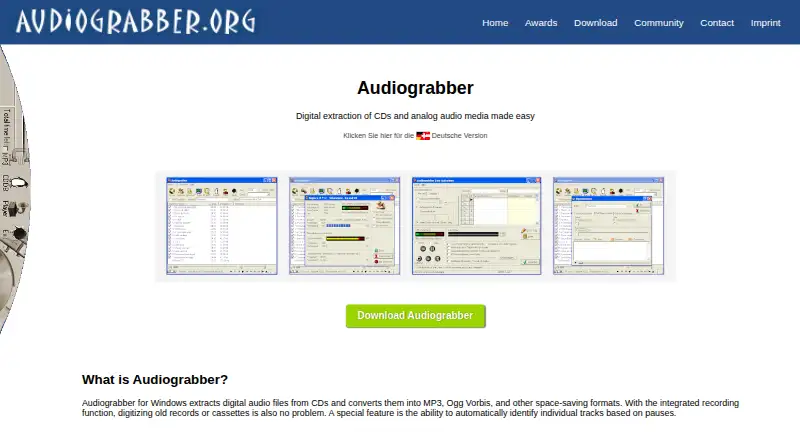
What Audiograbber is
Audiograbber is Windows software for extracting digital audio from CDs and converting it to MP3, Ogg Vorbis, WAV, WMA, PCM, and other space-saving formats. Its integrated recording function can digitize analog sources such as records and cassettes. For CD tracks, the program can detect boundaries from pauses and automatically fill ID3 tags with track information. The download page offers Audiograbber 1.83 2020 Edition, with integrated MP3 functionality and CD data lookup through GnuDB. The maker describes GnuDB as the replacement for discontinued freedb and provides setup guidance. Audiograbber is offered as an ad-supported free download; the imprint says private individuals, companies, and organizations may use it free of charge. The listed Audiograbber Pro plan costs €9.90 once and is ad-free. German, French, Spanish, and Italian are included in the setup program, while the download page also lists language files. Beginner and line-in recording guides cover getting started and sources including MiniDisc, cassettes, and vinyl. Windows 8 and 8.1 compatibility is supported when the program is run in compatibility mode. The maker says distributing or bundling Audiograbber requires express permission.
Good
- Rips CDs and records analog sources.
- Detects tracks from pauses.
- Automatically fills ID3 tags.
- Includes MP3 functionality in the offered edition.
- Setup includes four listed languages.
Watch out
- Audiograbber Pro costs €9.90 once.
- Windows 8 and 8.1 require compatibility mode.
- Does not provide cloud conversion.
- Distribution or bundling requires express permission.
Who it suits
Audiograbber suits Windows users who want to rip CDs or digitize analog sources such as records and cassettes. It offers both an ad-supported free download and an ad-free paid edition.
Verdict
Audiograbber covers CD ripping, analog recording, and basic track tagging on Windows, with a free ad-supported option and a paid ad-free plan. Check the setup guidance for GnuDB and compatibility mode if those apply to your use.
Plans and prices
From Audiograbber's own pricing page, checked 7 Oct 2026.
| Plan | Price | What it gives you |
|---|---|---|
| Audiograbber | Free | Ad-supported · free download |
| Audiograbber Pro | €9.90, paid once | Ad-free |
The facts
Each one read from Audiograbber's own pages, with the date it was checked.
What it does
- Analog recording
- Its integrated recording function digitizes analog sources such as records and cassettes.checked 7 Oct 2026
- CD database
- The maker identifies GnuDB as the replacement for the discontinued freedb service and provides setup guidance for using it.checked 7 Oct 2026
- Current edition
- The download page offers Audiograbber 1.83 2020 Edition with integrated MP3 functionality and CD data lookup via gnudb.checked 7 Oct 2026
- Distribution limit
- The imprint says distributing or bundling Audiograbber requires the maker’s express permission.checked 7 Oct 2026
- Getting started
- The maker provides a beginner guide and a line-in recording guide for sources such as MiniDisc, cassettes, and vinyl.checked 7 Oct 2026
- Languages
- The download page lists language files and says German, French, Spanish, and Italian are included in the setup program.checked 7 Oct 2026
- License
- The imprint says Audiograbber has been freeware since February 9, 2004, and private individuals, companies, and organizations may use it free of charge.checked 7 Oct 2026
- Purpose
- Audiograbber for Windows extracts digital audio from CDs and converts it into MP3, Ogg Vorbis, and other space-saving formats.checked 7 Oct 2026
- Support
- The contact page says users can contact the maker and that messages are answered promptly on weekdays.checked 7 Oct 2026
- Tagging
- Audiograbber automatically fills ID3 tags with track information.checked 7 Oct 2026
- Track detection
- It can automatically identify individual tracks based on pauses.checked 7 Oct 2026
The company
- Headquarters
- Kreuzlingen, Switzerlandchecked 28 Sep 2026
Where it runs
- Windows compatibility
- The support page says Audiograbber works on Windows 8 and 8.1 when run in compatibility mode.checked 7 Oct 2026
Alternatives to Audiograbber
- 1
Lacuna
Free planiOSWebAPIExtension8.2From $9.50 a month - 2
Avidemux
Free planOpen sourceWebLinuxmacOSWindows7.3Free plan - 3

MediaCoder
Free planAPISelf-hostedWindows7.3A$189 one-time - 4
MediaHuman YouTube to MP3 Converter
Free planLinuxmacOSWindows7.3$29.99 one-time - 5

FFmpeg
Free planLinuxmacOSSelf-hostedWindows7.0Free plan - 6
Red Panda Compress Audio Converter
Free planAndroidiOSWebLinux6.8Free plan