Attributor
Attributor is a desktop application for preparing photo metadata before submitting images to stock agencies.
What Attributor is
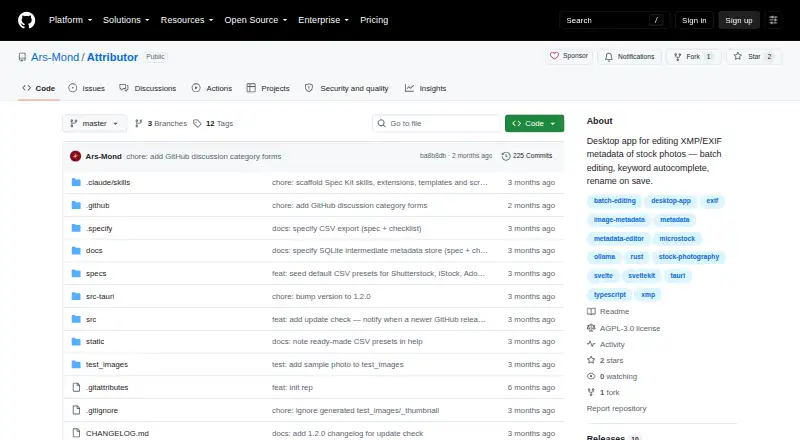
Attributor is a desktop application for preparing photo metadata before submitting images to stock agencies. It edits titles, descriptions, keywords, categories, release filenames, and attribution flags for JPEG, PNG, and WebP images. Supported metadata is embedded without re-encoding the image. Working edits and AI results are kept in a local app database and written into the image file when saved. For metadata generation, Attributor can use a locally run Ollama vision model on one image or a batch, without cloud upload. Batch editing applies selected fields to multiple images while leaving unchecked fields unchanged; auto-save is disabled in batch mode to help prevent accidental overwrites. Keyword autocomplete uses fuzzy search across more than 1,000 stock photography terms, and keywords can be reordered or copied and pasted. CSV export includes presets for Shutterstock, iStock, Adobe Stock, and Envato, with custom presets also available. Attributor is free and open source under AGPL-3.0, and runs on Linux, macOS, and Windows.
Good
- Supports JPEG, PNG, and WebP
- Embeds metadata without re-encoding images
- Local Ollama model needs no cloud upload
- Batch editing preserves unchecked fields
- CSV presets cover four stock agencies
Watch out
- TIFF and RAW formats are unsupported
- Icon view shows only the opened folder's root files
- Auto-save is disabled in batch mode
Who it suits
Attributor suits photographers preparing image metadata for stock agencies such as Shutterstock, Adobe Stock, and Getty Images. It is also relevant to users who want local AI metadata generation or batch editing.
Verdict
Attributor focuses on stock-photo metadata, with batch tools, agency-oriented CSV presets, and optional local AI generation. Its format support excludes TIFF and RAW, so check that your image files are supported.
The facts
Each one read from Attributor's own pages, with the date it was checked.
What it does
- AI attribution
- It can use a locally run Ollama vision model to generate metadata and content flags for one image or a batch, with no cloud upload required.checked 11 Oct 2026
- Auto-save limit
- Auto-save is disabled in batch mode to prevent accidental overwrites.checked 11 Oct 2026
- Batch editing
- Batch mode applies selected metadata fields to multiple images while unchecked fields retain their original values.checked 11 Oct 2026
- CSV export
- CSV export includes ready-made presets for Shutterstock, iStock, Adobe Stock, and Envato.checked 11 Oct 2026
- CSV integrations
- CSV export includes ready-made presets for Shutterstock, iStock, Adobe Stock, and Envato, and users can configure their own presets.checked 11 Oct 2026
- Image formats
- Supported image formats are JPEG, PNG, and WebP; TIFF and RAW are listed as unsupported.checked 11 Oct 2026
- Image quality
- Metadata is written into image files without re-encoding them.checked 11 Oct 2026
- Intended users
- The project describes the app as a tool for preparing stock photos for agencies such as Shutterstock, Adobe Stock, Getty Images, and others.checked 11 Oct 2026
- Keyword tools
- Keyword autocomplete uses fuzzy search over more than 1,000 stock photography terms, and keywords can be reordered or copied and pasted.checked 11 Oct 2026
- License
- The application is distributed under the GNU Affero General Public License v3.0.checked 11 Oct 2026
- License and support
- The application is distributed under AGPL-3.0, and its README invites users to support development on Ko-fi.checked 11 Oct 2026
- Limitations
- TIFF and RAW formats are unsupported, and icon view displays only files at the opened folder's root level.checked 11 Oct 2026
- Local AI
- It can generate metadata with a local Ollama vision model, with no cloud upload required.checked 11 Oct 2026
- Local data handling
- Edits and AI results are stored in a local app database and written into image files when saved.checked 11 Oct 2026
- Local storage
- The app keeps working metadata in a local database and writes it into the image file when the user saves.checked 11 Oct 2026
- Metadata editing
- It edits titles, descriptions, keywords, categories, and release filenames and embeds supported metadata without re-encoding images.checked 11 Oct 2026
- Metadata fields
- It supports editing titles, descriptions, keywords, categories, release filenames, and attribution flags.checked 11 Oct 2026
- Notable limit
- Auto-save is disabled in batch mode to prevent accidental overwrites.checked 11 Oct 2026
- Purpose
- Attributor is a desktop application for editing photo metadata before submitting images to stock agencies.checked 11 Oct 2026
- Security
- The guide says AI attribution uses a local Ollama vision model and requires no cloud upload.checked 11 Oct 2026
- Supported formats
- It supports JPEG, PNG, and WebP images.checked 11 Oct 2026
Where it runs
- Platforms
- The project lists Windows 10/11, macOS, and Linux builds, including MSI/portable EXE, DMG, AppImage, and DEB formats.checked 11 Oct 2026
Alternatives to Attributor
- 1
Metadata Stripper
Free planOpen sourceLinuxmacOSWindows7.1Free plan - 2
Exif Lens
Free planiOS6.6From $0.99 a month - 3

ExifTool
Free planAPILinuxmacOSSelf-hosted6.6Free plan - 4
Photo Metadata Editor
Free planWindows6.6Free plan - 5

Exif Pilot
Free planWindows6.5€79.95 one-time - 6

EXIF Magic
Free planAndroidiOSmacOS6.4Free plan