Astropad Studio
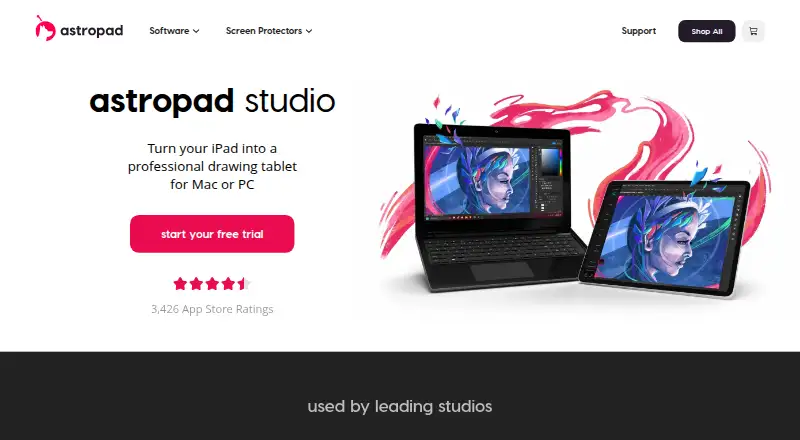
The facts below are what the maker publishes about Astropad Studio, checked and dated. Our editors have not written about it yet.
Plans and prices
From Astropad Studio's own pricing page, checked 21 Sep 2026.
| Plan | Price | What it gives you |
|---|---|---|
| Monthly | — | Wi-Fi or USB connectivity · Custom gestures and shortcuts · Pressure curves and smoothing · Works with Mac and PC |
| Annual (App Store) | — | Wi-Fi or USB connectivity · Custom gestures and shortcuts · Pressure curves and smoothing · Works with Mac and PC |
| Annual (website) | $99.99 a year | 14-day free trial · Custom tap and Pencil gestures · App-specific shortcuts · Custom pressure curves and smoothing · On-screen keyboard and Quick Keys · Free 14-day trial, then annual billing |
| Lifetime | $179.99, paid once | Permanent access · Future software updates · Works on Mac and PC · Free 14-day trial, then one-time purchase |
| Individuals | $99 a year | Individual plan · $99/year |
The facts
Each one read from Astropad Studio's own pages, with the date it was checked.
The company
- Company
- Astropad says it was founded in 2013; its about page lists co-founder Matt Ronge in Minneapolis, Minnesota, and co-founder Giovanni Donelli in San Francisco, California.checked 12 Oct 2026
- Founded
- 2013checked 28 Sep 2026
- Headquarters
- Minneapolis, Minnesota, United Stateschecked 28 Sep 2026
What it does
- Connectivity
- The iPad connects to the computer by USB, local Wi-Fi, or peer-to-peer networking.checked 12 Oct 2026
- Drawing technology
- Astropad says its LIQUID video technology provides color-corrected Retina resolution and low-latency performance.checked 12 Oct 2026
- Education
- Astropad offers flexible volume licensing for schools and universities and invites educators to request a quote.checked 12 Oct 2026
- Enterprise
- Astropad lists enterprise licensing for businesses and studios.checked 12 Oct 2026
- Gestures
- Magic Gestures let users customize finger taps and Apple Pencil gestures to change tools.checked 12 Oct 2026
- Illustration tools
- Yeschecked 21 Sep 2026
- Intended users
- Astropad describes Studio as designed for demanding creative work and says it is used by more than 100,000 digital artists.checked 12 Oct 2026
- Pen settings
- Users can customize pressure curves and pressure smoothing, and use Apple Pencil hover on 2022 iPad Pros.checked 12 Oct 2026
- Purpose
- Astropad Studio turns an iPad into a professional drawing tablet for Mac or PC.checked 12 Oct 2026
- Shortcuts
- The Shortcut Sidebar automatically matches customizable shortcuts to the desktop application in use.checked 12 Oct 2026
Where it runs
- Creative apps
- The product page names Adobe, Affinity, Clip Studio, and Krita as apps users can draw in from the iPad.checked 12 Oct 2026
- Desktop app
- Yeschecked 21 Sep 2026
- Mobile app
- Yeschecked 21 Sep 2026
- Platforms
- Astropad provides desktop downloads for Mac and PC and an iPad app download.checked 12 Oct 2026
Money
- Free plan
- Nochecked 21 Sep 2026
- Trial
- Astropad Studio offers a 14-day free trial, after which the product page lists the individual plan at $99/year.checked 12 Oct 2026
Alternatives to Astropad Studio
- 1

Visme
Free planAndroidiOSWebAPI9.2From $12.25 a month - 2
Figma
Free planAndroidiOSWebmacOS9.1From $3 a month - 3
LibreOffice Impress
Free planOpen sourceAndroidiOSWebAPI9.1$8.99 one-time - 4

Picsart
Free planAndroidiOSWebAPI9.0From $10.50 a month - 5

Desygner
Free planAndroidiOSWebAPI9.0From $19 a month - 6

Recraft
Free planAndroidiOSWebAPI8.9Free plan