Asset Melt
Asset Melt is a browser-based image studio for compression, conversion, resizing, cropping, and batch export.
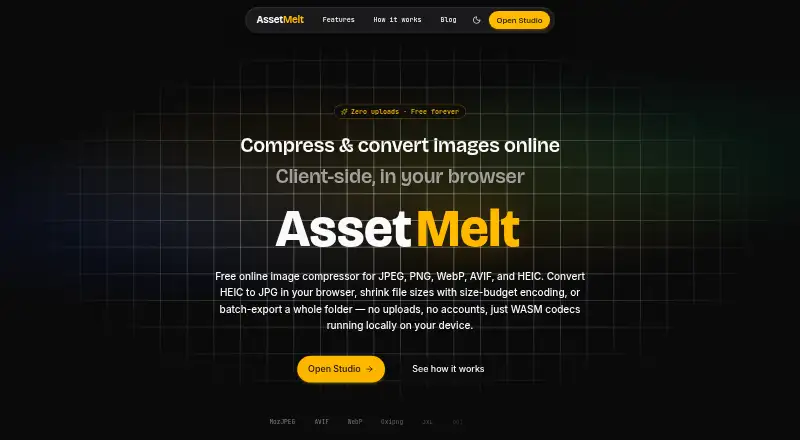
What Asset Melt is
Asset Melt is a browser-based image studio for compression, conversion, resizing, cropping, and batch export. It handles formats including JPEG, PNG, WebP, AVIF, HEIC, TIFF, JPEG XL, and QOI. Users can compress to a chosen quality or target file size, resize to exact dimensions, crop without altering the original, rotate, flip, and adjust brightness and contrast. For batch work, images can be queued and reordered, processing can be paused or canceled, and results can be downloaded individually or as a ZIP. Presets cover OG images, X cards, Instagram sizes, App Store screenshots, newsletter images, and favicon kits. Image decoding and editing run in browser workers using WebAssembly codecs. The maker says there is no upload endpoint and images remain on the user’s device unless exported. Asset Melt is free forever, with no account, subscription, or artificial limits. It can be installed as a PWA, with optional offline use after downloading its pack, and can import JSON pipelines for repeatable compression workflows.
Good
- Processes images in browser workers on-device.
- Supports a broad range of image formats.
- Batch queue can be reordered, paused, or canceled.
- Downloads results individually or as a ZIP.
- Free with no account or subscription.
Watch out
- Offline mode is optional and requires downloading its pack.
- No third-party integrations are listed.
- Web-based platform only.
Who it suits
Asset Melt suits people working with images for websites, side projects, or client work who want batch processing and editing in a browser. Its local processing and optional offline mode may suit users who prefer images to stay on their device unless exported.
Verdict
Asset Melt combines image editing, compression, and batch export with local browser processing. Its free access has no account requirement, while offline use requires downloading the optional pack first.
Plans and prices
From Asset Melt's own pricing page, checked 9 Oct 2026.
| Plan | Price | What it gives you |
|---|---|---|
| Free | Free | Free forever · no accounts · no subscriptions · no artificial limits |
The facts
Each one read from Asset Melt's own pages, with the date it was checked.
What it does
- Batch export
- Users can queue multiple images, reorder the queue, pause or cancel processing, and download results individually or as a ZIP.checked 9 Oct 2026
- Batch processing
- Yeschecked 24 Sep 2026
- Compression
- Users can compress to a chosen quality or target file size, with size-budget encoding that resizes only when needed to fit the target.checked 9 Oct 2026
- Compression modes
- bothchecked 24 Sep 2026
- Editing
- Features include exact-dimension resizing, non-destructive crop, rotation, flipping, and brightness and contrast filters.checked 9 Oct 2026
- Formats
- The Studio supports JPEG, PNG, WebP, AVIF, HEIC, TIFF, JPEG XL, and QOI.checked 9 Oct 2026
- Image resizing
- Yeschecked 24 Sep 2026
- Integrations
- The maker describes importing a JSON pipeline for repeatable compression workflows; no third-party integrations are listed on the pages reviewed.checked 9 Oct 2026
- Intended users
- The maker describes using Asset Melt for websites, side projects, and client work, and presents it as a tool for similar image workflows.checked 9 Oct 2026
- Local processing
- Image decoding, resizing, cropping, and encoding run in browser Web Workers using WebAssembly codecs.checked 9 Oct 2026
- Metadata controls
- Yeschecked 24 Sep 2026
- Offline use
- Asset Melt can be installed as a PWA, and offline mode is optional after downloading its pack.checked 9 Oct 2026
- Presets
- Presets include OG images, X cards, Instagram sizes, App Store screenshots, newsletter images, and favicon kits.checked 9 Oct 2026
- Privacy
- The maker says the app has no upload endpoint and images stay on the user's device unless exported.checked 9 Oct 2026
- Support
- The maker says he responds to every piece of feedback; the product pages link to a support page.checked 9 Oct 2026
- Supported formats
- JPEG,PNG,WebP,AVIF,HEIC,GIF,SVG,JPEG XL,QOIchecked 24 Sep 2026
- What it does
- Asset Melt is a browser-based image studio for compression, conversion, resizing, cropping, and batch export.checked 9 Oct 2026
The company
- Company
- Asset Melt is described as an indie project built by software engineer Mehdi Tareghi, based in Iran.checked 9 Oct 2026
Money
- Free plan
- Yeschecked 24 Sep 2026
Alternatives to Asset Melt
- 1
imgproxy
Free planOpen sourceAndroidiOSWebAPI9.3Free plan - 2
Hive
Free planOpen sourceAndroidiOSWebAPI8.6From $5 a month - 3

Kraken.io
Free planWebAPIExtensionLinux8.4From $50 a year - 4
JPEGmini
Free planWebAPILinuxmacOS8.3From $199 a year - 5
Optimizilla
Free planWeb7.9From $9 a month - 6
Compressify
Free planAndroidiOSWebExtension7.9From $4.99 a month