Artivive Bridge
Artivive Bridge is an editor for creating augmented reality experiences from physical artworks and images.
What Artivive Bridge is
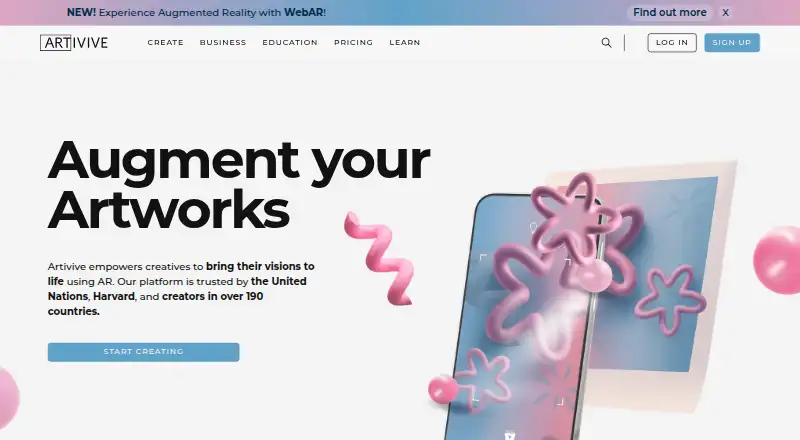
Artivive Bridge is an editor for creating augmented reality experiences from physical artworks and images. A creator uploads an image as a trigger, adds digital layers, then publishes without coding or technical skills. Layer options include video, animation, GIFs, images, 3D objects, audio, particle effects and text. Layers can be moved, rotated and scaled with on-screen handles or numeric controls. Sequences can make an experience change according to timing or user input; a timeline for animating and sequencing layers is available on Pro Plus. Viewers can scan artworks using Artivive’s free iOS and Android app without an account. On Pro Plus, Business and Enterprise, WebAR opens experiences in a browser from a QR code or link, without an app installation. WebAR does not support Timeline, and iOS permits only one video layer with audio to play at a time.
Good
- Supports video, 3D, audio, text and other layer types
- Layer placement includes handles and numeric controls
- Sequences respond to timing or user input
- Free viewer apps are available for iOS and Android
- Viewers can scan without an account
Watch out
- WebAR is limited to Pro Plus, Business and Enterprise
- WebAR player does not support Timeline
- iOS plays only one video layer with audio at a time
- Basic plan has a 50-lifetime-view limit
Who it suits
It suits artists, museums and educators who want to add interactive digital layers to physical work. Those needing browser-based viewing or timeline editing should check which plan includes those tools.
Verdict
Artivive Bridge covers image-triggered AR creation, with a broad set of media layers and controls. Check plan limits and WebAR restrictions against the experience you want to publish.
Plans and prices
From Artivive Bridge's own pricing page, checked 19 Oct 2026.
| Plan | Price | What it gives you |
|---|---|---|
| Basic | Free | Unlimited artworks · 50 lifetime views · 1 MB memory limit · Free forever |
| Pro | €11.66 a month | 1,000 views/month · 3 MB memory limit · Support · €139,90 / year |
| Pro Plus | €33.33 a month | 5,000 views/month · 5 MB memory limit · WebAR & Timeline · 10 WebAR artworks per QR code · Statistics · €399,90 / year |
| Business | €83.25 a month | 15,000 views/month · 25 WebAR artworks per QR code · Multi-language artworks · Statistics & insights · Commercial licence · Dedicated account manager · Priority support · €999 / year |
| Enterprise | €249.92 a month | Unlimited views subject to fair-use · 10 MB memory limit · White-label WebAR · 100 WebAR artworks per QR code · Artivive branding removed · €2.999 / year |
| Education | $699 a year | Full Pro creator toolset · Image, video and 3D layers · Unlimited artworks per seat · Timeline and Timeline Sequences · 10 Pro licenses |
The facts
Each one read from Artivive Bridge's own pages, with the date it was checked.
What it does
- API and SDK position
- The public support and knowledge-base pages document a no-code Bridge editor and mobile app but do not publish API or SDK documentation.checked 19 Oct 2026
- AR editing
- The mobile app includes AR Mode for adding, transforming and adjusting layers while viewing the physical target.checked 19 Oct 2026
- Audience
- Artivive describes its platform as serving artists, museums, and educators, with separate educational pricing and tools.checked 8 Oct 2026
- Cloud delivery
- Crunchbase describes Bridge as a cloud-based creator platform linking physical images with videos, animations or 3D models.checked 19 Oct 2026
- Creation workflow
- Creators upload a trigger image, add digital layers, and publish without coding or technical skills.checked 8 Oct 2026
- File limits
- Images and 3D objects are limited to 3 MB on Pro and 5 MB on Pro Plus or Business, while videos can be up to 100 MB.checked 19 Oct 2026
- Funding disclosure
- Crunchbase shows two funding rounds, including non-equity assistance and seed entries, but hides the amounts and dates.checked 19 Oct 2026
- Integration
- Artivive's story site features a Canva x Artivive example described as bringing design to AR inside Canva.checked 8 Oct 2026
- Layer controls
- The editor lets users move, rotate, and scale layers using on-screen handles or numeric transform controls.checked 8 Oct 2026
- Layer transforms
- Bridge provides on-screen and numeric controls to move, rotate and scale layers.checked 19 Oct 2026
- Limit: memory size
- A Reddit user said the 3–5 MB artwork memory limits were too small for a 30–60 second video.checked 19 Oct 2026
- Limit: pricing and view counting
- An Apple reviewer complained that repeated glitching during testing consumed views and made the view-based pricing feel unaffordable.checked 19 Oct 2026
- Limit: recognition reliability
- A Software Advice reviewer reported that only one of ten uploaded artworks was accepted as recognizable, citing the image-recognition algorithm.checked 19 Oct 2026
- No-code editor
- The maker says Bridge works without coding, a studio or a technical team.checked 19 Oct 2026
- Particle effects
- Particle layers support configurable motion properties such as speed, direction, size and density, with templates or custom assets.checked 19 Oct 2026
- Praise: ease of use
- Software Advice reviewers repeatedly describe Artivive as easy to create with, suitable for museums and schools, and capable of producing impressive results quickly.checked 19 Oct 2026
- Praise: support
- Trustpilot reviewers praise the responsive, welcoming team and the intuitive Bridge interface.checked 19 Oct 2026
- Privacy
- Artivive says it does not sell personal data and describes user rights under the GDPR in its privacy policy.checked 8 Oct 2026
- Privacy limitation
- The privacy policy says internet data security cannot be guaranteed and some data may be stored on third-party hosted facilities.checked 19 Oct 2026
The company
- Company founding
- LinkedIn and the maker's About page state that Artivive was founded in Vienna in 2017.checked 19 Oct 2026
- Company identity
- Crunchbase lists the legal name as Artivive GmbH and the founders as Codin Popescu and Sergiu Ardelean.checked 19 Oct 2026
- Company size
- LinkedIn lists Artivive as a privately held company with 11–50 employees.checked 19 Oct 2026
- Founded
- 2017checked 28 Sep 2026
- Headquarters
- Vienna, Austriachecked 28 Sep 2026
The full review of Artivive Bridge
Artivive Bridge is an image-triggered AR editor for artists and organizations building experiences around physical work. It suits exhibitions, classrooms, and printed pieces where viewers can scan an image to reveal digital content. Its broad media support is appealing, though view caps and plan-gated tools shape what you can publish.
Overview
Creators upload an image, arrange digital layers over it, and publish without coding. That makes Bridge a focused choice for connecting a physical artwork to digital material while keeping the work itself at the center of the experience. Viewers can scan with Artivive’s free iOS or Android app without an account, which removes a registration step for visitors.
The platform serves artists, museums, and educators, and offers separate educational pricing and tools. Artivive’s story site also features a Canva x Artivive example for bringing design into AR inside Canva.
Key features
Bridge supports video, animation, GIFs, images, 3D objects, audio, particle effects, and text. Layers can be moved, rotated, and scaled with on-screen handles or numeric controls, so the editor accommodates both visual placement and more deliberate positioning.
Sequences can change an experience in response to timing or user input. Pro Plus adds Timeline for animating and sequencing layers, including media, 3D objects, and groups. That plan gate matters for creators who need coordinated motion: Pro provides monthly views and more memory than Basic, but does not include Timeline.
WebAR, available on Pro Plus, Business, and Enterprise, lets viewers open an experience from a QR code or link in a browser without installing an app. The browser route has meaningful limits: WebAR does not support Timeline, and iOS plays only one video layer with audio at a time. Choose it when app-free access matters more than those capabilities.
Pricing
Basic is free forever and includes unlimited artworks, but caps usage at 50 lifetime views and memory at 1 MB. It is suitable for a small demonstration; the lifetime view allowance is too restrictive for an experience intended to keep attracting visitors.
Pro costs €139,90 / year and includes 1,000 views per month, 3 MB memory, and support. It is the lower-cost paid step for modest ongoing use, but lacks the Timeline and WebAR tools that distinguish Pro Plus.
Pro Plus costs €399,90 / year, with 5,000 monthly views, 5 MB memory, WebAR and Timeline, statistics, and up to 10 WebAR artworks per QR code. It fits creators who need both browser access and richer sequencing, provided the memory and monthly view caps suit the project.
Business costs €999 / year and raises the allowance to 15,000 monthly views and 25 WebAR artworks per QR code. It adds advanced features, multi-language artworks, statistics and insights, a dedicated account manager, a commercial licence, and priority support. This is the stronger fit for commercial or multilingual projects that need account-level support.
Enterprise costs €2.999 / year. It includes unlimited views subject to a fair-use policy, 10 MB memory, white-label WebAR, up to 100 WebAR artworks per QR code, and removal of Artivive branding. Organizations that need branded browser experiences or substantially higher capacity have a clear reason to move up; the price and fair-use condition should factor into that decision.
Platforms
Bridge is available on Android, iOS, and the web. Its free viewer app runs on iOS and Android, while WebAR provides browser viewing on eligible plans.
Who it's for
Bridge is best for artists, museums, and educators who want to connect a recognizable physical image to layered media. It is a less natural fit when a project depends on Timeline inside WebAR, or when its monthly view and memory limits do not match the audience or assets.
Pros and cons
- Pros: Broad support for media layers gives image-based experiences room for video, sound, 3D, animation, and text.
- Pros: Visitors can scan with the free iOS or Android viewer without an account.
- Pros: Numeric transform controls complement direct on-screen placement when positioning layers.
- Cons: Basic allows only 50 lifetime views and 1 MB memory, limiting its usefulness for public projects.
- Cons: Timeline and WebAR both start at Pro Plus, and Timeline is unavailable in the WebAR player.
- Cons: On iOS WebAR, only one video layer with audio can play at a time.
Alternatives
For a different authoring option, compare AR Creation Software. MyWebAR is worth considering if its free Creator plan’s 100 annual views, 100 MB storage, and five projects better match a small project. JigSpace offers a free plan with three active Jigs, three steps, 100 MB team storage, and two user seats, making it a candidate for projects organized as step-based Jigs. BlippBuilder lets users create and test projects on its free Starter plan, but publishing requires a paid plan. Kivicube may suit a non-commercial project that fits its free Basic limits of two scenes and 500 scene experiences. STYLY is another freemium option for creators seeking smartphone and headset support with limited commercial use on its Creator plan. Assemblr EDU may suit educators who can work within its free object, storage, and marker allowances. WorldCAST offers a free Creator plan with unlimited monthly views and no expiry, which may better fit projects where ongoing view counts are the priority. AR.js Studio is a free, web-based open-source authoring option.
Verdict
Choose Artivive Bridge if your project should begin with a physical image and you want to layer several kinds of media onto it, with a free viewer that visitors can use without accounts. Its clearest reason to look elsewhere is the gap between Basic’s small lifetime allowance and the paid plans, especially if your browser experience depends on Timeline or multiple iOS video layers with audio.
Getting started
- Open the Artivive website.
- Choose Basic for the free plan or a paid plan starting at €11.66/mo (annual).
- Upload a trigger image in the editor.
- Add and arrange digital layers, then publish the experience.
- Viewers can scan with the free iOS or Android app; eligible plans also support WebAR by QR code or link.
Limits worth knowing
Basic includes unlimited artworks, 50 lifetime views, and a 1 MB memory limit. Pro has 1,000 views per month and 3 MB memory; Pro Plus has 5,000 views per month and 5 MB memory. WebAR is on Pro Plus and higher, but the WebAR player does not support Timeline and iOS allows only one video layer with audio to play at a time.
Questions
Is Artivive Bridge free?
Yes. Basic is free forever and includes unlimited artworks, 50 lifetime views, and a 1 MB memory limit.
How much do paid plans cost?
Pro is billed €139,90 per year, Pro Plus €399,90 per year, Business €999 per year, and Enterprise €2.999 per year.
Which platforms can I use?
The listed platforms are Android, iOS, and web. Artivive’s free viewer app is available for iOS and Android.
Do viewers need an account or app?
Viewers do not need an account to scan artworks in the free iOS or Android viewer app. WebAR on Pro Plus, Business, and Enterprise opens from a QR code or link in a browser without an app install.
Does Bridge support a timeline?
Yes, the Timeline feature animates and sequences layers and is available to Pro Plus subscribers. The WebAR player does not support Timeline.
Who makes Artivive?
Artivive is based in Vienna, Austria, and was founded in 2017.
Alternatives to Artivive Bridge
- 1

MyWebAR
Free planAndroidiOSWebAPI8.1From $39 a month - 2

JigSpace
Free planAndroidiOSWebAPI7.6Free plan - 3

Assemblr EDU
Free planAndroidiOSWeb7.3From $1.49 a month - 4
Kivicube
Free planAndroidiOSWebAPI7.3From CN¥79.90 a year - 5
WorldCAST
Free planAndroidiOSWeb7.3From $10 a month - 6
STYLY
Free planAndroidiOSWeb7.2From $799 a month