
Appsmith
Appsmith is an open-source low-code platform for building custom internal applications.
What Appsmith is
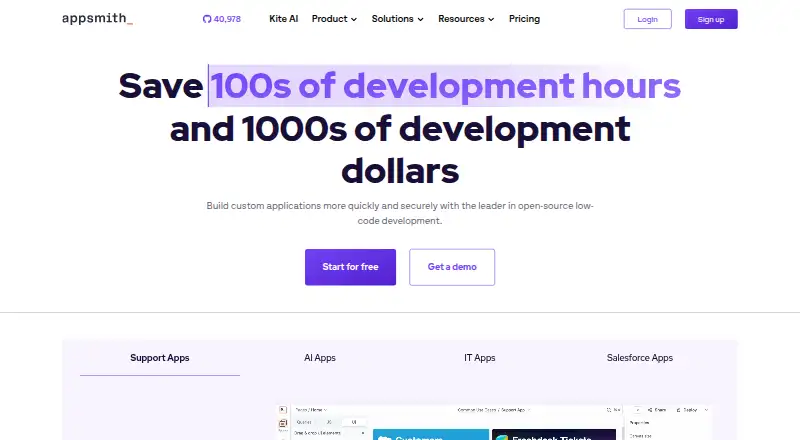
Appsmith is an open-source low-code platform for building custom internal applications. Teams can connect databases, SaaS tools, and REST or GraphQL APIs, arrange interfaces with drag-and-drop widgets, and customize behavior with JavaScript. Listed uses include admin panels, back-office apps, CRUD frontends, dashboards, portals, and trackers. Developers can create reusable code and custom widgets, add JavaScript or HTML/CSS, and import JavaScript libraries. Git-based version control supports deployment of merged changes from designated environment branches. Listed integrations include PostgreSQL, MySQL, MongoDB, Snowflake, Salesforce, Slack, and Google Sheets. Appsmith is available on the web or self-hosted, and its documentation recommends Docker or Kubernetes deployment. Business includes workflows, premium integrations, custom roles, audit logs, and email and chat support. Enterprise lists SSO, provisioning, CI/CD, private app embedding, and dedicated support. Official support is limited to certified configurations; other environments are handled case by case.
Good
- Free plan and 15-day Business trial.
- Connects databases, SaaS tools, and APIs.
- Supports JavaScript and custom widgets.
- Git-based version control and deployment.
- Available as self-hosted software or on the web.
Watch out
- No mobile app support is listed.
- Official support is limited to certified configurations.
Who it suits
Appsmith may suit teams that want to build internal tools from connected data sources with low-code interfaces and JavaScript customization. It also offers a self-hosted option for teams managing their own deployment.
Verdict
Appsmith combines visual interface building with code customization and a range of integrations for internal apps. Check its plan limits and deployment support terms against your team’s needs.
Plans and prices
From Appsmith's own pricing page, checked 29 Sep 2026.
| Plan | Price | What it gives you |
|---|---|---|
| Free | Free | Up to 5 cloud users · 5 workspaces · 3 Git repos · Google SSO · 3 standard roles · Public apps · Community support |
| Business | $15 a month | Up to 99 users · Unlimited environments, Git repos, and workspaces · Workflows · Reusable packages · Premium integrations · Custom roles and access controls · Audit logs · Email/chat support · per user |
| Enterprise | $2,500 a month | Unlimited users starting at 100 · SAML/OIDC SSO · SCIM provisioning and group sync · CI/CD · Private app embedding with shared logins · Airgapped edition add-on · Managed hosting add-on · Custom integrations · Dedicated support and SLAs · for 100 users |
| Community | Free | Open-source low-code application platform · Available for free |
The facts
Each one read from Appsmith's own pages, with the date it was checked.
The company
- Company background
- Appsmith’s About page says co-founders Abhishek, Arpit, and Nikhil started the company to help engineers build useful team apps while avoiding repetitive work.checked 29 Sep 2026
- Headquarters
- San Francisco, California, United Stateschecked 28 Sep 2026
What it does
- Deployment limitation
- The documentation says official support is limited to its certified configurations, with other environments handled case by case.checked 29 Sep 2026
- Development features
- The product supports reusable code, custom widgets, JavaScript and HTML/CSS customization, and importing JavaScript libraries.checked 29 Sep 2026
- Hosting
- Appsmith can be hosted on a local machine or server, and its documentation recommends Docker or Kubernetes deployment.checked 29 Sep 2026
- How it works
- Users connect databases, SaaS tools, and REST or GraphQL APIs, assemble interfaces with drag-and-drop widgets, and customize logic with JavaScript.checked 29 Sep 2026
- Integrations
- The integrations directory lists data sources including PostgreSQL, MySQL, MongoDB, Snowflake, Salesforce, Slack, Google Sheets, REST APIs, and GraphQL.checked 29 Sep 2026
- Purpose
- Appsmith is an open-source low-code platform for building custom internal applications.checked 29 Sep 2026
- Security controls
- Enterprise features listed include SAML/OIDC SSO, SCIM provisioning, customizable access controls, audit logs, and SOC 2 Type 2 compliance.checked 29 Sep 2026
- Support
- The pricing comparison lists Discord community support for Free, priority email and chat for Business, and 24x7 coverage with response-time SLAs for Enterprise.checked 29 Sep 2026
- Trust center
- Appsmith’s Trust Center lists SOC 2 and penetration test reports among documents available by request.checked 29 Sep 2026
- Use cases
- The company identifies admin panels, back-office apps, CRUD frontends, dashboards, portals, and trackers as use cases.checked 29 Sep 2026
- Version control
- Appsmith supports Git-based version control and deployment of merged changes from designated environment branches.checked 29 Sep 2026
Money
- Free plan
- Yeschecked 20 Sep 2026
- Trial
- New signups receive a 15-day Appsmith Business trial without a credit card and can then activate Business or continue on Free.checked 29 Sep 2026
The full review of Appsmith
Appsmith is a low-code builder for internal applications, aimed at teams that want to connect existing data and shape the interface and behavior themselves. It is strongest when visual assembly needs to coexist with JavaScript, Git, and deployment control.
Overview
Teams can connect databases, SaaS tools, and REST or GraphQL APIs, then assemble an app from drag-and-drop widgets and customize its logic with JavaScript. That blend gives engineers a faster starting point than building every interface from scratch, without confining them to visual configuration alone. Appsmith’s stated use cases include admin panels, back-office apps, CRUD frontends, dashboards, portals, and trackers.
It is a web product with a self-hosted option, not a mobile app builder. Self-hosting is suited to teams that want to run Appsmith on their own machine or server; its documentation recommends Docker or Kubernetes, and official support is limited to certified configurations. Other deployment environments are handled case by case, which matters if your infrastructure falls outside those configurations.
Key features
Data, interface, and code
Connectors include PostgreSQL, MySQL, MongoDB, Snowflake, Salesforce, Slack, Google Sheets, REST APIs, and GraphQL. Reusable code, custom widgets, JavaScript and HTML/CSS customization, and imported JavaScript libraries give development teams ways to extend an interface when standard widgets are not enough. The trade-off is that this flexibility is most useful when someone on the team can work with code.
Git-based delivery and workflows
Git-based version control supports deploying merged changes from designated environment branches, a practical fit for teams that want app changes to pass through a controlled development flow. Workflow support is included in Business, making that plan more relevant to teams that need automation alongside their internal apps.
Access and assurance
Enterprise includes SAML/OIDC single sign-on, SCIM provisioning and group sync, customizable access controls, and audit logs. Appsmith states SOC 2 Type 2 compliance, and its Trust Center makes SOC 2 and penetration test reports available by request. These controls make Enterprise the plan to consider for organizations with identity and audit requirements, rather than a default upgrade for small teams.
Pricing
Appsmith is freemium, with a 15-day Business trial for new signups, no credit card required. After the trial, users can activate Business or continue on Free. The tiers vary substantially in scale, collaboration, and administrative controls:
| Plan | Price | What it includes | Best suited to |
|---|---|---|---|
| Free | free | Up to 5 cloud users, 5 workspaces, 3 Git repos, Google SSO, 3 standard roles, public apps, and Discord community support. | Small teams evaluating the platform or maintaining a few modest internal apps. The five-user, five-workspace, and three-repository caps can become restrictive as projects and contributors grow. |
| Business | $15 a month, billed per user | Up to 99 users, unlimited environments, Git repos, and workspaces, workflows, reusable packages, premium integrations, custom roles and access controls, audit logs, and email/chat support. | Teams that need room to expand, workflow automation, or more flexible access controls. Its per-user billing means cost scales with the team. |
| Enterprise | $2,500 a month, billed for 100 users | Unlimited users starting at 100, SAML/OIDC SSO, SCIM provisioning and group sync, CI/CD, private app embedding with shared logins, an airgapped edition add-on, a managed hosting add-on, custom integrations, and dedicated support with SLAs. | Organizations that need enterprise identity, deployment, embedding, or support commitments. The 100-user billing baseline makes it a major step up from Business for smaller teams. |
| Community | Custom pricing | Open-source low-code application platform, available for free. | Teams considering the open-source edition; compare its terms with the cloud plans before choosing. |
Free offers Google SSO and standard roles, but not the Business tier’s custom roles, workflows, or email/chat support. Business adds those capabilities and raises the ceiling to 99 users; Enterprise is where SAML/OIDC, SCIM, CI/CD, and dedicated SLAs appear. Choose by the controls and scale the app requires, not just the trial experience.
Platforms
Appsmith runs on the web or can be self-hosted, giving teams a choice between using the browser-based service and operating their own deployment. Docker and Kubernetes are the recommended deployment approaches. Mobile app support is not included, so it is not the right choice when native mobile apps are a requirement.
Who it's for
Appsmith suits engineering-capable teams building internal tools over databases, SaaS products, or APIs—particularly admin panels, CRUD interfaces, dashboards, and back-office workflows. Business is the more natural fit once a team needs more than the Free plan’s small cloud and Git allowances or wants workflows and custom access controls. Organizations that need SAML/OIDC, SCIM, or contractual response-time SLAs should assess Enterprise.
It is less suitable for teams seeking a native mobile app builder, or for projects that need a fully visual approach without code customization. Teams that depend on an unsupported self-hosted configuration should also weigh the case-by-case support policy.
Pros and cons
- Pro: Broad data connections and drag-and-drop widgets help teams build interfaces over systems they already use.
- Pro: JavaScript, reusable code, custom widgets, and HTML/CSS customization leave room to adapt apps beyond standard visual components.
- Pro: Git-based version control and branch-based deployment support a more controlled change process.
- Con: Free is capped at five cloud users, five workspaces, and three Git repositories, limiting its headroom for growing teams.
- Con: Mobile app support is absent, narrowing the product to web-based internal tools.
- Con: Official self-hosting support is limited to certified configurations, so non-certified environments may require case-by-case handling.
- Con: Enterprise bills for at least 100 users, a substantial commitment for smaller organizations needing its advanced identity and support features.
Alternatives
For teams comparing internal-tool builders, Retool is another freemium option with web, self-hosted, Android, iOS, and API platforms; its listed Team plan bills $10/mo per builder and $5/mo per internal user, which may suit teams weighing a different seat structure. ToolJet is another freemium web and self-hosted option; its Free (Cloud) tier includes two builders, 50 end users, two apps, and 100 AI credits/month, useful to compare if those caps match a small project.
Google AppSheet offers Android, iOS, web, and API platforms, with a Starter plan at $5 a month billed per user/month that includes five AppSheet databases and 2,500 rows per database; consider it when those platform and database limits fit better. Jet Admin is a freemium web and self-hosted alternative whose Free plan includes 1 GB storage; it is worth comparing if storage is a central constraint.
Budibase is another freemium web and self-hosted option; its Pro plan is $19 a month and includes one creator, one workspace, unlimited agents, and synchronous automations. UI Bakery offers a free tier with unlimited apps and data-source connections, and supports web, self-hosted, Linux, and Windows deployments—compare it if those platform and connection terms are a closer fit.
Zoho Creator supports web, iOS, and Android; its Free plan is limited to one user, one app, 1,000 records, and 250 MB storage, making it a compact starting point to compare. Glide is a web-based freemium alternative whose Free plan has two team members and ten projects but zero published apps and zero enabled workflows, so it is not a match for publishing from that tier.
Browse Internal Tools Software, No-Code AI App Builders, Low-Code Development Platforms, No-Code Development Platforms, and No-code app builders for adjacent categories.
Verdict
Choose Appsmith if your team needs web-based internal apps over existing data and values the combination of visual building, code-level customization, Git, and self-hosting. Its Free tier is a credible small-project starting point, while Business is the sensible step for growing teams that need workflows and more room. Look elsewhere for native mobile support, or if Enterprise’s 100-user billing baseline and certified self-hosting constraints do not fit your organization.
Alternatives to Appsmith
- 1

Joget
Free planOpen sourceAndroidiOSWebAPI9.4Free plan - 2

ToolJet
Free planOpen sourceWebAPILinuxSelf-hosted9.0From $23 a month - 3

Bubble
Free planAndroidiOSWeb8.9From $32 a month - 4

Figma Make
Free planAndroidiOSWebAPI8.9Free plan - 5

Budibase
Free planOpen sourceWebAPILinuxSelf-hosted8.8From $19 a month - 6
Adalo
Free planAndroidiOSWeb8.8From $36 a month