AppsAnywhere
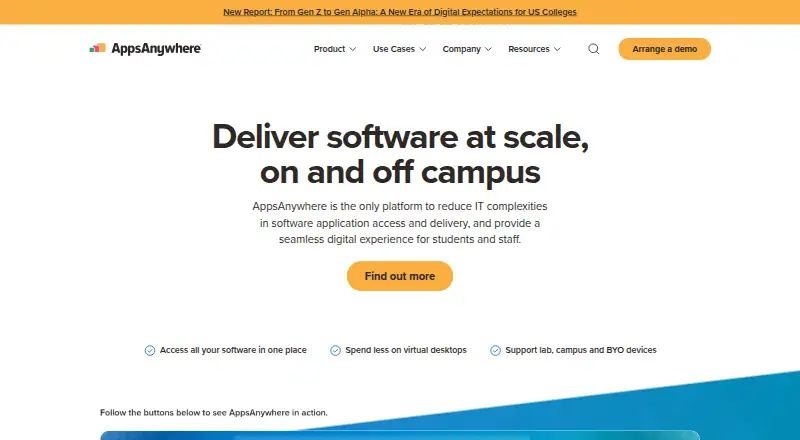
AppsAnywhere centralizes software access and delivery for students, staff, and faculty at higher education institutions, both on and off campus.
What AppsAnywhere is
AppsAnywhere centralizes software access and delivery for students, staff, and faculty at higher education institutions, both on and off campus. It selects among institution-configured delivery methods based on factors such as device type, operating system, location, and whether a device is personally owned or university managed. Its regularly updated catalog contains more than 150 titles, including MATLAB, ArcGIS, Adobe, and Autodesk apps. Analytics monitors when, where, and how applications are used to help institutions optimize licensing and virtual desktop costs. Listed learning system connections include Canvas, Blackboard, and D2L Brightspace. Delivery integrations include Cloudpaging, Microsoft SCCM and App-V, Amazon AppStream 2.0, Parallels RAS, Azure Virtual Desktop, VMware Horizon, and Jamf Pro. Authentication options include Kerberos, OAuth 2.0, SAML 2.0, LDAP bind, Active Directory, Azure AD, and Shibboleth. The desktop client is available for Windows and macOS; supported operating systems also list Linux, iOS, and Android. Pricing is on request, with a brochure describing usage-based pricing but no numeric amount.
Good
- Catalog includes more than 150 software titles
- Analytics tracks application usage
- Integrates with named learning management systems
- Supports keyboard, speech, and screen reader access
Watch out
- Pricing is available only on request
- Configured delivery methods depend on institutional setup
Who it suits
AppsAnywhere is designed for universities and colleges distributing software to students, staff, and faculty. It may suit institutions seeking centralized delivery across campus and off-campus settings.
Verdict
AppsAnywhere focuses on institutional software delivery, with a broad integration list and usage analytics. Higher education teams should evaluate its configured delivery options and request pricing details.
The facts
Each one read from AppsAnywhere's own pages, with the date it was checked.
What it does
- Accessibility
- The features page states that AppsAnywhere complies with WCAG 2.2 AA and supports keyboard and speech navigation and screen readers.checked 4 Oct 2026
- Analytics
- AppsAnywhere Analytics monitors when, where, and how applications are used to help institutions optimize licensing and virtual desktop costs.checked 4 Oct 2026
- Audience
- The maker presents AppsAnywhere as a solution for higher education institutions, including universities and colleges.checked 4 Oct 2026
- Authentication
- Supported authentication technologies include Kerberos, OAuth 2.0, SAML 2.0, and LDAP bind, with named options including Active Directory, Azure AD, and Shibboleth.checked 4 Oct 2026
- Delivery
- It selects among configured delivery methods based on factors including device type, operating system, location, and whether a device is user-owned or university-managed.checked 4 Oct 2026
- Delivery integrations
- Listed delivery integrations include Cloudpaging, Microsoft SCCM and App-V, Amazon AppStream 2.0, Parallels RAS, Azure Virtual Desktop, VMware Horizon, and Jamf Pro.checked 4 Oct 2026
- Learning systems
- Listed learning management integrations include Canvas, Blackboard, and D2L Brightspace.checked 4 Oct 2026
- Pricing
- The Cloud Delivery brochure describes flexible, usage-based pricing but gives no numeric price.checked 4 Oct 2026
- Purpose
- AppsAnywhere centralizes software access and delivery for higher education students, staff, and faculty, on and off campus.checked 4 Oct 2026
- Security and data
- The maker says customer systems retain control of data by default and that it does not copy personal data outside customer systems without explicit consent.checked 4 Oct 2026
- Support
- The contact page lists regional phone support for the US and Canada and UK and Ireland, as well as global email support.checked 4 Oct 2026
Where it runs
- App catalog
- The product page describes a catalog of more than 150 software titles, including MATLAB, ArcGIS, Adobe, and Autodesk apps, updated regularly.checked 4 Oct 2026
- Client platforms
- The desktop client is available for Windows and macOS; separate requirements documentation also lists Linux, iOS, and Android as supported operating systems.checked 4 Oct 2026
The company
- Company history
- The company page says the company was formed as Software2 in 2009 and AppsAnywhere launched in 2015.checked 4 Oct 2026
Alternatives to AppsAnywhere
- 1
Fleet
Free planOpen sourceAndroidiOSWebAPI8.6From $7 a month - 2

OPSI
Free planOpen sourceWebAPILinuxmacOS8.4From €4.99 a year - 3

FileWave
Free planAndroidiOSWebAPI8.3Free plan - 4

ManageEngine Patch Manager Plus
Free planAndroidiOSWebAPI8.2From $245 a year - 5

Patch My PC
Free planWebmacOSSelf-hostedWindows7.7From $3.50 a year - 6

Uyuni
Free planOpen sourceWebAPILinuxSelf-hosted7.4Free plan