Apple Home
Apple Home is a free app for controlling compatible smart home accessories across Apple devices.
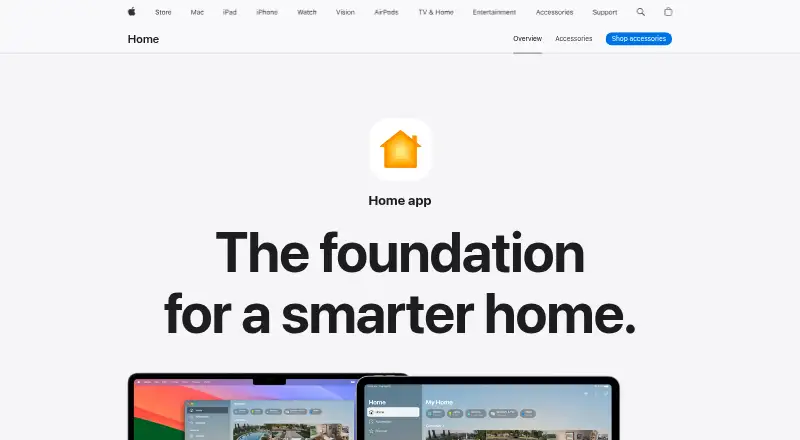
What Apple Home is
Apple Home is a free app for controlling compatible smart home accessories across Apple devices. The Home tab groups accessories into categories such as Lights, Security, and Climate, and displays their status. It supports accessories for lighting, security, comfort, and entry, along with Matter, cameras, energy monitoring, and voice assistants. The app can display up to four cameras at once, while guest access can give time-limited permission for door locks, garage doors, and alarm systems. Accessories can be paired by scanning a code or bringing an iPhone or iPad near them; Apple says accessories cannot be added to the Home app on Mac. A HomePod, HomePod mini, or Apple TV can serve as a hub for remote access and automation. Automations can turn lights on at a set time, close blinds when someone leaves, or adjust a fan as temperature rises. Siri can also control accessories. Apple says Home data is stored so Apple cannot read it, accessories are controlled by Apple devices rather than the cloud, and communications are end-to-end encrypted. The app requires Apple devices and compatible accessories.
Good
- Groups accessories by category and displays their status.
- Can show up to four cameras at once.
- Supports time-limited guest access for listed systems.
- A HomePod, HomePod mini, or Apple TV can act as hub.
- Apple says communications are end-to-end encrypted.
Watch out
- Requires Apple devices and compatible accessories.
- Accessories cannot be added to the Home app on Mac.
- Remote access and automation require a listed home hub.
Who it suits
It suits people using Apple devices with compatible smart home accessories who want accessory control, automation, camera viewing, or guest permissions. Mac users can use the app, but accessories cannot be added from a Mac.
Verdict
Apple Home brings accessory controls, automation, and guest permissions together for supported Apple setups. Check the device and accessory requirements, including the home hub requirement for remote access and automation.
Plans and prices
From Apple Home's own pricing page, checked 2 Oct 2026.
| Plan | Price | What it gives you |
|---|---|---|
| Apple Home | Free | Apple devices required; compatible smart home accessories |
The facts
Each one read from Apple Home's own pages, with the date it was checked.
What it does
- Accessory categories
- Apple lists compatible accessories for lighting, security, comfort, and entry.checked 2 Oct 2026
- Accessory setup
- Accessories can be paired by scanning a code or holding an iPhone or iPad near the accessory; Apple says accessories cannot be added to the Home app on Mac.checked 2 Oct 2026
- Automations
- Examples include turning on lights at a set time, closing blinds when leaving, and adjusting a fan when the temperature rises.checked 2 Oct 2026
- Camera integration
- Yeschecked 24 Sep 2026
- Camera viewing
- The app can display up to four cameras at once.checked 2 Oct 2026
- Energy monitoring
- Yeschecked 24 Sep 2026
- Guest access
- Guest access can grant time-limited permissions for door locks, garage doors, and alarm systems.checked 2 Oct 2026
- Home hub
- HomePod, HomePod mini, or Apple TV can act as a home hub to enable remote access and accessory automation.checked 2 Oct 2026
- Home view
- The Home tab groups accessories by categories such as Lights, Security, and Climate, and displays their status.checked 2 Oct 2026
- Local control
- Yeschecked 24 Sep 2026
- Matter
- Apple describes Matter as a smart home standard that supports more accessories and cross-platform connections.checked 2 Oct 2026
- Matter support
- Yeschecked 24 Sep 2026
- Privacy
- Apple says Home app data is stored so Apple cannot read it, accessories are controlled by Apple devices instead of the cloud, and communications are end-to-end encrypted.checked 2 Oct 2026
- Purpose
- The Home app lets people control smart home accessories across Apple devices.checked 2 Oct 2026
- Siri
- Apple describes using Siri to control accessories, including asking a robot vacuum to clean a specific room or closing a garage door remotely.checked 2 Oct 2026
- Support
- Apple provides instructions for adding accessories and links to troubleshooting and organization help.checked 2 Oct 2026
- Voice assistant support
- Yeschecked 24 Sep 2026
Money
- Free plan
- Yeschecked 24 Sep 2026
The full review of Apple Home
Apple Home is a free control center for compatible smart-home accessories on Apple devices. It fits households already using an iPhone or iPad and willing to choose Home-compatible equipment. The strongest case is a unified, privacy-focused way to manage routines, cameras, access, and voice control; the main qualification is its dependence on Apple hardware and compatible accessories.
Overview
Home presents accessory controls in one place rather than making you switch between manufacturer apps. Its dashboard groups devices under categories such as Lights, Security, and Climate and shows their current status. That organization is useful once a home has several devices, while Apple’s compatibility requirement means it is not a universal controller for every product on the market.
Control can remain local: Apple says accessories are operated by Apple devices rather than the cloud, with end-to-end encrypted communications and data stored so Apple cannot read it. For privacy-conscious households, that is a meaningful advantage. It also means your choice of accessories and Apple hardware matters more than it would with a cloud-first service.
Key features
Setup and compatibility
Pairing uses a code scan or proximity setup with an iPhone or iPad. A Mac cannot add accessories, so Mac-only households face an immediate setup limitation. Apple lists compatible products across lighting, security, comfort, and entry. Matter support can expand the pool of compatible products and support connections across platforms, but it does not remove the need to check each accessory’s compatibility.
Automation and remote control
A HomePod, HomePod mini, or Apple TV can act as a home hub. This is required for remote access and accessory automation, making the free app less self-contained than its price suggests. Once a hub is in place, routines can turn lights on at a chosen time, close blinds when you leave, or adjust a fan as temperature rises. Those triggers are practical for repeatable household tasks, while users without a hub are limited to the capabilities of their local setup.
Cameras, guests, and Siri
The app can show up to four cameras simultaneously, a useful ceiling for monitoring a small property without opening multiple views. Guest permissions can be time-limited for door locks, garage doors, and alarm systems, giving households a controlled way to share access instead of handing over permanent control.
Siri adds voice operation for supported accessories. Commands can include sending a robot vacuum to a particular room or closing a garage door remotely. Voice control is most valuable to Apple users who already rely on Siri; it is less compelling if your devices or routines sit outside Apple’s ecosystem.
Pricing
Apple Home — free
The free plan includes the Home app on supported Apple devices and requires compatible smart-home accessories. There is no free trial because the product is free, and no recurring app charge is stated. The practical costs are the Apple hardware and accessories needed for your setup: a HomePod, HomePod mini, or Apple TV is needed as a home hub for remote access and automation. The plan is therefore a strong fit for existing Apple households, but less attractive if adopting Apple hardware solely to run a smart home.
Platforms
Apple Home is available on iOS and macOS. Accessory addition still requires an iPhone or iPad, while a Mac cannot perform that setup step. Local control, Matter, voice-assistant support, camera integration, and energy monitoring are supported capabilities, subject to compatible accessories and Apple devices.
Who it's for
Choose Home if your household already uses iPhone or iPad, wants a single view of compatible lighting, security, comfort, and entry devices, and values local control and encrypted communication. It is also well suited to homes needing temporary guest permissions, camera viewing, or straightforward time- and event-based routines.
Look elsewhere if Android or mixed-device support is central, if you need to add accessories from a Mac, or if you do not want to buy an Apple home hub for remote access and automation. Buyers should also verify Matter and individual accessory compatibility before committing.
Pros and cons
- Pro: The app combines accessory status, controls, cameras, routines, and Siri commands in one Apple-facing interface.
- Pro: Local accessory control and end-to-end encryption reduce reliance on cloud operation and support a privacy-focused setup.
- Pro: Time-limited permissions for locks, garages, and alarms are useful for guests and short-term access.
- Con: Remote access and automation require a HomePod, HomePod mini, or Apple TV acting as a hub.
- Con: Accessories cannot be added from Mac, so an iPhone or iPad is necessary for setup.
- Con: The experience depends on compatible accessories; Matter broadens options but does not make every device work.
Alternatives
Home automation platforms is the broader starting point when you want to compare ecosystems before choosing a controller.
Homey is a better fit for Android, iOS, and web access, with a free allowance of up to five devices and a $2.99-per-month Premium plan after that allowance. Pick it instead when cross-platform reach or a device-count model matters more than Apple integration.
Google Home suits households seeking Android, iOS, and web apps rather than an Apple-only setup. Its free app is free, with compatible devices required.
ioBroker is an open-source, self-hosted option with basic functions free, appropriate when you want broad platform coverage and more direct control of the installation.
openHAB is a free, multi-platform and self-hosted alternative with a free myopenHAB cloud service for its Cloud connector.
HomeSeer HS4 is for buyers considering paid home-automation software, with an HS4 license plan listed at $149.95 a month and a free MyHS Lite option.
Aqara Home is a free Android and iOS alternative from Aqara’s maker.
eWeLink offers a wider set of platforms and a freemium model; its Advanced plan is $9.90 a year.
Tuya Smart is a free Android, iOS, and API-based option for compatible smart-home devices.
Verdict
Apple Home is the right choice for Apple households that want free, centralized accessory control with privacy protections, Siri, guest permissions, and useful automation. Choose it when you already have an iPhone or iPad and are comfortable adding compatible accessories plus a home hub for remote features. Look elsewhere for Android-first or web-first homes, Mac-only setup, or a platform that does not tie automation and remote access to Apple hardware.
Alternatives to Apple Home
- 1
Google Home
Free planAndroidiOSWebAPI8.1From $10 a month - 2
eWeLink
Free planAndroidiOSWebAPI8.0From $9.90 a year - 3
Homey
Free planAndroidiOSWeb8.0From $2.99 a month - 4
HomeSeer HS4
Free planAndroidiOSWebLinux7.8From $39.95 a year - 5
Amazon Alexa
Free planAndroidiOSWeb7.5Free plan - 6
Aqara Home
Free planAndroidiOS7.1Free plan