AnyTrans
AnyTrans transfers and manages content among iPhone, iPad, iPod, iTunes, iCloud, and computers.
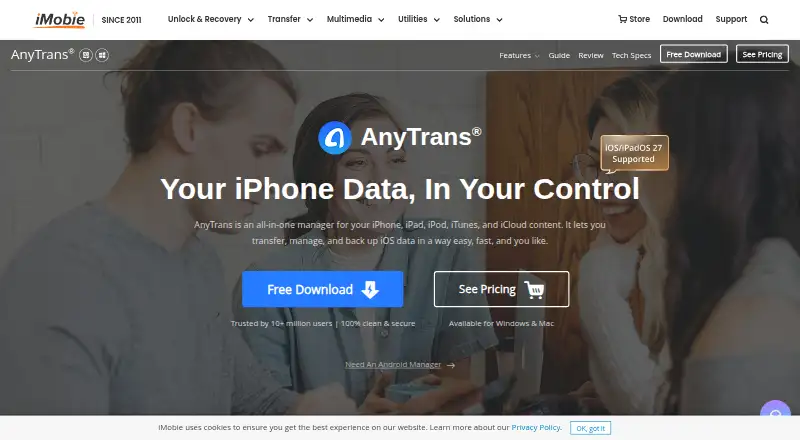
What AnyTrans is
AnyTrans transfers and manages content among iPhone, iPad, iPod, iTunes, iCloud, and computers. It supports phone-to-phone and phone-to-computer transfers across iOS, Windows, and macOS, and the maker says it handles 27 types of iOS content, including photos and messages. Users can select particular data types for transfer or backup, with full, incremental, and scheduled automatic wireless iPhone backups available. Photos and videos can be organized into categories such as Live Photos, Selfies, and Slo-Mos for export. AnyTrans supports WhatsApp, LINE, and Viber chat transfer or backup, iTunes and iCloud management, and Android-to-iOS migration. Messages and attachments, including photos, videos, audio, and stickers, can be exported or printed. Backups are stored locally and created over USB or SSL-secured Wi-Fi, with iTunes backup encryption support. Pricing includes a 3-day trial, a $35.99 a month subscription, yearly, lifetime, and family plans. Windows use requires iTunes 9.0 or above and its driver.
Good
- Transfers between phones and computers
- Handles 27 iOS content types
- Selective transfer and backup options
- Scheduled wireless iPhone backups
- WhatsApp, LINE, and Viber support
Watch out
- No free plan
- Monthly subscription costs $35.99 a month
- Windows requires iTunes and its driver
- 3-day trial only
Who it suits
It suits people moving, organizing, or backing up iOS content between phones and computers. It also fits users needing selective transfers, chat migration, or local backup options.
Verdict
AnyTrans covers transfers, backups, messaging data, and iTunes or iCloud content management across supported devices. The choice of subscription and lifetime plans gives different payment options, while Windows users must meet the listed iTunes requirement.
Plans and prices
From AnyTrans's own pricing page, checked 5 Oct 2026.
| Plan | Price | What it gives you |
|---|---|---|
| 1-Month Subscription | $35.99 a month | Unlimited Devices · 1 Computer · Automatically renewed monthly; cancel anytime |
| 1-Year Subscription | $39.99 a year | Unlimited Devices · 1 Computer · Automatically renewed yearly; cancel anytime |
| One-Time Purchase | $59.99, paid once | Unlimited Devices · 1 Computer · Lifetime Free Updates · Plan for Lifetime |
| Family Plan | $79.99, paid once | Unlimited Devices · 5 Computers · Lifetime Free Updates · Plan for Lifetime |
The facts
Each one read from AnyTrans's own pages, with the date it was checked.
What it does
- Backups
- It offers full or incremental backups and scheduled automatic wireless iPhone backups.checked 5 Oct 2026
- Backup security
- The maker says backups are stored locally and created over USB or SSL-secured Wi-Fi, with iTunes backup encryption support.checked 5 Oct 2026
- Data types
- The maker says AnyTrans manages 27 types of iOS content, including photos and messages.checked 5 Oct 2026
- Messages
- AnyTrans can export or print messages and their attachments, including photos, videos, audio, and stickers.checked 5 Oct 2026
- Messaging integrations
- The maker says AnyTrans supports WhatsApp, LINE, and Viber chat transfer or backup.checked 5 Oct 2026
- Other integrations
- The product page lists iTunes and iCloud content management and Android-to-iOS migration.checked 5 Oct 2026
- Payment security
- The pricing page says transactions are secured with SSL encryption and offers a 60-day money-back guarantee, with a 7-day period for the one-month subscription.checked 5 Oct 2026
- Photo management
- It organizes iPhone photos and videos into categories such as Live Photos, Selfies, and Slo-Mos for export.checked 5 Oct 2026
- Product
- AnyTrans transfers and manages content across iPhone, iPad, iPod, iTunes, iCloud, and computer.checked 5 Oct 2026
- Selective transfer
- The maker says users can select specific data types to back up or transfer.checked 5 Oct 2026
- System requirements
- The tech specifications list Windows 11, 10, 8, 7, and Vista, and macOS 10.13 and later.checked 5 Oct 2026
The company
- Company
- The maker says iMobie was established in 2011 and its U.S. subsidiary, located in Newark, California, was set up in 2018.checked 5 Oct 2026
- Founded
- 2011checked 28 Sep 2026
- Headquarters
- Chengdu, Sichuan, Chinachecked 28 Sep 2026
Where it runs
- Device requirement
- The tech specifications list iOS 5–27 and state that Windows use requires iTunes 9.0 or above and the iTunesMobileDevice driver.checked 5 Oct 2026
Alternatives to AnyTrans
- 1
AirMore
Free planAndroidiOSWebLinux8.1From $40.99 a year - 2
Syncios Manager
Free planAndroidiOSmacOSWindows7.9From $34.95 a year - 3
vivo EasyShare
Free planAndroidiOSmacOSWindows7.3Free plan - 4

HONOR Device Clone
Free planAndroidiOSWindows7.2Free plan - 5
FoneTool
AndroidiOSWindows6.8From $29.95 a year - 6
Wondershare MobileTrans
AndroidiOSmacOSWindows6.8From $29.99 a year