Amped Studio
Amped Studio is a browser-based music production platform for recording, arranging, editing, and mixing music.
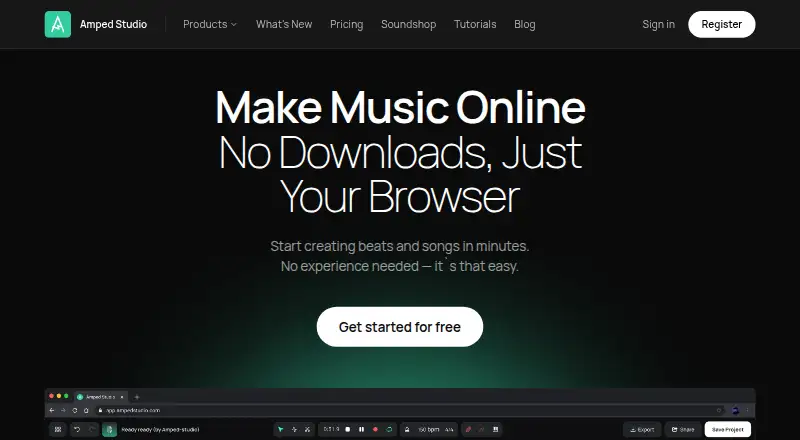
What Amped Studio is
Amped Studio is a browser-based music production platform for recording, arranging, editing, and mixing music. Its AI assistant can draft a composition in a selected style and tempo, which users can then change. An AI stem splitter separates a track into two, four, or five parts, such as vocals, drums, bass, piano, and other instruments. Audio and MIDI tools include audio-to-MIDI conversion, pitch and gain controls, stretching, cutting, MIDI editing, effects, and parameter automation. A VST Remote bridge connects locally installed VST and VST3 plugins to browser sessions; bridge downloads are offered for Windows and Mac. Users can share projects, and two or more Premium members can work together on one shared project. The studio works in Chromium-based browsers including Chrome, Edge, Opera, and Brave, but does not function fully in Firefox or Safari. The FAQ says the studio itself is not available on mobile. A free plan is available; Premium is $6.99 a month and Premium + AI is $12.99 a month, each with a 7-day trial.
Good
- AI composition can be edited after generation.
- Stem splitter produces two, four, or five parts.
- Includes audio-to-MIDI and MIDI editing tools.
- Supports sharing projects and Premium collaboration.
- Free plan and 7-day trial are listed.
Watch out
- Studio is not currently available on mobile.
- Does not function fully in Firefox or Safari.
Who it suits
It suits beginners, vocalists, content creators, educators, and advanced users who want music production tools in a browser. Those relying on mobile, Firefox, or Safari should note the stated limitations.
Verdict
Amped Studio combines browser-based recording and editing with AI composition, stem separation, and a range of audio and MIDI tools. Its browser and mobile limitations are important to consider before choosing it.
Plans and prices
From Amped Studio's own pricing page, checked 15 Oct 2026.
| Plan | Price | What it gives you |
|---|---|---|
| Starter | Free | Unlimited projects · 16 tracks · MP3 export · 5 instruments · 10 effects · AI demos one use per 24 hours |
| Classroom | $6.99 a month | Education classroom plan · for 1 seat per month |
| Premium | $6.99 a month | Unlimited projects and tracks · 10GB storage · WAV export · VST3 · 9 instruments · 21 effects · 2 sample packs · AI demos one use per 24 hours · $69.99/year annually |
| Premium + AI | $12.99 a month | Unlimited projects and tracks · unlimited project export · MP3 and WAV export · 50GB external audio storage · VST 3 · 9 instruments · 21 effects · 8 sample packs · Music assistant · Splitter · $12.99 / per month; page also offers a 7-day trial |
| Pro | $12.99 a month | Unlimited projects and tracks · 50GB storage · WAV export · VST3 · 9 instruments · 21 effects · 8 sample packs · unlimited AI Splitter and Assistant · $119.99/year annually |
The facts
Each one read from Amped Studio's own pages, with the date it was checked.
What it does
- AI composition
- The Music Assistant generates a multi-track starting sketch from a chosen genre and tempo.checked 15 Oct 2026
- AI stem splitting
- The AI tools can separate a song into vocals, drums, bass and other stems for project editing.checked 15 Oct 2026
- Audio and MIDI tools
- Features include audio-to-MIDI conversion, pitch and gain editing, stretching, cutting, MIDI editing, effects, and parameter automation.checked 29 Sep 2026
- Audio recording
- The studio records vocals and instruments from a microphone or audio interface onto a timeline.checked 15 Oct 2026
- Cloud projects
- Projects are saved automatically in the cloud and can be reopened on another signed-in computer.checked 15 Oct 2026
- Collaboration
- Users can share projects with links and collaborate with other musicians; premium users can use built-in video chat.checked 15 Oct 2026
- Documentation
- The official manual covers setup, dashboard and studio operation, instruments, effects, clips, AI tools and reference topics.checked 15 Oct 2026
- Education
- The Classroom plan lists tools for groups, classes, assignments, and remote lessons and states compliance with COPPA.checked 29 Sep 2026
- Effects and mixing
- The mixer includes processing such as EQ, compression, reverb and delay.checked 15 Oct 2026
- Independent market signal
- CheckThat reported minimal verified customer feedback and no substantive review presence on G2, Capterra or Trustpilot.checked 15 Oct 2026
- Intended users
- The site describes uses for beginners and vocalists, content creators, music education, and advanced users.checked 29 Sep 2026
- Launch news
- WithGuitars reported Amped Studio's April 5, 2017 launch as a hybrid online and native DAW from Amptrack Technologies.checked 15 Oct 2026
- Licence
- The terms grant a limited, non-exclusive, non-transferable and revocable licence and prohibit copying, modification, transfer, decompilation and reverse engineering.checked 15 Oct 2026
- Limit: paid plugin access
- ClipCraft reported that VST Remote is unavailable on the free tier and described Premium as costing $6.99 monthly after a trial.checked 15 Oct 2026
- Limit: subscription cancellation
- An Amped Studio community user reported being unable to stop recurring payments and receiving no response to several support emails.checked 15 Oct 2026
Where it runs
- Browser requirements
- Amped Studio works fully in Chromium browsers such as Chrome, Edge, Opera and Brave, but not fully in Firefox or Safari.checked 15 Oct 2026
- Browser support
- Amped Studio works in Chromium-based browsers such as Chrome, Edge, Opera, and Brave, and the FAQ says it does not function fully in Firefox or Safari.checked 29 Sep 2026
The company
- Company
- The service is operated by LettoPro SA, whose privacy policy gives its address as Rue de la Gare 13, CH-1820, Montreux, Switzerland.checked 29 Sep 2026
- Company founded
- LinkedIn lists Amped Studio as founded in 2017 and headquartered in Montreux.checked 15 Oct 2026
- Company size
- LinkedIn lists Amped Studio as a software-development company with 2–10 employees.checked 15 Oct 2026
- Headquarters
- Lausanne, Switzerlandchecked 28 Sep 2026
- Legal maker
- The privacy policy identifies LettoPro SA as the operator and data controller of Amped Studio.checked 15 Oct 2026
Money
- Free plan
- Yeschecked 20 Sep 2026
- Limit: free tier
- Motifkit reported that the free tier is capped at five projects and 16 tracks and that WAV export requires a paid plan.checked 15 Oct 2026
The full review of Amped Studio
Amped Studio is a browser-based music production workspace for recording, arranging, editing, and mixing. It suits desktop creators who want audio and MIDI tools alongside AI-assisted composition, especially vocalists and music educators. Its appeal is breadth in the browser; its desktop-browser requirements rule it out for mobile-first users and some browser users.
Overview
Amped Studio puts composition, editing, mixing, and project sharing in one web application. Its AI assistant creates a composition from a selected style and tempo, which users can edit afterward. That makes it a useful way to get an idea moving, but the generated piece is a starting point rather than a finished arrangement.
The VST Remote bridge connects locally installed VST and VST3 plugins to browser sessions, extending the setup for users with plugins already on a Windows or Mac computer. The bridge does not remove the need for a supported desktop browser to use the Studio.
Key features
Composition and editing
Audio-to-MIDI conversion, MIDI editing, pitch and gain controls, stretching, cutting, effects, and parameter automation cover a substantial range of production work. The stem splitter separates a song into 2, 4, or 5 stems, including vocals, drums, bass, piano, and other instruments, directly in a project. Those tools are useful when a creator wants to manipulate parts rather than work only with a finished mix.
Sharing and collaboration
Users can share projects, and two or more Premium account members can work together on one shared project. Collaboration is asynchronous, which suits exchanging work but not a workflow that depends on working together in real time.
Pricing
Amped Studio has a free plan and paid plans, with the paid entry point shown as $6.99/mo and a 7-day trial. The plans differ in project capacity, track limits, storage, sample packs, and audience; choose by the constraint most likely to affect your work.
- Starter: Price not listed. It allows 5 projects, 16 tracks, and 0 GB of external audio storage. It is a constrained starting point, particularly for anyone who needs to store external audio.
- Premium: $6.99 a month, with a billed 7-day trial. It includes 50 projects, unlimited tracks, 10 GB of storage, and 2 sample packs. This is the paid fit for creators whose project count and storage needs stay within those limits.
- Premium + AI: $12.99 a month, with a billed 7-day trial. It raises capacity to unlimited projects and 50 GB of storage, keeps unlimited tracks, and includes 8 sample packs. Choose it for heavier project and storage needs or when the additional AI tier matters.
- Classroom: $6.99 a month, billed for 1 seat per month. Its tools are aimed at groups, classes, assignments, and remote lessons, and the plan states COPPA compliance. The one-seat billing is an important constraint when budgeting for a class.
Platforms
The Studio is a web application, not a mobile app. It works in Chromium-based browsers including Chrome, Edge, Opera, and Brave, but does not function fully in Firefox or Safari. The VST Remote bridge is offered for Windows and Mac; Amped Studio is therefore a poor choice for users who rely on phones or tablets, or on Firefox or Safari.
Who it's for
Amped Studio is aimed at beginners, vocalists, content creators, music educators, and advanced users. Beginners can use the AI assistant to begin a composition and then edit it; vocalists and creators can work with stems and audio tools; educators can consider the Classroom plan. Advanced users may value the MIDI controls and bridge to installed VST plugins, provided a browser-based workflow suits them.
Pros and cons
- Pro: AI composition, stem separation, and a broad set of audio and MIDI editing tools sit in one workspace, supporting both idea generation and detailed revision.
- Pro: The VST Remote bridge connects local VST and VST3 plugins to browser sessions, useful for desktop users with installed plugins.
- Pro: The Classroom plan includes tools for classes, assignments, and remote lessons, with stated COPPA compliance.
- Con: The Studio is not currently available on mobile, so it cannot serve as a phone- or tablet-based production app.
- Con: Firefox and Safari do not fully support the Studio, limiting browser choice.
- Con: Starter caps users at 5 projects and 16 tracks and provides no external audio storage, making it restrictive for larger or audio-heavy work.
- Con: Collaboration is asynchronous, and shared-project work requires two or more Premium account members.
Alternatives
For broader music-collaboration categories, compare Music Collaboration Software and Audio Editing Software.
- Soundtrap is a freemium alternative with a free plan and support for Android, iOS, Linux, MacOS, web, and Windows. Consider it when mobile or Linux access matters more than Amped Studio's stated browser workflow.
- Flat is a freemium notation alternative with a free plan and apps for Android, iOS, MacOS, web, and Windows. Its free Flat Basic plan has core notation features and a 15-score limit; choose it when notation is the priority.
- Sound Credit is a freemium option with a free plan across Android, iOS, Linux, MacOS, web, and Windows. Its Essential plan includes 1 GB storage, 3 recordings for own projects, and unlimited project invites; the stated track limits differ between its pricing page and FAQ.
- Jamulus is free and open-source, with a free plan and support for Android, API, iOS, Linux, MacOS, self-hosted, and Windows. Consider it when free, open-source software is the deciding factor.
- Pibox is a freemium option with a free plan, available on API, iOS, MacOS, web, and Windows. Its free tier allows 2 users, unlimited guests, up to 2 projects, and 1 Gb storage.
- Sesh is a freemium option with a free Starter plan and support for Linux, MacOS, web, and Windows. That tier includes limited projects and exports, synths and audio effects, high-quality samples, and one-hour version history.
- SonoBus is free software with standalone apps and audio plugins for Android, iOS, Linux, MacOS, and Windows.
- JackTrip is a freemium option; it describes its project as free and open source and says studios can be hosted on users' own servers for free.
Verdict
Choose Amped Studio if you want a desktop-browser production workspace combining audio and MIDI editing with AI composition, stem splitting, and a route to locally installed VST plugins. Its limitations are decisive: it is not a mobile Studio, it does not fully function in Firefox or Safari, and collaboration is asynchronous. If those constraints clash with your devices or workflow, choose another tool.
Getting started
- Open the Amped Studio website
- Create a free account or select a listed plan
- Use a Chromium-based browser such as Chrome, Edge, Opera, or Brave
- Install the VST Remote bridge on Windows or Mac if you need local VST or VST3 plug-ins
- Start a project and record, arrange, edit, or mix in the Studio
Limits worth knowing
The Starter plan lists five projects, 16 tracks, and 0 GB of external audio storage. Premium lists 50 projects, unlimited tracks, and 10 GB storage; Premium + AI lists unlimited projects, unlimited tracks, and 50 GB storage.
Questions
Is Amped Studio free?
Yes. A free plan is available.
Which platforms support Amped Studio?
It is available on the web, macOS, and Windows. The Studio itself is not currently available on mobile.
Which browsers work with Amped Studio?
It works in Chromium-based browsers including Chrome, Edge, Opera, and Brave. The FAQ says it does not function fully in Firefox or Safari.
Can Amped Studio separate stems?
Its AI stem splitter separates songs into two, four, or five stems, including vocals, drums, bass, piano, and other instruments.
Does it support plug-ins?
The VST Remote bridge connects locally installed VST and VST3 plug-ins to browser sessions, with downloads for Windows and Mac.
Can users collaborate on projects?
Projects can be shared, and two or more Premium account members can work together on a shared project asynchronously.
Alternatives to Amped Studio
- 1
WavePad
Free planAndroidiOSmacOSWindows8.8From $39.95 a year - 2
n-Track Studio
Free planAndroidiOSLinuxmacOS8.7From $109 a year - 3
Zenbeats
Free planAndroidiOSmacOSWindows8.5From $2.99 a month - 4

Koala Sampler
Free planAndroidiOSLinuxmacOS8.4$2.99 one-time - 5
Pro Tools
Free planmacOSWindows8.3Free plan - 6

Soundtrap
Free planAndroidiOSWebLinux8.3Free plan