AltSnap
AltSnap is a free GPL-3.0 Windows utility for moving, resizing, and arranging desktop windows.
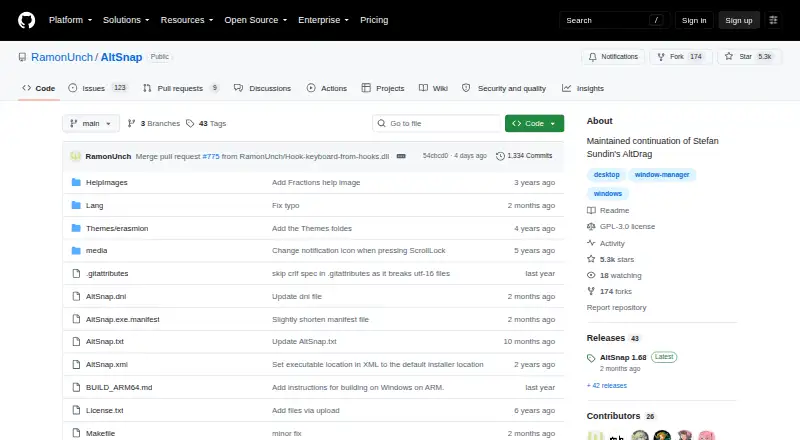
What AltSnap is
AltSnap is a free GPL-3.0 Windows utility for moving, resizing, and arranging desktop windows. Holding Alt while clicking a window lets users move or resize it, while snapping places windows against screen borders or other windows with configurable thresholds. Users can create custom snap layouts, extend windows across zones, and enable grid mode. Configuration supports activation hotkeys plus actions assigned to mouse buttons or keyboard shortcuts. The project also lists transparent window dragging, pause-process options, and blacklists that disable move, resize, or scroll actions for selected programs. AltSnap zones can be set up to match Microsoft PowerToys FancyZones, with a restore option for FancyZones-snapped windows. The maker says the utility injects nothing into other applications and removed the original hooks feature because it required DLL injection. Builds are documented for 32-bit, x86-64, and ARM64 Windows; ARM64 builds are noted as untested. The project is oriented toward Windows NT 4 through Windows 11, with most testing reported on Windows XP and Windows 10. Hooks windows and focus-on-typing features are removed or disabled in this fork. The Free plan is free.
Good
- Free GPL-3.0 Windows utility
- Configurable snapping and custom layouts
- Mouse and keyboard action assignments
- FancyZones-compatible zone setup
- Blacklists and process pause controls
Watch out
- Windows-only software
- ARM64 builds are untested
- Hooks and focus-on-typing features are absent
- Some antivirus alerts are reported as false positives
Who it suits
It suits Windows users who want keyboard-and-mouse window movement, resizing, snapping, and custom layouts. It is also relevant to users configuring zones alongside PowerToys FancyZones.
Verdict
AltSnap provides extensive window arrangement controls without charge, including custom zones and FancyZones compatibility. Windows-only support and the removed features should factor into selection.
Plans and prices
From AltSnap's own pricing page, checked 11 Oct 2026.
| Plan | Price | What it gives you |
|---|---|---|
| Free | Free | Windows desktop utility · GPL-3.0 |
The facts
Each one read from AltSnap's own pages, with the date it was checked.
What it does
- Antivirus alerts
- The README says some VirusTotal alerts on builds are false positives, usually from SecureAge APEX and sometimes other vendors.checked 11 Oct 2026
- Architecture builds
- The README documents 32-bit, x86-64, and ARM64 Windows builds, and the latest release notes say ARM64 builds are provided but untested.checked 11 Oct 2026
- FancyZones compatibility
- The wiki describes setting up AltSnap zones to match Microsoft PowerToys FancyZones and provides a restore option for FancyZones-snapped windows.checked 11 Oct 2026
- Keyboard and mouse actions
- The configuration allows users to choose activation hotkeys and assign actions to mouse buttons or keyboard shortcuts.checked 11 Oct 2026
- License
- The repository lists GPL-3.0 as the project license.checked 11 Oct 2026
- Notable limitation
- The README says the Hooks windows feature and focus-on-typing feature were removed or disabled in this fork.checked 11 Oct 2026
- Process controls
- AltSnap offers pause-process options and blacklists that can disable move, resize, or scroll actions for selected programs.checked 11 Oct 2026
- Security design
- The maker says AltSnap injects nothing into other applications and removed the original hooks feature because it required DLL injection.checked 11 Oct 2026
- Snap layouts
- Users can configure custom snap layouts, extend windows across zones, and enable a grid mode.checked 11 Oct 2026
- Transparency
- The README lists transparent window dragging among AltSnap’s added options.checked 11 Oct 2026
- Window control
- AltSnap lets users move and resize windows by holding Alt and clicking anywhere in a window.checked 11 Oct 2026
Money
- Free plan
- Yeschecked 19 Sep 2026
Where it runs
- Supported Windows versions
- The project says it is oriented toward Windows users from Windows NT 4 through Windows 11 and has mostly been tested on Windows XP and Windows 10.checked 11 Oct 2026
- Window snapping
- It supports snapping windows to screen borders and to other windows, with configurable snap thresholds.checked 11 Oct 2026
Alternatives to AltSnap
- 1

DisplayFusion
Free planAndroidiOSAPIWindows7.9$34 one-time - 2
Avidemux
Free planOpen sourceWebLinuxmacOSWindows7.3Free plan - 3

Dexpot
Free planAPIWindows7.2€24.90 one-time - 4
spectrwm
Free planOpen sourceLinuxmacOSWindows7.1Free plan - 5

Launchpad
Free planWebAPILinuxSelf-hosted7.0Free plan - 6

Reloop
Free planSelf-hosted7.0From $10 a month