
AI Enhancer
AI Enhancer is a web-based image enhancement service for correcting blur, noise, low light, and low resolution.
What AI Enhancer is
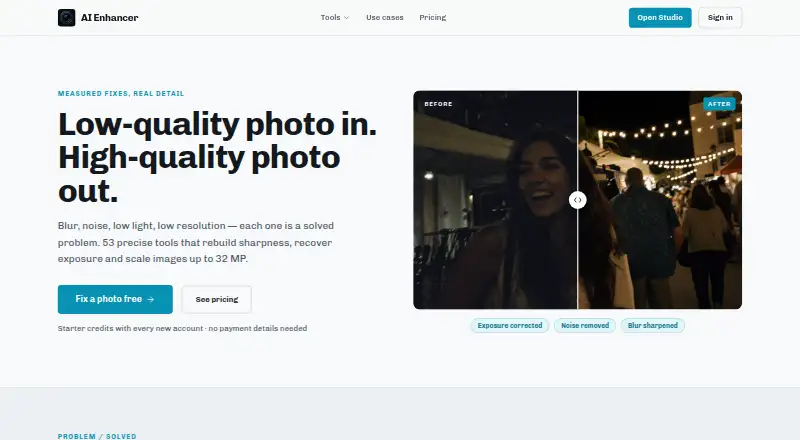
AI Enhancer is a web-based image enhancement service for correcting blur, noise, low light, and low resolution. Its tools can scale images up to 32 MP, and the homepage describes 53 tools covering background, text, object, people, retouching, enhancement, restoration, and creative edits. You can apply ordered corrections to one image, such as denoising, exposure recovery, and resolution rebuilding, then convert the corrected photo into a short clip with subtle movement. New accounts receive four free credits without adding a card, enough for one Standard fix. Standard fixes use four credits, Pro uses 12, Max uses 44, background removal uses one, and upscaling starts at three credits. Credits reset monthly and unused balances do not carry over. Uploaded photos remain in your library and can be deleted.
Good
- 53 tools across editing and restoration
- Scaling up to 32 MP
- Sequential corrections on one image
- Four free credits for new accounts
- Photo-to-clip conversion
Watch out
- Credits do not carry over
- Photos stored on US servers
- Personal, non-commercial use only
Who it suits
It suits people who need browser-based photo correction, restoration, retouching, or creative image tools. It is intended for personal, non-commercial use.
Verdict
AI Enhancer combines a broad web toolset with sequenced corrections, image upscaling, and photo-to-clip output. Its credit system, storage terms, and personal-use restriction are important considerations before choosing a plan.
Plans and prices
From AI Enhancer's own pricing page, checked 9 Oct 2026.
| Plan | Price | What it gives you |
|---|---|---|
| Starter | $15 a month | 1,000 credits monthly · ~250 Standard fixes · every site fix included · upscaling and photo-to-clip · $15/month |
| Pro | $30 a month | 2,500 credits monthly · ~625 Standard or 200 Pro fixes · every site fix included · $30/month |
| Studio | $50 a month | 5,000 credits monthly · every site fix included · room for Max and video · $50/month |
The facts
Each one read from AI Enhancer's own pages, with the date it was checked.
Money
- Credit costs
- The pricing page lists Standard fixes at 4 credits, Pro at 12, Max at 44, background removal at 1, and upscaling from 3 credits.checked 9 Oct 2026
- Free credits
- Each new account receives four free credits, enough for one Standard fix, without adding a card.checked 9 Oct 2026
What it does
- Credit expiration
- Unused credits do not carry over; the balance resets to the plan amount each month.checked 9 Oct 2026
- Data processors
- The privacy policy says user inputs may be processed by third-party AI providers including OpenAI, Replicate and Google.checked 9 Oct 2026
- Face data
- The privacy policy says the service does not use facial recognition or collect biometric identifiers such as faceprints or facial geometry maps.checked 9 Oct 2026
- Image enhancement
- AI Enhancer offers tools for blur, noise, low light and low resolution, with scaling up to 32 MP.checked 9 Oct 2026
- Intended use
- The terms describe the service as for personal, non-commercial use only.checked 9 Oct 2026
- Photo retention and storage
- The privacy policy says uploaded photos are stored on Google Cloud Storage servers in the United States and retained while the account is active or as needed to provide the service.checked 9 Oct 2026
- Photo storage
- Uploaded photos stay in the user's library and may be permanently deleted by the user.checked 9 Oct 2026
- Photo to clip
- The site says users can convert a corrected photo into a short clip with subtle movement.checked 9 Oct 2026
- Security
- The privacy policy says the company implements security measures but cannot guarantee absolute data security.checked 9 Oct 2026
- Sequenced editing
- Users can apply ordered corrections to one image, such as denoising, exposure recovery and resolution rebuilding.checked 9 Oct 2026
- Support
- The privacy policy directs questions to the listed support email address.checked 9 Oct 2026
- Tool range
- The homepage describes 53 tools for background, text and object edits, people, retouching, enhancement, restoration and creative work.checked 9 Oct 2026
Alternatives to AI Enhancer
- 1
Cutout.Pro
Free planAndroidiOSWebAPI8.2From $5 a month - 2
PhotoBoost
Free planAndroidiOSWebLinux8.2From $39.99 a year - 3
Sogni
Free planAndroidiOSWebAPI8.2From $20 a month - 4

Viesus
Free planAndroidiOSWebAPI8.0From $10 a month - 5

DaVinci AI Photo Restoration
AndroidiOSWeb7.7From $39.99 a month - 6

YouCam Perfect
Free planAndroidiOS7.7From $4.99 a month