
AccountMate
AccountMate is Windows accounting and business management software for small and mid-sized businesses.
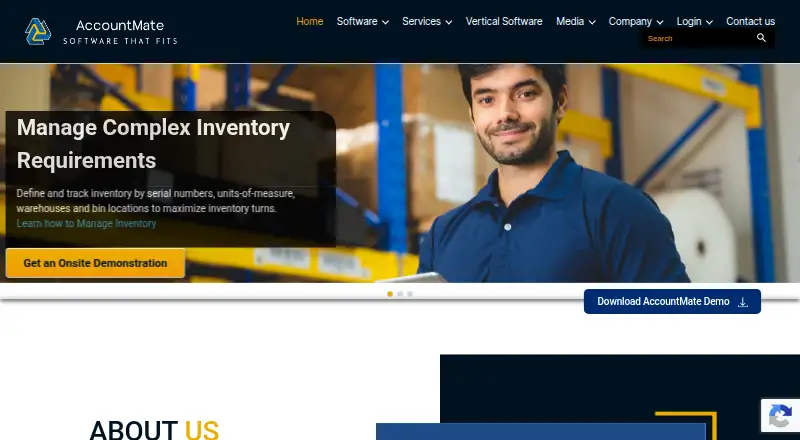
What AccountMate is
AccountMate is Windows accounting and business management software for small and mid-sized businesses. Its modules cover accounting, payroll, inventory, manufacturing, returns, and CRM, among other business needs. Businesses can deploy it locally, use a cloud location they choose, or access AccountMate Cloud SaaS. Express supports up to five concurrent users, while the SQL version is designed for hundreds. The software is source-code modifiable, and Enterprise products can be extended with the AccountMate Enterprise Software Development Kit. Inventory Control covers warehouses, bin locations, serial numbers, reorder settings, and transfers. Enterprise includes configurable password policies, access-control levels, and multi-factor login. Licensing options and prices are available through an authorized Solution Provider or Customer Service; no list price is provided. Perpetual licensing is a one-time fee, rental is a flat monthly payment, and SaaS has a single monthly fee that includes software, maintenance, and hosting. The company was founded in 1984 and is headquartered in Petaluma, California.
Good
- Modules cover accounting, payroll, inventory, and CRM.
- Local, customer-chosen hosted, and SaaS deployment options.
- Source-code modifiable software.
- Enterprise includes multi-factor login authentication.
- Supports multi-currency and multiple entities.
Watch out
- Windows platform only.
- Pricing is available on request.
- Express supports up to five concurrent users.
Who it suits
AccountMate suits small and mid-sized businesses that need accounting and business-management modules, configurable deployment, or source-code customization. Its Express and SQL versions address different concurrent-user needs.
Verdict
AccountMate combines business-management modules with local, hosted, and SaaS deployment choices. Check with a Solution Provider or Customer Service for licensing and pricing details.
Plans and prices
From AccountMate's own pricing page, checked 30 Sep 2026.
| Plan | Price | What it gives you |
|---|---|---|
| Perpetual license | — | Local or hosted deployment options · One-time fee; the page also says payments may be spread over a multi-year lease. |
| Rental agreement | — | Local or hosted deployment options · Flat monthly payment |
| SaaS licensing | — | Cloud access · Single monthly fee including software, maintenance, and hosting |
The facts
Each one read from AccountMate's own pages, with the date it was checked.
What it does
- API
- AccountMate APIs let authorized solution providers and web-site integrators send data into AccountMate, where it is validated against the software's business rules.checked 30 Sep 2026
- Business functions
- Its modules cover accounting, payroll, inventory, manufacturing, returns, CRM, and other business requirements.checked 30 Sep 2026
- Customization
- AccountMate products are source-code modifiable, and its Enterprise products can be extended with the AccountMate Enterprise Software Development Kit.checked 30 Sep 2026
- Deployment
- The software can be deployed locally, hosted in a cloud location of the customer's choice, or accessed as AccountMate Cloud SaaS.checked 30 Sep 2026
- External integrations
- The company lists third-party CRM options including HubSpot and Salesforce integrations, and notes that listed third-party products are not tested or endorsed by AccountMate.checked 30 Sep 2026
- Integrations
- AccountMate lists integrations among its modules, including Accounts Receivable with Sales Order, Inventory Control, Pricing Control, and other modules.checked 30 Sep 2026
- Inventory
- Inventory Control supports warehouses, bin locations, serial numbers, reorder settings, and inventory transfers.checked 30 Sep 2026
- Pricing availability
- The company directs customers to an authorized Solution Provider for licensing options and to Customer Service for pricing information.checked 30 Sep 2026
- Privacy
- AccountMate says it uses SSL to secure data transmission to its protected website area and does not provide personal information to third parties without permission except where legally required.checked 30 Sep 2026
- Product
- AccountMate offers modifiable accounting and business management software for small and mid-sized businesses.checked 30 Sep 2026
- Security
- AccountMate Enterprise includes configurable password policies, multiple access-control levels, and multi-factor user login authentication.checked 30 Sep 2026
- Support
- AccountMate describes its support as instance-based and directs licensed clients to support plans through login or to technical support by phone.checked 30 Sep 2026
- User capacity
- AccountMate for Express supports up to five concurrent users, while AccountMate for SQL is designed for hundreds of concurrent users.checked 30 Sep 2026
The company
- Founded
- 1984checked 23 Sep 2026
- Headquarters
- Petaluma, California, USAchecked 23 Sep 2026
Where it runs
- Windows requirements
- AccountMate Enterprise 2026 lists Windows 11 workstations and Windows Server 2022 or 2025 servers among its supported operating systems.checked 30 Sep 2026
The full review of AccountMate
Overview
AccountMate is modifiable accounting and business-management software for small and mid-sized businesses. It suits organizations that need accounting alongside operational modules and want a choice of local, hosted, or SaaS deployment. Its breadth and customization are compelling, but licensing and pricing require a conversation with a Solution Provider or Customer Service.
Key features
AccountMate brings accounting together with payroll, inventory, manufacturing, returns, CRM, and other business functions. That modular scope can help businesses keep related work in one system; it is less compelling for buyers seeking only straightforward bookkeeping.
Customization is a notable strength: AccountMate products are source-code modifiable, and Enterprise products can be extended with the AccountMate Enterprise Software Development Kit. This gives businesses and their solution providers room to adapt the software, though that flexibility matters most when they have the resources and need to make changes.
Inventory Control handles warehouses, bin locations, serial numbers, reorder settings, and transfers. Modules can also connect to one another, including Accounts Receivable with Sales Order, Inventory Control, and Pricing Control. AccountMate APIs let authorized solution providers and website integrators send data into the system for validation against its business rules.
AccountMate identifies HubSpot and Salesforce among third-party CRM integrations, while cautioning that it does not test or endorse those products. Enterprise adds configurable password policies, multiple access-control levels, and multi-factor login authentication. The company describes SSL protection for data transmission to its protected website area and says it does not share personal information without permission except where legally required.
Express supports up to five concurrent users; SQL is designed for hundreds. That distinction makes the product range relevant to both smaller teams and much larger concurrent workloads, but buyers should match the edition to their expected usage.
Pricing
AccountMate uses paid licensing, with custom pricing. It directs customers to an authorized Solution Provider for licensing options and to Customer Service for pricing information. The three billing and deployment approaches give buyers flexibility, but no price comparison can be made without requesting a quote.
- Perpetual license: One-time fee for local or hosted deployment; payments may also be spread over a multi-year lease. This suits buyers who prefer a perpetual license, but the total cost depends on the quote and any lease terms.
- Rental agreement: Flat monthly payment for local or hosted deployment. It avoids the one-time-fee structure, while the monthly cost remains custom pricing.
- SaaS licensing: Single monthly fee that includes software, maintenance, and hosting, with cloud access. This is the clearest bundled option, though its monthly price is also custom.
Platforms
AccountMate is a Windows product. AccountMate Enterprise 2026 supports Windows 11 workstations and Windows Server 2022 or 2025 servers. Deployment can be local, hosted in a cloud location chosen by the customer, or through AccountMate Cloud SaaS. Those choices suit organizations with different hosting preferences, but the Windows requirement rules it out for teams seeking a native macOS or Linux product.
Who it's for
AccountMate is best suited to small and mid-sized businesses that need several business functions in a configurable system, particularly those with inventory operations, multiple entities, or multi-currency requirements. Its support for period locking and audit trails also addresses accounting-control needs. The choice between an edition supporting up to five concurrent users and one designed for hundreds helps accommodate very different team sizes.
It is a weaker fit for businesses that want simple, free accounting software, or those that require transparent, self-service pricing before engaging a provider. Support is described as instance-based: licensed clients are directed to support plans through login or to technical support by phone.
Pros and cons
- Pro: Broad accounting and operational modules can serve needs beyond the general ledger, including payroll, manufacturing, CRM, and inventory.
- Pro: Source-code modification and the Enterprise SDK allow deeper tailoring than a fixed, unmodifiable product.
- Pro: Local, customer-chosen hosted, and SaaS deployments let businesses choose their hosting model.
- Pro: Inventory controls cover warehouses, bins, serial numbers, reordering, and transfers.
- Con: Pricing is custom, so buyers must contact the company or a Solution Provider to compare costs.
- Con: Windows support limits platform choice for organizations that need native software on other operating systems.
- Con: Third-party CRM integrations are not tested or endorsed by AccountMate, so businesses should assess those connections for their own needs.
Alternatives
For a broader comparison of accounting options, see General Ledger Software.
Choose BUSY instead if a web-based freemium billing and accounting plan with multiple companies and financial years is a better fit. GNUKhata is a free, open-source alternative supporting Linux, self-hosted, web, and Windows use, with Docker installation in its current v8.0. For paid web and API access with per-user monthly Core and Business plans, consider Aqilla.
Blackbaud Financial Edge NXT is another paid alternative with personalized pricing; implementation, training, and ongoing support may be included. Xledger offers a SaaS monthly subscription with a one-time implementation fee and provides specific pricing after learning about a business's needs. For free desktop accounting on Linux, macOS, or Windows, consider GnuCash. Other free options include LedgerSMB and FrontAccounting.
Verdict
AccountMate is a strong candidate for a Windows-based small or mid-sized business that wants accounting integrated with operational modules and values extensive customization. Its deployment choices and range from five-user Express capacity to SQL designed for hundreds add flexibility. Look elsewhere if you need upfront prices, a non-Windows platform, or a free solution; AccountMate's main trade-off is that buyers must pursue custom licensing and pricing through the company or a Solution Provider.
Alternatives to AccountMate
- 1

GnuCash
Free planOpen sourceAndroidiOSAPILinux8.1Free plan - 2
LedgerSMB
Free planOpen sourceAndroidiOSWebAPI8.1Free plan - 3

Frappe Books
Free planOpen sourceAndroidiOSWebAPI7.9Free plan - 4
hledger
Free planOpen sourceAndroidiOSWebAPI7.9Free plan - 5
Oracle Fusion Cloud Expenses
AndroidiOSWebAPI7.7 - 6

GNUKhata
Free planOpen sourceWebAPILinuxSelf-hosted7.6Free plan