hledger
hledger is free accounting software that records money, investments, cryptocurrencies, time, and other countable items in plain-text files.
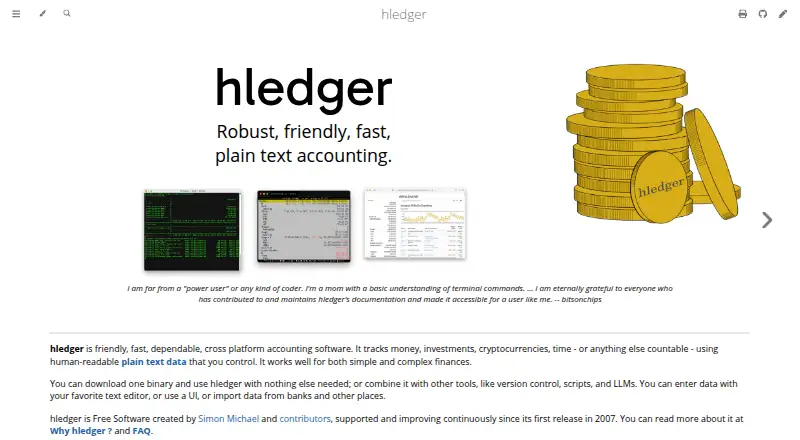
What hledger is
hledger is free accounting software that records money, investments, cryptocurrencies, time, and other countable items in plain-text files. It supports multi-currency double-entry accounting and can produce balance sheet, income statement, and cashflow reports, including reports across multiple periods. Users can work through command-line, terminal, or web interfaces; the web interface can also serve a JSON API. hledger imports CSV and can output text, HTML, CSV, JSON, or SQL. It can also interoperate with Ledger and Beancount formats. The software runs locally and offline, leaving its plain-text data under the user's control. It supports bank feeds, automated reconciliation, and inventory tracking, but not invoice creation. Official release binaries are available for Linux x64, Mac x64 and arm64, and Windows x64; there are no official Linux ARM binaries. The web app normally runs locally and is accessible only from the user's machine. hledger is Free Software under GNU GPLv3+ and has no purchase price or monthly fees.
Good
- Free Software with no purchase price or monthly fees.
- Supports multi-currency double-entry accounting.
- Produces balance sheet, income, and cashflow reports.
- Runs locally and offline.
- Imports CSV and exports several formats.
Watch out
- Does not create invoices.
- No official Linux ARM binaries.
- Mobile platforms are listed as web only.
- Web app normally runs only on the user's machine.
Who it suits
hledger can suit technical and non-technical users who want to manage personal, business, or institutional accounting with locally stored plain-text records. Its command-line, terminal, and web interfaces offer different ways to work with those records.
Verdict
hledger offers accounting and reporting in a local, plain-text workflow, with several interfaces and file formats. It may not fit workflows that require invoice creation or official Linux ARM binaries.
Plans and prices
From hledger's own pricing page, checked 15 Oct 2026.
| Plan | Price | What it gives you |
|---|---|---|
| Free software | Free | Core hledger software · local files · CLI, terminal and web interfaces · No purchase price or monthly fees |
| hledger | Free | Free Software · no purchase price or monthly fees |
The facts
Each one read from hledger's own pages, with the date it was checked.
What it does
- Accounting
- It provides multi-currency double-entry accounting using plain-text files.checked 8 Oct 2026
- API documentation
- The web API has a basic OpenAPI specification and Haskell Haddock type documentation.checked 15 Oct 2026
- Automated reconciliation
- Yeschecked 20 Sep 2026
- Bank-data workflow
- Bank data is generally imported through downloaded CSV files and rules rather than direct bank connections.checked 15 Oct 2026
- Bank feeds
- Yeschecked 20 Sep 2026
- Data model
- Financial data is stored in human-readable text journals that users can edit, version-control and audit.checked 15 Oct 2026
- Documentation depth
- Documentation includes beginner material, a quick start, complete manuals, tutorials, cookbook pages, offline help and developer specifications.checked 15 Oct 2026
- Double-entry accounting
- Transactions must balance, and hledger checks syntax, balancing and balance assertions when reading files.checked 15 Oct 2026
- Financial reports
- Built-in reporting includes balance sheets, income statements, cashflow, budgets, registers and multi-period summaries.checked 15 Oct 2026
- Import formats
- hledger reads journal, timeclock, timedot, CSV, SSV, TSV and rules files, detecting formats from extensions.checked 15 Oct 2026
- Imports and exports
- It supports CSV import and output to text, HTML, CSV, JSON, or SQL, and can interoperate with Ledger and Beancount formats.checked 8 Oct 2026
- Integrations
- hledger can interoperate with Ledger files and commands and convert to or from Beancount format.checked 15 Oct 2026
- Interfaces
- The project provides command-line, terminal UI and browser-based interfaces, with hledger-web supporting journal browsing and data entry.checked 15 Oct 2026
- Inventory and lots
- The 2.0 preview line adds lot tracking and capital-gains calculation, with related cost-basis features.checked 15 Oct 2026
- Inventory tracking
- Yeschecked 20 Sep 2026
- Invoice creation
- Nochecked 20 Sep 2026
- Licence
- hledger is free software released under GNU GPL version 3 or later.checked 15 Oct 2026
- Limit: compatibility
- The Debian manual notes that not all Ledger journal syntax or features are supported by hledger.checked 15 Oct 2026
- Limit: formatting sensitivity
- A plaintext-accounting guide warns that indentation, spacing, currency symbols and decimal separators must be entered correctly or hledger can reject or misinterpret data.checked 15 Oct 2026
- Limit: learning curve
- An independent reviewer said hledger starts as a blank text file and requires substantial upfront work to decide how transactions should be recorded.checked 15 Oct 2026
- Limit: manual work
- The same reviewer found manually entering transactions tedious, especially after being away for several days.checked 15 Oct 2026
Money
- Free plan
- Yeschecked 20 Sep 2026
- License and price
- hledger is Free Software licensed under GNU GPLv3+ with no purchase price or monthly fees.checked 8 Oct 2026
Where it runs
- Install platforms
- Official binaries are supplied for Linux x64, macOS x64 and arm64, and Windows x64; packages and source builds cover additional systems.checked 15 Oct 2026
The full review of hledger
Overview
hledger is accounting software built around editable plain-text files, with command-line, terminal, and web interfaces. It suits people who want local control of their records and flexible reporting; its main limitation is the lack of invoice creation.
It handles multi-currency double-entry accounting and can track investments, cryptocurrencies, time, and other countable items alongside money. That breadth makes it useful beyond household bookkeeping, though the file-based workflow will appeal most to readers comfortable working with text.
Key features
hledger produces balance sheets, income statements, cashflow reports, and reports spanning multiple periods. CSV import supports bringing in transaction data, while exports to text, HTML, CSV, JSON, and SQL give users several ways to process or share results. Compatibility with Ledger and Beancount formats is a practical advantage for people moving between plain-text accounting tools.
The command-line and terminal interfaces suit keyboard-driven work and scripts. The web interface offers another way to work with records and can serve a JSON API. Bank feeds, automated reconciliation, and inventory tracking extend its bookkeeping scope, but the absence of invoice creation rules it out for workflows that need invoices produced inside the accounting software.
hledger runs locally and offline, keeping its plain-text data under the user's control. Its web interface normally runs as a local app accessible only from the user's machine, which favors private, single-machine use over remote access by default. The project describes combining it with version control, scripts, text editors, LLMs, and bank data imports, so technical users can fit it into a broader workflow.
Pricing
hledger costs nothing. The Free Software release is licensed under GNU GPLv3+ and has no purchase price or monthly fees. There is no free trial because the software is free to use. With no paid tier, users do not have to weigh a cheaper plan against higher-tier limits; they do need to be comfortable using software whose records are managed as plain-text files.
Platforms
hledger supports Linux, macOS, Windows, web, self-hosted use, and an API. Official release binaries cover Linux x64, Mac x64 and arm64, and Windows x64; Linux ARM users do not have an official binary. Mobile support is through the web platform only, so it is less suited to readers seeking a dedicated mobile app. hledger-web normally serves the local machine, which also means remote access is not its default setup.
Who it's for
hledger aims to serve technical and non-technical users, from personal finance to business and institutional accounting. It is the better fit for people who value local, offline records, want multi-currency accounting and detailed reports, or plan to connect their books with scripts and version control. Readers who need invoice creation, a dedicated mobile platform, or an official Linux ARM binary should consider another option. The project has been supported and continuously improved since its first release in 2007, and it points users to Matrix chat for quick help, as well as IRC, a mailing list, and issue trackers.
Pros and cons
- Pros: Multi-currency double-entry accounting and reporting across multiple periods cover more than basic transaction tracking.
- Pros: Plain-text records stay local and under the user's control, with CSV import, several export formats, and Ledger and Beancount compatibility.
- Pros: Command-line, terminal, web, and API interfaces support different ways to work with or process the same accounting data.
- Cons: There is no invoice creation, so businesses that generate invoices in their accounting app need a different tool.
- Cons: Mobile access is web-only, and Linux ARM has no official release binary.
Alternatives
Pick Frappe Books if you want a free, open-source option that can be installed on your own Frappe site and spans mobile, desktop, and web platforms. Beancount is another free, open-source bookkeeping option across Linux, macOS, web, and self-hosted environments. Choose Ledger for free BSD-licensed command-line accounting on Linux, macOS, or Windows.
BUSY offers a free billing and accounting plan with multiple companies and financial years. GnuCash is free desktop software for personal and small-business accounting. GNUKhata is a free, open-source alternative whose current v8.0 supports Docker installation. FrontAccounting is free accounting software released under the GNU General Public License. LedgerSMB is free open-source software for self-hosted installation.
For more options, browse General Ledger Software and Bookkeeping Software.
Verdict
Choose hledger if you want multi-currency accounting, broad reporting, and local control through plain-text records, and are comfortable building your workflow around files. Its no-cost license and multiple interfaces make it a capable choice for personal and organizational bookkeeping. Look elsewhere if invoice creation is central to your work, or if you need a dedicated mobile app or official Linux ARM binaries.
Getting started
- Visit https://hledger.org/
- Choose an official release binary for Linux x64, Mac x64 or arm64, or Windows x64
- Use the command-line, terminal or web interface
Questions
How much does hledger cost?
It is free software with no purchase price or monthly fees.
Which platforms does it support?
Official release binaries are provided for Linux x64, Mac x64 and arm64, and Windows x64. Linux ARM has no official binaries; mobile platforms are web only.
Can it create invoices?
No. Invoice creation is not supported.
Can I import and export data?
It imports CSV and can output text, HTML, CSV, JSON or SQL. It can also interoperate with Ledger and Beancount formats.
Does it run online or locally?
hledger runs locally and offline. Its web app normally runs on the user's machine.
What license does it use?
hledger is Free Software licensed under GNU GPLv3+.
Alternatives to hledger
- 1

GnuCash
Free planOpen sourceAndroidiOSAPILinux8.1Free plan - 2
LedgerSMB
Free planOpen sourceAndroidiOSWebAPI8.1Free plan - 3

Frappe Books
Free planOpen sourceAndroidiOSWebAPI7.9Free plan - 4
Oracle Fusion Cloud Expenses
AndroidiOSWebAPI7.7 - 5

GNUKhata
Free planOpen sourceWebAPILinuxSelf-hosted7.6Free plan - 6
Microsoft Dynamics 365 Sales
AndroidiOSWebAPI7.6