Access Continuum
Access Continuum is an SDK for adding automated accessibility checks to development and testing workflows, helping developers find issues before code reaches…
What Access Continuum is
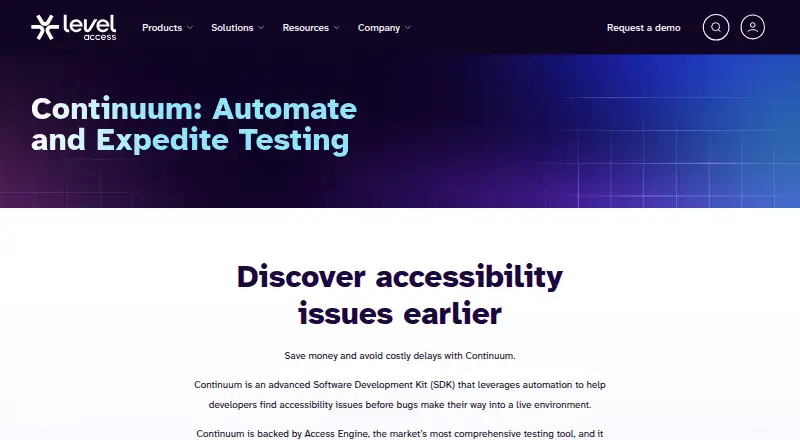
Access Continuum is an SDK for adding automated accessibility checks to development and testing workflows, helping developers find issues before code reaches a live environment. It covers WCAG 2.1 and supports web and mobile testing. Teams can test code snippets, page nodes, or fully rendered pages within existing automated tests, including CI/CD processes. Continuum includes the Professional edition of Access Engine and defaults to automatic tests that do not require human validation. Guided Automatics can flag items for human review; advisory tests are not run in Continuum. An XML-based scripting framework lets teams author accessibility tests without first setting up another test framework or automation system. Results can be returned as JSON or exported to the Accessibility Management Platform (AMP) UI. Sample projects cover frameworks such as Selenium, JUnit, Playwright, WebdriverIO, and Appium, including Android and iOS mobile examples. SDK instructions cover C#, Java, JavaScript, and Python, with Ruby also listed among supported package repository languages. Use depends on AMP services and Level Access package repositories, which may require network access.
Good
- Covers WCAG 2.1.
- Supports web and mobile testing.
- Tests code snippets, page nodes, and rendered pages.
- Results can be returned as JSON.
- Licensed customers receive personalized training and expert support.
Watch out
- Pricing is available on request, not listed.
- Depends on AMP services.
- Requires access to Level Access package repositories.
- Advisory tests are not run in Continuum.
Who it suits
Access Continuum suits developers embedding accessibility checks into automated testing and CI/CD processes. Teams should be able to access AMP services and Level Access package repositories.
Verdict
Access Continuum brings automated accessibility checks into existing test workflows and offers several ways to handle results. Its AMP and package repository dependencies, along with unlisted pricing, are key factors to assess.
Plans and prices
From Access Continuum's own pricing page, checked 12 Oct 2026.
| Plan | Price | What it gives you |
|---|---|---|
| Access Continuum | Priced on request | Licensed product; request a demo for details |
The facts
Each one read from Access Continuum's own pages, with the date it was checked.
What it does
- AMP dependency
- Continuum depends on AMP services for best-practice accessibility data, and users need access to AMP as well as the named package repositories.checked 12 Oct 2026
- Audience
- Continuum is designed for developers embedding accessibility checks into their continuous integration and automated testing processes.checked 12 Oct 2026
- Automated scans
- Yeschecked 19 Sep 2026
- CI/CD integration
- Yeschecked 19 Sep 2026
- Custom scripting
- Its XML-based scripting framework lets teams author accessibility tests without an existing test framework or automation setup.checked 12 Oct 2026
- Frameworks
- Sample projects are listed for xUnit, Cucumber, Selenium, TestNG, JUnit, Jasmine, Karma, Jest, Playwright, WebdriverIO, Robot Framework, and Appium.checked 12 Oct 2026
- Guided tests
- Guided Automatics can flag suspicious items for human review, while advisory tests are not run in Continuum.checked 12 Oct 2026
- Integrations
- The product page lists iOS, Android, Appium, Cucumber, Python, Karma, Jasmine, Java, Ruby, and Sauce Labs among its integrations.checked 12 Oct 2026
- Manual review tools
- Yeschecked 19 Sep 2026
- Mobile testing
- Yeschecked 19 Sep 2026
- Package access
- Installing Continuum SDKs requires access to Level Access package repositories, including dl.levelaccess.net, npm.levelaccess.net, and nuget.levelaccess.net.checked 12 Oct 2026
- Pricing
- The product page offers a demo request and does not display a price.checked 12 Oct 2026
- Pricing availability
- The product page directs prospects to request a demo and does not state a Continuum price.checked 12 Oct 2026
- Purpose
- Access Continuum is an SDK that automates accessibility testing so developers can find issues before they reach a live environment.checked 12 Oct 2026
- Remediation guidance
- Yeschecked 19 Sep 2026
- Results
- Test results can be returned as JSON or exported in a UI format to the Accessibility Management Platform.checked 12 Oct 2026
- SDK languages
- The maker's setup guide provides SDK instructions for C#, Java, JavaScript, and Python and lists Ruby among supported package manager languages.checked 12 Oct 2026
- Support
- Licensed Continuum customers receive personalized training and expert support to customize scripts.checked 12 Oct 2026
- Supported languages
- The getting-started guide documents SDKs for C#, Java, JavaScript, and Python, and lists Ruby among supported package repository languages.checked 12 Oct 2026
The company
- Company history
- Level Access says it was founded in 1999 by engineers with disabilities.checked 12 Oct 2026
- Company security
- Level Access states that it is ISO 27001 certified and that its platform has completed a SOC 2 Type II audit.checked 12 Oct 2026
- Company support contact
- Level Access lists technical support and gives its USA address as 800 Corporate Drive Suite 301 PMB#645, Stafford, VA 22554.checked 12 Oct 2026
- Founded
- 1999checked 28 Sep 2026
Where it runs
- Platform dependency
- Continuum depends on Accessibility Management Platform services, which may require network access alongside its package repositories.checked 12 Oct 2026
The full review of Access Continuum
Access Continuum is an SDK for adding automated accessibility checks to software tests. It is best suited to developer teams embedding checks in CI workflows, particularly across web and mobile projects. Its appeal is the range of ways to integrate testing; its main drawback is reliance on Level Access services and repositories.
Overview
Continuum is designed to catch accessibility issues before code reaches a live environment. Teams can target code snippets, page nodes, or fully rendered pages, making it possible to fit checks into different stages of an automated test suite. It includes the Professional edition of Access Engine and defaults to automatic tests that do not require human validation.
That makes routine checks practical, but it does not eliminate the need for human judgment. Guided Automatics can flag suspicious items for review, while advisory tests are not run in Continuum. Teams should treat it as an automated layer in an accessibility process, not a complete replacement for manual assessment.
Key features
Flexible test authoring and integration
An XML-based scripting framework lets teams author accessibility tests even if they do not already use a test framework or automation setup. That is a useful entry point for teams building their process, while existing test suites can draw on sample projects for xUnit, Cucumber, Selenium, TestNG, JUnit, Jasmine, Karma, Jest, Playwright, WebdriverIO, Robot Framework, and Appium. The breadth gives teams multiple integration paths, though it also means the best fit depends on how their current tests are structured.
Setup instructions cover SDKs for C#, Java, JavaScript, and Python; Ruby is also named among supported package-repository languages. The product page names integrations including iOS, Android, Appium, Cucumber, Python, Karma, Jasmine, Java, Ruby, and Sauce Labs. Web and mobile examples, including Appium projects for Android and iOS, make its cross-platform intent concrete.
Test coverage and results
Continuum supports WCAG 2.1 and offers automated scans, manual review tools, mobile testing, CI/CD integration, and remediation guidance. Results can be returned as JSON for use in a workflow or exported in a UI format to the Accessibility Management Platform (AMP). This gives teams a choice between consuming output in their own tooling and handling it in AMP.
The dependency is significant: Continuum relies on AMP services for best-practice accessibility data, and installation requires access to Level Access package repositories such as dl.levelaccess.net, npm.levelaccess.net, and nuget.levelaccess.net. Network access may also be needed for AMP. Organizations with restrictions on external services or package sources should resolve that dependency before choosing it.
Licensed customers receive personalized training and expert support for customizing scripts, which can help teams adapt the framework to their workflows. Continuum is made by Level Access, founded in 1999; the company states that it is ISO 27001 certified and that its platform has completed a SOC 2 Type II audit.
Pricing
Access Continuum is a paid, licensed product with custom pricing. Teams should request a quote to assess fit against their budgets; no free plan, trial length, seat allowance, or usage quota is provided for Continuum.
Platforms
Continuum is listed for Android, iOS, Linux, macOS, web, and Windows, as well as API use. Its sample projects and integrations span web and mobile testing, with Appium examples for Android and iOS. This breadth suits teams covering several environments, but platform support alone does not remove the AMP and package-repository requirements.
Who it's for
Continuum is a strong candidate for developers who want accessibility checks inside continuous integration and automated tests, especially teams working across web and mobile. Its scripting framework can also serve teams without an existing test harness. It is a less natural choice for organizations seeking a standalone checker, avoiding external service dependencies, or needing a public price before engaging with a vendor.
Pros and cons
- Pros: Tests can target snippets, page nodes, or rendered pages, so teams can place checks where they are most useful.
- Pros: XML scripting and sample projects for many frameworks offer paths for both new and established automation setups.
- Pros: JSON output and AMP export accommodate both custom workflows and a dedicated results interface.
- Cons: AMP services and Level Access package repositories are required, which can complicate adoption in restricted environments.
- Cons: Guided Automatics may still need human review, and advisory tests are not run in Continuum.
- Cons: Custom pricing requires a demo request, making budget comparison less direct.
Alternatives
Accessibility Testing Software is the broader category for comparing tools. Consider WAVE if a freemium option is preferable; it also offers a paid API subscription starting at $10 a month with a 250-credit minimum purchase.
Alfa is worth considering for teams seeking a free, open-source option distributed as separate npm packages. Axe Developer Hub has a free tier with one API key for open-source projects or solo developers, plus a free trial for its paid offering.
IBM Equal Access Accessibility Checker is a free, open-source alternative with browser extensions and CI/CD and automated-testing packages. Axe DevTools offers a free extension limited to one page at a time, making it a possible fit for that narrower use.
Evinced may suit teams wanting to evaluate a paid product through a free trial; its Site Scanner trial lasts 14 days and requires no credit card. axe-core is a free, open-source accessibility testing engine. axe Auditor is another paid option for Android, iOS, macOS, web, and Windows.
Verdict
Choose Access Continuum if your developer team wants to embed accessibility checks across automated web and mobile tests and can work with AMP and Level Access repositories. Its adaptable scripting, framework examples, and flexible result handling are the clearest reasons to choose it. Look elsewhere if those dependencies are impractical or if you need transparent pricing before starting a vendor conversation.
Getting started
- Request a demo through the Access Continuum product page.
- Arrange access to AMP services and Level Access package repositories.
- Choose the SDK instructions for C#, Java, JavaScript, or Python.
- Add checks to automated tests for code snippets, page nodes, or rendered pages.
- Return results as JSON or export them to AMP.
Limits worth knowing
Pricing requires a demo request. Continuum depends on AMP services and Level Access package repositories; advisory tests are not run in the product.
Questions
What does Access Continuum do?
It is an SDK for automated accessibility testing in development workflows. It supports tests of code snippets, page nodes, and fully rendered pages.
Which accessibility standard does it cover?
The listed coverage is WCAG 2.1.
Which languages have SDK instructions?
The setup guide documents SDKs for C#, Java, JavaScript, and Python. Ruby is listed among supported package repository languages.
What integrations are listed?
The product page lists iOS, Android, Appium, Cucumber, Python, Karma, Jasmine, Java, Ruby, and Sauce Labs.
How are test results delivered?
Results can be returned as JSON or exported to the AMP interface.
How is Access Continuum priced?
The product page directs prospects to request a demo and does not display a price.
Alternatives to Access Continuum
- 1

Axe DevTools
Free planOpen sourceAndroidiOSWebAPI9.4From $40 a month - 2

WAVE
Free planWebAPIExtensionLinux8.4Free plan - 3

Binclusive
AndroidiOSWebAPI8.3From $59 a month - 4

Welcoming Web
Free planAndroidiOSWebAPI8.2From $19 a month - 5

Assistiv Labs
Free planAndroidiOSWebLinux8.2From $19 a month - 6

IBM Equal Access Accessibility Checker
Free planOpen sourceWebAPIExtensionSelf-hosted8.1Free plan