
AB Tutor
AB Tutor is classroom management software for schools, universities, teachers, administrators, trainers, and network managers.
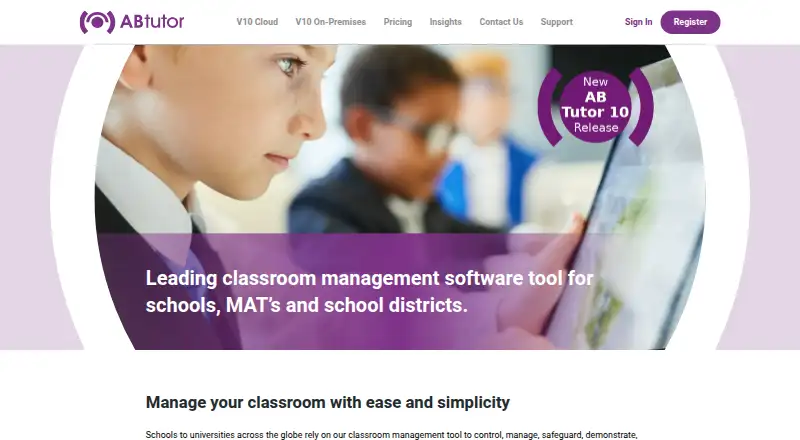
What AB Tutor is
AB Tutor is classroom management software for schools, universities, teachers, administrators, trainers, and network managers. Its Cloud 10 offering provides live student monitoring and screen snapshots, along with remote control, screen broadcasting and recording, question polling, and lock messages. Safety tools include app and tab monitoring, keyword monitoring, web filtering, and policies linked to schedules or network conditions. Integrations include Azure/Entra ID, Active Directory, and Google Workspace Classroom, with user-group importing. The console works in a web browser and can manage multiple institutions through one Admin console. AB Tutor also offers an On-Premises version; its current release lists a web UI, action logging, an IWF safeguarding wordlist, proxy-chain web filtering, current macOS support, and enhanced server performance. Subscriptions are fixed annually, with one-, three-, or five-year terms. Cloud licensing is per device and requires at least 100 devices; each additional device needs its own licence. A 30-day free trial is available. The maker says support for Cloud or Server customers covers installation and running the software, but not wider environment-specific configuration, security, or network management.
Good
- Offers live monitoring and screen snapshots
- Includes web filtering and keyword monitoring
- Can manage multiple institutions from one Admin console
- Integrates with Azure/Entra ID and Google Workspace Classroom
Watch out
- Cloud licensing requires a minimum of 100 devices
- Each additional Cloud device needs a separate licence
- No free plan is listed
Who it suits
AB Tutor suits schools and other education or training settings that need to monitor and manage learner devices. Its Cloud and On-Premises options address organizations considering different deployment arrangements.
Verdict
AB Tutor combines classroom monitoring, teaching controls, and safety tools, with Cloud and On-Premises offerings. The 30-day trial gives organizations a period to assess fit; Cloud plans start at 100 devices.
Plans and prices
From AB Tutor's own pricing page, checked 2 Oct 2026.
| Plan | Price | What it gives you |
|---|---|---|
| AB Tutor Cloud 10 | — | Per device · minimum 100 devices · additional devices licensed individually · Fixed annual subscription; one-, three-, or five-year terms |
| AB Tutor On-Premises | — | Licence option selected to fit school size · Fixed annual subscription; one-, three-, or five-year terms |
The facts
Each one read from AB Tutor's own pages, with the date it was checked.
Where it runs
- Browser access
- The Cloud 10 console can be accessed from any web browser, and the product is described as available for Windows and Chrome.checked 2 Oct 2026
What it does
- Cloud licence minimum
- Cloud is sold per device with a minimum plan of 100 devices, and each additional device requires a separate licence.checked 2 Oct 2026
- Cloud tenancy
- Cloud 10 supports management of multiple institutions through a single Admin console.checked 2 Oct 2026
- Control and teaching
- Cloud 10 supports remote control, screen broadcasting, screen recording, question polling, and lock messages.checked 2 Oct 2026
- Integrations
- Cloud 10 lists Azure/Entra ID, Active Directory, and Google Workspace Classroom integrations, including importing user groups.checked 2 Oct 2026
- Live monitoring
- Cloud 10 supports real-time student monitoring and screen snapshots.checked 2 Oct 2026
- On-premises updates
- The current On-Premises release lists a new web UI, comprehensive action logging, an IWF safeguarding wordlist, proxy-chain web filtering, current macOS support, and enhanced server performance.checked 2 Oct 2026
- Pricing terms
- The maker lists fixed annual subscriptions with one-, three-, or five-year terms and says the subscription includes all features, software upgrades, installation support, cloud-based data hosting, and telephone and web assistance.checked 2 Oct 2026
- Privacy and data
- The privacy policy says personal information is retained only as necessary, may be deleted on request, and is removed automatically when an account has not been logged into for more than four years.checked 2 Oct 2026
- Purpose
- AB Tutor is classroom management software for schools, universities, teachers, administrators, trainers, and network managers.checked 2 Oct 2026
- Safety tools
- Cloud 10 includes app and tab monitoring, keyword monitoring, web filtering, and policy conditions based on schedules or network conditions.checked 2 Oct 2026
- Security
- The support page says user credential-based security settings restrict unauthorised use and that unprivileged users cannot remove the client service.checked 2 Oct 2026
- Support
- Support is free for Cloud or Server customers and covers installation and running the software; the maker says it cannot advise on wider environment-specific configuration, security, and network management.checked 2 Oct 2026
The company
- Founded
- 2000checked 28 Sep 2026
- Headquarters
- Surbiton, Surrey, United Kingdomchecked 28 Sep 2026
Money
- Trial
- The maker offers a 30-day free trial to assess whether AB Tutor is a suitable fit.checked 2 Oct 2026
Alternatives to AB Tutor
- 1

ClassDojo
Free planAndroidiOSWebmacOS8.2From $69.99 a year - 2

Anchor
Free planOpen sourceWebAPIExtensionSelf-hosted7.9From €24 a month - 3
Piazza
Free planAndroidiOSWebAPI7.9Free plan - 4

KyberClassroom
AndroidiOSWebAPI7.6From $5 a year - 5

LiveSchool
Free planAndroidiOSWebmacOS7.4From $1,960 a year - 6
Veyon
Free planOpen sourceAPILinuxSelf-hostedWindows7.1Free plan