4DDiG Partition Manager
4DDiG Partition Manager is paid Windows software for managing partitions, cloning disks, and moving a Windows installation to another HDD or SSD without rein…
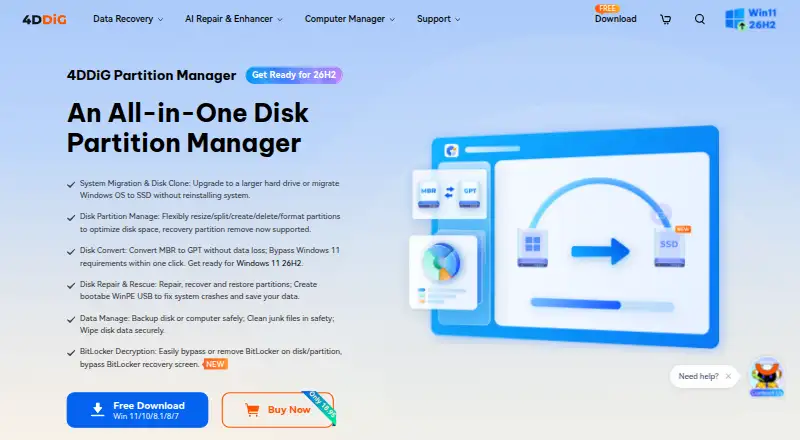
What 4DDiG Partition Manager is
4DDiG Partition Manager is paid Windows software for managing partitions, cloning disks, and moving a Windows installation to another HDD or SSD without reinstalling. It can clone an entire disk or partition and back up files, partitions, or disks. Partition operations include resizing, moving, splitting, merging, creating, deleting, formatting, and changing drive letters. The software supports MBR/GPT conversion and NTFS/FAT32 conversion, which the maker says can be done without data loss. Recovery tools can restore deleted partitions, repair RAW partitions and corrupted EFI/MBR boot information, and create bootable WinPE media. The product page also describes bypassing or removing BitLocker when its recovery key is lost or a computer is stuck at recovery. Supported systems include Windows 11, 10, 8.1, 8, and 7, with NTFS, exFAT, FAT16, and FAT32 file systems.
Good
- Clones disks or individual partitions
- Migrates Windows without reinstalling
- Supports resizing, moving, splitting, and merging
- Creates bootable WinPE media
- 7-day trial includes all features
Watch out
- Windows-only software
- No free plan
- Target disk must match or exceed source capacity
- Cloning clears data on the target disk
Who it suits
It suits Windows home users managing partitions, cloning disks, migrating Windows, or repairing partition and boot issues. It is relevant when the listed Windows versions and file systems match the computer.
Verdict
4DDiG Partition Manager covers routine partition work alongside cloning, migration, conversion, and recovery tools. Its Windows-only scope and target-disk cloning requirement are important purchase considerations.
Plans and prices
From 4DDiG Partition Manager's own pricing page, checked 8 Oct 2026.
| Plan | Price | What it gives you |
|---|---|---|
| 1 Month License | $18.95 a month | 1 License for 1 PC · 1-month free upgrades · $18.95 (Tax Excl.) |
| 1 Year License | $40.95 a year | 1 License for 1 PC, 5 PCs, 10 PCs, or Unlimited PCs · 1-year free upgrades · $40.95 (Tax Excl.) |
| Lifetime License | $59.95, paid once | 1 License for 1 PC · Lifetime free upgrades · $59.95 (Tax Excl.) |
The facts
Each one read from 4DDiG Partition Manager's own pages, with the date it was checked.
What it does
- BitLocker
- The product page says it can bypass or remove BitLocker when the recovery key is lost or a computer is stuck at the BitLocker Recovery screen.checked 8 Oct 2026
- Conversions
- It supports MBR/GPT conversion and NTFS/FAT32 conversion, which the maker says can be done without data loss.checked 8 Oct 2026
- Disk cloning and backup
- It can clone an entire disk or partition and back up files, partitions, or disks.checked 8 Oct 2026
- Disk cloning limitation
- The maker says the target disk capacity must be equal to or larger than the source disk and that data on the target disk will be cleared.checked 8 Oct 2026
- Hardware requirements
- The listed minimums are a 1 GHz 32-bit or 64-bit CPU, 200 MB of free disk space, and 512 MB RAM.checked 8 Oct 2026
- Partition operations
- Features include resizing, moving, splitting, merging, creating, deleting, formatting, and changing partition drive letters.checked 8 Oct 2026
- Privacy
- Tenorshare's privacy policy identifies TENORSHARE (HONGKONG) LIMITED as the data controller and describes users' personal information rights under applicable laws including GDPR and CCPA/CPRA.checked 8 Oct 2026
- Purpose
- The maker describes it as a disk partition manager for home users with disk cloning, Windows OS migration, and partition management tools.checked 8 Oct 2026
- Recovery and repair
- It can recover deleted partitions, repair RAW partitions and corrupted EFI/MBR boot information, and create bootable WinPE media.checked 8 Oct 2026
- Storage formats
- The listed supported file systems are NTFS, exFAT, FAT16, and FAT32.checked 8 Oct 2026
- Support and refund
- The purchase page advertises free customer support and a 30-day money-back guarantee.checked 8 Oct 2026
The company
- Founded
- 2007checked 28 Sep 2026
- Headquarters
- Hong Kongchecked 28 Sep 2026
Where it runs
- OS migration
- It can migrate Windows to another HDD or SSD without reinstalling Windows.checked 8 Oct 2026
- Windows compatibility
- The listed supported operating systems are Windows 11, 10, 8.1, 8, and 7.checked 8 Oct 2026
Money
- Trial
- The purchase page offers a 7-day free trial that it says includes all features and can be canceled at any time.checked 8 Oct 2026
Alternatives to 4DDiG Partition Manager
- 1
DiskGenius
Free planWindows7.5From $99.90 a year - 2
GParted
Free planOpen sourceLinuxmacOSSelf-hostedWindows7.3Free plan - 3
Macrorit Partition Expert
Free planWindows6.7$39.99 one-time - 4

Paragon Partition Manager Community Edition
Free planWindows6.7Free plan - 5

NIUBI Partition Editor
Free planWindows6.6$39 one-time - 6

BootIt Bare Metal
LinuxWindows6.3$39.95 one-time