
3DVista Stitcher
3DVista Stitcher turns picture sets into panoramas with a guided, one-click workflow.
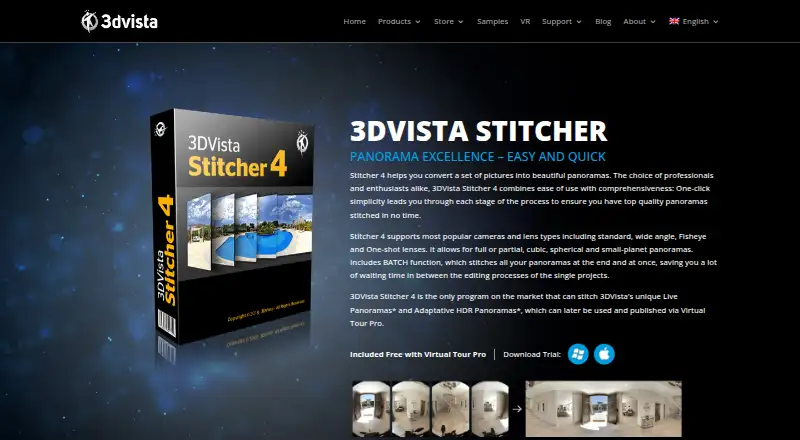
What 3DVista Stitcher is
3DVista Stitcher turns picture sets into panoramas with a guided, one-click workflow. It supports standard, wide-angle, fisheye, and one-shot lenses, as well as most popular camera types. Output options include full or partial panoramas in cubic, spherical, and small-planet formats, with 18 projection types such as equirectangular, rectilinear, and cylindrical. Automatic control-point detection can be supplemented by adding, moving, changing, or deleting points. The software offers one-click standard HDR and Adaptive HDR stitching, and a batch function can stitch multiple panoramas at the end of the workflow. It can also stitch 3DVista Live Panoramas and Adaptive HDR Panoramas; publishing those as immersive virtual tours requires 3DVista Virtual Tour Pro. Stitcher 4 is available for macOS and Windows. It costs €99, paid once, or is included free with Virtual Tour Pro. A free trial is available, but there is no free plan.
Good
- Guided one-click workflow for panorama creation
- Supports standard, wide-angle, fisheye, and one-shot lenses
- Offers 18 projection types
- Includes HDR and Adaptive HDR stitching
- Batch function stitches multiple panoramas
Watch out
- No free plan
- Costs €99, paid once when purchased separately
- Virtual Tour Pro is required to publish Live and Adaptive HDR outputs as immersive tours
- RAW input is not supported
Who it suits
It suits professionals and enthusiasts who want to create high-quality flat panoramas from picture sets. It may also suit users who need HDR stitching, editable control points, or batch processing.
Verdict
3DVista Stitcher combines broad panorama formats and projections with HDR options, editable control points, and batch stitching. Keep in mind that immersive-tour publication for Live and Adaptive HDR outputs requires Virtual Tour Pro.
Plans and prices
From 3DVista Stitcher's own pricing page, checked 30 Sep 2026.
| Plan | Price | What it gives you |
|---|---|---|
| 3DVista Stitcher 4 | €99, paid once | included free with Virtual Tour Pro |
| Virtual Tour Pro | 499,499 USD/EUR, paid once | includes Stitcher 4 · unlimited tours |
The facts
Each one read from 3DVista Stitcher's own pages, with the date it was checked.
What it does
- Automatic control points
- Stitcher automatically detects control points and also lets users add, move, change or delete them.checked 30 Sep 2026
- Batch processing
- Its BATCH function stitches multiple panoramas together at the end of the workflow.checked 30 Sep 2026
- Camera support
- It supports standard, wide-angle, fisheye and one-shot lenses and most popular camera types.checked 30 Sep 2026
- HDR stitching
- The software provides one-click standard HDR stitching and Adaptive HDR stitching.checked 30 Sep 2026
- Intended users
- 3DVista describes Stitcher as suitable for professionals and enthusiasts and recommends it for high-quality flat panoramas.checked 30 Sep 2026
- Live and Adaptive HDR
- It can stitch 3DVista Live Panoramas and Adaptive HDR Panoramas.checked 30 Sep 2026
- Panorama formats
- It creates full or partial, cubic, spherical and small-planet panoramas.checked 30 Sep 2026
- Projection support
- It supports 18 projection types, including equirectangular, cubic, rectilinear, cylindrical and small-planet projections.checked 30 Sep 2026
- Purpose
- 3DVista Stitcher 4 converts sets of pictures into panoramas through a guided one-click workflow.checked 30 Sep 2026
- Virtual Tour Pro dependency
- Live Panorama and Adaptive HDR Panorama outputs require 3DVista Virtual Tour Pro for publication as immersive virtual tours.checked 30 Sep 2026
Alternatives to 3DVista Stitcher
- 1
PhotoPad
Free planAndroidiOSWebExtension8.2Free plan - 2

Adobe Lightroom
AndroidiOSWebmacOS7.9 - 3

Adobe Photoshop
AndroidiOSWebmacOS7.9 - 4

Luminar Neo
AndroidiOSWebAPI7.6$129 one-time - 5

ON1 Photo RAW
AndroidiOSExtensionmacOS7.5From $89.99 a year - 6
Avidemux
Free planOpen sourceWebLinuxmacOSWindows7.3Free plan