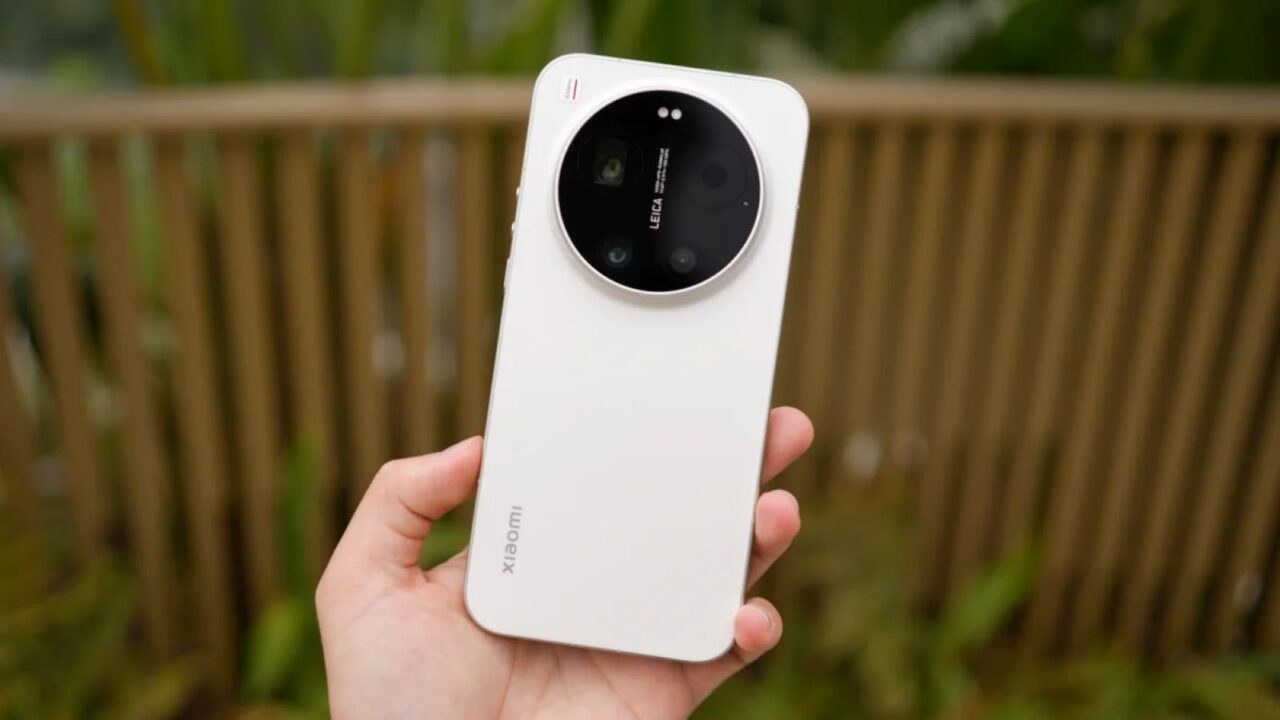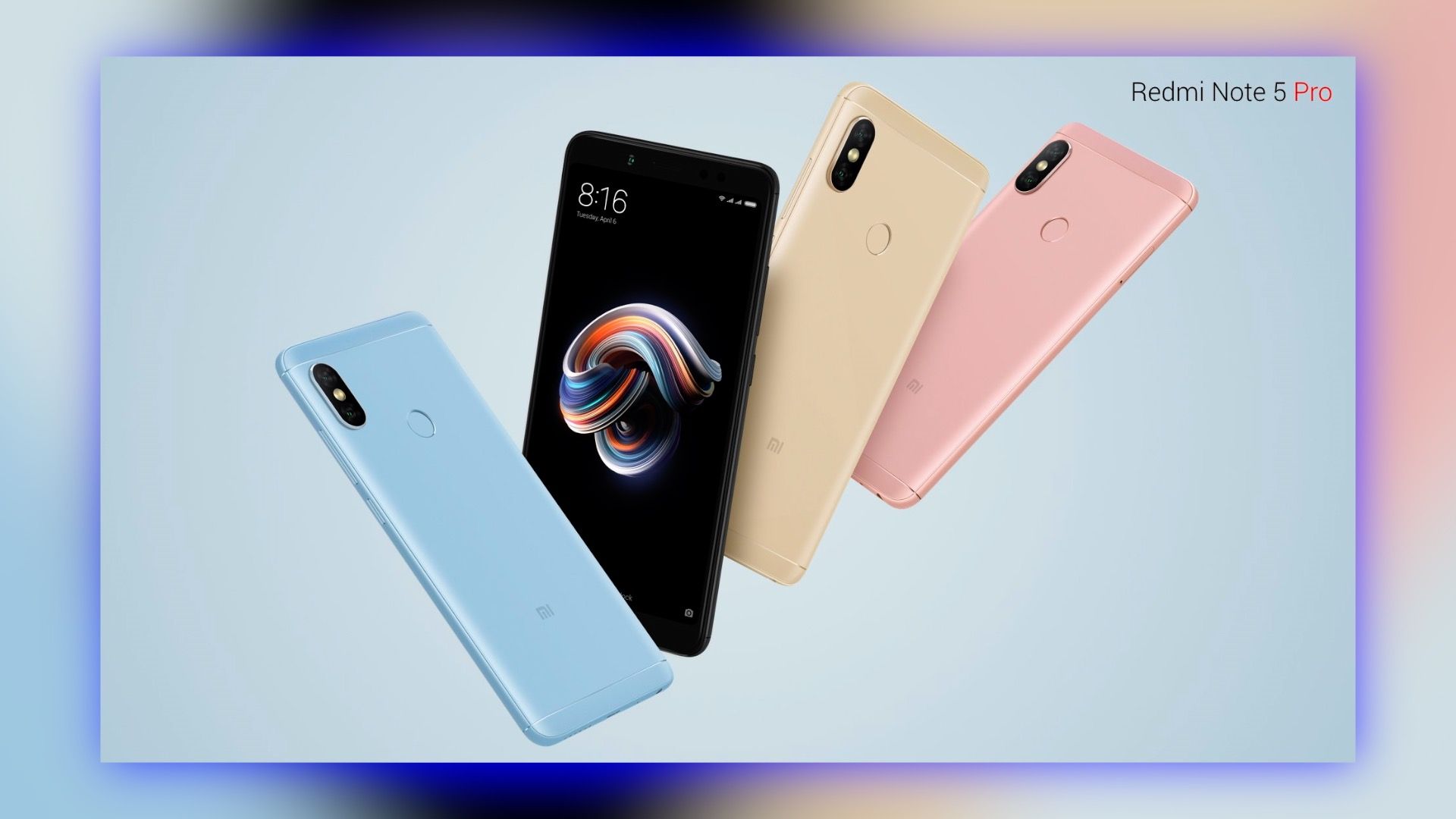
Xiaomi Redmi Note series has always been one of the bestsellers for the Redmi brand in global markets. The brand made strides with the Note 3, Note 4, and the Note 5 series was considered a significant update. Given how well the Note 5 series did in the market, Redmi hasn’t totally dropped the update cycle for the Xiaomi Redmi Note 5 Pro.
The phone recently got the MIUI 12 update which will be the last update for the smartphone. That being said, the Note 5 Pro still holds well even after 4 years from the launch. Where it might be lacking is the camera department, and in this post, we will go through the steps of installing the Google Camera mod.
We will try and install the latest Google Camera 7 build on the Redmi Note 5 Pro smartphone. Google Pixel smartphone series is quite popular for its camera performance. It is computational photography which is the core product here that lets Pixel phones with not-so-big camera sensors take breathtaking shots. This magic that Pixel phones are able to pull off is due to Google’s mastery in Artificial Intelligence and Machine Learning.
Xiaomi Redmi Note 5 Pro Specifications Overview
Before getting started with the guide, let us explore the Note 5 Pro. The Redmi Note 5 Pro was introduced in early 2018 and packed a 5.99-inch Full HD+ LCD panel. The phone has sort of symmetrical bezels on both the top and bottom giving the phone a modern look. The construction for the smartphone was done in both metal and plastic. It also introduced pleasing colors to the market as well like the pink and blue shades.
Outdated Drivers Are Slowing You Down
One free scan finds every outdated or missing driver and matches the right update for your exact hardware.Free scan · exact hardware matchWindows Errors? Fix Them Before They Spread
Repair common Windows errors and clear accumulated junk for a smoother, more stable PC - no reinstall needed.Free scan · no reinstallShopping ad

- USA MARKET ONLY WORK ON TMOBILE MINT TELLO OR ANY UNDER TMOBILE NETWORK PHONE NEEDS A SIM CARD ALREADY ACTIVATED ,OUTSIDE USA WORKS ANY GSM CARRIER SIM GSM FCC ID: 2AFZZRA29G
- Dual SIM (nano SIM + nano SIM or nano SIM + eSIM) NO MICRO SD SLOT. 5G: n1/2/3/5/7/8/12/20/26/28/38/40/41/48/66/77/78 - 4G: LTE FDD: 1/B2/B3/B4/B5/B7/B8/B12/B13/B17/B18/B19/B20/B26/B28/B32/B66 4G: LTE TDD: B38/B40/B41/B42/B48 - 3G: WCDMA: B1/B2/B4/B5/B6/B8/B19 - 2G: GSM: B2/B3/B5/B8
- 6.83" AMOLED displayResolution: 1.5K (2772 x 1280)Refresh rate: Up to 120HzTouch sampling rate: Up to 480HzInstantaneous touch sampling rate: 2560Hz*Activated in Game Turbo modeBrightness: 3200 nits peak brightnessBrightness: HBM 1800 nitsColor depth: 12bitContrast ratio: 8000000:1DCI- P3 wide color gamut447PPICorning Gorilla Glass Victus 2Sunlight displayHDR10+ | Dolby Vision16,000-step automatic brightness adjustment3840Hz PWM dimming|TÜV Rheinland Low Blue Light (Hardware Solution) Certified | TÜV Rheinland Circadian Friendly Certified | TÜV Rheinland Flicker Free Certified
- MediaTek Dimensity 7400-Ultra4nm manufacturing process technologyCPU: Octa-core processor, up to 2.6GHzGPU: Mali-G615
- 200MP main cameraOptical Image Stabilization (OIS)0.56μm, 16in1, 2.24μmf/1.77P lens1/1.4" sensor size8MP ultra-wide cameraf/2.2Rear camera video recording4K at 30 fps1080p at 30/60 fps720p at 30 fps / Front Camera 20MP front camera1/4" sensor sizef/2.24P lensFront camera video recording1080p at 30/60 fps720p at 30 fps
Under the hood, the phone got the Qualcomm Snapdragon 636 octa-core SoC with up to 4GB of RAM and 64GB of internal storage. As for selfies, there was a 20MP camera and a dual camera on the back that got the main job done. Like with the previous Note series smartphone, it also had a rear-mounted fingerprint sensor and a large 4,000mAh battery with support for 18W fast charging.

How To Install Google Camera on Xiaomi Redmi Note 5 Pro
Pre-Requisites:
- Make sure the phone’s battery is charged above 70%.
- Camera2 Probe APK
- Camera2 API enabled
- Unlocked Bootloader on the Xiaomi smartphone
- Latest GCam mod APK
Steps to install GCam port on a Xiaomi Redmi Note 5 Pro
The installation process is similar to installing a separate camera app. You can follow the steps mentioned below:
Shopping ad

- USA MARKET ONLY WORK ON TMOBILE MINT TELLO OR ANY UNDER TMOBILE NETWORK PHONE NEEDS A SIM CARD ALREADY ACTIVATED ,OUTSIDE USA WORKS ANY GSM CARRIER SIM GSM FCC ID: 2AFZZRA29G
- Dual SIM (nano SIM + nano SIM or nano SIM + eSIM) NO MICRO SD SLOT. 5G: n1/2/3/5/7/8/12/20/26/28/38/40/41/48/66/77/78 - 4G: LTE FDD: 1/B2/B3/B4/B5/B7/B8/B12/B13/B17/B18/B19/B20/B26/B28/B32/B66 4G: LTE TDD: B38/B40/B41/B42/B48 - 3G: WCDMA: B1/B2/B4/B5/B6/B8/B19 - 2G: GSM: B2/B3/B5/B8
- 6.83" AMOLED displayResolution: 1.5K (2772 x 1280)Refresh rate: Up to 120HzTouch sampling rate: Up to 480HzInstantaneous touch sampling rate: 2560Hz*Activated in Game Turbo modeBrightness: 3200 nits peak brightnessBrightness: HBM 1800 nitsColor depth: 12bitContrast ratio: 8000000:1DCI- P3 wide color gamut447PPICorning Gorilla Glass Victus 2Sunlight displayHDR10+ | Dolby Vision16,000-step automatic brightness adjustment3840Hz PWM dimming|TÜV Rheinland Low Blue Light (Hardware Solution) Certified | TÜV Rheinland Circadian Friendly Certified | TÜV Rheinland Flicker Free Certified
- MediaTek Dimensity 7400-Ultra4nm manufacturing process technologyCPU: Octa-core processor, up to 2.6GHzGPU: Mali-G615
- 200MP main cameraOptical Image Stabilization (OIS)0.56μm, 16in1, 2.24μmf/1.77P lens1/1.4" sensor size8MP ultra-wide cameraf/2.2Rear camera video recording4K at 30 fps1080p at 30/60 fps720p at 30 fps / Front Camera 20MP front camera1/4" sensor sizef/2.24P lensFront camera video recording1080p at 30/60 fps720p at 30 fps
- Download the latest GCam port APK from here.
- For the sake of this guide, we will be installing the MGC Google Camera port.
- Once the APK file is downloaded, locate it in the file manager and install it.
- Tap on Allow if you see the pop-up “Allow installation from unknown sources.”
- Now, locate the Google Camera icon in the app drawer and tap on it.
We are halfway done. Getting the Google Camera port is one part, now we need to load a custom XML file onto the app, that houses all the settings perfect for a Xiaomi smartphone. These XML files are called Google Camera configs.
Independent reader supportYour contribution helps us test, update, and keep practical guides available for everyone.GCam Settings (Configs) on Xiaomi Redmi Note 5 Pro
It is always recommended to use the supported Config file, which sets the Google Camera app settings according to the device and helps in getting rid of bugs or glitches in the Google camera app.
Shopping ad

- USA MARKET ONLY WORK ON TMOBILE MINT TELLO OR ANY UNDER TMOBILE NETWORK PHONE NEEDS A SIM CARD ALREADY ACTIVATED ,OUTSIDE USA WORKS ANY GSM CARRIER SIM GSM FCC ID: 2AFZZRA8E
- Dual SIM (nano SIM + nano SIM or nano SIM + eSIM) (NoT MICRO SD SLOT) 5G: n1/2/3/5/7/8/20/28/38/40/41/48/66/77/78 / 4G: LTE FDD:1/2/3/4/5/7/8/12/13/17/18/19/20/26/28/32/66 -- 4G: LTE TDD:38/40/41/42/48 -- 3G: 1/2/4/5/6/8/19 -- 2G Quad Band - Bluetooth 5.4Wi-Fi: Wi-Fi 6/6E/Wi-Fi 5/Wi-Fi 4/802.11a/b/g Supports 2.4GHz Wi-Fi | 5GHz Wi-Fi Supports 2x2 MIMO,Wi-Fi Direct
- 6.83" CrystalRes AMOLED displayResolution: 1.5K (2772 x 1280)Refresh rate: Up to 120HzTouch sampling rate: Up to 480HzInstantaneous touch sampling rate: 2560Hz*Activated in Game Turbo modeBrightness: 3200 nits peak brightnessBrightness: HBM 1800 nitsColor depth: 12bitContrast ratio: 8000000:1DCI- P3 wide color gamut447PPICorning Gorilla Glass Victus 2Sunlight displayHDR10+ | Dolby Vision16,000-step automatic brightness adjustment3840Hz PWM dimming|TÜV Rheinland Low Blue Light (Hardware Solution) Certified | TÜV Rheinland Circadian Friendly Certified | TÜV Rheinland Flicker Free Certified
- Snapdragon 7s Gen 44nm manufacturing process technologyCPU: Octa-core processor, up to 2.7GHzGPU: Adreno GPU
- 200MP main cameraOptical Image Stabilization (OIS)0.56μm, 16in1, 2.24μmf/1.77P lens1/1.4" sensor size8MP ultra-wide cameraf/2.2Rear camera video recording4K at 30 fps1080p at 30/60 fps720p at 30 fps - 32MP front camera1/3.6" sensor sizef/2.24P lensFront camera video recording1080p at 30/60 fps720p at 30 fps
- Go to the Config file section of the Arnova GCam port page.
- Locate your device and download the required XML file.
- Go to internal storage through a file manager and create a folder GCam → Configs.
- Move the downloaded Config file to the “Configs” folder.
- Open the GCam app and double tap on the import area.
- Select the downloaded config file.
- Click on Restore.
While these Config files are essential, you could run the app without loading one in case you don’t get the desired Config file for your phone. Try changing XML files to get the desired output from the GCam as per your liking.
Quick Recap
Shopping ad

- USA MARKET ONLY WORK ON TMOBILE MINT TELLO OR ANY UNDER TMOBILE NETWORK PHONE NEEDS A SIM CARD ALREADY ACTIVATED ,OUTSIDE USA WORKS ANY GSM CARRIER SIM GSM FCC ID: 2AFZZRA29G
- Dual SIM (NoT MICRO SD SLOT) 5G: n1/2/3/5/7/8/20/28/38/40/41/48/66/77/78 / 4G: LTE FDD:1/2/3/4/5/7/8/12/13/17/18/19/20/26/28/32/66 -- 4G: LTE TDD:38/40/41/42/48 -- 3G: 1/2/4/5/6/8/19 -- 2G Quad Band
- 6.67" CrystalRes AMOLED displayResolution: 2712 x 1220 (1.5K resolution)Refresh rate: Up to 120HzTouch sampling rate: Up to 480HzBrightness: 3000nits peak brightnessColor depth: 12bitContrast ratio: 5,000,000:1DCI-P3 wide color gamutCorning Gorilla Glass Victus 2Supports Dolby VisionReading mode1920Hz PWM dimming|20,000-level brightness adjustment|HDR10+ | TÜV Rheinland Low Blue Light (Hardware Solution) Certified | TÜV Rheinland Flicker Free Certified | TÜV Rheinland Circadian Friendly Certified
- MediaTek Dimensity 7300-Ultra4nm manufacturing processCPU: Octa-core processor, up to 2.5GHzGPU: Mali-G615 MC2
- 200MP main cameraOISf/1.6516-in-1 binning into one large 2.24μm pixel1/1.4” sensor size7P lens8MP ultra-wide cameraf/2.22MP macro cameraf/2.4Dynamic shots | Motion tracking focus | Lightning Burst | filmFrame | Portraits | Document | Night mode | Dual video | Steady videoRear camera video recording4K at 24/30fps1080p at 30/60fps720p at 30fpsSlow motion: 1080p at 120fpsSlow motion: 720p at 120/240fps - 20MP front cameraf/2.2Soft-light ring | AI beautify | Night mode | Portrait mode | Palm Shutter | Selfie timerFront camera video recording1080p at 30/60fps720p at 30fps
Shopping ad

- USA MARKET ONLY WORK ON TMOBILE MINT TELLO OR ANY UNDER TMOBILE NETWORK PHONE NEEDS A SIM CARD ALREADY ACTIVATED ,OUTSIDE USA WORKS ANY GSM CARRIER SIM GSM FCC ID: 2AFZZRA8E
- Dual SIM (nano SIM + nano SIM or nano SIM + eSIM) (NoT MICRO SD SLOT) 5G: n1/2/3/5/7/8/20/28/38/40/41/48/66/77/78 / 4G: LTE FDD:1/2/3/4/5/7/8/12/13/17/18/19/20/26/28/32/66 -- 4G: LTE TDD:38/40/41/42/48 -- 3G: 1/2/4/5/6/8/19 -- 2G Quad Band - Bluetooth 5.4Wi-Fi: Wi-Fi 6/6E/Wi-Fi 5/Wi-Fi 4/802.11a/b/g Supports 2.4GHz Wi-Fi | 5GHz Wi-Fi Supports 2x2 MIMO,Wi-Fi Direct
- 6.83" CrystalRes AMOLED displayResolution: 1.5K (2772 x 1280)Refresh rate: Up to 120HzTouch sampling rate: Up to 480HzInstantaneous touch sampling rate: 2560Hz*Activated in Game Turbo modeBrightness: 3200 nits peak brightnessBrightness: HBM 1800 nitsColor depth: 12bitContrast ratio: 8000000:1DCI- P3 wide color gamut447PPICorning Gorilla Glass Victus 2Sunlight displayHDR10+ | Dolby Vision16,000-step automatic brightness adjustment3840Hz PWM dimming|TÜV Rheinland Low Blue Light (Hardware Solution) Certified | TÜV Rheinland Circadian Friendly Certified | TÜV Rheinland Flicker Free Certified
- Snapdragon 7s Gen 44nm manufacturing process technologyCPU: Octa-core processor, up to 2.7GHzGPU: Adreno GPU
- 200MP main cameraOptical Image Stabilization (OIS)0.56μm, 16in1, 2.24μmf/1.77P lens1/1.4" sensor size8MP ultra-wide cameraf/2.2Rear camera video recording4K at 30 fps1080p at 30/60 fps720p at 30 fps - 32MP front camera1/3.6" sensor sizef/2.24P lensFront camera video recording1080p at 30/60 fps720p at 30 fps
Product prices and availability are accurate as of the date/time indicated and are subject to change. Any price and availability information displayed on Amazon at the time of purchase will apply.