Everything Xiaomi is reader-supported. When you buy through links on our site, we may earn an affiliate commission. As an Amazon Associate I earn from qualifying purchases. Learn more
For AI-generated layered vocal parts, the strongest fits in this roundup are Synthesizer V Studio 2 Pro for detailed note-by-note arrangement work, VOCALOID6 for creating harmony parts and adjusting vocal style, and IK Multimedia ReSing for turning one performance into doubled or choir-style layers. These are desktop production tools, so Xiaomi, Redmi, and POCO users can use a phone to plan lyrics, sketch a harmony map, or review exported audio, but the listed products themselves run on Windows or macOS. Check each vendor’s site for current system requirements and any phone-compatible companion workflow.
What Layered Choir Parts Need
A convincing choir arrangement is more than several copies of the lead vocal. Layers need distinct pitches and entrances, intelligible shared lyrics, and enough variation in timing, tone, and expression to sound like a section rather than a single voice turned up. A close doubled line can thicken a lead; a harmony stack can widen a chorus; a choir-style arrangement can spread several parts across a chord. Those are different jobs, and the best tool depends on whether you need to compose the parts, generate harmonies, or transform an existing vocal.
As an Amazon Associate I earn from qualifying purchases.
Do these 3 things before closing this tab:
1Scan for outdated or missing drivers - takes under a minute2Repair Windows errors before they cause bigger problems3Fix the driver behind crashes, sound loss and screen glitchesBefore choosing software, decide what source material you have. If you can enter melody and lyrics, a singing generator may help build separate parts. If you already have a recorded vocal, a doubling or voice-conversion workflow may suit you better. For a phone-first creator, a practical division is to draft the words and map the notes on the Xiaomi, Redmi, or POCO handset, then do detailed arranging and rendering on a supported desktop. None of the listed entries establishes an Android app, so check vendor information before planning a phone-only workflow.
Best AI Choir Generators For Layered Vocal Parts
1. Synthesizer V Studio 2 Pro — Best For Precise Choir-Part Editing
Synthesizer V Studio 2 Pro is the clearest fit when your priority is shaping individual vocal lines. Its stated controls cover pitch, timing, pronunciation, timbre, and expression, which are the details that help a layered passage feel deliberate: you can work on the notes and delivery of each part instead of treating the whole stack as one effect. The product is also described as able to create high-quality vocal and choir rehearsal tracks and guide tracks for vocal and choral arrangements.
Shopping ad
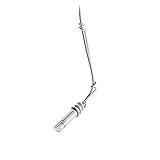
- Hi-SPL handling is ideal for suspension over choirs and orchestras
- Wide-range condenser element with low-mass diaphragm for superior performance
- Self-contained electronics eliminate need for external power modules
- Flat, smooth frequency response
- 25' (7. 6 m) cable permanently attached between microphone and XLRM-type connector
One useful workflow is to draft a four-part refrain as separate melody-and-lyric lines: keep the lead in the register that carries the hook, give upper and lower parts simpler chord tones, and let a middle line move only where it improves voice leading. Render a guide, listen for crowded syllables, then adjust pronunciation and timing so consonants land together without every note starting identically. These are arrangement suggestions; the supplied information does not establish automatic four-part harmonization, a choir-size limit, or specific choir presets, so check the vendor site if you need those capabilities.
The software supports cross-lingual synthesis across English, Japanese, Korean, Mandarin Chinese, Cantonese Chinese, and Spanish, and supports MIDI. It is available as a standalone desktop app and plug-ins for VST3, AU, AAX, and ARA, on Windows and macOS. Pricing information lists a one-time purchase, with a 14-day trial; a separate verified fact lists Synthesizer V Studio Pro at $89.00 one-time. Confirm the current price and product edition on the vendor site before buying. There is no perpetual free plan, and it does not provide voice cloning.
Recommended Free Tools
Choose it when: you want fine control over separate synthesized vocal lines and a guide track you can refine. Check first: the listed plan includes one voice of your choice; the available voice selection and terms for your intended release should be confirmed with the vendor.
2. VOCALOID6 — Best For Fast Harmony Layers And Vocal-Style Changes
VOCALOID6 has direct support for harmony creation: its doubling feature can instantly create vocal harmonies, and the product page says it can instantly create harmony parts. That makes it a natural choice when the main task is building backing layers around a lead without manually constructing every harmony note from scratch. It also includes over 100 style presets covering approaches from main and chorus vocals to robot vocal styles, giving an arranger options for contrasting the lead and backing sound.
For a pop chorus, start with the lead melody and lyrics, use the harmony function to sketch supporting parts, then listen for lines that clash with the hook or make the words hard to understand. Keep the strongest harmony on sustained or open-vowel moments, and simplify busy syllables where several parts would compete. The supplied facts do not specify how the doubling feature chooses notes, how many layers it creates, whether it accepts a particular prompt, or what controls are available over each generated line. Check the vendor’s current documentation for those specifics before building a production around them.
VOCALOID6 generates singing from melody and lyrics in three languages, includes vocal-style replication and expression controls, and supports MIDI, VPR, WAV, VST3, AU, and ARA2 workflows. It runs as a Windows or macOS desktop program, not a browser tool. The listed purchase is a substantial one-time cost: from $225, with a 31-day trial and no free plan. The free trial is described as including all VOCALOID6 features. Confirm the current edition, voice content, price, and purchase terms on the vendor site.
Quick wins for a faster PC:
Scan for outdated or missing drivers - takes under a minuteDriver Scan →Repair Windows errors before they cause bigger problemsFix Now →Choose it when: quick harmony creation and selectable vocal styles are central to your workflow. Check first: the listed plan specifies 25 voices, but the supplied details do not explain which voices suit a particular choir sound or language combination.
Shopping ad

- Attached XLR Preamp, Shock & Flange Mount, Snap-Fit Foam Windscreen.
- Wide dynamic range and frequency response for accurate sound reproduction across the audio spectrum.
- Interchangeable cartridges provide the right polar pattern for every application.
- Balanced, transformerless output for increased immunity to electromagnetic hum and RF interference over long cable runs.
- Shock mount provides over 20 dB isolation from surface vibration noise.
3. IK Multimedia ReSing — Best For Choir-Style Layers From A Recorded Vocal
ReSing takes a different route: it is a local voice-conversion tool for producers working in compatible DAWs. Its Doubling feature automatically generates additional vocal performances from a single voice, with the stated uses including double-tracked vocals, backing vocals, and choir-style arrangements without recording multiple takes. ReSing also lists timbre, phonetic, expression, transpose, and stacking controls, which are relevant when you want to reshape a source performance and build layers from it.
A practical starting point is one clean lead take with a clearly sung phrase. Generate a double or backing layer, then use the available controls to explore a different timbre or transpose the part where appropriate. Listen for consonants that blur and for phrases where the added voice draws attention away from the lyric. The product information establishes doubling and choir-style arrangements, but it does not establish a specific number of simultaneous layers, a prompt-based choir generator, or how much variation each generated performance introduces. Check ReSing’s current product details for those limits.
ReSing supports models in English, Spanish, and Japanese, with more languages to come according to the verified product fact. It works standalone or as a plug-in with five named DAWs in its listing; check the vendor page for the current compatible-DAW list. The product is available on Windows and macOS. The free plan lists two voices, two instruments, and one RVC import. Paid plans are listed from $129.99, and the product fact describes a one-time perpetual license with no subscription or lock-in; advanced tiers have model and import limits, so verify the exact tier and current terms before purchase.
Choose it when: you have a vocal performance and want additional backing or choir-style layers derived from it. Check first: this is voice conversion rather than a stated melody-and-lyrics singing generator, and the free plan’s listed limits may matter if you need more voice choices or imports.
Independent reader supportYour contribution helps us test, update, and keep practical guides available for everyone.How To Pick The Right Workflow
| What You Need | Closest Fit In This Roundup | Why |
|---|---|---|
| Edit separate synthesized vocal lines in detail | Synthesizer V Studio 2 Pro | Detailed pitch, timing, pronunciation, timbre, and expression controls; choral guide-track use is stated. |
| Generate harmony parts and vary vocal style | VOCALOID6 | Harmony creation and doubling are stated features, alongside style presets. |
| Build backing or choir-style layers from one performance | IK Multimedia ReSing | Doubling from a single voice for backing vocals and choir-style arrangements is stated. |
For a Xiaomi, Redmi, or POCO user, the device-specific question is whether you need to create on the handset or simply use it as part of a larger setup. These three entries are desktop products for Windows and macOS, so plan on a supported computer for the listed software. A phone can still be useful for lyric drafts, recording a reference idea, or listening to exported parts, but the supplied product details do not establish Android support, mobile editing, cloud sync, or direct phone-to-project transfer. Check the vendor site for any workflow details you depend on.
A Simple Layering Plan Before You Generate
- Write the lyric and mark breaths. Short phrases and clear breath points make it easier to keep a stack together. For a phone-made demo, keep the lyric in a notes app and mark which words need to land together.
- Map the parts before selecting a tool. Label the lead, upper harmony, lower harmony, and any doubled phrase. Decide where parts enter and leave; a full stack on every word can reduce clarity.
- Match the source to the workflow. Use a melody-and-lyrics singing tool when you need to build sung lines from notes, use harmony creation when you want generated supporting parts, or use ReSing when starting from a recorded performance is the right fit.
- Render a short section first. A chorus line or two can reveal awkward syllables and crowded chords before you arrange an entire song. The listed tools do not establish a shared prompt format, so follow each product’s own input and rendering workflow.
- Review the layers on phone speakers and headphones. Check whether the lyric remains understandable at low volume and whether the harmony still supports the lead. This is a listening check you can do on your Xiaomi, Redmi, or POCO phone after exporting audio; it does not imply the software itself runs on Android.
Rights And Release Checks
Generated or transformed voices can involve a real person’s identity, and a layered arrangement may also use source vocals or other material. Get consent before using someone’s voice or recording in a way they have not authorized. Before release or commercial use, check each platform’s terms for the voice, source audio, generated output, and intended use. The available product facts do not establish a blanket commercial-use permission for any of these tools, so do not assume one from a trial, free plan, or purchase.
Which One Should You Start With?
Start with Synthesizer V Studio 2 Pro if the arrangement depends on careful editing of individual vocal lines and choral guide tracks. Choose VOCALOID6 if built-in harmony creation and a broad set of vocal-style presets are the main draw. Choose IK Multimedia ReSing if you already have a vocal take and want additional doubled, backing, or choir-style performances from it. If your requirement is a browser-based or Android-native AI choir generator, the tools covered here do not establish that option; check vendors for current platform support before committing to a workflow.
Free tools Windows power users keep installed
One-click scans. No signup required.
Quick Recap
Product prices and availability are accurate as of the date/time indicated and are subject to change. Any price and availability information displayed on Amazon at the time of purchase will apply.




