ZenMaster
ZenMaster is a free, open-source Python tool for configuring AMD Zen processors through the System Management Unit.
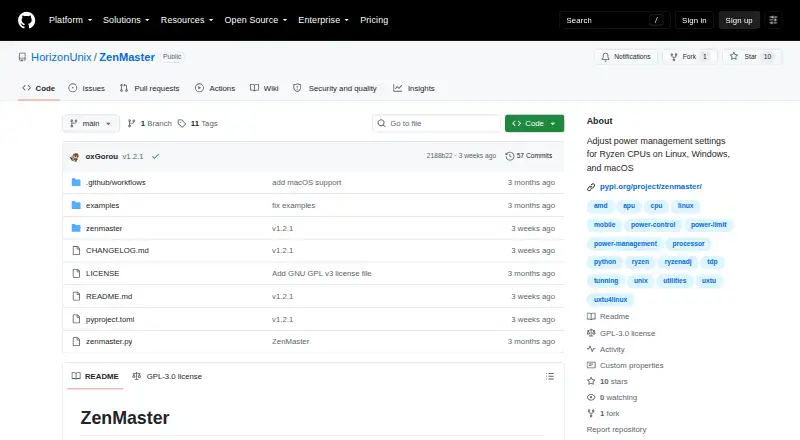
What ZenMaster is
ZenMaster is a free, open-source Python tool for configuring AMD Zen processors through the System Management Unit. Its command-line interface can set power, temperature, current, clock, voltage, and Curve Optimizer parameters. The project says it supports 44 AMD Zen CPU families from Zen 1 through Zen 5/6, plus Hygon Dhyana; Intel processors are not supported. Monitoring includes power-management tables, live per-core readings, raw binary extraction, and JSON output. ZenMaster can also be imported as a typed Python library for hardware detection, SMU control, and SMN read/write operations. Installation uses pip, requires Python 3.10 or later, and needs no C compiler or build toolchain. Linux and macOS require root privileges; Windows requires Administrator privileges. SMU changes are volatile and return to firmware defaults after reboot or hard power cycle. The project warns that out-of-range settings may cause thermal throttling, resets, or instability. It links ZenTune as a graphical frontend for Linux and macOS.
Good
- Free and open source
- Supports 44 AMD Zen CPU families
- Live per-core monitoring
- Typed Python library available
- No compiler needed for installation
Watch out
- Intel processors are unsupported
- Privileged access is required
- Settings reset after reboot
- Incorrect values can destabilize hardware
Who it suits
It suits users tuning supported AMD processors from Linux, macOS, or Windows, and developers using Python or JSON interfaces. It is not intended for Intel processors.
Verdict
ZenMaster offers extensive AMD Zen tuning and monitoring through a pip package, CLI, and library. Users must understand privileged access, volatile settings, and the hardware risks of out-of-range values.
The facts
Each one read from ZenMaster's own pages, with the date it was checked.
What it does
- CPU support
- The project says it supports 44 AMD Zen CPU families, including mobile APUs, desktop CPUs, Threadripper, EPYC, and Hygon Dhyana.checked 10 Oct 2026
- Graphical frontend
- The project links ZenTune as a graphical frontend for Linux and macOS.checked 10 Oct 2026
- Hardware limits
- Intel processors are not supported; the FAQ says ZenMaster interfaces exclusively with AMD SMU and SMN hardware.checked 10 Oct 2026
- Hardware risk
- The project warns that settings outside the cooling system or silicon operating limits can cause thermal throttling, system resets, or instability.checked 10 Oct 2026
- Install
- ZenMaster installs with pip as a pure Python package and does not require a C compiler or build toolchain.checked 10 Oct 2026
- Installation
- It installs with pip as a pure Python package and requires Python 3.10 or later.checked 4 Oct 2026
- Integration
- ZenMaster provides a typed Python library and a JSON CLI output mode for use by scripts and other programs.checked 10 Oct 2026
- Library
- ZenMaster can also be imported as a typed Python library with hardware detection, SMU control, and SMN read/write functions.checked 4 Oct 2026
- License
- ZenMaster is distributed under the GNU General Public License version 3.0.checked 10 Oct 2026
- Monitoring
- It supports live per-core monitoring, formatted power-management tables, raw table dumps, and JSON output.checked 10 Oct 2026
- Persistence
- The --reapply option runs a background loop to reapply settings against OEM thermal-daemon overrides.checked 10 Oct 2026
- Purpose
- ZenMaster configures power limits, thermal thresholds, VRM current limits, clocks, voltages, and Curve Optimizer offsets on AMD Zen processors through the SMU.checked 10 Oct 2026
- Related interface
- The project links to ZenTune, a graphical frontend for Linux and macOS.checked 4 Oct 2026
- Secure Boot
- The FAQ says Secure Boot need not be disabled, though Linux kernel lockdown can require the signed ryzen_smu driver for hardware access.checked 10 Oct 2026
- Settings persistence limit
- SMU changes are volatile and reset to firmware defaults after a reboot or hard power cycle.checked 10 Oct 2026
- Support resources
- The project links to documentation covering installation, CLI usage, tuning arguments, monitoring, the library API, troubleshooting, and FAQs.checked 4 Oct 2026
- Tuning features
- Its CLI can set processor power, temperature, current, clock, voltage, and Curve Optimizer parameters.checked 10 Oct 2026
Where it runs
- Platform requirements
- Linux use requires root privileges, Windows requires Administrator privileges, and macOS requires root privileges.checked 4 Oct 2026
- Platforms
- It supports Linux, Windows, and macOS on AMD Hackintosh systems; Intel processors are listed as unsupported.checked 4 Oct 2026
- Windows security
- On Windows, ZenMaster uses the Microsoft-attested PawnIO driver instead of WinRing0; the project describes PawnIO as restricting kernel operations to defined IOCTL routines.checked 10 Oct 2026
Alternatives to ZenMaster
- 1
MemTest86
Free planLinuxmacOSSelf-hostedWindows7.5From $76 a year - 2
HCI MemTest
Free planLinuxWindows7.3$5 one-time - 3
CoreCtrl
Free planOpen sourceLinux7.1Free plan - 4
AIDA64
AndroidiOSWindows7.0€59.95 one-time - 5

ASUS GPU Tweak III
Free planWindows6.7Free plan - 6

OCCT
Free planLinuxWindows6.6Free plan