Yeoman
Yeoman is a free, open-source scaffolding system for creating project structures and maintaining existing projects.
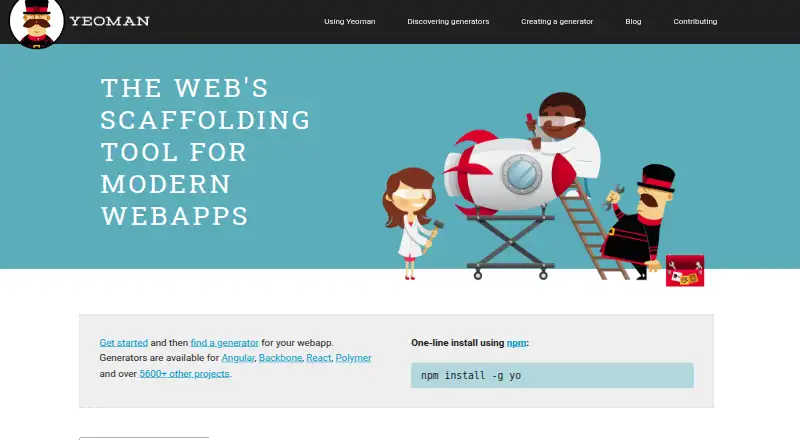
What Yeoman is
Yeoman is a free, open-source scaffolding system for creating project structures and maintaining existing projects. Its generators are plugins that can make setup choices and produce either full projects or selected parts such as modules, packages, and services. The system is language agnostic, with generators available for areas including web, Java, Python, and C#. The homepage lists generators for Angular, Backbone, React, Polymer, and more than 5,600 other projects. Developers can also use generators to apply standards and style guides. Yeoman’s command-line utility is installed with npm, while generators are installed as npm packages. Workflows can use npm scripts, Gulp, or Grunt for building, previewing, and testing, and npm or Yarn for dependency management. The yeoman-environment package allows other tools to find, register, and run generators, and supports custom interface adapters. Yeoman runs on Linux, macOS, and Windows. Its maintainers describe the 2025 maintenance focus as stability rather than feature development.
Good
- Free and open source.
- Generators can create full projects or selected components.
- Supports web, Java, Python, and C# generators.
- Runs on Linux, macOS, and Windows.
- Can use npm, Yarn, Gulp, or Grunt.
Watch out
- Project scaffolding requires generators.
- Maintenance focus is stability rather than feature development.
Who it suits
Yeoman suits developers who want repeatable project setup or a way to apply shared standards and templates. It is relevant across web, Java, Python, and C# work when a suitable generator is available.
Verdict
Yeoman offers a generator-based approach to repeatable project setup across several languages and operating systems. Its usefulness depends on finding or creating generators that fit the work.
Plans and prices
From Yeoman's own pricing page, checked 9 Oct 2026.
| Plan | Price | What it gives you |
|---|---|---|
| Yeoman | Free | Open-source scaffolding tool · Install with npm · Requires generators for project scaffolding |
The facts
Each one read from Yeoman's own pages, with the date it was checked.
What it does
- Build tools
- Yeoman’s workflow can use npm scripts, Gulp, or Grunt to build, preview, and test projects.checked 9 Oct 2026
- Common uses
- Documented uses include creating projects, project sections, modules, packages, and services, and enforcing standards and style guides.checked 9 Oct 2026
- Generator ecosystem
- The homepage lists generators for Angular, Backbone, React, Polymer, and over 5600 other projects.checked 9 Oct 2026
- Generators
- Generators are plugins that make project decisions and can scaffold complete projects or useful parts.checked 9 Oct 2026
- Install
- The getting started guide installs the command-line utility with npm install -g yo and generators as npm packages.checked 9 Oct 2026
- Integration
- The yeoman-environment package lets other tools retrieve, register, and run generators, and supports custom user interface adapters.checked 9 Oct 2026
- Language support
- Yeoman is language agnostic and can generate projects in languages including web, Java, Python, and C#.checked 9 Oct 2026
- Maintenance focus
- The maintainers describe the 2025 maintenance phase as focused on stability rather than feature development.checked 9 Oct 2026
- Package managers
- The site names npm and Yarn as package manager options for dependency management.checked 9 Oct 2026
- Purpose
- Yeoman is a generic scaffolding system for quickly starting projects and streamlining maintenance of existing projects.checked 9 Oct 2026
- Security
- Yeoman says it has an organization-wide security policy, automated OpenSSF Scorecard checks, vulnerability reviews, a threat model, and audited GitHub and npm access permissions.checked 9 Oct 2026
- Security disclosure
- The security policy update says to report vulnerabilities privately through GitHub Security Advisory and that the team aims to address confirmed vulnerabilities within 30 days.checked 9 Oct 2026
- Support
- The support guide recommends running yo doctor first and directs binary issues to Yeoman’s issue tracker while generator and build-tool issues go to their respective trackers.checked 9 Oct 2026
Where it runs
- Windows guidance
- The getting started guide suggests using cmder or PowerShell on Windows for an improved command-line experience.checked 9 Oct 2026
Alternatives to Yeoman
- 1
SQLDelight
Free planOpen sourceAndroidiOSWebAPI7.9Free plan - 2
Fern
Free planOpen sourceWebAPILinuxmacOS7.8Free plan - 3
Swagger Codegen
Free planOpen sourceWebAPILinuxmacOS7.6Free plan - 4
APIMatic
Free planWebAPIExtensionLinux7.4From $99 a month - 5
Symfony MakerBundle
Free planOpen sourceAPILinuxmacOSSelf-hosted7.4Free plan - 6

quicktype
Free planWebAPILinuxmacOS7.3From $19 a month