Yawcam
Yawcam provides two free camera-monitoring products: Yawcam Classic and Yawcam Ai.
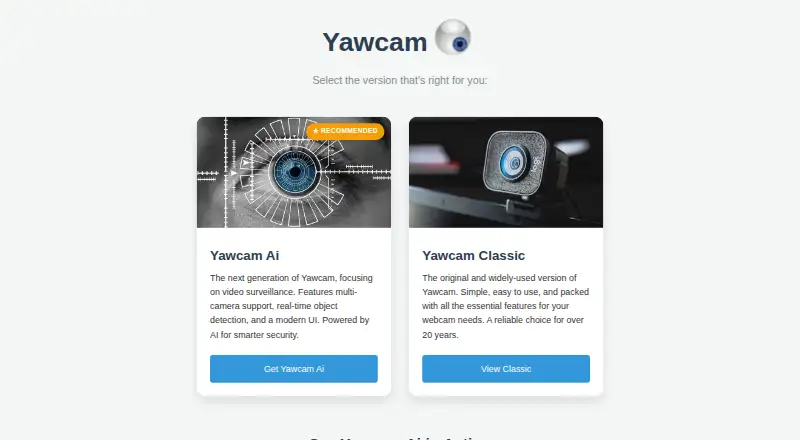
What Yawcam is
Yawcam provides two free camera-monitoring products: Yawcam Classic and Yawcam Ai. Classic offers video streaming, image snapshots, motion detection, FTP uploads, overlays, password protection, scheduling, and time-lapse movies through a built-in webserver. It supports DirectX-compatible webcams and capture devices, plus DV and network cameras. Classic requires Windows, Java Runtime Environment 6 or later, and DirectX 9 or later; listed Windows versions run from 2000 through 11. Yawcam Ai adds local real-time detection of people, vehicles, and animals. Recordings remain on the user’s disks, with no cloud connection required. Ai runs on Windows, Linux, or Docker and provides a responsive phone and tablet web app installable as a PWA. ONVIF, MQTT for Home Assistant and Node-RED, YouTube streaming, and role-based access controls are listed. Both plans are free.
Good
- Free Classic and Ai plans
- Local AI detection of people, vehicles, and animals
- Recordings saved to users’ own disks
- Motion detection, streaming, and time-lapse tools
- ONVIF and MQTT integrations
Watch out
- Classic requires Windows, Java, and DirectX
- Internet access may require router port forwarding
- Classic supports listed Windows versions only
- No free trial because the products are free
Who it suits
Yawcam suits users who want free webcam or security-camera monitoring on Windows or Linux. It also fits people seeking local recording and AI detection without required cloud storage.
Verdict
Yawcam covers traditional webcam monitoring and local AI camera detection without subscription fees. Classic has older Windows and runtime requirements, while Ai adds container deployment and mobile web access.
Plans and prices
From Yawcam's own pricing page, checked 8 Oct 2026.
| Plan | Price | What it gives you |
|---|---|---|
| Yawcam Ai | Free | Free for personal and commercial use · No subscription fees |
| Yawcam Classic | Free | Completely free to use · Windows |
The facts
Each one read from Yawcam's own pages, with the date it was checked.
What it does
- Access controls
- Yawcam Ai lists multi-user security with role-based access controls.checked 8 Oct 2026
- AI detection
- Yawcam Ai can distinguish people, vehicles, and animals, and says its detection runs locally on the user's hardware.checked 8 Oct 2026
- Classic features
- Yawcam Classic lists video streaming, image snapshots, a built-in webserver, motion detection, FTP upload, overlays, password protection, scheduling, and time-lapse movies.checked 8 Oct 2026
- Classic requirements
- Yawcam Classic requires Java Runtime Environment 6 or later, DirectX 9 or later, and Windows; the download page lists Windows 2000 through 11.checked 8 Oct 2026
- Data and storage
- Yawcam Ai says recordings are saved to the user's own disks and no cloud connection is required.checked 8 Oct 2026
- Deployment
- Yawcam Ai runs on Windows, Linux, or in a Docker container.checked 8 Oct 2026
- Integrations
- Yawcam Ai lists ONVIF support and native MQTT integration for Home Assistant and Node-RED.checked 8 Oct 2026
- Mobile access
- Yawcam Ai has a responsive web app for smartphones and tablets and supports installation to a mobile home screen as a PWA.checked 8 Oct 2026
- Network setup
- For Classic's webserver and stream to be reachable over the internet, the help page says users may need to forward router ports.checked 8 Oct 2026
- Product
- Yawcam Ai turns webcams and security cameras into a smart security system with real-time AI object detection.checked 8 Oct 2026
- Streaming integration
- Yawcam Ai can stream camera feeds directly to YouTube.checked 8 Oct 2026
- Support
- The maker welcomes bug reports, suggestions, and language-file translations by email.checked 8 Oct 2026
Where it runs
- Classic device support
- Yawcam Classic supports DirectX-compatible webcams and video capture devices, and can also use DV cameras or network cameras.checked 8 Oct 2026
Alternatives to Yawcam
- 1
Webcamoid
Free planOpen sourceAndroidAPILinuxmacOS8.2$1.99 one-time - 2

Animaze
Free planAndroidiOSAPImacOS8.1From $19.99 a year - 3
Camo Studio
Free planAndroidiOSAPImacOS8.0From $49.99 a year - 4

FineCam
Free planAndroidiOSmacOSWindows8.0From $29.99 a year - 5

VCam
Free planWebmacOSSelf-hostedWindows7.8Free plan - 6
DroidCam
Free planAndroidiOSLinuxmacOS7.4Free plan