WritingTool
WritingTool is a free LibreOffice extension for creating and editing extensive texts on Linux, macOS, and Windows.
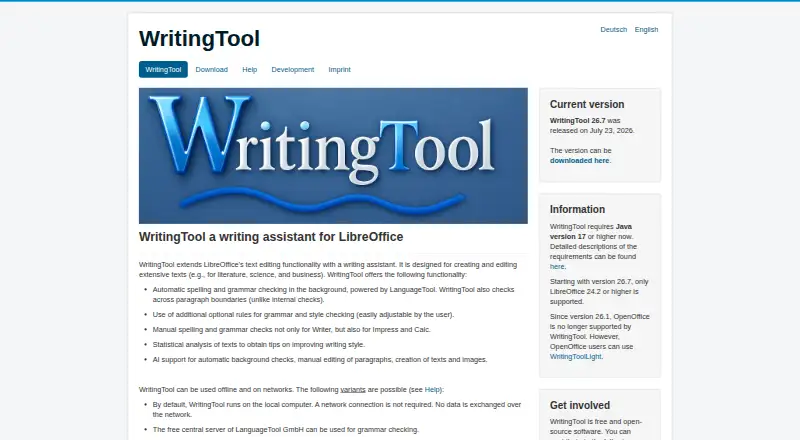
What WritingTool is
WritingTool is a free LibreOffice extension for creating and editing extensive texts on Linux, macOS, and Windows. It checks spelling, grammar, and style through LanguageTool, including rules that cross paragraph boundaries, and caches results for repeat checks on long documents. You can enable or disable rules, adjust some parameters, change rule colors and styles, and create profiles for different document types. Text statistics identify items such as frequently used and filler words, although this analysis is currently available only for individual languages. Optional AI tools can check, edit, and create text, generate images, and provide text-to-speech. Paragraph generation, rewriting, expansion, and translation are described. OpenAI-compatible text APIs, including Ollama, are supported; image and speech APIs currently support localAI only. The application runs locally, while remote servers are also supported. Java 17 or higher and, from version 26.7, LibreOffice 24.2 or higher are required.
Good
- Checks spelling, grammar, and style with LanguageTool
- Rules can span paragraph boundaries
- Caches results for repeat long-text checks
- Supports configurable rules and document profiles
- Runs locally without requiring a remote server
Watch out
- Requires Java 17 or higher
- LibreOffice 24.2 or higher required from version 26.7
- OpenOffice unsupported from version 26.1
- Extensive AI stylistic changes are experimental
Who it suits
It suits writers working on literature, scientific writing, business writing, and other long documents. LibreOffice users who want configurable LanguageTool checks or optional local AI tools may find it useful.
Verdict
WritingTool combines long-document proofreading with configurable rules, statistics, and optional AI features inside LibreOffice. Its requirements and experimental AI styling options are important considerations for prospective users.
Plans and prices
From WritingTool's own pricing page, checked 12 Oct 2026.
| Plan | Price | What it gives you |
|---|---|---|
| Free and open-source software | Free | LibreOffice extension · Java 17 or higher · LibreOffice 24.2 or higher |
The facts
Each one read from WritingTool's own pages, with the date it was checked.
What it does
- AI features
- AI support can check, edit and create text, generate images, and provide text-to-speech; the project README describes paragraph generation, rewriting, expansion and translation.checked 12 Oct 2026
- AI integrations
- The settings page supports OpenAI-compatible text APIs, including Ollama, and says localAI is supported; image and text-to-speech APIs currently support localAI only.checked 12 Oct 2026
- AI limitations
- The settings page calls extensive AI stylistic changes experimental and not recommended, and warns that paid AI servers can incur high costs when checking extensive texts.checked 12 Oct 2026
- Configuration
- Users can enable or disable rules, customize rule colors and styles, adjust some rule parameters, and create document-type profiles.checked 12 Oct 2026
- Local operation
- The project README says the application runs on the local computer without requiring a remote server, while remote servers including LanguageTool Premium are also supported.checked 12 Oct 2026
- Long-text support
- It checks rules across paragraph boundaries and caches results to speed up repeat checks on long texts.checked 12 Oct 2026
- Proofreading
- It checks spelling, grammar and style using LanguageTool.checked 12 Oct 2026
- Requirements
- WritingTool requires Java 17 or higher and, from version 26.7, LibreOffice 24.2 or higher; OpenOffice is no longer supported from version 26.1.checked 12 Oct 2026
- Statistics
- It can analyze text for items such as frequently used words and filler words; the page says this is available only for individual languages so far.checked 12 Oct 2026
- Style suggestions
- Yeschecked 21 Sep 2026
- Support and contributions
- The project invites contributions in testing, translations, development ideas, software development and AI-support development.checked 12 Oct 2026
- Target users
- The project says it is designed for extensive texts such as literature, scientific writing and business writing.checked 12 Oct 2026
- What it does
- WritingTool is a LibreOffice extension that adds a writing assistant for creating and editing extensive texts.checked 12 Oct 2026
Money
- Free plan
- Yeschecked 21 Sep 2026
Where it runs
- Other LibreOffice apps
- Grammar checking for Impress and Calc is supported through manual checks in the LanguageTool check dialog; automatic checking is not supported by LibreOffice.checked 12 Oct 2026
Alternatives to WritingTool
- 1
Cordial
Free planAndroidiOSWebExtension8.7Free plan - 2
Grammarly
Free planAndroidiOS8.6From $12 a month - 3

Wordvice AI
Free planWebExtensionmacOSWindows8.6Free plan - 4

GrammarCheck.ai
Free planAndroidiOSWebAPI8.6From $2.50 a month - 5

Harper
Free planOpen sourceAndroidiOSWebAPI8.5Free plan - 6

Duden-Mentor
Free planWebAPIExtensionmacOS8.4From €2.99 a month