
Word Model
Word Model is an AI editing add-in that works inside Microsoft Word.
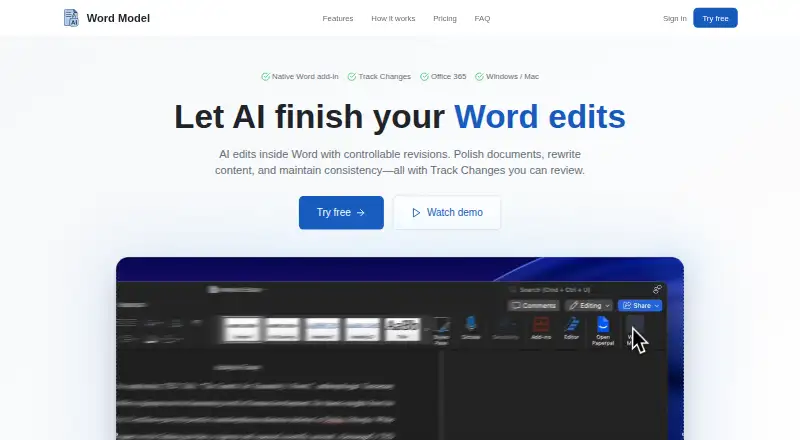
What Word Model is
Word Model is an AI editing add-in that works inside Microsoft Word. It can polish or rewrite text, correct grammar, standardise terminology, format content and create summaries. Suggestions appear in Word Track Changes, allowing users to review, accept, reject or modify each change. Teams can configure custom glossaries and style preferences for consistent results, with brand voice controls available. The add-in works with Microsoft Word on Windows and Mac and with Office 365 online. Installation is available through Microsoft AppSource or Word’s Insert → Add-ins menu, and the site says setup takes less than two minutes. Word Model requires internet access to process content through its AI service. It says only selected text is sent for processing and documents are not stored. The product is presented for legal contracts, marketing plans, research reports and academic papers. A 14-day free trial is offered without a credit card; there is no free plan. Enterprise team licenses include centralized billing, shared style guides and usage analytics, with pricing on request.
Good
- Edits appear in Word Track Changes
- Supports custom glossaries and style preferences
- Works with Windows, Mac and Office 365 online
- Only selected text is sent for processing
- 14-day trial needs no credit card
Watch out
- Requires internet access
- No free plan
- Does not provide a desktop app
- Pricing is available on request
Who it suits
Word Model suits writers and teams editing legal, marketing, research or academic documents in Microsoft Word. It is also aimed at organisations needing shared terminology and style controls.
Verdict
Word Model keeps AI editing within Microsoft Word while preserving a reviewable change workflow. Its team controls and stated document-handling approach may suit organisations with consistent writing requirements.
Plans and prices
From Word Model's own pricing page, checked 9 Oct 2026.
| Plan | Price | What it gives you |
|---|---|---|
| Enterprise | Priced on request | Team licenses · centralized billing · shared style guides · usage analytics |
The facts
Each one read from Word Model's own pages, with the date it was checked.
What it does
- Brand voice controls
- Yeschecked 23 Sep 2026
- Custom style
- Users can configure custom glossaries and style preferences for consistent results across a team.checked 9 Oct 2026
- Data handling
- The site says only selected text is sent for processing and that it does not store documents.checked 9 Oct 2026
- Editing tools
- It can polish and rewrite text, fix grammar, unify terminology, format content, and create summaries.checked 9 Oct 2026
- Enterprise
- The site offers team licenses with centralized billing, shared style guides, and usage analytics, and directs customers to contact it for enterprise pricing and deployment options.checked 9 Oct 2026
- Installation
- The site says users can install through Microsoft AppSource or Word’s Insert → Add-ins menu, with setup taking less than two minutes.checked 9 Oct 2026
- Integrations
- The add-in works with Microsoft Word on Windows and Mac and with Office 365 online.checked 9 Oct 2026
- Intended users
- The site describes use for legal contracts, marketing plans, research reports, and academic papers.checked 9 Oct 2026
- Internet requirement
- Word Model requires internet access to process content through its AI service.checked 9 Oct 2026
- Product
- Word Model is an AI editing add-in that works inside Microsoft Word.checked 9 Oct 2026
- Review workflow
- AI edits appear in Word Track Changes, where users can review, accept, reject, or modify suggestions.checked 9 Oct 2026
- Support
- The site lists support by email and says help is available 24/7.checked 9 Oct 2026
Money
- Free plan
- Nochecked 23 Sep 2026
- Trial
- The site advertises a 14-day free trial with no credit card required.checked 9 Oct 2026
Alternatives to Word Model
- 1

DeepL Write
Free planAndroidiOSWebAPI8.9From $8.74 a month - 2
QuillBot
Free planAndroidiOSWebExtension8.9Free plan - 3

TextCortex
Free planAndroidiOSWebAPI8.7From $29.99 a month - 4
Grammarly
Free planAndroidiOS8.6From $12 a month - 5
Paperpal
Free planWebExtensionmacOSWindows8.5From $139 a year - 6
Wordtune
Free planiOSWebAPIExtension8.4From $6.99 a month