Wizer
Wizer is a cloud-based security awareness training and phishing simulation platform for organizations.
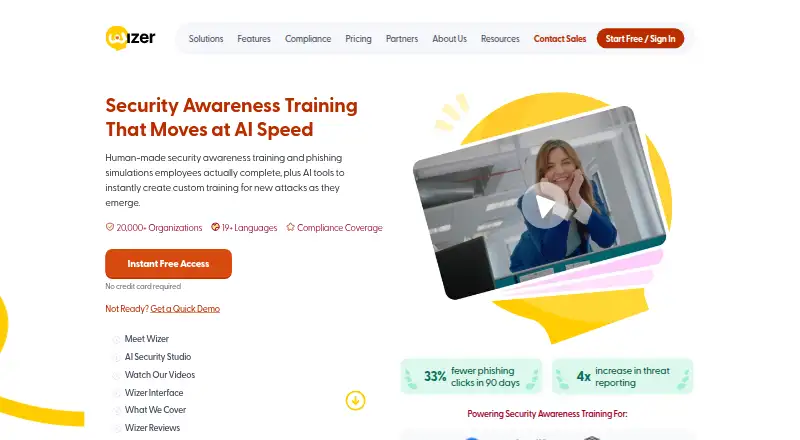
What Wizer is
Wizer is a cloud-based security awareness training and phishing simulation platform for organizations. Its courses cover subjects such as phishing, ransomware, compliance, GDPR, insider threats, AI and deepfake attacks, and secure code. WizerAI Studio can create training videos from documents, policies, or topics, and includes deepfake awareness material and an interactive challenge about distinguishing real from AI-generated content. Boost offers adaptive phishing simulations, monthly refreshed templates, and reporting buttons, alongside course planning, analytics, automated simulations, and training assignments for developers. Organizations can use Azure AD or Google Workspace for directory provisioning, Okta or OneLogin for single sign-on, and Zapier integrations. SCORM packages support importing courses into external learning systems including Moodle, SAP Litmos, Docebo, and Blackboard. The Free plan includes basic annual training, basic user management, limited reporting, and automatic learner reminders. Boost has a 10-day trial that includes a phishing simulation.
Good
- Courses cover compliance, phishing, ransomware, and deepfakes.
- Adaptive phishing simulations include reporting buttons.
- SCORM packages support external learning platforms.
- Free plan includes annual training and learner reminders.
- Boost trial includes a phishing simulation.
Watch out
- Free plan has limited reporting.
- Boost pricing requires a three-year term at listed rates.
- Data locations listed are in the USA.
Who it suits
Wizer suits organizations that need security awareness courses and phishing simulations, including training on AI and deepfake threats. Its integrations and SCORM packages may also suit teams using external identity or learning systems.
Verdict
Wizer combines security training with phishing simulations, course administration, and integration options. The free plan is limited, while Boost's listed per-user rates depend on user-count thresholds and a three-year term.
Plans and prices
From Wizer's own pricing page, checked 14 Oct 2026.
| Plan | Price | What it gives you |
|---|---|---|
| Wizer Free Plan | Free | Basic annual security awareness training · learner console · basic user management · limited reporting · no credit card |
| Wizer Boost (3,001+ users) | $8 a year | Comprehensive training · phishing simulations · gamification · integrations and APIs · monthly videos · 3-year term, billed annually |
| Wizer Boost (1,001+ users) | $12 a year | Comprehensive training · phishing simulations · gamification · integrations and APIs · monthly videos · 3-year term, billed annually |
| Wizer Boost (501+ users) | $14 a year | Comprehensive training · phishing simulations · gamification · integrations and APIs · monthly videos · 3-year term, billed annually |
| Wizer Boost (101+ users) | $17 a year | Comprehensive training · phishing simulations · gamification · integrations and APIs · monthly videos · 3-year term, billed annually |
| Wizer Boost (51+ users) | $20 a year | Comprehensive training · phishing simulations · gamification · integrations and APIs · monthly videos · 3-year term, billed annually |
| Wizer Boost (25+ users) | $25 a year | Comprehensive training · phishing simulations · gamification · integrations and APIs · monthly videos · 3-year term, billed annually |
| Wizer Boost Plan | $25 a year | Volume pricing starts at 25 users · 1-year pricing by request · Per user, per year on a 3-year term, billed annually; $25 for 25+ users, $20 for 51+, $17 for 101+, $14 for 501+, $12 for 1,001+, $8 for 3,001+; contact sales for 5,001+ users |
| Wizer Boost (5,001+ users) | Priced on request | Volume pricing requires contacting Wizer · 3-year term, billed annually |
The facts
Each one read from Wizer's own pages, with the date it was checked.
What it does
- Administration
- The platform offers course planning, analytics, automated phishing simulations, and training assignment for developers.checked 30 Sep 2026
- AI data restriction
- Wizer says AI Studio inputs must not contain personal or confidential data and says inputs and outputs are not used to train its own models.checked 14 Oct 2026
- AI limitation
- Wizer disclaims accuracy and completeness of AI outputs and requires customers to review them before use.checked 14 Oct 2026
- AI Security Studio
- WizerAI Studio turns documents, policies or topics into shareable training videos without video editing.checked 14 Oct 2026
- AI tools
- WizerAI Studio can turn documents, policies, or topics into training videos, and the product includes deepfake awareness training and an interactive real-or-AI challenge.checked 30 Sep 2026
- Analytics
- Wizer provides high-level program analytics to monitor awareness progress.checked 14 Oct 2026
- API
- The admin console provides API documentation and integration key setup, and Wizer also documents Zapier setup.checked 30 Sep 2026
- Content coverage
- Topics include phishing, ransomware, GDPR, insider threats, social engineering, cloud security, AI attacks and secure coding.checked 14 Oct 2026
- Data locations
- Wizer lists Google Cloud, Microsoft Azure, DigitalOcean, and other platform sub-processors with data locations in the USA.checked 30 Sep 2026
- Deepfake training
- Wizer offers training that helps learners recognize manipulated media and AI-enabled scams.checked 14 Oct 2026
- Documentation
- The knowledge base contains setup, phishing, account settings, SSO, provisioning, training, policy and learner-console guides.checked 14 Oct 2026
- Identity integrations
- Wizer documents SSO and provisioning for Azure, Okta, OneLogin, Google Workspace, custom SAML and JumpCloud through custom SAML.checked 14 Oct 2026
- Integrations
- Wizer lists Azure AD and Google Workspace for directory provisioning, Okta and OneLogin for single sign-on, and Zapier for integrations.checked 30 Sep 2026
- Languages
- The site lists Hebrew, Spanish, Chinese, Portuguese, Italian, German, Dutch, French, English and Russian support.checked 14 Oct 2026
- Learner console
- Learners can see assigned and completed training, certificates and policies in one dashboard.checked 14 Oct 2026
- Legal name
- Crunchbase identifies the legal entity as Wizer Inc and lists Gabriel Friedlander as founder.checked 14 Oct 2026
- Licence
- The service is proprietary and licensed for limited internal use; copying, reverse engineering, resale and derivative products are prohibited.checked 14 Oct 2026
- Limit: SCIM direction
- The Okta SCIM guide says Wizer does not support provisioning from Wizer back to Okta.checked 14 Oct 2026
- Limit: SSO password recovery
- For SSO accounts, Wizer says password resets are handled by the customer's administrators because Wizer does not provide an SSO password-reset option.checked 14 Oct 2026
The company
- Company
- Wizer says it launched in 2019 and serves more than 20,000 organizations in over 50 countries.checked 30 Sep 2026
- Company products
- Crunchbase describes Wizer Boost as cloud training with phishing, reporting, policy tracking and user administration, and WizerAI Studio as an AI content generator.checked 14 Oct 2026
- Founded
- 2019checked 28 Sep 2026
- LinkedIn company facts
- LinkedIn lists Wizer as privately held, founded in 2019, headquartered in Boston and employing 51–200 people.checked 14 Oct 2026
Money
- Free-service limitation
- The free subscription is provided as-is without warranty, indemnification or support and may be changed or terminated at Wizer's discretion.checked 14 Oct 2026
The full review of Wizer
Overview
Wizer is a cloud-based security awareness and phishing-simulation platform for organizations that need to train employees and track participation. It suits teams looking to combine learner education with phishing exercises and course administration. Its free tier is a useful starting point, but organizations that need simulations and richer reporting will need Boost.
Key features
Training and AI content
Wizer covers phishing, ransomware, compliance, GDPR, insider threats, secure code, and emerging risks such as AI and deepfake attacks. WizerAI Studio can turn documents, policies, or topics into training videos, while deepfake awareness training and an interactive real-or-AI challenge give teams a way to address synthetic media specifically. Eleven course languages broaden its potential fit for multilingual workforces.
Phishing and administration
Boost adds adaptive phishing simulations, monthly updated templates, and report buttons. Automated simulations and training assignments can reduce routine coordination, while course planning and analytics give administrators tools to organize learning and follow progress. Risk scoring is also supported. The free plan's reporting is limited, so teams that need a fuller view of learner performance should weigh that restriction against the paid tier.
Integrations and deployment
Azure AD and Google Workspace support directory provisioning; Okta and OneLogin provide single sign-on options. Zapier, API documentation, and integration-key setup give administrators additional routes to connect workflows. Organizations using an external learning management system can import Wizer training through SCORM packages, including into Moodle, SAP Litmos, Docebo, and Blackboard. This flexibility is useful when Wizer needs to complement existing infrastructure rather than replace it.
Wizer's platforms include Android, iOS, web, and API. Its site displays a SOC 2 Type II certification badge, and its privacy policy describes technical, organizational, and security measures for protecting personal data. Its listed platform sub-processors include Google Cloud, Microsoft Azure, and DigitalOcean, with data locations in the USA. Managed Boost includes priority support; Wizer also provides a support email contact.
Pricing
Wizer Free Plan
The free plan costs nothing and includes basic annual security awareness training, basic user management, limited reporting, and automatic learner reminder emails. It is a sensible fit for organizations starting with foundational training, but the limited reporting and absence of listed phishing simulations make it less suited to teams seeking a complete training-and-testing program.
Wizer Boost Plan
Boost is priced at $25 per user, per year for 25+ users, billed annually on a 3-year term. The per-user annual rate falls to $20 for 51+, $17 for 101+, $14 for 501+, $12 for 1,001+, and $8 for 3,001+ users. Contact sales for 5,001+ users; volume pricing starts at 25 users, and 1-year pricing is by request. The threshold-based rates reward larger deployments, but the three-year commitment and minimum volume threshold make the headline entry rate a poor match for a small team or an organization unwilling to commit long term. Boost is the relevant plan for adaptive simulations, updated templates, and reporting tools.
Wizer offers a free 10-day Boost trial, including the ability to run a phishing simulation. That gives buyers a short window to assess the paid workflow before committing.
Platforms
Wizer supports Android, iOS, web, and API access. SCORM packages extend its training to external LMS platforms, while directory provisioning, SSO, and Zapier provide several integration paths for organizations with established systems.
Who it's for
Wizer is best suited to organizations that want security training and phishing simulations in one cloud-based service, especially those able to use Boost's volume pricing and commit to its three-year term. The free plan fits teams that primarily need basic annual training and reminders. Smaller organizations needing simulations, or buyers who require shorter paid commitments, should compare the terms carefully before choosing.
Pros and cons
- Pros: Broad coverage spans compliance, secure code, ransomware, and AI/deepfake risks, with AI Studio tools for turning policies or topics into videos.
- Pros: Boost combines adaptive simulations, updated templates, and report buttons with course planning, automated training, and analytics.
- Pros: SCORM, API, Zapier, directory provisioning, and SSO support make it practical to connect Wizer with existing learning and identity systems.
- Cons: The free plan has limited reporting and does not include listed simulations, limiting its value for teams that need to measure phishing resilience.
- Cons: Boost's stated per-user rates require at least 25 users and a three-year term; one-year pricing requires a request.
- Cons: Listed data locations for platform sub-processors are in the USA, which may not suit organizations with other data-location requirements.
Alternatives
For a broader comparison, see Security Awareness Training Software and Cybersecurity Training Platforms.
- SentryMail is a freemium, self-hosted and web option for readers comparing another free-plan choice.
- CyberHoot offers a free plan and trial; its Autopilot plan is $125 a month and includes white-labeling, multi-tenancy, and automated training.
- Proofpoint Email DLP and Encryption is a paid option with Android, iOS, web, and Windows support.
- Gophish is a free option for Windows, macOS, and Linux.
- Hackiwi is a freemium web option.
- Hoxhunt is a paid option for web, Windows, macOS, iOS, and Android.
- LUCY Security is a paid alternative with an on-prem deployment option in its CORE plan and additional features in PRO.
- DarkPhish is a freemium option for web and Linux.
Verdict
Choose Wizer if your organization wants training, phishing simulations, course administration, and integrations in one service, and can make good use of Boost's volume tiers. The free plan is a reasonable entry point for basic education, but teams that need simulations or richer reporting should expect to pay. Look elsewhere if the three-year Boost commitment or USA data locations conflict with your requirements.
Getting started
- Open the Wizer website
- Choose the Free Plan or start the Boost trial
- Use Wizer through Android, iOS, web, or API access
- Connect directory provisioning with Azure AD or Google Workspace if needed
- Configure single sign-on through Okta or OneLogin if needed
- Import SCORM packages into a supported external LMS if needed
Limits worth knowing
The Free Plan includes limited reporting alongside basic training and user management. Boost can be used free for 10 days; its listed $25 per user per year price is billed annually on a three-year term for 25 or more users, with threshold-based rates for larger groups.
Questions
Does Wizer have a free plan?
Yes. The Wizer Free Plan costs nothing and includes basic annual security-awareness training, basic user management, limited reporting, and automatic learner reminder emails.
How much does Boost cost?
Boost is listed at $25 per user per year, billed annually on a three-year term for 25 or more users. Listed per-user rates decrease at larger thresholds, reaching 8.00 USD for 3,001 or more users; contact sales is required for 5,001 or more.
Is there a free trial?
Yes. Boost has a 10-day free trial, including the ability to run a phishing simulation.
What platforms does Wizer support?
Wizer lists Android, iOS, web, and API access.
Does Wizer support single sign-on and LMS imports?
Yes. Okta and OneLogin are listed for single sign-on, and SCORM packages support importing training into Moodle, SAP Litmos, Docebo, Blackboard, and other external LMS platforms.
Does Wizer offer phishing simulations?
Yes. Boost includes adaptive phishing simulations, updated templates, and report buttons.
Alternatives to Wizer
- 1
ScamDrill
Free planAndroidiOSWebAPI7.9From $84 a year - 2
PhishingBox
AndroidiOSWebAPI7.5 - 3
Brightside AI
Free planWebAPIExtension7.3From €0.50 a month - 4
PhishSkill
WebExtension6.7 - 5
Boxphish
AndroidiOSWeb6.5From £5 a year - 6

Keepnet Labs
WebAPISelf-hosted6.4From $1.80 a month