webQDA
webQDA is browser-based software for qualitative data analysis aimed at researchers and professionals.
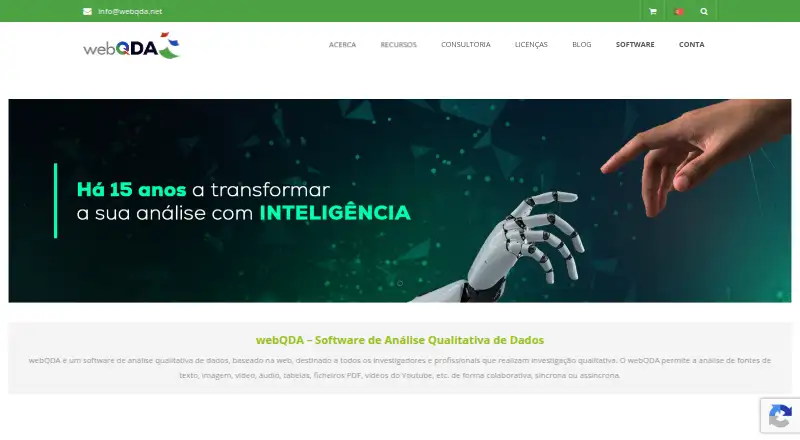
What webQDA is
webQDA is browser-based software for qualitative data analysis aimed at researchers and professionals. It works with text, images, video, audio, tables, PDF files and YouTube videos. Users can edit, view, link and organize documents, create categories, code material, and filter, search or query data. Collaboration can happen online in real time, synchronously or asynchronously. The maker identifies academic researchers and postgraduate students, and also describes business analysis of market data such as consumer information. A validated account can activate a seven-day license with access to all features. Projects save automatically, and all or selected project content can be exported to PDF or DOCX. Browser access works on desktop and mobile devices but requires cookies and JavaScript; a display resolution of at least 1280 by 720 is recommended. Imports include RIS, XML and BibTeX metadata, with support for YouTube and publicly shared Dropbox videos.
Good
- Analyzes text, images, video and audio
- Supports synchronous and asynchronous collaboration
- Seven-day full-feature license is available
- Exports projects to PDF or DOCX
- Includes RIS, XML and BibTeX imports
Watch out
- No free plan is listed
- Individual licenses are time-limited
- Projects have a 500 MB maximum
- Files have format-specific size limits
Who it suits
It suits academic researchers, postgraduate students and professionals analyzing qualitative or business data. Teams needing browser-based collaboration and mixed media support may find its workflow relevant.
Verdict
webQDA brings qualitative coding, organization and collaboration into a browser. Its trial and varied media support are useful, while license periods and file caps should shape project planning.
Plans and prices
From webQDA's own pricing page, checked 9 Oct 2026.
| Plan | Price | What it gives you |
|---|---|---|
| Individual license — 90 days | €52, paid once | Individual license · 90 days |
| Individual license — 180 days | €99, paid once | Individual license · 180 days |
| Individual license — 360 days | €189, paid once | Individual license · 360 days |
| Individual license — 720 days | €356, paid once | Individual license · 720 days |
The facts
Each one read from webQDA's own pages, with the date it was checked.
What it does
- Analysis tools
- Users can edit, view, link, and organize documents, create categories, code, filter, search, and query data.checked 9 Oct 2026
- Audience
- The maker identifies academic researchers and postgraduate students as users, and also describes business analysis of market data such as consumer data.checked 9 Oct 2026
- Backups
- Projects are automatically saved, but recovery of project data may incur a cost after review by the technical team.checked 9 Oct 2026
- Collaboration
- Researchers can work collaboratively and synchronously or asynchronously, and the product description says collaboration can take place online in real time.checked 9 Oct 2026
- Data types
- It supports analysis of text, images, video, audio, tables, PDF files, and YouTube videos.checked 9 Oct 2026
- Developer and commercial partners
- The partnerships page names Microio for software development, hosting, and maintenance, and Ludomedia for promotion, license sales, and training.checked 9 Oct 2026
- File limits
- Listed maximum file sizes are 1 MB for DOCX/TXT/XLS/XLSX, 5 MB for PDF, 2 MB for JPG/PNG, 10 MB for MP3/WAV, and 20 MB for MP4/OGG/WEBM; the page lists a 500 MB maximum per project.checked 9 Oct 2026
- Integrations and imports
- The requirements page lists RIS, XML, and BibTeX metadata imports, and says users can use YouTube videos and publicly shared Dropbox videos.checked 9 Oct 2026
- Project export
- Users can export all or parts of projects to PDF or DOCX.checked 9 Oct 2026
- Purpose
- webQDA is web-based software for qualitative data analysis intended for researchers and professionals conducting qualitative research.checked 9 Oct 2026
- Security and access
- The FAQ says only the account holder and invited researchers can access project information and that webQDA does not use or give third parties access to it.checked 9 Oct 2026
- Support
- The maker offers a contextual user manual, email or contact-form support for error reports, and regular training sessions and webinars.checked 9 Oct 2026
Where it runs
- Browser access
- The software runs in a browser on desktop or mobile devices and requires cookies and JavaScript; the maker recommends a display resolution of at least 1280 by 720.checked 9 Oct 2026
Money
- Trial access
- A validated account receives a 7-day free license that can be activated when the user chooses, with access to all features during that period.checked 9 Oct 2026
Alternatives to webQDA
- 1
KH Coder
Free planOpen sourceLinuxmacOSSelf-hostedWindows7.9From ¥18,480 a year - 2
MAXQDA
Free planWebExtensionmacOSWindows7.8From $41 a month - 3
CATMA
Free planOpen sourceWebAPILinuxmacOS7.7Free plan - 4
Quirkos
AndroidiOSWebLinux7.2From $5 a month - 5
Transana
Free planmacOSWindows6.9From $360 a year - 6
spaCy
Free planLinuxmacOSSelf-hostedWindows6.7Free plan