webcamXP
webcamXP is Windows software that turns a computer into a remotely accessible webcam and network-camera monitoring system.
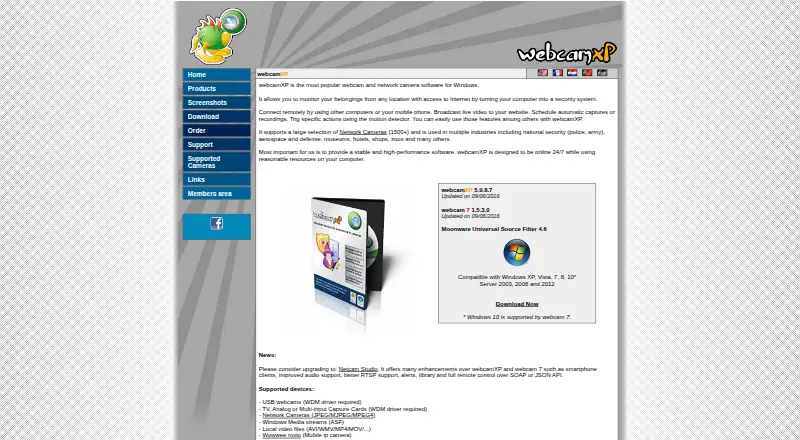
What webcamXP is
webcamXP is Windows software that turns a computer into a remotely accessible webcam and network-camera monitoring system. It broadcasts live video to websites and supports more than 1,500 network camera models, USB webcams, capture cards, Windows Media streams, and local video files. Streaming choices include still JPEG, Flash and JavaScript clients, Windows Media in webcamXP, and Flash Video in webcam 7. Motion detection can start local recording, send FTP or HTTP Post uploads, or launch external applications. Scheduled captures and recordings are available, while the DVR retains continuous recordings for a configured number of hours. Private and PRO editions provide password access and user accounts; Private also adds IP filtering, but Free cannot password-protect its internal server. Free supports two sources, Private four, and PRO as many as the computer supports. Plans are 0.00 USD free, 49.00 USD once for Private, and 99.00 USD once for PRO.
Good
- Supports over 1,500 network camera models
- Motion detection triggers recording and uploads
- Scheduled captures and configurable DVR
- Private and PRO offer password access
- Free edition available
Watch out
- Windows platform only
- Free edition limited to two sources
- Free server cannot use password protection
- Continuous DVR recording requires PRO
Who it suits
It suits Windows users who need remote webcam broadcasting, network-camera monitoring, motion-triggered actions, or scheduled recording. Choose an edition according to source count, authentication, and DVR needs.
Verdict
webcamXP provides broad camera compatibility, streaming methods, and motion actions on Windows. The Free, Private, and PRO licenses differ mainly in source limits, access controls, and continuous DVR recording.
Plans and prices
From webcamXP's own pricing page, checked 4 Oct 2026.
| Plan | Price | What it gives you |
|---|---|---|
| webcamXP Free | Free | Free · up to 2 video sources · watermark cannot be changed or disabled · internal server cannot be password protected · no continuous DVR recording |
| webcamXP Private | $49, paid once | Up to 4 video sources · username/password or IP filtering · watermark can be changed or removed · no continuous DVR recording · Lifetime license; free upgrades for 1 year |
| webcamXP PRO | $99, paid once | Unlimited sources, as many as the computer supports · continuous DVR recording · web activity logs · single license covers one server and unlimited viewers · Lifetime license; free upgrades for 1 year |
The facts
Each one read from webcamXP's own pages, with the date it was checked.
What it does
- Access controls
- Private and PRO editions support password-protected access and user accounts, while Private also supports IP filtering; the Free edition cannot password protect its internal server.checked 4 Oct 2026
- Camera support
- The maker lists support for more than 1,500 network camera models, USB webcams, capture cards, Windows Media streams, and local video files.checked 4 Oct 2026
- Hardware compatibility
- Its network camera compatibility page provides templates and says users can request compatibility checks and templates for cameras not listed.checked 4 Oct 2026
- Integrations
- The maker lists PowerHome home automation integration and FTP/FTPS and HTTP/HTTPS Post upload support.checked 4 Oct 2026
- Motion alerts
- The motion detector can trigger actions including local recording, FTP, HTTP Post, and launching external applications.checked 4 Oct 2026
- Purpose
- webcamXP turns a Windows computer into a remotely accessible webcam and network camera monitoring system, with live video broadcasting to websites.checked 4 Oct 2026
- Recording and scheduling
- Features include scheduled captures or recordings and a DVR that retains continuous recordings for a configured number of hours.checked 4 Oct 2026
- Security networking
- The support FAQ lists default ports to open for remote access: TCP 8080 for video, TCP 8090 for audio, and TCP/UDP 9000–9100 for Windows Media streaming.checked 4 Oct 2026
- Streaming
- Listed streaming options include still JPEG, Flash and JavaScript clients, Windows Media streaming in webcamXP, and Flash Video streaming in webcam 7.checked 4 Oct 2026
- Support
- Email technical support is available to licensed users and business inquiries; free-version users are directed to community forums.checked 4 Oct 2026
The company
- Company
- The site identifies Moonware Studios as the maker and carries a 2003–2019 copyright notice; the pages opened do not state its headquarters or founding year.checked 4 Oct 2026
Money
- Trial
- The webcamXP PRO download package includes a 21-day trial version.checked 4 Oct 2026
Where it runs
- Windows requirements
- The download page lists webcamXP 5.9.8.7 and compatibility guidance for Windows, including Windows 10 support via webcam 7 and additional prerequisites for RTSP sources.checked 4 Oct 2026
Alternatives to webcamXP
- 1
Webcamoid
Free planOpen sourceAndroidAPILinuxmacOS8.2$1.99 one-time - 2

Animaze
Free planAndroidiOSAPImacOS8.1From $19.99 a year - 3
Camo Studio
Free planAndroidiOSAPImacOS8.0From $49.99 a year - 4

FineCam
Free planAndroidiOSmacOSWindows8.0From $29.99 a year - 5

VCam
Free planWebmacOSSelf-hostedWindows7.8Free plan - 6
DroidCam
Free planAndroidiOSLinuxmacOS7.4Free plan