VShell Server
VShell Server is a secure file transfer server for remote access and administration, available for Windows, macOS, and Linux.
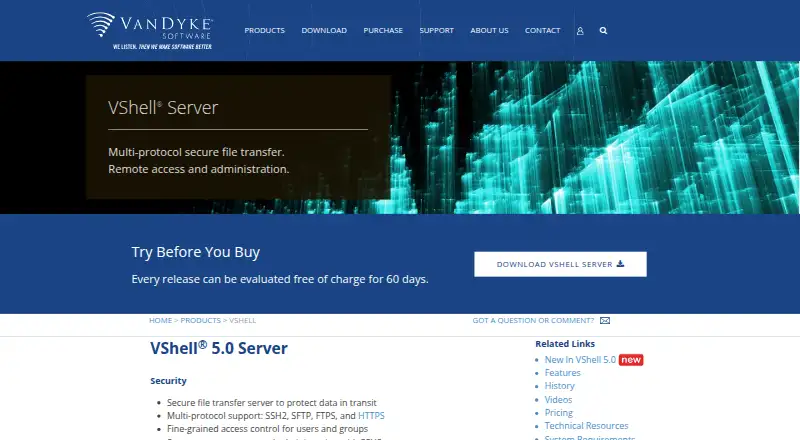
What VShell Server is
VShell Server is a secure file transfer server for remote access and administration, available for Windows, macOS, and Linux. It supports SSH2, SFTP, FTPS, and HTTPS, with FTP available for legacy systems; listed protocol support also includes SCP, WebDAV, HTTP, and S3. Administrators can allow or deny services for users or groups and restrict file access through virtual roots. Event triggers can run commands or move files after uploads, downloads, or failed logons. VShell integrates with Windows user accounts and groups and can authenticate against an external LDAP server. Enterprise Edition with HTTPS supports browser transfers and WebDAV clients. The product supports multiple encryption and message authentication algorithms, with 3DES and MD5 disabled by default. The Windows version can run in FIPS Mode using a FIPS 140-2 validated cryptographic library. Logs can be stored locally, sent to the Windows system log, or forwarded to remote syslog or syslog-ng servers. Workgroup Edition allows 25 concurrent connections; Enterprise editions list unrestricted connections.
Good
- Supports SSH2, SFTP, FTPS, and HTTPS
- Can authenticate users through external LDAP
- Event triggers can run commands or move files
- Enterprise editions list unrestricted connections
Watch out
- Workgroup Edition allows 25 concurrent connections
- No free plan is listed
- Web transfers require Enterprise Edition with HTTPS
Who it suits
VShell Server suits administrators who need to manage remote file transfers with service permissions, virtual roots, and event triggers. Teams needing more than 25 concurrent connections can consider an Enterprise edition.
Verdict
VShell Server offers multiple transfer protocols and administrative controls, with editions differing in connection limits. Its listed starting price is $119, and the evaluation information includes a 30-day trial plus a 60-day evaluation of official releases.
Plans and prices
From VShell Server's own pricing page, checked 15 Oct 2026.
| Plan | Price | What it gives you |
|---|---|---|
| VShell Workgroup Edition | $599, paid once | 25 concurrent connections · SSH2/SFTP, SCP, shell, port forwarding, remote exec, FTPS and FTP · One Year of Updates |
| VShell Enterprise Edition | $999, paid once | Unlimited concurrent connections · SSH2/SFTP, SCP, shell, port forwarding, remote exec, FTPS and FTP · One Year of Updates |
| VShell Enterprise Edition with HTTPS | $1,499, paid once | Unlimited concurrent connections · Adds HTTPS and HTTP file transfer · One Year of Updates |
The facts
Each one read from VShell Server's own pages, with the date it was checked.
What it does
- Access control
- Administrators can allow or deny shell, file-transfer, forwarding and execution services per user or group.checked 15 Oct 2026
- Authentication
- Supported authentication methods include password, public key, GSSAPI, keyboard-interactive, Kerberos, RADIUS SecurID and X.509 certificates, with some Windows-only.checked 15 Oct 2026
- Automation
- Triggers can respond to events such as file uploads, downloads, and failed logons by running commands or moving files.checked 4 Oct 2026
- Automation triggers
- Triggers respond to authentication, login, logout and file events by running commands or copying and moving files.checked 15 Oct 2026
- Command-line tools
- The product includes vsftp, vsh, vcp and vkeygen utilities for scripted transfer, shell and key-generation tasks.checked 15 Oct 2026
- Current release
- The download page lists VShell Server 5.0.1 dated September 29, 2026 for Windows, macOS and Ubuntu installers.checked 15 Oct 2026
- Deployment
- The server runs on physical machines, virtual machines and cloud-based servers.checked 15 Oct 2026
- Directory integrations
- Windows deployments integrate with local or domain accounts and external LDAP servers.checked 15 Oct 2026
- Documentation
- Technical resources include FAQs, a Linux/macOS solutions guide, videos, white papers, case studies and installation tips.checked 15 Oct 2026
- Edition limit
- The Workgroup Edition is limited to 25 concurrent connections; Enterprise editions list unrestricted connections.checked 4 Oct 2026
- Encryption
- Supported ciphers include ChaCha20/Poly1305, AES-GCM, AES-CTR, AES and Twofish; legacy 3DES is disabled by default.checked 15 Oct 2026
- Evaluation
- Official VShell releases can be downloaded and evaluated without charge for 60 days.checked 4 Oct 2026
- FIPS
- The Windows version can operate in FIPS 140-2 mode using a validated cryptographic library.checked 15 Oct 2026
- Integrations
- VShell integrates with Windows user accounts and groups and can authenticate users against an external LDAP server.checked 4 Oct 2026
- Integrity protection
- The server supports UMAC and SHA-2 message-authentication codes, while MD5 is disabled by default.checked 15 Oct 2026
- License
- The EULA grants use of proprietary software, prohibits sublicensing and reverse engineering, and limits evaluation use to 60 days.checked 15 Oct 2026
- Limit: remote administration UI
- ServerWatch reported that the Windows product lacked remote graphical administration and used a local administrative interface.checked 15 Oct 2026
Where it runs
- Browser transfer
- The HTTPS edition provides browser-based uploads and downloads without client software or browser plugins.checked 15 Oct 2026
The company
- Company fact: independent profile
- Craft lists VanDyke Software as an active private company founded in 1995 and headquartered in Albuquerque, New Mexico.checked 15 Oct 2026
- Company fact: leadership
- Craft identifies Jeff P. Van Dyke as founder and CEO, with Frances Brass as COO and Maureen Jett as product director.checked 15 Oct 2026
- Company fact: legal entity
- A government-oriented CAGE/DUNS profile identifies Vandyke Software Inc. as a Subchapter S corporation established in 1995 at 4848 Tramway Ridge Drive NE, Albuquerque.checked 15 Oct 2026
- Founded
- 1995checked 28 Sep 2026
- Headquarters
- Albuquerque, New Mexico, USAchecked 28 Sep 2026
Money
- Limit: cost versus open source
- ServerWatch noted that freely available OpenSSH alternatives exist while VShell costs hundreds of dollars.checked 15 Oct 2026
Alternatives to VShell Server
- 1

Tailscale
Free planOpen sourceAndroidiOSWebAPI8.7From $1 a month - 2

Cloudflare Access
Free planAndroidiOSWebAPI7.8$7 usage-based - 3
Boundary
Free planWebAPILinuxmacOS7.3Free plan - 4

Bastillion
Free planWebLinuxmacOSSelf-hosted7.1From $149 a year - 5

Bitvise SSH Server
Free planSelf-hostedWindows6.9Free plan - 6
wolfSSH
Free planAPILinuxmacOSSelf-hosted6.8From $2,600 a year