VISIARC CAD Viewer
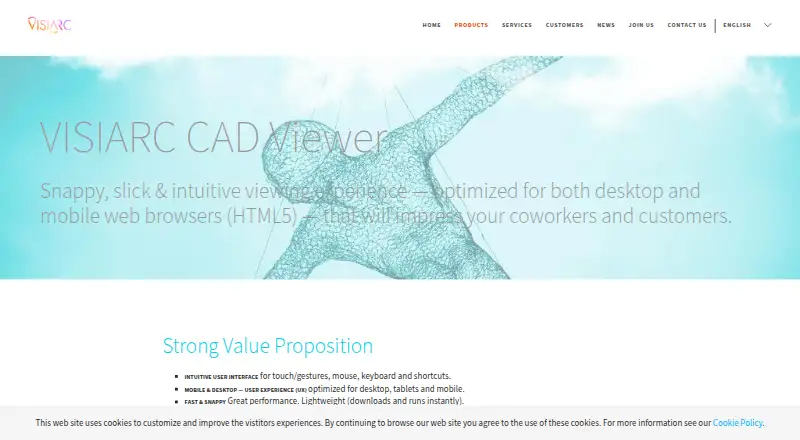
VISIARC CAD Viewer is an HTML5 web app for viewing and exploring CAD drawings in a browser.
What VISIARC CAD Viewer is
VISIARC CAD Viewer is an HTML5 web app for viewing and exploring CAD drawings in a browser. It opens HP-GL, PLT, and CGM files, and can save drawings as PLT, HP-GL, HPL, CGM, DXF, PDF, or PNG. Printing is handled through PDF export. Users can navigate with touch gestures, a mouse, the scroll wheel, a keyboard, and shortcuts. The viewer can be embedded in a web page, run as a standalone page, or opened in a resizable popup; drawings may be loaded by URL or displayed in the page. It consists of static files hosted on the customer's web server, which VISIARC describes as on-premise software rather than an online service. VISIARC says it can work offline and can also open or download linked drawings online. Listed browsers include Chrome, Edge, Firefox, Internet Explorer 11+, and Safari, including mobile Chrome, Firefox, and Safari. The product is presented for sharing drawings with coworkers and customers and including them in documentation, manuals, and handbooks. Site licensing is available; pricing is on request.
Good
- Opens HP-GL, PLT, and CGM files
- Exports to PDF, PNG, DXF, and other formats
- Can be hosted on the customer's web server
- Works offline
Watch out
- Pricing is available on request
- Printing is through PDF export
- Input formats listed are HP-GL, PLT, and CGM
Who it suits
The viewer may suit organizations that want to share CAD drawings with coworkers or customers, or include them in documentation. Its on-premise deployment and web-based integration options may fit teams incorporating a viewer into their own systems.
Verdict
VISIARC CAD Viewer provides browser-based drawing access with multiple export formats and deployment options. Organizations should confirm licensing details and whether the listed input formats meet their needs.
Plans and prices
From VISIARC CAD Viewer's own pricing page, checked 11 Oct 2026.
| Plan | Price | What it gives you |
|---|---|---|
| Site license / custom build | Priced on request | On-premise software · site licensing available · custom extensions or UI possible · Contact VISIARC for licensing and customization details. |
The facts
Each one read from VISIARC CAD Viewer's own pages, with the date it was checked.
Where it runs
- Browser support
- The page lists Chrome, Edge, Firefox, Internet Explorer 11+, and Safari, including mobile Chrome, Firefox, and Safari.checked 11 Oct 2026
What it does
- Customization
- Custom builds can address specific technical requirements and may extend file-format support.checked 11 Oct 2026
- Demo
- VISIARC offers to arrange a demo using a customer's drawings.checked 11 Oct 2026
- Deployment
- The viewer can be embedded in web pages, run as a standalone page, or opened in a resizable popup, and can fetch static or dynamic drawings via URL.checked 11 Oct 2026
- Export formats
- It saves to PLT, HP-GL, HPL, CGM, DXF, PDF, and PNG formats.checked 11 Oct 2026
- Hosting
- The viewer consists of static files hosted on the customer's web server.checked 11 Oct 2026
- Input formats
- It opens HP-GL, PLT, and CGM files.checked 11 Oct 2026
- Integration
- VISIARC says the viewer can be integrated into virtually any web-based system regardless of its underlying platform or infrastructure.checked 11 Oct 2026
- Integrations
- VISIARC says its installation and deployment options allow integration into virtually any web-based system, regardless of platform or infrastructure.checked 4 Oct 2026
- Intended audience
- The product page describes the viewer as suitable for sharing drawings with coworkers and customers and for use in documentation, manuals, and handbooks.checked 4 Oct 2026
- Interaction
- Users can interact with drawings using touch gestures, a mouse, a scroll wheel, a keyboard, and shortcuts.checked 11 Oct 2026
- Licensing
- The product page states that site licensing is available and mentions traditional software licensing with an optional support and maintenance plan.checked 4 Oct 2026
- Offline use
- VISIARC's Web & Cloud page says the CAD Viewer works offline as well as opening or downloading linked CAD drawings online.checked 4 Oct 2026
- Privacy and security
- VISIARC's privacy policy says it aims to protect personal information through organizational and technical security measures, while noting it cannot guarantee absolute security.checked 4 Oct 2026
- Purpose
- VISIARC CAD Viewer is an HTML5 web app for viewing CAD drawings in desktop and mobile web browsers.checked 11 Oct 2026
- Support
- The page describes support and maintenance as an option with traditional software licensing.checked 11 Oct 2026
- Support and demo
- VISIARC invites customers to contact it with adaptation questions and says it can set up a demo to display their drawings.checked 4 Oct 2026
- User interaction
- It supports touch gestures, mouse, scroll wheel, keyboard, and shortcuts.checked 4 Oct 2026
The company
- Founded
- 2002checked 28 Sep 2026
- Headquarters
- Linköping, Swedenchecked 28 Sep 2026
- Maker
- VISIARC says it was founded in 2002.checked 11 Oct 2026
Alternatives to VISIARC CAD Viewer
- 1
ShareCAD
Free planAndroidiOSWebLinux8.0From $49 a month - 2

CAD Reader
Free planAndroidiOSmacOSWindows7.9From $45 a year - 3
CADViewer
AndroidiOSWebAPI7.6From $2,444 a year - 4
DWG FastView
AndroidiOSWebAPI7.6From $47.99 a year - 5

DWGSee
AndroidiOSWebAPI7.6$69 one-time - 6
Glovius
AndroidiOSWebWindows7.6From $299 a year