ViPad
ViPad is a free Windows desktop organizer for placing shortcuts, files, and web links into labelled areas called pads.
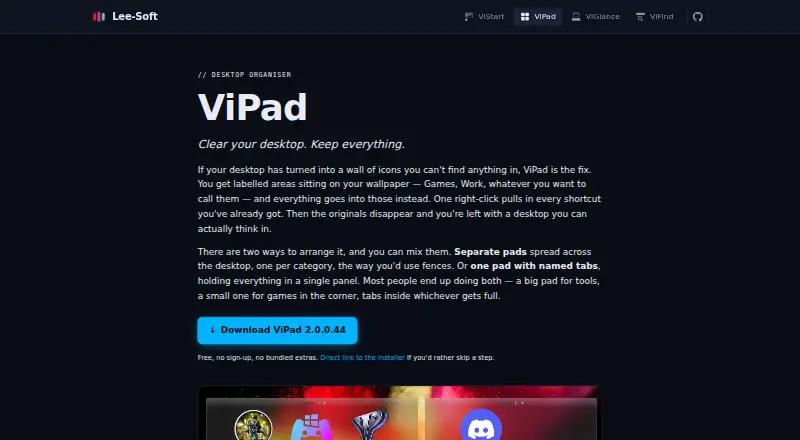
What ViPad is
ViPad is a free Windows desktop organizer for placing shortcuts, files, and web links into labelled areas called pads. Users can spread multiple pads across the desktop, add named tabs to one pad, or combine the two layouts. A right-click command imports desktop shortcuts and skips items already present. Live keyword search filters items as someone types, and pads paginate when full. Optional snap-to-grid, icons up to 256×256, and touch gestures for switching pages provide layout controls. On Windows 10 and 11, pads can use acrylic blur and rounded corners, with adjustable darkness, sheen, and borders; the glass effect requires Windows 10 or later. ViPad runs on Windows 11, 10, 8, and 7, and requires no sign-up. Its maker publishes VB6 source on GitHub and says the current release builds from a clean checkout. The maker also says ViPad has no account, licence check, in-app analytics, or phone-home behavior. It does not offer automatic sorting rules, desktop double-click roll-up, or snapshot-and-restore of layouts. Help is available through Discord, and bug reports can be submitted without an account.
Good
- Free to use with no sign-up
- Runs on Windows 11, 10, 8, and 7
- Imports desktop shortcuts and skips existing items
- Live search filters items as you type
- Maker says it has no account or in-app analytics
Watch out
- No automatic sorting rules
- No saved desktop layouts
- Glass effect requires Windows 10 or later
Who it suits
ViPad suits Windows users who want to group desktop shortcuts, files, and links into labelled areas. Its support for Windows 7 and 8 may also appeal to people on older Windows versions.
Verdict
ViPad offers flexible desktop pads, tabs, and search without requiring an account. Users who need automatic sorting or saved layouts should note that those features are not offered.
Plans and prices
From ViPad's own pricing page, checked 7 Oct 2026.
| Plan | Price | What it gives you |
|---|---|---|
| ViPad | Free | Free · no sign-up · no bundled extras |
The facts
Each one read from ViPad's own pages, with the date it was checked.
Where it runs
- Appearance
- On Windows 10 and 11, pads support acrylic blur, rounded corners, and adjustable darkness, sheen, and border settings.checked 7 Oct 2026
- Supported Windows
- ViPad runs on Windows 11, 10, 8, and 7; its glass effect requires Windows 10 or later.checked 7 Oct 2026
What it does
- Audience
- The maker presents ViPad as a free desktop-organizing option for Windows users, including people on Windows 7 or 8 seeking a Fences alternative.checked 7 Oct 2026
- Customization
- ViPad supports optional snap-to-grid, icon sizes up to 256×256, and touch gestures for switching pages.checked 7 Oct 2026
- Import
- A right-click command imports desktop shortcuts into pads and skips items already there.checked 7 Oct 2026
- Layout
- Users can arrange multiple pads across the desktop, use one pad with named tabs, or combine both layouts.checked 7 Oct 2026
- Notable limits
- ViPad does not offer automatic sorting rules, desktop double-click roll-up, or snapshot-and-restore of desktop layouts.checked 7 Oct 2026
- Open source
- The maker publishes ViPad's VB6 source on GitHub and says the current release builds from a clean checkout.checked 7 Oct 2026
- Privacy
- The maker says ViPad does not phone home and has no account, licence check, or in-app analytics.checked 7 Oct 2026
- Purpose
- ViPad organizes desktop shortcuts, files and web links into labelled areas on the desktop.checked 7 Oct 2026
- Search
- A live keyword search filters items as the user types, and pads paginate when full.checked 7 Oct 2026
- Support
- The maker directs users to Discord for help and says bug reports can be sent without an account.checked 7 Oct 2026
The company
- Founded
- 2012checked 28 Sep 2026
Alternatives to ViPad
- 1
BitDock
Free planWindows7.2Free plan - 2

DeskBox
Free planOpen sourceWindows7.0Free plan - 3
iTop Easy Desktop
Free planWindows6.6From $11.99 a year - 4
Tabbles
Free planAPIExtensionWindows6.6From €3 a year - 5

AutoShelf
Free planmacOS6.5$19.99 one-time - 6
Right Click Enhancer
Free planWindows6.5$9.99 one-time