
VinylMaster
VinylMaster is Windows software for designing and producing signs, decals, banners, posters, lettering, shapes, and logos.
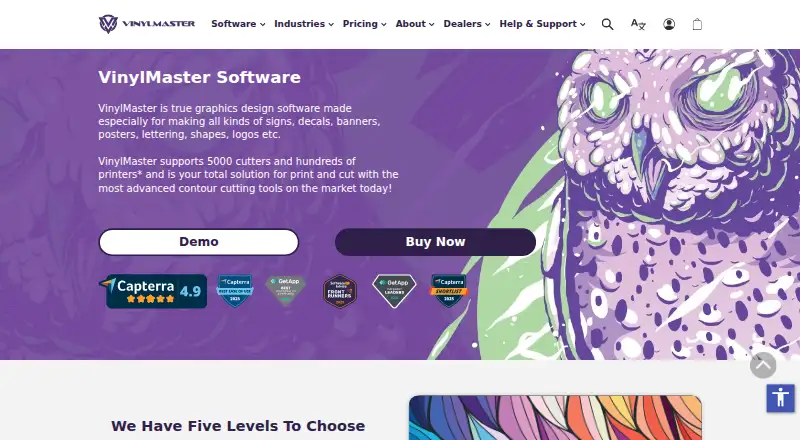
What VinylMaster is
VinylMaster is Windows software for designing and producing signs, decals, banners, posters, lettering, shapes, and logos. It is offered in five editions: CUT, LTR, PRO, DSR, and XPT. Cutting tools include contour cutting, auto-cut, weeding, and an interactive vinyl spooler; print-and-cut production is supported. DSR adds vector and image effects, cut-document editing, and nesting features, while XPT includes a RIP for wide-format printing. DSR is full-featured but does not include RIP. The maker says the software supports over 5,000 cutters and hundreds of printers, though some devices are not supported. Supported operating systems are Windows 8.1, 10, and 11. There is no free plan, but a free demo is available. Monthly subscriptions are also listed: LTR $8.95 a month, PRO $14.95 a month, DSR $24.95 a month, and XPT $49.75 a month. Access permissions are available only in DSR and XPT.
Good
- Five editions cover different signmaking needs.
- Includes contour-cutting, auto-cut, and weeding tools.
- Supports print-and-cut production.
- Free demo is available.
- Manual, tutorials, knowledge base, and technical support are provided.
Watch out
- Windows only.
- No free plan.
- Not all cutters and printers are supported.
- Access permissions are limited to DSR and XPT.
Who it suits
VinylMaster suits sign and print shops, production teams, educators, and government users needing design and cutting tools. Its hobby and craft audience can consider the CUT or LTR editions.
Verdict
VinylMaster combines artwork design with cutting and print-and-cut workflows, with capabilities varying by edition. Check device compatibility and whether you need XPT's RIP or DSR/XPT access permissions before choosing.
Plans and prices
From VinylMaster's own pricing page, checked 2 Oct 2026.
| Plan | Price | What it gives you |
|---|---|---|
| VinylMaster LTR — Subscription | $8.95 a month | Monthly subscription; free upgrades to latest tools and features · USD $8.95 Incl. GST; until canceled |
| VinylMaster PRO — Subscription | $14.95 a month | Monthly subscription; free upgrades to latest tools and features · USD $14.95 Incl. GST; until canceled |
| VinylMaster DSR — Subscription | $24.95 a month | Monthly subscription; free upgrades to latest tools and features · USD $24.95 Incl. GST; until canceled |
| VinylMaster XPT — Subscription | $49.75 a month | Monthly subscription; free upgrades to latest tools and features · USD $49.75 Incl. GST; until canceled |
| VinylMaster CUT — One-Time Purchase | $59, paid once | Basic vinyl cutting, artwork layout, ARMS or laser-pointer contour cutting · USD $59 Incl. GST |
| VinylMaster LTR — One-Time Purchase | $129, paid once | Entry-level signmaking for hobby and craft projects · USD $129 Incl. GST |
| VinylMaster PRO — One-Time Purchase | $299, paid once | Professional signmaking; design and output for signs, decals, banners and more · USD $299 Incl. GST |
| VinylMaster DSR — One-Time Purchase | $499, paid once | Full-featured design and sign software; does not include RIP · USD $499 Incl. GST |
| VinylMaster XPT — One-Time Purchase | $995, paid once | Top edition; includes a wide-format printing RIP · USD $995 Incl. GST |
The facts
Each one read from VinylMaster's own pages, with the date it was checked.
What it does
- Cutters and printers
- The maker says VinylMaster supports over 5,000 cutters and hundreds of printers, with a caveat that not all devices are supported.checked 2 Oct 2026
- Cutting tools
- The software includes contour-cutting, auto-cut and weeding tools, plus an interactive vinyl spooler.checked 2 Oct 2026
- Design features
- DSR includes vector and image effects, cut-document editing tools, and true and image nesting features.checked 2 Oct 2026
- Download access
- The maker says purchased products become available for instant download after payment is received.checked 2 Oct 2026
- Editions
- The product is offered in five levels: CUT, LTR, PRO, DSR and XPT.checked 2 Oct 2026
- Intended users
- The maker identifies sign shops, print shops, production, education, government, craft and hobby users among its audiences.checked 2 Oct 2026
- Purpose
- VinylMaster is graphics design software for making signs, decals, banners, posters, lettering, shapes and logos.checked 2 Oct 2026
- RIP
- XPT includes a RIP for wide-format printing; DSR is listed as full-featured but without RIP.checked 2 Oct 2026
- Security controls
- Document or program access rights and permissions are available only in DSR and XPT.checked 2 Oct 2026
- Support
- The maker provides a built-in help manual, tutorials and lessons, a knowledge base, and technical support.checked 2 Oct 2026
- Supported operating system
- The product page lists Windows 8.1, 10 and 11 as supported platforms.checked 2 Oct 2026
Money
- Free demo
- The maker offers a free demo to try before buying.checked 2 Oct 2026
The company
- Maker history
- FCL Software says it has been developing software for graphics design, sign making, digital print and CNC machining industries since 1988.checked 2 Oct 2026
The full review of VinylMaster
VinylMaster is Windows graphics software for creating signs, decals, banners, posters, lettering, shapes and logos, with editions aimed at both vinyl cutting and print production. It is best suited to sign and print businesses that need artwork and output tools in one package; the right edition depends on how much design capability, printing and access control the workflow requires.
Overview
The five editions—CUT, LTR, PRO, DSR and XPT—span basic cutting through full sign design and wide-format printing. That range makes it possible to start with a narrower job, but choosing well means matching the edition to actual production needs: notably, DSR has no RIP, while XPT includes one.
VinylMaster supports more than 5,000 cutters and hundreds of printers according to its maker, though not every device is supported. Check compatibility with the specific equipment in your shop before buying. A free demo offers a way to assess the software before purchase, and purchased products are available for instant download after payment.
Key features
- Cutting and output: Contour-cutting, auto-cut and weeding tools, plus an interactive vinyl spooler, support common vinyl production tasks. Print-and-cut output, vehicle graphics and lettering tools extend its use beyond simple cut-file preparation.
- Design depth: DSR adds vector and image effects, cut-document editing, and true and image nesting. Those tools are aimed at users handling more involved design and production work, rather than hobbyists who only need basic artwork layout.
- Wide-format RIP: XPT includes a RIP for wide-format printing. DSR is described as full-featured but does not include one, so buyers who need RIP functionality should choose XPT rather than assume DSR covers it.
- Access permissions: Document or program access rights are available only in DSR and XPT. That makes the upper editions the relevant options where permissions are part of the workflow.
- Help and learning: A built-in manual, tutorials and lessons, a knowledge base and technical support provide several routes to assistance. FCL Software says it has developed tools for graphics design, sign making, digital print and CNC machining since 1988.
Pricing
There is no free plan, but a free demo is available. Prices below are in USD and include GST as stated; subscription plans renew monthly until canceled, while one-time purchases are paid once.
| Edition | Subscription | One-time purchase | Best fit |
|---|---|---|---|
| CUT | Not offered | $59, paid once | Basic vinyl cutting, artwork layout, and ARMS or laser-pointer contour cutting. |
| LTR | $8.95 a month | $129, paid once | Entry-level signmaking for hobby and craft projects. |
| PRO | $14.95 a month | $299, paid once | Professional signmaking and design and output for signs, decals, banners and more. |
| DSR | $24.95 a month | $499, paid once | Full-featured design and sign software, without RIP. |
| XPT | $49.75 a month | $995, paid once | The top edition, with a wide-format printing RIP. |
Every subscription includes free upgrades to the latest tools and features and continues until canceled. CUT is the lowest-cost entry, but its stated scope is basic cutting and artwork layout. LTR costs more for entry-level signmaking; PRO steps up to professional design and output. DSR and XPT are the choices for advanced design or RIP needs, respectively. The listed one-time prices make the editions' different scopes clear, while subscriptions avoid a single larger purchase and include upgrades.
Platforms
VinylMaster runs on Windows, with Windows 8.1, 10 and 11 supported. It is not a fit for a Mac-only workstation.
Who it's for
Sign shops, print shops and production users are the clearest audience, especially those pairing artwork creation with cutter output. LTR also targets craft and hobby projects, while the maker identifies education and government users among its audiences. Buyers should verify cutter and printer compatibility before committing, since support is broad but not universal.
Pros and cons
Pros
- Several production levels: Five editions let buyers choose from basic cutting through wide-format RIP rather than pay for the top tier by default.
- Broad equipment coverage: Stated support for thousands of cutters and hundreds of printers makes it relevant to varied production setups, subject to checking individual devices.
- Upgrade-included subscriptions: Monthly plans include free upgrades to the latest tools and features, useful for users who prefer recurring access over a one-time purchase.
- Support resources: The manual, tutorials, lessons, knowledge base and technical support give users multiple ways to get help.
Cons
- Edition boundaries matter: RIP is exclusive to XPT, and access permissions are limited to DSR and XPT; choosing a cheaper edition can leave a production requirement unmet.
- Windows only: Mac users need another option rather than a different VinylMaster edition.
- No free plan: The demo allows evaluation, but continued use requires a paid purchase or subscription.
- Device support is not universal: The large stated compatibility range does not guarantee support for a particular cutter or printer.
Alternatives
Browse Sign Design Software for a broader category comparison.
- SignMaster is another paid Windows option with a free trial; choose it if you want to compare another signmaking package.
- SignCut Pro 2 supports macOS and Windows and offers a Student and Home plan at $19 a month, non-recurring, for one computer transfer and up to 18-inch cutting width, with SignCut Draw included. It is worth considering if Mac support or that home-use plan suits your setup.
- Exact-Cut has a free plan and runs on macOS and Windows; choose it if a no-cost option or Mac support matters more than VinylMaster's edition range.
- CoCut Pro XT is a paid Windows alternative.
- MacSign is a paid option for Windows and macOS.
- Easy Cut Studio offers a Windows one-time purchase at 59.95 USD, with a lifetime license and free minor upgrades, as well as a free trial. It is a useful comparison if a lifetime license at that price matters to you.
- EasyCut Pro is a paid option for Windows and macOS.
- EasySIGN is a paid Windows alternative.
Verdict
VinylMaster is a strong fit for Windows-based sign and print users who want artwork, cutting and production tools across a choice of editions. Its main advantage is that buyers can match the package to their workflow, including XPT for wide-format RIP. Look elsewhere if you need macOS, a free ongoing plan, or certainty that an unverified cutter or printer will work.
Alternatives to VinylMaster
- 1

Exact-Cut
Free planAndroidiOSmacOSWindows7.3Free plan - 2
LED Wizard
Free planWebWindows6.8From $299 a year - 3
SignMaster
Free planWindows6.6Free plan - 4
MacSign
macOSWindows6.5$499 one-time - 5
WrapStudio AI
Free planWeb6.5$19.99 one-time - 6
Easy Cut Studio
macOSWindows6.3$59.95 one-time