ViewCompanion Premium
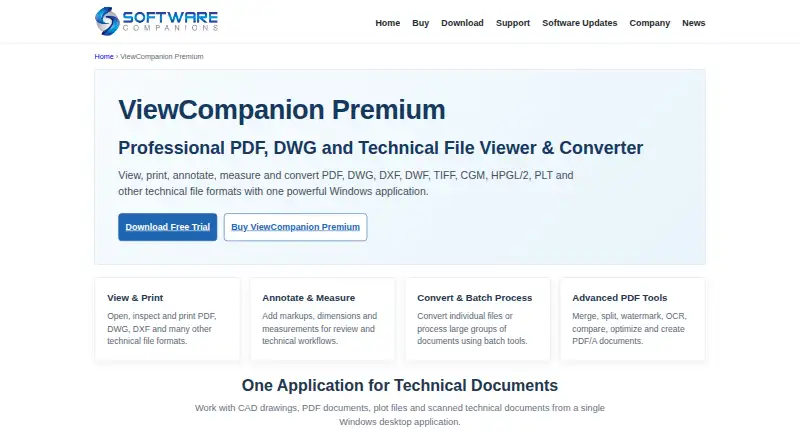
ViewCompanion Premium is a Windows application for viewing, printing, annotating, measuring, comparing, and converting technical documents.
What ViewCompanion Premium is
ViewCompanion Premium is a Windows application for viewing, printing, annotating, measuring, comparing, and converting technical documents. It handles PDF, CAD, plot, raster, and other formats, including AutoCAD DWG files without AutoCAD installed; support is listed from DWG R12 through AutoCAD 2027. PDF tools cover merging, splitting, watermarking, OCR, PDF/A conversion, page extraction, optimization, and revision comparison. Batch conversion and printing can be combined with folder monitoring for automatic processing. Measurements can snap to drawing geometry, use calibrated scale, and export to Excel XLSX or CSV. Annotations remain in separate markup files, leaving originals unchanged, and can be included in output. Processing is local, and core tools can work offline. Perpetual licenses need no online activation and include one year of maintenance. The 30-day trial is fully functional except for text watermarks on printed and converted files.
Good
- Opens DWG without AutoCAD installed
- Broad PDF editing and comparison tools
- Batch processing and folder monitoring
- Measurements export to XLSX or CSV
- Perpetual license with no online activation
Watch out
- Windows-only application
- No free plan
- Trial output carries text watermarks
- Maintenance renewal is needed for updates
Who it suits
ViewCompanion Premium suits organizations needing one Windows tool for technical-document viewing, conversion, measurement, and markup. It is relevant when local or offline processing matters.
Verdict
ViewCompanion Premium covers technical-document workflows from viewing through measurement and conversion, with local processing and perpetual licensing. The trial watermark and ongoing maintenance terms should be considered before purchase.
Plans and prices
From ViewCompanion Premium's own pricing page, checked 9 Oct 2026.
| Plan | Price | What it gives you |
|---|---|---|
| ViewCompanion Premium — 60+ licenses | $41.80, paid once | 60+ licenses · volume pricing · Perpetual license per license; one year of Software Maintenance included |
| ViewCompanion Premium — 50–59 licenses | $41.80, paid once | 50–59 licenses · volume pricing · Perpetual license per license; one year of Software Maintenance included |
| ViewCompanion Premium — 40–49 licenses | $45.20, paid once | 40–49 licenses · volume pricing · Perpetual license per license; one year of Software Maintenance included |
| ViewCompanion Premium — 30–39 licenses | $49.40, paid once | 30–39 licenses · volume pricing · Perpetual license per license; one year of Software Maintenance included |
| ViewCompanion Premium — 20–29 licenses | $53.20, paid once | 20–29 licenses · volume pricing · Perpetual license per license; one year of Software Maintenance included |
| ViewCompanion Premium — 10–19 licenses | $57, paid once | 10–19 licenses · volume pricing · Perpetual license per license; one year of Software Maintenance included |
| ViewCompanion Premium — 2–9 licenses | $60.80, paid once | 2–9 licenses · volume pricing · Perpetual license per license; one year of Software Maintenance included |
| ViewCompanion Premium — 1 license | $76, paid once | 1 license · updates, upgrades, and technical support during maintenance · Perpetual license; one year of Software Maintenance included |
The facts
Each one read from ViewCompanion Premium's own pages, with the date it was checked.
What it does
- Annotations
- Annotations are stored in a separate markup file, leaving the original document unchanged, and can be included in printing or conversion.checked 9 Oct 2026
- Batch automation
- Batch conversion and printing are available, and folder monitoring can automatically process incoming files using predefined settings.checked 9 Oct 2026
- CAD support
- It opens and converts AutoCAD DWG files without AutoCAD installed, with support listed for DWG versions R12 through AutoCAD 2027.checked 9 Oct 2026
- Intended users
- The maker describes Premium as useful for organizations that need a single tool to view, print, convert, and process technical documents and PDF files.checked 9 Oct 2026
- LibreOffice integration
- With LibreOffice installed separately, ViewCompanion can convert supported office documents such as Word, Excel, and PowerPoint files to PDF, including in batch workflows.checked 9 Oct 2026
- License and activation
- Licenses are perpetual, require no online activation, and include one year of maintenance; renewal is optional, but without it the user no longer receives updates, priority support, security fixes, or future Windows compatibility updates.checked 9 Oct 2026
- Local processing
- The Windows application processes supported documents locally without uploading them to a cloud conversion service, and its core tools can work without an internet connection.checked 9 Oct 2026
- Measurement and takeoff
- Measurements can snap to drawing geometry, be calibrated to scale, and be exported to Excel XLSX or CSV.checked 9 Oct 2026
- PDF tools
- PDF features include merging, splitting, watermarking, OCR, PDF/A conversion, page extraction, optimization, and revision comparison.checked 9 Oct 2026
- Purpose
- ViewCompanion Premium views, prints, annotates, measures, compares, and converts PDF, CAD, plot, raster, and other technical document formats.checked 9 Oct 2026
- Security behavior
- The maker states that ViewCompanion does not execute JavaScript embedded in PDF documents and does not require users to sign in to a hosted viewing platform.checked 9 Oct 2026
- Support
- Technical support is provided primarily through email and an online support forum; new licenses include one year of maintenance with technical support.checked 9 Oct 2026
The company
- Founded
- 1997checked 28 Sep 2026
- Headquarters
- Oslo, Norwaychecked 28 Sep 2026
Money
- Trial limitation
- The 30-day trial is fully functional except for a text watermark on printed pages and converted files.checked 9 Oct 2026
Alternatives to ViewCompanion Premium
- 1
ShareCAD
Free planAndroidiOSWebLinux8.0From $49 a month - 2

CAD Reader
Free planAndroidiOSmacOSWindows7.9From $45 a year - 3
CADViewer
AndroidiOSWebAPI7.6From $2,444 a year - 4
DWG FastView
AndroidiOSWebAPI7.6From $47.99 a year - 5

DWGSee
AndroidiOSWebAPI7.6$69 one-time - 6
Glovius
AndroidiOSWebWindows7.6From $299 a year