Video Hub App
Video Hub App helps organize video collections on Windows, macOS, and Linux.
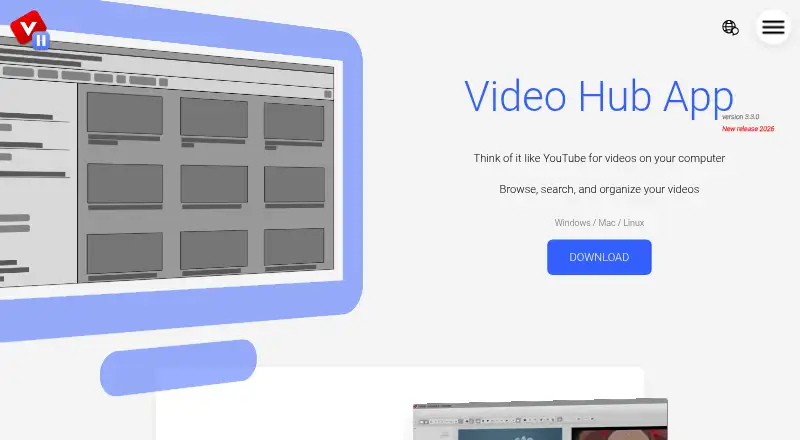
What Video Hub App is
Video Hub App helps organize video collections on Windows, macOS, and Linux. Choose folders on a computer, external hard drive, or network drive, then browse as the app generates thumbnails, screenshots, and preview clips. Search can use folder names, file names, tags, fuzzy matching, or regular expressions. Users can add tags, ratings, and descriptions, rename files, find duplicates, and create playlists from search results. The FAQ lists support for formats including AVI, FLV, MKV, MOV, MP4, WebM, and WMV. Video files remain unchanged; the app stores a hub database file and screenshots in a companion folder. A local server enables phone or tablet access, but while it runs, anyone on the same Wi-Fi with its address can view hub screenshots. A free demo allows 50 videos per hub. Unlimited costs $10, paid once and includes unlimited videos and free updates for a year. A portable version is available.
Good
- Search supports tags, fuzzy matching, and regular expressions.
- Can find duplicates and create playlists from search results.
- Video files remain unchanged.
- Available for Windows, macOS, and Linux.
Watch out
- Free demo is limited to 50 videos per hub.
- Anyone on the same Wi-Fi with the server address can view screenshots.
Who it suits
It suits people who want to browse and organize video collections stored across local, external, or network folders. The local server may be useful for phone or tablet access, with the same-Wi-Fi screenshot visibility in mind.
Verdict
Video Hub App provides collection search, previews, and organization tools while keeping video files unchanged. The free demo is capped at 50 videos per hub; unlimited use costs $10, paid once.
Plans and prices
From Video Hub App's own pricing page, checked 9 Oct 2026.
| Plan | Price | What it gives you |
|---|---|---|
| Free demo | Free | 50 videos per hub · Windows, Mac, and Linux downloads |
| Unlimited | $10, paid once | Unlimited videos · Free updates for a year · PC, Mac, & Linux versions · Buy once, own forever |
The facts
Each one read from Video Hub App's own pages, with the date it was checked.
What it does
- File handling
- The FAQ says video files remain unchanged and the app takes screenshots for previews.checked 9 Oct 2026
- Organization
- Users can add tags, ratings, and descriptions, rename files, find duplicates, and create playlists from search results.checked 9 Oct 2026
- Payments
- The download page says payments are processed by Stripe and download links are emailed after purchase.checked 9 Oct 2026
- Previews
- The app generates thumbnails, screenshots, and preview clips to help users browse videos.checked 9 Oct 2026
- Privacy
- The FAQ says the app never sends data out and that information stays private on the user's computer.checked 9 Oct 2026
- Purpose
- Video Hub App lets users browse, search, sort, and organize their video collections on their computer.checked 9 Oct 2026
- Remote control
- The app can run a local server for phone or tablet access; while it is running, anyone on the same Wi-Fi with the address can see hub screenshots.checked 9 Oct 2026
- Search
- Users can search by folder name, file name, tags, fuzzy search, and regular expressions.checked 9 Oct 2026
- Setup
- Users can select folders from their computer, an external hard drive, or a network drive, and begin browsing while screenshots are generated.checked 9 Oct 2026
- Storage
- The app creates a hub database file and stores screenshots in a companion folder.checked 9 Oct 2026
- Supported formats
- The FAQ lists video formats including AVI, FLV, MKV, MOV, MP4, WebM, and WMV.checked 9 Oct 2026
- Video editor
- The home page lists dragging a video into a video editor as a feature.checked 9 Oct 2026
The company
- Maker
- The about page identifies Boris Yakubchik as the creator and says he built the app with Electron and Angular.checked 9 Oct 2026
Alternatives to Video Hub App
- 1

Infuse
Free planiOSmacOS7.4From $16.99 a year - 2
RealPlayer
Free planAndroidiOSmacOSWindows7.4From $4.99 a month - 3
ALLPlayer
Free planAndroidiOSWindows7.1$1.40 one-time - 4
mpv
Free planAndroidAPILinuxmacOS7.1Free plan - 5
Flowplayer
AndroidiOSWebAPI7.0$99 one-time - 6
Dragon Player
Free planOpen sourceLinux6.9Free plan