VerseCAST
VerseCAST uses a phone to send Bible passages, lyrics, media, and other material to a Smart TV or projector.
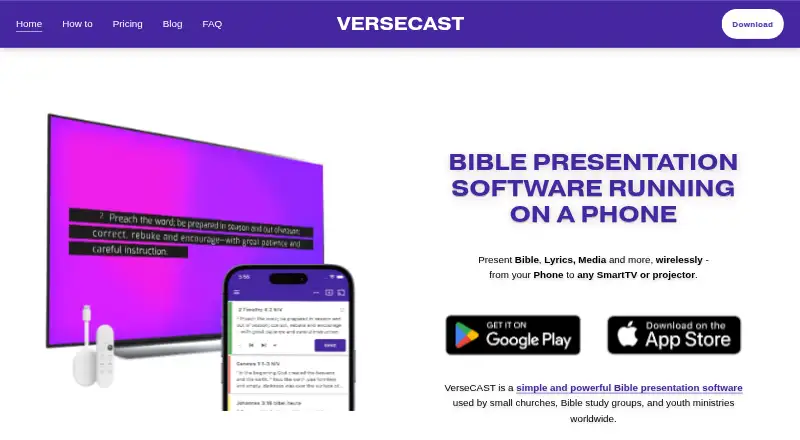
What VerseCAST is
VerseCAST uses a phone to send Bible passages, lyrics, media, and other material to a Smart TV or projector. It is available on Android, iOS, and the web, and is presented for small churches, Bible study groups, and youth ministries. Users can share verses from YouVersion; the maker says those Bibles are available at no added charge. Song options include searching a lyrics library, importing .chordpro files, and bringing in sets from OnSong or SongbookPRO. Displays can connect through Google Cast or a web page, and the app can provide multiple output URLs. For streaming, it offers lower-third subtitles for OBS and vMix and a chroma output for hardware such as ATEM. Templates adjust text size and render at native display resolution up to 4K. VerseCAST requires WiFi with internet access for Chromecast or browser displays and does not work offline. The free plan includes Bible presentation, while demo use has slide-count and feature limits.
Good
- Share YouVersion verses at no added charge.
- Search lyrics and import .chordpro files.
- Import song sets from OnSong or SongbookPRO.
- Connect to Google Cast or browser-based displays.
- Templates render at native resolution up to 4K.
Watch out
- Does not work offline.
- Display setup requires WiFi with internet access.
- Free demo access limits slides and functionality.
- Monthly subscription renews automatically unless canceled.
Who it suits
VerseCAST suits small churches, Bible study groups, and youth ministries that want to present scripture, lyrics, or media on a shared display. Streaming subtitles and multiple output URLs may also suit groups using OBS, vMix, or supported hardware streamers.
Verdict
VerseCAST combines scripture, lyrics, media, and stream display options for group presentations. Its internet requirement and demo limits are worth considering before choosing a plan.
Plans and prices
From VerseCAST's own pricing page, checked 30 Sep 2026.
| Plan | Price | What it gives you |
|---|---|---|
| Free | Free | Bible presentation is free; demo limits slide count and functionality |
| Monthly | $3.49 a month | Removes usage limits and watermarks on Lyrics, Announcements and Timers · Automatic verse summary · Themes extra · Stream displays extra · billed monthly |
| Yearly | $24.99 a year | Same as monthly subscription · Basic Theme pack included · billed yearly |
| Perpetual | $49.99, paid once | Limited offer · Includes all current and future features that are otherwise extra · All Themes pack and Stream displays included · one time purchase |
The facts
Each one read from VerseCAST's own pages, with the date it was checked.
What it does
- Audience
- The maker describes it as a tool for small churches, Bible study groups, and youth ministries.checked 30 Sep 2026
- Bible content
- Users can share Bible verses from YouVersion to VerseCAST, and the maker says YouVersion Bibles are available without additional charge.checked 30 Sep 2026
- Display support
- VerseCAST connects to Google Cast displays or displays that can open a web page, with multiple output URLs available in the app.checked 30 Sep 2026
- Internet requirement
- VerseCAST does not work offline; its Chromecast or browser display setup requires WiFi with internet access.checked 30 Sep 2026
- Presentation features
- The maker says its template engine adjusts text size and renders presentations at native display resolution up to 4K.checked 30 Sep 2026
- Pricing limits
- The maker says monthly and yearly subscriptions renew automatically but can be canceled any time, and demo access limits slide count and functionality.checked 30 Sep 2026
- Purpose
- VerseCAST runs on a phone and presents Bible passages, lyrics, media, and other content wirelessly on a Smart TV or projector.checked 30 Sep 2026
- Song tools
- The app supports a searchable lyrics library, .chordpro imports, and song set imports from OnSong or SongbookPRO.checked 30 Sep 2026
- Streaming integrations
- The maker describes lower-third stream subtitles for OBS and vMix, plus a chroma version for hardware streamers such as ATEM.checked 30 Sep 2026
- Support
- The FAQ directs users to [email protected], and the main site lists [email protected] for questions.checked 30 Sep 2026
The company
- Maker mission
- The FAQ says VerseCAST aims to provide simple, inexpensive presentation software for volunteer-run churches with fewer than 100 attendees.checked 30 Sep 2026
Alternatives to VerseCAST
- 1
Holyrics
Free planAndroidiOSWebAPI8.1From $2 a month - 2
SongShow Plus
Free planAndroidiOSWebWindows7.4From $180 a year - 3
MakeChurchEasy
Free planAndroidiOSmacOSWindows7.1From $7 a month - 4

WorshipTools Presenter
Free planAndroidiOSLinuxmacOS7.1Free plan - 5

OpenLP
Free planAndroidiOSWebLinux7.0Free plan - 6

DisplayWord
Free planWebmacOSWindows6.9From $24 a month