V-Ray Benchmark
V-Ray Benchmark measures how quickly a system renders using CPUs, NVIDIA GPUs, or both.
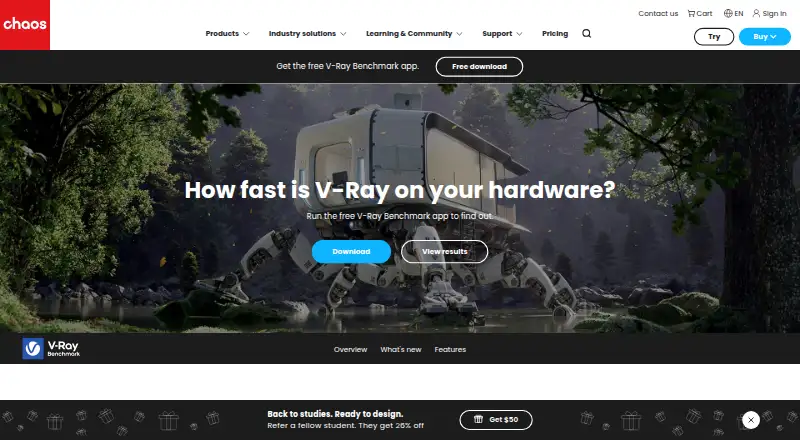
What V-Ray Benchmark is
V-Ray Benchmark measures how quickly a system renders using CPUs, NVIDIA GPUs, or both. Its benchmark scene evaluates RTX and CUDA-based V-Ray 6 render engines, and the app can compare RTX and CUDA GPU modes. CUDA testing can use the CPU and GPU together. Tests take about a minute and can be looped for longer runs. A scoring method lets users compare system configurations with other results; users can save, view, and share scores and compare them with entries in the database. Side-by-side comparisons support up to three configurations. Result details can include core count, clock speed, and hyper threading, and results can be filtered by device and hardware details. The mobile version of benchmark.chaos.com can be used to browse or share results, and V-Ray 5 Benchmark results remain accessible. V-Ray 6 Benchmark supports Apple silicon. The free standalone app tests CPU and NVIDIA GPU rendering and supports online result comparison. Listed platforms are Windows, Linux, macOS, and web.
Good
- Measures CPU and NVIDIA GPU rendering.
- Compares RTX and CUDA GPU modes.
- CUDA can use CPU and GPU together.
- Supports Apple silicon chips.
- Side-by-side comparisons cover up to three configurations.
Watch out
- Side-by-side comparison is limited to three configurations.
- Benchmark focuses on rendering performance tests.
- Listed operating-system details are incomplete for CentOS.
Who it suits
It suits people comparing system performance on CPU, NVIDIA GPU, or hybrid rendering workloads. Its database and sharing tools may help users review scores across configurations.
Verdict
V-Ray Benchmark is focused on measuring and comparing rendering speed rather than general-purpose rendering. Its short tests, online result database, and score sharing provide several ways to compare configurations.
Plans and prices
From V-Ray Benchmark's own pricing page, checked 19 Sep 2026.
| Plan | Price | What it gives you |
|---|---|---|
| Free | Free | Standalone benchmark application · CPU and GPU rendering tests · Online result comparison |
| V-Ray Benchmark | Free | Free benchmark app · tests CPU and NVIDIA GPU rendering |
The facts
Each one read from V-Ray Benchmark's own pages, with the date it was checked.
Where it runs
- Apple silicon
- V-Ray 6 Benchmark supports Apple silicon chips.checked 11 Oct 2026
What it does
- Benchmark engines
- Its benchmark scene evaluates and compares the RTX and CUDA based V-Ray 6 render engines.checked 11 Oct 2026
- Compare performance
- A scoring method lets users compare system configurations with other results.checked 11 Oct 2026
- Comparison limit
- Side by side comparison supports up to three configurations at once.checked 11 Oct 2026
- Downloads
- The download page lists V-Ray 6 Benchmark and shows a release date of July 2, 2025 for its download entries.checked 11 Oct 2026
- GPU modes
- The app can compare RTX and CUDA GPU rendering modes.checked 11 Oct 2026
- Hybrid rendering
- The CUDA engine can use the CPU and GPU at the same time.checked 11 Oct 2026
- Older results
- V-Ray 5 Benchmark results remain accessible.checked 11 Oct 2026
- Purpose
- V-Ray Benchmark measures how fast a system renders using CPUs, NVIDIA GPUs, or both.checked 11 Oct 2026
- Result details
- Result details can include core count, clock speed, and hyper threading.checked 11 Oct 2026
- Search and mobile
- Users can filter results by device and hardware details, and browse or share results using the mobile version of benchmark.chaos.com.checked 11 Oct 2026
- Security and compliance
- Chaos says genuine software receives regular security updates and patches and is covered by its EULA.checked 11 Oct 2026
- Share results
- Users can save, view, and share scores and compare them with results in the database.checked 11 Oct 2026
- Sign in
- Users can sign in with a Chaos, Trimble, or Google account.checked 11 Oct 2026
- Test duration
- Tests take about a minute, and users can loop them for longer runs.checked 11 Oct 2026
The company
- Company
- Chaos says it is headquartered in Karlsruhe, Germany, and develops technology for architecture, engineering, construction, product design, manufacturing, and media and entertainment.checked 11 Oct 2026
- Founded
- 1997checked 28 Sep 2026
- Headquarters
- Karlsruhe, Germanychecked 28 Sep 2026
The full review of V-Ray Benchmark
Overview
V-Ray Benchmark is a free utility for measuring rendering speed on CPUs, NVIDIA GPUs, or both. It suits artists, technical directors, system builders, and anyone selecting hardware for V-Ray workloads. The bottom line is a focused comparison tool rather than an application for creating or finishing 3D scenes.
Key features
The benchmark scene runs V-Ray 6's CUDA and RTX engines, so results reflect two distinct NVIDIA GPU rendering paths as well as CPU performance. A normal run takes about a minute, which is convenient for checking a new configuration or comparing settings quickly. You can loop the test for longer runs when a single short pass is not enough for your comparison.
CUDA testing can use the CPU and GPU together. That hybrid mode is useful when a workstation's combined resources matter, while separate CPU and GPU modes help isolate which component is responsible for a result. V-Ray 6 Benchmark also supports Apple silicon, making the same benchmark relevant to current Macs as well as conventional Windows and Linux workstations.
Scores can be saved, viewed, and shared, then matched against entries in the online result database. Side-by-side viewing is limited to three configurations, so larger shortlists require several comparison rounds. Device and hardware filters make the database more practical by narrowing results to relevant systems. A result can include core count, clock speed, and hyper-threading information, giving a score more context than a number alone.
The mobile version of benchmark.chaos.com supports browsing and sharing results away from the desktop. V-Ray 5 Benchmark results remain accessible, which helps when older machines or historical measurements are still part of a purchasing decision. Sign-in works with a Chaos, Trimble, or Google account. Export to a text log or image provides a simple record for reports, support tickets, or build documentation.
Pricing
V-Ray Benchmark is free, with no paid tier and no separate free trial. The Free plan costs free and includes the standalone benchmark application, CPU and GPU rendering tests, and online result comparison. The V-Ray Benchmark plan also costs free and covers the free benchmark app with CPU and NVIDIA GPU tests.
There are no seat charges, renewal terms, or usage quotas attached to either listed plan. This makes it appropriate for individual buyers, studios comparing workstations, and educators who need repeatable measurements without allocating software budget. The trade-off is scope: the plans provide benchmarking, not a general-purpose V-Ray production license or a scene-creation workflow.
Platforms
V-Ray Benchmark supports Windows, Linux, macOS, and the web result service. The Windows requirement is Windows 8 or later; Linux support includes Red Hat Enterprise Linux 7.2 WS and later and CentOS 7 and later. The downloadable V-Ray 6 Benchmark entries show a July 2, 2025 release date. Results and sharing are available through benchmark.chaos.com, including its mobile experience.
Who it's for
Choose it when rendering speed is the decision you need to make: comparing CPUs, NVIDIA GPUs, hybrid CUDA configurations, RTX capability, or Apple silicon systems. It is especially useful before a workstation purchase, during a hardware refresh, or when documenting a configuration for a V-Ray-focused pipeline.
Look elsewhere if you need to model, animate, shade, or render production scenes. This utility measures a defined workload; it does not replace a 3D creation suite or a full renderer.
Pros and cons
Pros
- Free testing: both listed plans cost 0.00 USD, so repeated comparisons carry no license expense.
- Multiple rendering modes: CPU, NVIDIA GPU, RTX, CUDA, and CPU/GPU hybrid measurements reveal different hardware trade-offs.
- Useful result context: searchable scores can include core count, clock speed, and hyper-threading, with text-log and image export.
- Broad device coverage: Windows, Linux, macOS, and Apple silicon support accommodate mixed hardware fleets.
Cons
- Three-way comparison ceiling: only three configurations can be displayed side by side at once.
- Narrow purpose: it benchmarks rendering speed but offers no general 3D production tools.
- NVIDIA emphasis: GPU workloads are centered on NVIDIA CUDA and RTX engines, limiting relevance for non-NVIDIA GPU decisions.
Alternatives
Houdini is the better choice when you need a full procedural 3D application rather than a benchmark, although its commercial workstation licensing is paid.
Terragen suits users seeking a landscape-focused rendering application with a free plan and a paid Indie tier.
Marmoset Viewer is a viewer option for presenting 3D assets across desktop, web, and mobile platforms.
Mitsuba 3 is preferable for users wanting a free, Python-based renderer with optional NVIDIA GPU support.
Bforartists is a free and open-source 3D creation suite, not a dedicated performance benchmark.
LuxCoreRender is a free renderer for private and commercial use when rendering itself, rather than standardized scoring, is the priority.
RenderMan fits non-commercial rendering workflows with a free plan and time-limited licenses.
Thea Render is worth considering when you need a production renderer with free node licensing alongside its integrations.
For broader software discovery, browse 3D Rendering Software and PC Benchmark Software.
Verdict
V-Ray Benchmark is the right pick for anyone who needs a free, repeatable way to compare CPU, NVIDIA GPU, RTX, CUDA, and hybrid rendering performance, with database-backed scores and simple exports. Choose another tool when your goal is creating or rendering finished 3D content, or when your hardware decisions center on non-NVIDIA GPU workloads.
Alternatives to V-Ray Benchmark
- 1

D5 Render
Free planWebWindows7.6From $360 a year - 2
Terragen
Free planAPILinuxmacOSWindows7.6From $96 a year - 3
LuxCoreRender
Free planOpen sourceAPIExtensionLinuxmacOS7.3Free plan - 4
Picogen
Free planOpen sourceLinuxWindows7.2Free plan - 5
Twinmotion
Free planWebmacOSWindows7.0From $445 a year - 6
KeyShot
WebAPIExtensionLinux6.9