UpdateHub
UpdateHub is a free Windows application for finding updates to installed software, applications, and the operating system.
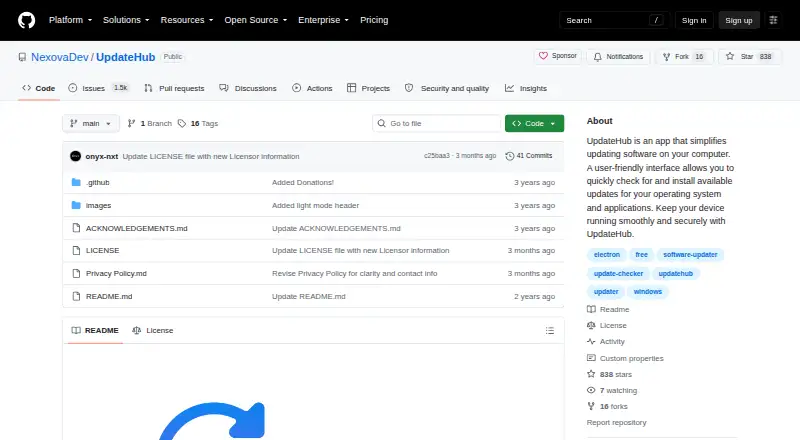
What UpdateHub is
UpdateHub is a free Windows application for finding updates to installed software, applications, and the operating system. It displays version numbers and release notes so users can review changes and choose which updates to install. The app also updates Microsoft Store apps. Its rollback function can restore the previous version after an update. The project README says downloads come from trusted official sources and are scanned by Windows Defender, which verifies each app’s security hash. The privacy policy says UpdateHub does not collect personally identifiable information. For diagnostics, it may log the operating system, app version, WinGet and other dependency versions, and error information on its server; those logs are periodically discarded. Requirements include 64-bit Windows 10 version 1809 (17763) or later, 250 MB of disk space, WinGet 1.4.11071 or later, and PowerShell 5.1 or later. macOS and Linux are not currently supported. A free download is linked from GitHub.
Good
- Completely free Windows application
- Shows versions and release notes
- Can update Microsoft Store apps
- Includes update rollback
- Downloads are scanned by Windows Defender
Watch out
- Windows only
- Requires WinGet 1.4.11071 or later
- Requires PowerShell 5.1 or later
- Diagnostic logs may be sent to a server
Who it suits
It suits Windows users who want to review software, Store, and operating-system updates before installing them. Users who need rollback and release-note details may find those controls useful.
Verdict
UpdateHub provides update selection, release details, and rollback for supported Windows systems. It is free, but macOS and Linux support are not currently available.
Plans and prices
From UpdateHub's own pricing page, checked 9 Oct 2026.
| Plan | Price | What it gives you |
|---|---|---|
| Free | Free | Completely free · Windows 10 1809 (17763) 64-bit or later · 250 MB available disk space · WinGet v1.4.11071 or later · PowerShell 5.1 or later |
The facts
Each one read from UpdateHub's own pages, with the date it was checked.
What it does
- Diagnostics
- For diagnostics, the policy says the app may log the operating system, app version, WinGet and other dependency versions, and error information on its server, and that logs are periodically discarded.checked 9 Oct 2026
- Download
- The README links to a free download.checked 9 Oct 2026
- Latest release
- The opened release page identifies version 2.4.1 and includes a SHA-256 hash for its installer.checked 9 Oct 2026
- Privacy
- The privacy policy says UpdateHub does not collect personally identifiable information.checked 9 Oct 2026
- Purpose
- UpdateHub helps users check for updates to installed software, operating systems, and applications, then choose which updates to install.checked 9 Oct 2026
- Rollback
- The app includes a rollback function to revert to the previous version after an update.checked 9 Oct 2026
- Security
- The README says downloads come from trusted official sources and are scanned by Windows Defender, which also verifies each app's security hash.checked 9 Oct 2026
- Support contact
- The privacy policy lists [email protected] for questions about the policy or app privacy practices.checked 9 Oct 2026
- Update details
- UpdateHub provides release notes and version numbers for updates.checked 9 Oct 2026
Where it runs
- Microsoft Store and OS updates
- The app can update Microsoft Store apps and the operating system.checked 9 Oct 2026
- Platform availability
- The README says macOS and Linux are not currently supported and that support is planned for later updates.checked 9 Oct 2026
- Windows requirements
- The listed minimum requirements include Windows 10 version 1809 (17763) 64-bit or later, 250 MB of disk space, WinGet 1.4.11071 or later, and PowerShell 5.1 or later.checked 9 Oct 2026
Alternatives to UpdateHub
- 1

Patch My PC
Free planWebmacOSSelf-hostedWindows7.7From $3.50 a year - 2

Version Tracker
Free planmacOS6.6€4,990 one-time - 3

Glarysoft Software Update
Free planWindows6.5From $12.95 a year - 4

UCheck
Free planWindows6.5From $12 a year - 5
RuckZuck
Free planAPISelf-hostedWindows6.3Free plan - 6

UniGetUI
Free planLinuxmacOSWindows6.2Free plan