Trix DrawingCenter
Trix DrawingCenter 7 is a Windows viewer for reviewing CAD drawings and other documents without having CAD software.
What Trix DrawingCenter is
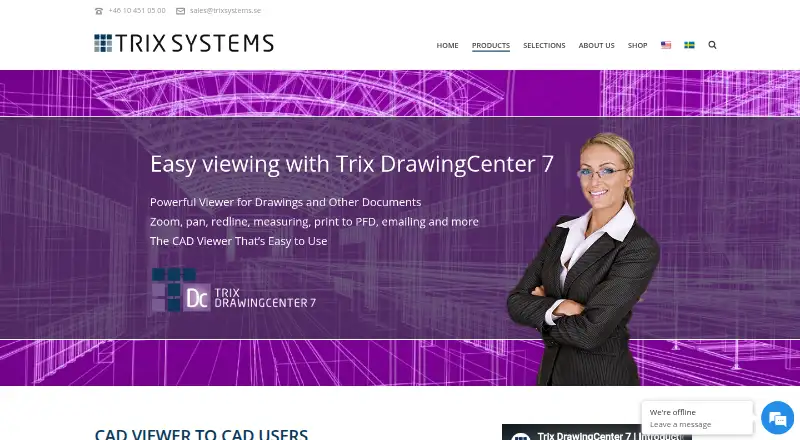
Trix DrawingCenter 7 is a Windows viewer for reviewing CAD drawings and other documents without having CAD software. It opens 2D and 3D documents, with tools to pan, shade, remove hidden lines, and change 3D tracks. Reviewers can add text, lines, boxes, or cloud markups, compare two document versions, and measure lengths or surfaces, including calculating total area. The software can print drawings and convert AutoCAD and plot files to PDF with labels, custom watermarks, or headers. Supported formats include AutoCAD R12–2021, DWG, DXF, DWF, DGN, HPGL (PLT), PDF/A, and more than 100 raster formats. It requires Windows 10 or later and supports 32-bit and 64-bit systems. Licensing requires a key and uses the internet. License options include Single User, Named User, and System licenses for large-volume customers, which require a written agreement and annual follow-up. The product page offers demo and license request forms, but no price is displayed.
Good
- Opens 2D and 3D documents.
- Compares two document versions automatically.
- Measures lengths, surfaces, and total area.
- Supports DWG, DXF, and many other formats.
- Can convert drawings to labeled PDFs.
Watch out
- Requires Windows 10 or later.
- A license key and internet are required for licensing.
- No price or trial duration is stated.
- System licenses require an agreement and annual follow-up.
Who it suits
It may suit Windows users who need to review, measure, annotate, compare, or print CAD files without CAD software. Teams considering it should account for its license-key requirement and request pricing.
Verdict
DrawingCenter combines viewing with markup, comparison, measurement, and PDF output. Its extensive format support may be useful, but buyers need to request a license and pricing details.
The facts
Each one read from Trix DrawingCenter's own pages, with the date it was checked.
What it does
- 3D documents
- It can open 2D and 3D documents, pan, remove hidden lines, shade, and change 3D tracks.checked 9 Oct 2026
- 3D viewing
- It opens 2D and 3D documents and supports panning, hidden-line removal, shading, and changing 3D tracks.checked 9 Oct 2026
- Demo and purchase
- The product page offers a demo request and a buy-license request form, but does not state a price or trial duration.checked 9 Oct 2026
- Drawing comparison
- It can compare two document versions and show differences automatically.checked 9 Oct 2026
- File formats
- The product supports AutoCAD R12–2021, DWG, DXF, DWF, DGN, HPGL (PLT), PDF/A, and more than 100 raster formats, including TIFF, BMP, GIF, JPEG, CALS, and JEDMICS C4.checked 9 Oct 2026
- File support
- The product page lists AutoCAD R12–2021, DWG, DXF, DWF, DGN, HPGL (PLT), PDF/A, and more than 100 raster formats, including TIFF, BMP, GIF, JPEG, CALS, and JEDMICS C4.checked 9 Oct 2026
- License activation
- The product page says the internet is used for licensing and a license key is required to access the product.checked 9 Oct 2026
- License management
- Trix Systems License Manager shows available and used licenses and allows administrators to redistribute licenses or add license codes.checked 9 Oct 2026
- License types
- The listed license types are single-computer Single User, registered-user Named User, and System licenses intended for large-volume customers that require a written agreement and annual follow-up.checked 9 Oct 2026
- Licensing
- The maker describes Single User, Named User, and System license types; System licenses require a written agreement and annual follow-up and are intended for large-volume customers.checked 9 Oct 2026
- Measurements
- It can measure lengths and surfaces and calculate the sum of areas.checked 9 Oct 2026
- Operating system
- The stated system requirement is Windows 10 or later, with 32-bit and 64-bit support.checked 9 Oct 2026
- Printing and PDF
- It can print drawings and convert AutoCAD and plot files to PDF with labels, custom watermarks, or headers.checked 9 Oct 2026
- Product
- Trix DrawingCenter 7 is a drawing and document viewer for people who need to review CAD files without having CAD software.checked 9 Oct 2026
- Purpose
- Trix DrawingCenter 7 is a drawing and document viewer for people who need to review CAD files without having their own CAD software.checked 9 Oct 2026
- Review and markup
- It supports annotating drawings with text, lines, boxes, or clouds to share instructions, revisions, and feedback.checked 9 Oct 2026
- Support contact
- The vendor site lists +46 10 451 05 00 and [email protected] as contact details.checked 9 Oct 2026
- System requirements
- The listed requirement is Windows 10 or later, with 32-bit and 64-bit support.checked 9 Oct 2026
Money
- Availability and price
- The product page offers demo and license request forms, while the vendor shop says it is still in the works; neither page displays a price.checked 9 Oct 2026
The company
- Company
- Trix Systems AB develops software for image processing and document and drawing management.checked 9 Oct 2026
- Company history
- The vendor history says Trix Systems AB was founded in 1989 by Per Hillerström and Jörgen Frilander.checked 9 Oct 2026
- Founded
- Trix Systems AB was founded in 1989.checked 9 Oct 2026
- Headquarters
- The vendor lists its Gothenburg office at Kungsportsavenyn 21, S-411 36 Göteborg, Sweden.checked 9 Oct 2026
- Maker
- Trix Systems AB develops products for image processing and document and drawing management.checked 9 Oct 2026
Alternatives to Trix DrawingCenter
- 1
ShareCAD
Free planAndroidiOSWebLinux8.0From $49 a month - 2

CAD Reader
Free planAndroidiOSmacOSWindows7.9From $45 a year - 3
CADViewer
AndroidiOSWebAPI7.6From $2,444 a year - 4
DWG FastView
AndroidiOSWebAPI7.6From $47.99 a year - 5

DWGSee
AndroidiOSWebAPI7.6$69 one-time - 6
Glovius
AndroidiOSWebWindows7.6From $299 a year