TinyMCE
TinyMCE is a WYSIWYG HTML editor that developers can add to an application.
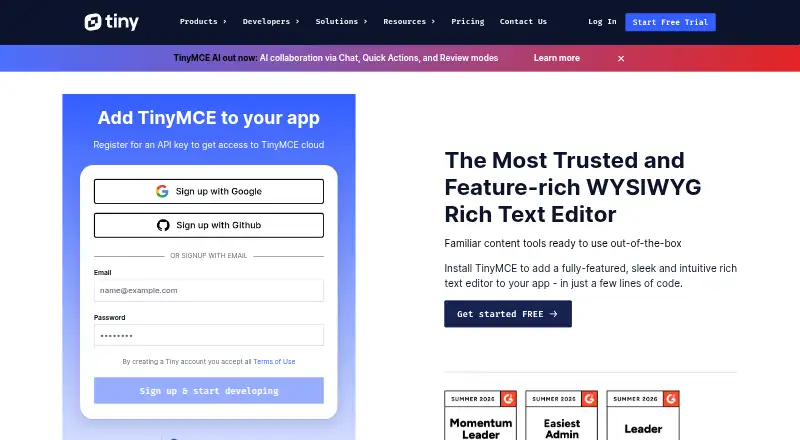
What TinyMCE is
TinyMCE is a WYSIWYG HTML editor that developers can add to an application. It supports editing text, links, images, media, tables, lists, and code samples, along with tools such as search and replace, word count, preview, autosave, fullscreen, and autoresizing. Deployment can use Tiny Cloud or a self-hosted installation, including a local script path. Listed integrations span frameworks and platforms including React, Angular, Vue.js, Blazor, Svelte, jQuery, Django, Laravel, Ruby on Rails, and Bootstrap. Paid plans add document options such as Markdown, page and media embeds, and organization tools. Comments are listed for Professional and Enterprise; mentions are included from Essential upward. The free options include a cloud plan and an Open Source self-hosted plan. Keep in mind that usage beyond a plan’s editor-load allowance costs $40 per additional 1,000 loads, and Tiny advises server-side filtering of editor content; SVGs are unsupported.
Good
- Supports text, media, tables, lists, and code samples
- Offers cloud and self-hosted deployment
- Lists integrations across multiple frameworks
- Includes a 14-day advanced-feature trial
- Free plans are available
Watch out
- SVGs are unsupported
- Client-side filtering can be bypassed
- Extra editor loads cost $40 per 1,000
Who it suits
TinyMCE suits developers adding rich text editing to an application, including those who want a cloud-hosted or self-hosted deployment. Teams needing comments, mentions, or document tools can consider the paid plans.
Verdict
TinyMCE provides a broad set of editing and productivity features with both hosted and self-hosted options. Check editor-load limits and content-filtering requirements when choosing a plan or deployment.
Plans and prices
From TinyMCE's own pricing page, checked 30 Sep 2026.
| Plan | Price | What it gives you |
|---|---|---|
| Free | Free | 1,000 editor loads per month (then $40 per 1,000 loads) · cloud-hosted · one domain plus subdomains |
| Open Source | Free | GPL2+ license · self-hosted · access to 12 integrations · manual updates required |
| Essential | $79 | 5,000 editor loads per month (then $40 per 1,000 loads) · cloud-hosted · one domain plus subdomains · per month paid annually |
| Professional | $145 | 20,000 editor loads per month (then $40 per 1,000 loads) · cloud-hosted · one domain plus subdomains · per month paid annually |
| Enterprise | Priced on request | Custom editor loads · cloud or self-hosted · multiple domains · dedicated support · Let’s talk |
The facts
Each one read from TinyMCE's own pages, with the date it was checked.
What it does
- Collaboration
- The Professional and Enterprise plans list comments, while mentions are listed for Essential, Professional, and Enterprise.checked 30 Sep 2026
- Deployment
- TinyMCE can be loaded from Tiny Cloud or self-hosted, including from a local script path.checked 30 Sep 2026
- Document features
- Paid plans list options including Markdown, page embeds, enhanced media embeds, and document organization tools.checked 30 Sep 2026
- Editing features
- Core editing features include basic font formatting, media, links, images, tables, lists, and code samples.checked 30 Sep 2026
- Integrations
- The installation guide lists integrations for React, Angular, Vue.js, Blazor, Svelte, web components, jQuery, Django, Laravel, Ruby on Rails, and Bootstrap.checked 30 Sep 2026
- Intended users
- The pricing page describes Essential as for developers expanding an application’s capabilities and usage, and Professional as for teams seeking enhanced user experience and compliance capabilities.checked 30 Sep 2026
- Product
- TinyMCE is a WYSIWYG HTML editor that can be added to an application.checked 30 Sep 2026
- Productivity
- The feature comparison lists search and replace, word count, autoresize, fullscreen, preview, autosave, and copy and paste.checked 30 Sep 2026
- Security
- Tiny says it patches XSS vulnerabilities, updates TinyMCE dependencies, and provides guidance for HTTPS with HSTS and Content Security Policy.checked 30 Sep 2026
- Security limitation
- TinyMCE filters scripts from editor content, but Tiny advises server-side filtering because client-side applications can be bypassed; SVGs are unsupported.checked 30 Sep 2026
- Usage limit
- The pricing page states that usage above a plan’s editor-load limit is charged at $40 for each additional block of 1,000 editor loads.checked 30 Sep 2026
Money
- Trial
- Every plan includes a 14-day trial of all advanced features for cloud or self-hosted installations.checked 30 Sep 2026
The full review of TinyMCE
Overview
TinyMCE is an embeddable WYSIWYG HTML editor for developers adding rich-text editing to an application. It is a strong fit for teams that want a broad editing toolkit with a choice of cloud hosting or self-hosting.
Its flexible deployment and framework support are balanced by usage-based costs and the need to filter submitted content on the server.
Key features
The editor handles font formatting, links, images, media, tables, lists and code samples. Search and replace, word count, autoresize, fullscreen, preview, autosave, and copy-and-paste support routine editing workflows. These tools make TinyMCE a practical application component, rather than a standalone writing environment.
Paid plans add document options such as Markdown, page embeds, enhanced media embeds and organization tools. Mentions are available from Essential upward; comments are reserved for Professional and Enterprise. That split matters if users need to discuss content inside the editor: Essential offers mentions, but not comments.
Integrations cover React, Angular, Vue.js, Blazor, Svelte, web components, jQuery, Django, Laravel, Ruby on Rails and Bootstrap. TinyMCE can load from Tiny Cloud or be self-hosted, including from a local script path. Cloud hosting reduces deployment work; self-hosting gives teams control over where the editor is served, but the Open Source plan requires manual updates.
Tiny says it patches XSS vulnerabilities, updates dependencies and provides guidance for HTTPS with HSTS and Content Security Policy. The editor filters scripts from its content, but that client-side filtering can be bypassed, so applications still need server-side filtering. SVGs are unsupported, a constraint for products whose users need that image format.
Pricing
The Free plan costs nothing and includes 1,000 editor loads per month, cloud hosting, and one domain plus its subdomains. Loads beyond the allowance cost $40 per additional 1,000. This is a useful way to start a cloud-hosted integration, but the quota can make a free deployment costly as usage grows.
Open Source costs nothing and provides a GPL2+ license, self-hosting and access to 12 integrations. It avoids a cloud editor-load quota, but requires manual updates and is best suited to teams prepared to maintain their own deployment.
Essential costs $79 a year, billed per month paid annually. It includes 5,000 monthly editor loads, cloud hosting and one domain plus subdomains; additional loads cost $40 per 1,000. Tiny describes it as a fit for developers expanding an application’s capabilities and usage. The annual billing commitment and relatively modest allowance are worth weighing before moving beyond the free tier.
Professional costs $145 a year, billed per month paid annually. Its 20,000 monthly editor loads, one-domain cloud hosting and comments make it a better match for teams building a more involved editing experience. Loads above the quota cost $40 per 1,000, and the annual billing term remains a consideration.
Enterprise has custom pricing and custom editor loads, with cloud or self-hosted deployment, multiple domains and dedicated support. It is the tier to consider when fixed quotas or a single-domain setup do not fit. Every plan includes a 14-day trial of advanced features for cloud or self-hosted installations.
Platforms
TinyMCE supports API-based integration, web use and self-hosting. Its listed framework integrations span frontend frameworks and web platforms as well as Django, Laravel and Ruby on Rails, giving application developers several routes to adoption.
Who it's for
TinyMCE suits developers embedding rich-text editing into a web application, especially when they need tables, media handling, structured content and a choice between hosted and self-hosted deployment. Teams expecting substantial traffic should budget against editor-load allowances, while products accepting user-authored content need server-side filtering. It is less suitable where SVG support is essential or where maintaining a self-hosted editor is undesirable.
Pros and cons
- Pros: A broad core editor, productivity tools and numerous framework integrations support varied application workflows.
- Pros: Cloud and self-hosted deployment options let teams choose between managed delivery and local control.
- Cons: Cloud plans impose monthly editor-load caps, and excess usage costs $40 per additional 1,000 loads.
- Cons: The free self-hosted option requires manual updates, while client-side script filtering does not replace server-side filtering.
- Cons: SVG images are unsupported, which can rule it out for products dependent on that format.
Alternatives
Rich Text Editor Software is the broader category for comparing editors.
- CKEditor 5 is worth considering if Android or iOS support matters; its Essential plan includes 5,000 editor loads per month, with excess usage charged at $45 per 1,000.
- Tiptap is an alternative with a free MIT-licensed editor framework and core components, plus a paid Start plan.
- AiEditor is another freemium option, with Android, iOS, self-hosted and web platforms.
- BlockNote is a freemium option for self-hosted and web use.
- Plate offers a free plan with all plugins and a one-time Personal plan.
- ProseMirror is a free, open-source library with commercial use legally permitted.
- Milkdown is a fully free, MIT-licensed open-source web editor framework.
- Editor.js is a free and open-source option for web, Android and iOS.
Verdict
Choose TinyMCE if you are building an application that needs a capable embedded HTML editor and you value broad integrations plus cloud or self-hosted deployment. Look elsewhere if SVG support is a requirement, or if usage-based cloud charges and server-side content filtering do not suit your product.
Alternatives to TinyMCE
- 1
AiEditor
Free planOpen sourceAndroidiOSWebAPI8.3$5,000 one-time - 2
Editor.js
Free planOpen sourceAndroidiOSWebAPI7.7Free plan - 3

CKEditor 5
Free planAndroidiOSWebAPI7.3From $160 a month - 4
Froala Editor
AndroidiOSWebSelf-hosted7.1From $60 a month - 5

Tiptap
Free planWebAPISelf-hosted6.7From $49 a month - 6

Plate
Free planWebSelf-hosted6.6€299 one-time