Editor.js
Editor.js is a free block-style editor that represents content as JSON rather than as one continuous text field.
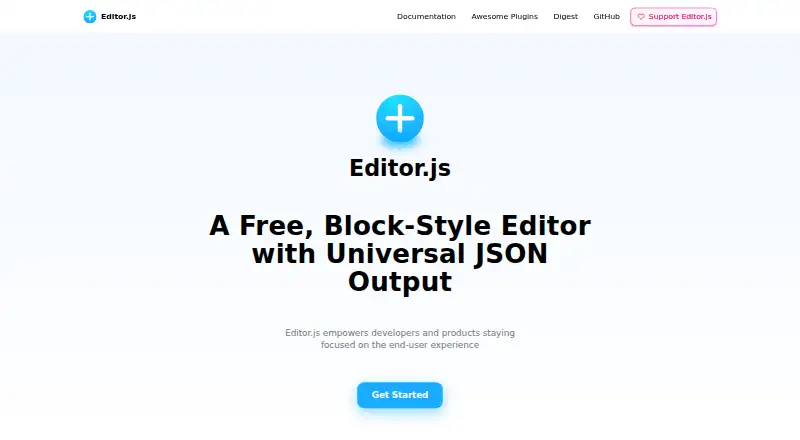
What Editor.js is
Editor.js is a free block-style editor that represents content as JSON rather than as one continuous text field. Its workspace organizes material into blocks such as paragraphs, headings, images, lists, and quotes. Plugins power the blocks, and developers can create additional ones through its API. The JSON can be used to render content for web and mobile clients, Facebook Instant Articles, Google AMP, or audio; it can also be sanitized, validated, and processed on a backend. The getting-started guide names tools for headers, link embeds, images, checklists, lists, embeds, and quotes. Installation options include npm or Yarn, a CDN, and a local project file. Editor.js supports read-only mode when every block tool in use supports it. Its configuration can localize interface text, tool names, tools, and block tunes. It is self-hosted, supports JavaScript and TypeScript, and is released under the Apache 2 License. The project identifies CodeX, a non-profit team, as its maker.
Good
- Free plan with no free trial required.
- Content is organized into distinct blocks.
- JSON output supports web and mobile rendering.
- Developers can build blocks using its API.
Watch out
- Real-time collaboration is not supported.
- Read-only mode depends on each block tool.
- It must be self-hosted.
Who it suits
Editor.js suits developers who need structured, JSON-based content for web or mobile rendering. It also fits projects that want plugin-built blocks and a self-hosted JavaScript or TypeScript editor.
Verdict
Editor.js provides a free, extensible way to create structured content and produce JSON. Check that the block tools you need support read-only mode, and account for self-hosting.
Plans and prices
From Editor.js's own pricing page, checked 15 Oct 2026.
| Plan | Price | What it gives you |
|---|---|---|
| Free and open source | Free | self-hosted JavaScript library · no subscription plans stated |
| Free and open-source | Free | — |
The facts
Each one read from Editor.js's own pages, with the date it was checked.
What it does
- Available tools
- The project lists heading, quote, image, nested list, checklist, link embed, YouTube/Vimeo/Instagram embeds, table, code, raw HTML, attachments, marker and inline-code tools.checked 15 Oct 2026
- Block model
- Documents are assembled from separate paragraph, heading, image, list and quote blocks supplied by plugins.checked 15 Oct 2026
- Block structure
- Its workspace uses separate blocks for content such as paragraphs, headings, images, lists, and quotes.checked 4 Oct 2026
- Clean output
- Saving produces JSON block data instead of a large HTML document.checked 15 Oct 2026
- Core API
- The API exposes block insertion, deletion, movement and rendering, selection, toolbar, sanitizer, caret, event-listener and save methods.checked 15 Oct 2026
- Core interactions
- The editor includes arrow navigation, copy and paste, and cross-block selection behavior.checked 15 Oct 2026
- Data handling
- The site says its JSON output is easy to sanitize and can be validated and processed on the backend.checked 4 Oct 2026
- Default content tool
- Only the Paragraph block is included in the core package; other blocks must be installed and registered separately.checked 15 Oct 2026
- Development requirements
- Building from source requires Node.js, Yarn and Git, followed by repository cloning and yarn build commands.checked 15 Oct 2026
- Extensibility
- Blocks are powered by plugins, and the site says developers can create their own using its API.checked 4 Oct 2026
- Independent ecosystem score
- EditorStack rates the ecosystem 7.5 out of 10 and says community tool quality and TypeScript coverage vary.checked 15 Oct 2026
- Installation
- Developers can install through npm, Yarn, jsDelivr CDN or a local editor.js file.checked 15 Oct 2026
- Internationalization
- The i18n configuration supports UI, tool-name, tool and block-tune translations, plus right-to-left layout.checked 15 Oct 2026
- Licence
- The main repository is released under Apache-2.0.checked 15 Oct 2026
- License
- The site says Editor.js is released under the Apache 2 License.checked 4 Oct 2026
- Limit: collaboration
- Hysen Labs marks collaborative editing as absent from the shipped feature set and still part of the roadmap.checked 15 Oct 2026
- Limit: email output
- EditorStack reports that email-safe HTML requires a renderer written and maintained by the implementer.checked 15 Oct 2026
- Limit: no page-builder layout
- EditorStack says the core lacks columns-first layout primitives, breakpoints and style controls.checked 15 Oct 2026
- Limit: plugin maintenance
- Hysen Labs notes that separate plugins create compatibility and maintenance work because the core does not ship all block tools.checked 15 Oct 2026
- Multi-surface rendering
- The JSON can be rendered for websites, native mobile apps, RSS, AMP, audio readers, chatbots and Facebook Instant Articles.checked 15 Oct 2026
- Output uses
- The site says JSON output can be used to render content for web and mobile clients, Facebook Instant Articles, Google AMP, or audio.checked 4 Oct 2026
- Plugin architecture
- Blocks, inline formatting tools and block tunes are external plugins that use the Editor.js API.checked 15 Oct 2026
The company
- Company founded
- LinkedIn lists CodeX as founded in 2015 with 11–50 employees.checked 15 Oct 2026
- Maker
- CodeX describes Editor.js as a free open-source project made by a nonprofit global team.checked 15 Oct 2026
The full review of Editor.js
Editor.js is a block-style editor for software teams building structured content into their own applications. It is best suited to developers who want JSON output and control over the editing tools. Its flexibility is valuable, but self-hosting and tool-by-tool compatibility make it a less turnkey choice.
Overview
Editor.js organizes content into separate blocks—such as paragraphs, headings, images, lists, and quotes—instead of returning a single undifferentiated text field. The resulting JSON can be rendered for web and mobile clients, Facebook Instant Articles, Google AMP, or audio, and can be validated or processed on a backend. That makes it useful when an application needs structured content for multiple destinations; it is not a hosted publishing service that removes deployment work.
CodeX, a non-profit team, makes Editor.js. It is released under the Apache 2 License, supports JavaScript and TypeScript, and is self-hosted.
Key features
Blocks and extensibility
The getting-started guide includes tools for headers, link embeds, images, checklists, lists, embeds, and quotes. Developers can add plugins or create their own using the API. This gives projects room to shape an editor around their content model, but the team must choose, integrate, and maintain the tools it needs.
Read-only and localization
Editor.js supports read-only mode, which can suit applications that need to display content without editing it. There is an important condition: every block tool in use must support read-only mode too. Its configuration can also localize editor UI text, tool names, tools, and block tunes, giving developers control over the editor's language and terminology.
Data and installation
The JSON output is described as easy to sanitize and can be validated and processed on the backend. Installation options include npm, Yarn, a CDN, or a local project file. Those options suit varied project setups, while still requiring a development team to handle integration and deployment.
Pricing
Editor.js is free and open source: its “Free and open-source” plan costs nothing. There is no free trial because there is no paid plan to trial. The absence of a software charge makes it an accessible option for projects that can self-host, but it does not remove the work of deploying the editor or assembling block tools.
Platforms
Editor.js is listed for Android, iOS, and web. It supports JavaScript and TypeScript and is deployed on infrastructure managed by the project team. The JSON output can be used across web and mobile clients, but platform support does not make it a hosted service.
Who it's for
Editor.js is a strong fit for developers building an application that needs structured content, backend validation or processing, and the freedom to tailor block tools. It is less suitable for teams looking for a ready-to-use editor with managed hosting, or for projects that depend on built-in real-time collaboration: Editor.js does not offer real-time collaboration.
Pros and cons
- Pros: Structured JSON supports validation and backend processing, with output usable across multiple destinations.
- Pros: Plugin-based blocks and an API let developers extend the editor to fit an application's content model.
- Pros: Free, open-source licensing and several installation routes give project teams flexibility.
- Cons: Self-hosting leaves deployment to the project team.
- Cons: Read-only mode depends on every chosen block tool supporting it.
- Cons: No real-time collaboration makes it a poor match for workflows that require simultaneous editing.
Alternatives
For a broader selection, browse Rich Text Editor Software.
- AiEditor is another option with a free plan and Android, iOS, self-hosted, and web platforms.
- CKEditor 5 is worth considering if you want a freemium editor with a free trial and an Essential plan priced at $160 a month.
- MDXEditor is a free web-based React component for authoring Markdown, with features enabled through plugins.
- ProseMirror is a free, self-hosted and web-capable open-source library whose commercial use is legally permitted.
- Tiptap offers a free open-source editor framework and core components, plus paid plans.
- BlockNote is a freemium, self-hosted and web option with a free Community plan.
- Plate has a free plan with all plugins, alongside a one-time paid Personal plan.
- TinyMCE offers a freemium editor with a free trial and a free plan capped at 1,000 editor loads per month before additional charges.
Verdict
Choose Editor.js if your development team wants a free, extensible way to build structured content into an application and can manage self-hosting and block tools. Its JSON-centered design is the main reason to choose it. Look elsewhere if you need built-in real-time collaboration or a more turnkey, managed editing service.
Getting started
- Open the Editor.js website and getting-started guide.
- Choose npm, Yarn, a CDN, or a local project file for installation.
- Configure the editor with the blocks and tools you need.
- Set localization options for interface text, tool names, tools, or block tunes as needed.
- Use the JSON output in your intended rendering or backend workflow.
Questions
How much does Editor.js cost?
The free plan is free. There is no free trial.
Which platforms does it support?
Its listed platforms are Android, iOS, and web. Deployment is self-hosted.
Is Editor.js open source?
Yes. It is released under the Apache 2 License.
Can developers add blocks?
Yes. Blocks are powered by plugins, and developers can create their own using its API.
Does it support read-only mode?
Yes, provided that each block tool used also supports read-only mode.
Who makes Editor.js?
The project identifies CodeX, a non-profit team, as its maker.
Alternatives to Editor.js
- 1
AiEditor
Free planOpen sourceAndroidiOSWebAPI8.3$5,000 one-time - 2

CKEditor 5
Free planAndroidiOSWebAPI7.3From $160 a month - 3
Froala Editor
AndroidiOSWebSelf-hosted7.1From $60 a month - 4

Tiptap
Free planWebAPISelf-hosted6.7From $49 a month - 5

Plate
Free planWebSelf-hosted6.6€299 one-time - 6
TinyMCE
Free planWebAPISelf-hosted6.6Free plan