Time59
Time59 is online legal billing software for solo attorneys and small firms, focused on billing and accounting rather than full practice management.
What Time59 is
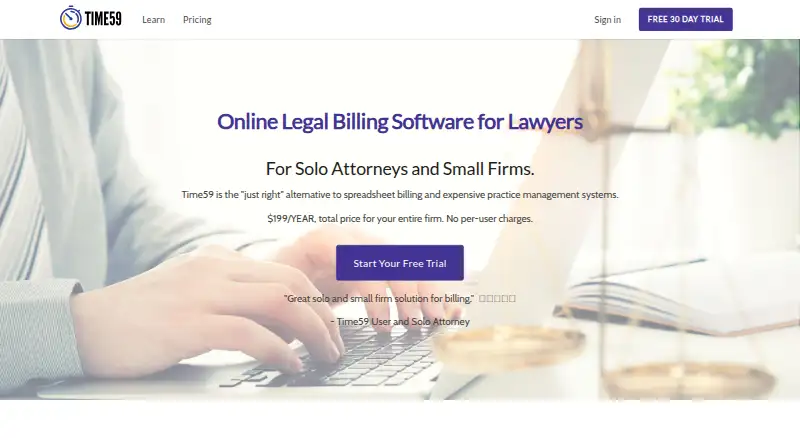
Time59 is online legal billing software for solo attorneys and small firms, focused on billing and accounting rather than full practice management. Billable time and expense records feed into invoices without retyping, and invoice creation and calculations are automated. It supports hourly, flat-fee, and contingency billing, and lists trust accounting and LEDES invoicing. Through its LawPay integration, invoices can link to online payments and payment records update automatically. Time59 runs in a browser on Mac, PC, iPad, iPhone, and Android devices, with no installation required and automatic updates. The company says customer data is stored in the Microsoft cloud and that browser-to-server transmissions use 128-bit SSL encryption. Users can download data to a local computer through export functions. The plan costs $199 a year for an entire practice, with unlimited users and data, no per-user charges, and free phone and email support. There is no free plan, but a 30-day trial is available.
Good
- Time and expenses flow into invoices
- Supports hourly, flat-fee, and contingency billing
- LawPay links invoices to online payments
- Unlimited users and data in the listed plan
Watch out
- No free plan
- QuickBooks data transfer requires manual entry
- Costs $199 a year
Who it suits
Time59 suits solo attorneys and small firms that need billing and accounting tools across browser-accessible devices. It is not described as full practice management software.
Verdict
Time59 combines legal time, expense, invoicing, and trust-accounting features for smaller practices. Consider its billing focus and manual QuickBooks entry alongside the annual plan and 30-day trial.
Plans and prices
From Time59's own pricing page, checked 4 Oct 2026.
| Plan | Price | What it gives you |
|---|---|---|
| Time59 | $199 a year | Unlimited users · Unlimited data · No per-user charges · Free phone and email support · $199 / YEAR for your entire practice. |
The facts
Each one read from Time59's own pages, with the date it was checked.
What it does
- Audience and focus
- Time59 describes itself as focused on billing and accounting for solo attorneys and small firms rather than full practice management.checked 4 Oct 2026
- Data export
- Users can download their data to a local computer using Time59’s export functions.checked 4 Oct 2026
- Encryption
- The company says data transmitted between a browser and its servers is encrypted using 128-bit SSL.checked 4 Oct 2026
- Hosting
- Time59 says it runs on Microsoft Azure and that customer data is stored in the Microsoft cloud.checked 4 Oct 2026
- Invoicing
- Time59 automates invoice creation and calculations.checked 4 Oct 2026
- LEDES
- Time59 lists LEDES invoicing as a feature.checked 4 Oct 2026
- Payment integration
- Time59 integrates with LawPay so invoices can link to online payments and payment records update automatically.checked 4 Oct 2026
- Purpose
- Time59 is online legal billing software for solo attorneys and small firms.checked 4 Oct 2026
- QuickBooks limitation
- Time59 says there is no automatic transfer of its data to QuickBooks, so activity must be entered manually.checked 4 Oct 2026
- Support
- The pricing page says support by phone and email is free.checked 4 Oct 2026
- Time and expenses
- Billable time and expense records flow into invoices without retyping.checked 4 Oct 2026
- Trust accounting
- Trust accounting is listed among Time59’s features.checked 4 Oct 2026
Money
- Billing types
- The site lists hourly and fixed fee billing, and says it supports hourly, flat-fee, and contingency billing.checked 4 Oct 2026
The company
- Company history
- Time59 says it launched in 2006 and is a product of Business Data Designs, Inc., located in Chicago, Illinois.checked 4 Oct 2026
- Founded
- 2006checked 28 Sep 2026
- Headquarters
- Chicago, Illinois, United Stateschecked 28 Sep 2026
Where it runs
- Platform
- Time59 runs in a browser on Mac, PC, iPad, iPhone, and Android devices, with automatic updates and no installation required.checked 4 Oct 2026